Simplified Review 2026
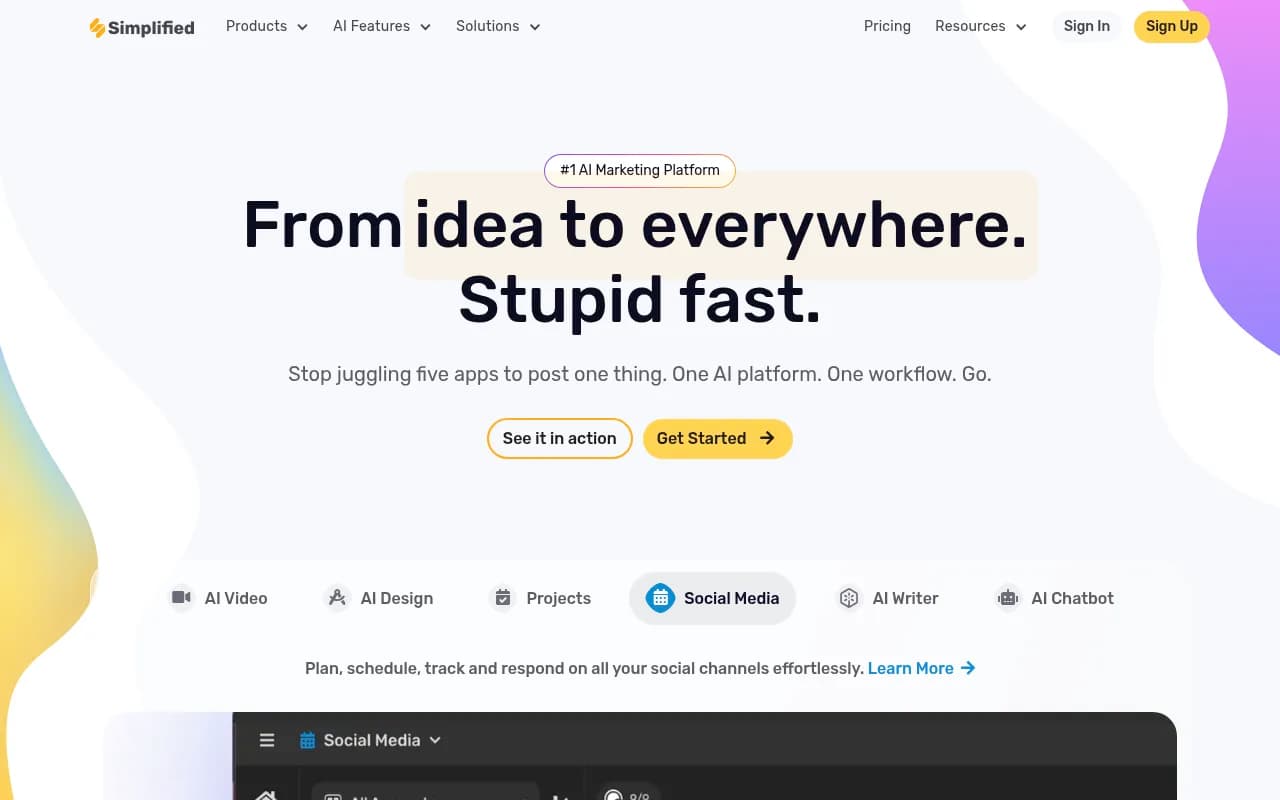
Simplified is an AI-powered marketing platform that combines design, video editing, copywriting, and social media management in one workspace. Used by solo creators and teams to generate graphics, videos, blog posts, and social content, then schedule it across channels—all without switching apps. Fr
Summary
- All-in-one platform combining AI design, video editing, writing, and social media scheduling—no need to juggle five separate tools
- Strong AI content generation across formats: images, videos, presentations, blog posts, social captions, ads, and more
- Generous free plan with core features; paid plans start at $19/month (annual billing)
- Built for collaboration with real-time editing, comments, and approval workflows for teams
- Lacks advanced SEO optimization and AI search visibility features compared to specialized platforms
Simplified is an all-in-one AI marketing platform built for creators, small teams, and agencies who are tired of switching between Canva, Premiere, Jasper, and Buffer just to ship one piece of content. Launched by TLDR Technologies, Inc., the platform has grown to serve millions of users—from solo influencers to marketing teams at mid-sized companies—by consolidating design, video, writing, and social scheduling into a single workspace. The pitch is simple: stop paying for five subscriptions and stop context-switching. One login, one interface, one workflow.
The platform targets content creators, social media managers, graphic designers, copywriters, video editors, and small marketing teams (1-10 people) who need to produce high volumes of content quickly. It's particularly popular with freelancers, agencies managing multiple clients, and e-commerce brands running paid social campaigns. If you're a solo creator posting daily to Instagram, TikTok, and YouTube, or a three-person marketing team at a SaaS startup cranking out ads and blog posts, Simplified is designed for you. It's less suited for enterprise teams with complex approval chains or brands that need deep analytics and attribution—those users will hit the platform's limits quickly.
AI Content Generation Across Formats
Simplified's core strength is its breadth of AI tools. You can generate images from text prompts (AI Image Generator), turn scripts into talking-head videos with AI avatars (AI Script to Video), create presentations from a topic (AI Presentation Maker), write blog posts and social captions (AI Writer), generate ad copy and visuals (AI Ads Generator), and even clone your voice for video voiceovers (AI Voice Cloning). The platform supports 30+ languages for text generation, making it useful for international teams.
The AI Writer includes 80+ templates for specific use cases: Instagram captions, LinkedIn posts, product descriptions, email subject lines, blog outlines, and more. You can also use the AI Chatbot (Simplified.chat) to train a custom bot on your brand's knowledge base and deploy it on your website. For video, the AI Short Clips tool automatically extracts viral-worthy segments from long-form content and assigns a "virality score" to help you prioritize which clips to post. The AI Subtitle Generator auto-transcribes and translates captions into multiple languages, and the AI Photo Editor includes magic removal, background blur, upscaling, and generative fill.
What sets Simplified apart from single-purpose tools is that all these AI features live in one platform. You can generate a blog post, turn it into a carousel design, repurpose it into a video script, and schedule the whole campaign to Instagram, LinkedIn, and TikTok—without leaving the app. Competitors like Canva (design-first), Descript (video-first), or Jasper (writing-first) require you to export and import between tools. Simplified's integration is tighter.
Design and Video Editing
The design editor is a Canva-style drag-and-drop interface with 100,000+ templates for social posts, ads, presentations, thumbnails, infographics, and more. You get access to millions of stock photos, videos, vectors, and audio clips (licensed for commercial use). The Brand Kit feature lets you save your logo, colors, fonts, and tone of voice so every AI generation stays on-brand. You can create multi-page documents, animate elements, and export in PNG, JPG, PDF, MP4, or GIF.
The video editor supports timeline-based editing with layers, transitions, effects, and text overlays. You can trim, crop, speed up or slow down clips, add subtitles, remove backgrounds, and apply filters. The AI tools (voice cloning, subtitle generation, short clips extraction) are built directly into the video editor, so you don't need to switch to a separate app. For podcasters and YouTubers, the one-click transcription and subtitle generation is a major time-saver. The video compressor and reverse video tools are handy for quick edits.
Compared to Canva, Simplified's design editor is slightly less polished—fewer advanced effects and animations—but it makes up for it with integrated video editing and AI writing, which Canva doesn't offer in one place. Compared to Descript or Premiere Rush, Simplified's video editor is simpler and faster but lacks advanced features like multi-track audio mixing or color grading.
Social Media Management and Scheduling
Simplified includes a full social media scheduler with a visual content calendar, bulk scheduling, and post analytics. You can connect Instagram, Facebook, TikTok, LinkedIn, Twitter/X, Pinterest, YouTube, Google Business, and Shopify. The AI Bulk Post Generator creates 30 days of social content in one click—you provide a topic or product, and it generates captions, hashtags, and image suggestions for each post. You can schedule posts individually or in bulk, set up recurring posts, and preview how they'll look on each platform.
The platform also includes an AI Hashtag Generator that suggests trending and niche hashtags based on your content, and a social inbox for responding to comments and DMs (though this feature is less robust than dedicated tools like Sprout Social or Hootsuite). Analytics show reach, engagement, clicks, and follower growth, but the reporting is basic—no custom dashboards or attribution modeling. If you need deep analytics or multi-channel attribution, you'll want to supplement with Google Analytics or a dedicated social analytics tool.
For agencies managing multiple clients, the workspace feature lets you create separate projects for each client with its own brand kit, content library, and team members. You can invite clients to review and approve content before it goes live, which streamlines the approval process. The collaboration features (real-time editing, comments, version history) are solid for small teams but lack the granular permissions and approval workflows of enterprise tools like Monday.com or Asana.
Integrations and Ecosystem
Simplified integrates with major social platforms (Instagram, Facebook, TikTok, LinkedIn, Twitter/X, Pinterest, YouTube, Google Business), e-commerce platforms (Shopify), and content management systems (WordPress via plugin). There's a Chrome extension for quick access to AI tools, and mobile apps for iOS and Android (though the mobile experience is more limited than the web app). The platform also offers an API for custom integrations and a Shopify app for generating product images and descriptions.
Notably, Simplified does NOT integrate with Google Search Console, Ahrefs, Semrush, or other SEO tools. If you're focused on organic search visibility or AI search optimization (tracking how your brand appears in ChatGPT, Perplexity, or Google AI Overviews), Simplified won't help—you'd need a specialized platform like Promptwatch for that. Simplified is built for social media and paid content distribution, not SEO or AI search visibility.
Pricing and Value
Simplified offers a Free Forever plan with unlimited design projects, 1,000 AI words per month, 10 AI images, 10 minutes of video exports, and social scheduling for 3 accounts. It's genuinely usable for solo creators who post occasionally. The Pro plan ($19/month annual, $29/month monthly) adds 50,000 AI words, 100 AI images, 60 minutes of video, 5 social accounts, and removes watermarks. The Business plan ($49/month annual, $79/month monthly) includes 150,000 AI words, 300 AI images, 180 minutes of video, 10 social accounts, and team collaboration features. Enterprise pricing is custom.
Compared to buying separate subscriptions for Canva Pro ($13/month), Jasper ($49/month), Descript ($24/month), and Buffer ($12/month)—which totals $98/month—Simplified's $49/month Business plan is a significant savings if you use all the features. The catch is that Simplified's individual tools are less powerful than the standalone versions. Canva has more design features, Jasper has better long-form writing, Descript has better video editing, and Buffer has better analytics. Simplified is the jack-of-all-trades, master of none.
For solo creators and small teams (1-5 people) who need speed and convenience over depth, Simplified is excellent value. For larger teams or power users who need advanced features in any one category, the platform will feel limiting.
Strengths
- True all-in-one platform: Design, video, writing, and social scheduling in one workspace—no need to export/import between tools. This is Simplified's biggest differentiator.
- AI breadth: 10+ AI tools covering images, videos, presentations, blog posts, social captions, ads, voice cloning, subtitles, and more. The variety is impressive.
- Generous free plan: Unlike most competitors, Simplified's free tier is actually usable for solo creators who post occasionally.
- Collaboration features: Real-time editing, comments, version history, and client approval workflows make it easy for small teams to work together.
- Brand Kit: Save your logo, colors, fonts, and tone of voice once, and every AI generation stays on-brand automatically.
Limitations
- Jack-of-all-trades, master of none: Each individual tool (design, video, writing, social) is less powerful than standalone competitors. Power users will hit the limits quickly.
- Basic analytics: Social media reporting is surface-level—reach, engagement, clicks. No custom dashboards, attribution modeling, or deep insights.
- No SEO or AI search visibility: Simplified doesn't help with organic search rankings or tracking how your brand appears in AI search engines like ChatGPT or Perplexity. If that's important, you need a specialized tool like Promptwatch.
- Mobile app limitations: The iOS and Android apps are functional but lack many features available on the web version.
Who Should Use Simplified
Simplified is best for solo creators, freelancers, small marketing teams (1-5 people), and agencies managing multiple clients who need to produce high volumes of social content quickly. If you're posting daily to Instagram, TikTok, LinkedIn, and YouTube, and you need to generate graphics, videos, captions, and ads without switching between five apps, Simplified will save you hours every week. It's also great for e-commerce brands running paid social campaigns who need to generate product images, ad copy, and landing page content at scale.
You should NOT use Simplified if you're a power user in any one category (design, video, writing, or social). Canva is better for advanced design, Descript is better for video editing, Jasper is better for long-form writing, and Sprout Social is better for social analytics. You also shouldn't use Simplified if you care about SEO or AI search visibility—it has no features for tracking or optimizing how your brand appears in Google search or AI engines like ChatGPT and Perplexity.
Bottom Line
Simplified is the best all-in-one AI marketing platform for small teams and solo creators who value speed and convenience over depth. If you're tired of juggling Canva, Jasper, Descript, and Buffer, and you just want one app that does everything reasonably well, Simplified delivers. The free plan is generous, the paid plans are affordable, and the AI tools are genuinely useful. Just know that you're trading specialization for integration—each tool is good, but none are best-in-class. For most small teams, that's a trade worth making.
Tags:
Frequently asked questions
What is Simplified and what does it do?
How much does Simplified cost?
Does Simplified have a free plan?
Who is Simplified best for?
What types of content can you create with Simplified?
Can teams collaborate on Simplified?
How does Simplified compare to using separate tools like Canva, Jasper, and Buffer?
What are the limitations of Simplified?
Similar and alternative tools to Simplified