Key takeaways
- Legal is one of the most AI-exposed search categories. SE Ranking research cited by Eve Legal puts Google AI Overviews at around 78% of legal queries, so firms compete in AI answers, the map pack and organic results at once.
- No GEO tool is built only for law firms. The useful question is which general platform handles multi-office, multi-practice-area tracking without wasting your question budget.
- Tracking alone does not win clients. The tools worth paying for also show which pages AI crawlers read, which sources get cited, and what to fix next.
- Pricing is metered by questions, models, domains or credits, so the sticker price misleads. Count your location-and-service combinations before you compare plans.
- Whatever you buy, check marketing claims against state bar advertising rules. AI-generated legal content needs attorney review.
Why law firms need GEO tools at all
For twenty years, law firm marketing was a ranking game. Get into the top three for "car accident lawyer [city]" and the phone rang. That still matters, but a growing share of prospective clients now type the same question into ChatGPT, Gemini, Perplexity or Claude and read a single synthesized answer. Some of those answers name firms. Most never send a click.
GEO (generative engine optimization) is the work of making your firm appear, and appear accurately, in those answers. Best Lawyers frames it well: the goal is less about where your pages rank and more about how AI tools describe your firm. If your attorney bios are thin, your Avvo profile is out of date and your site blocks AI crawlers, the model fills in the gaps from whatever it finds.

You cannot manage what you cannot see, and you cannot see AI answers by Googling yourself. That is the job of a GEO tool: run a fixed set of prompts across several AI engines on a schedule, record who gets mentioned and cited, and show you the trend.
What makes legal different from other GEO use cases
Most GEO tools were designed with SaaS brands in mind, where a prompt looks like "best project management software". Legal prompts behave differently, and that changes what you should demand from a tool.
Everything is local
Nobody asks for "a personal injury lawyer". They ask for one in Tampa, or near them, or in a specific state. A tool that tracks prompts only at the country level will tell you very little. Look for city, state or at least country-plus-location prompt support.
The prompt matrix explodes
SearchEye's comparison gives a useful example: five offices across six practice areas is at least 30 location-and-service combinations, before you multiply by AI models, comparison queries or tracking frequency. A plan with 25 tracked questions covers less than one office. This is why the cheap entry tier is rarely the plan a multi-office firm ends up on.
Mentions and citations are different things
An AI answer can name your firm without linking to you, or cite your blog post without naming you. For a law firm, being named is what generates the call. Being cited is what shows your content is trusted. You want a tool that separates the two.
Third-party sources matter more
Legal AI answers lean on directories, bar association pages, news and review sites. Your own website is only part of the picture. Tools that show which outside pages get cited for your prompts tell you where to spend effort on profiles and PR.
Compliance sits over everything
Attorney advertising rules vary by state. A tool that auto-generates and publishes content is a risk unless a lawyer reviews it. Treat every AI-written draft as a draft, and keep a human sign-off step in the workflow.
What AI engines actually cite, and what that means for your pages
There is no legal-specific citation report yet, so treat the following as directional. Promptwatch Data analyzed ChatGPT citations from Sep 28 to Oct 4, 2026. Product pages were the most cited type at 22.4% and landing pages followed at 16.8%, so roughly 39% of citations go to pages describing what a company sells.
For a law firm, practice-area and service pages play that role. That is my inference, not a finding from the report, but it fits: a thin "Practice areas" page with one paragraph per service is the weakest asset you can have. A dedicated page per practice area per city, written by an attorney, is the strongest.
The same report splits by prompt type:
- Commercial prompts ("best X for..."): product pages 26.0%, landing pages 20.6%, listicles 15.0%, comparisons 7.9%.
- Branded prompts that name a company: reviews reach 5.6%, more than three times their overall share, and FAQ pages hit 4.8%.
When someone asks "best estate planning attorney in Denver", that looks like a commercial prompt, so listicles and comparisons matter. When they ask "is [Firm name] any good", reviews and FAQ pages carry more weight. Keep your review profiles current and write real FAQ pages.
Two more data points shape priorities:
- Social platforms made up just 0.46% of ChatGPT citations in the same week, but 12.2% of Google AI Overviews citations, with YouTube at 4.28% and Facebook at 2.38% (Promptwatch Data, Sep 28 to Oct 4, 2026). If Google is your main source of leads, a YouTube channel with attorney explainer videos is worth considering. Reddit is no longer a dependable ChatGPT lever, after its citation share collapsed in August.
- News content fades fast. Landing pages and docs stay cited longest while news loses half its pages within about 36 days (content half-life report). Evergreen practice pages beat timely blog posts for durable visibility.
How to evaluate a GEO tool as a law firm
Before buying, run a short test. Build a list of 20 to 30 prompts and see how each tool handles them. A good set covers:
- Practice area plus city or state ("divorce lawyer in Austin")
- "Best" comparisons ("best employment lawyers in Chicago")
- Urgent-need phrasing ("I was just arrested, who do I call")
- Reputation wording ("is [Firm] reputable")
- Head-to-head firm comparisons
Then check each tool against this list:
| Criterion | Why it matters for a firm |
|---|---|
| Local and state-level tracking | Legal intent is geographic |
| Office or project separation | Each office needs its own baseline |
| Mentions vs citations | Names drive calls, citations show trust |
| Competitor alerts | Know when a rival firm shows up and you do not |
| Consistent history | You need trend lines, not one-off snapshots |
| Crawler and traffic data | Shows whether AI engines can read your site and whether they send visitors |
| Content workflow with review step | Output must pass attorney and bar compliance review |
The best GEO tools for law firms in 2026
Pricing below is vendor-reported (SearchEye's October 2026 comparison and vendor pages) and changes often. Confirm on each pricing page before you commit.
Promptwatch
Promptwatch is the one I would put first for firms that want to act on the data, not just watch it. It tracks the real interfaces of ChatGPT, Google AI Overviews, Google AI Mode, Gemini, Perplexity and Copilot, with country tracking on every paid plan and state and city tracking from the Business tier, which matters a lot for local legal prompts.

Three things suit law firms in particular. First, IP-verified AI crawler logs show whether GPTBot, OAI-SearchBot or PerplexityBot are actually reaching your practice pages or hitting errors. Second, citation analytics show which outside pages (directories, news, review sites) AI engines pull from for your prompts, and Offsite Mentions catches pages that name your firm without linking. Third, the Content Agent and Action Board turn gaps into drafts and a prioritized to-do list, with a review inbox so an attorney can approve before anything publishes to WordPress, Webflow or Framer.
Pricing at the time of writing: Essential is $95/mo (50 prompts), Professional $245/mo (150 prompts), Business $579/mo (350 prompts, state and city tracking), and agency plans start at $199/mo. Check promptwatch.com/pricing. A free Explore tier covers 10 prompts on ChatGPT only, enough to test the idea.
Peec AI
A clean, prompt-tracking-focused tool with unlimited users and multi-country and multilingual support. Reported pricing runs Starter $95, Pro $245 and Advanced $495 per month with a 7-day trial. Good for firms that mostly want a dashboard and share-of-voice view. It does not give you crawler logs or content generation.

Otterly.AI
The budget option. The homepage advertises from $29/mo, and configurations on the pricing page reportedly run $9 to $489 a month, with some engines sold as add-ons. Fine for a solo practitioner or a small firm that wants to check the basics. Expect to outgrow it if you track several offices.

Semrush AI Visibility Toolkit
If your agency or in-house team already lives in Semrush, the AI toolkit ($99/mo, with Semrush One from $199/mo) keeps everything in one place. The catch is capacity: the entry tier tracks only 25 custom questions and is priced per domain, which a multi-office firm will burn through fast.
SE Ranking AI Search
Sold as an add-on from about $89/mo plus a main subscription. It compares up to five competitors and tracks linked and unlinked mentions, which is useful for the mention-versus-citation question. Reasonable if you already use SE Ranking for rank tracking.
Scrunch
A monitoring platform starting around $250/mo, with an AXP product aimed at large or JavaScript-heavy sites. Pricing for AXP is not public. Probably overkill for most firms unless your site is a heavy single-page app that AI crawlers struggle to read.
AthenaHQ
Starter at $295/mo with a free Essential tier and custom enterprise pricing. Watch the credits, which can drain quickly across many prompts.
Profound
A strong enterprise-grade monitoring platform. Pricier than most of the list, which makes it a better fit for large firms or networks with a dedicated marketing team than for a three-partner practice.

Writesonic
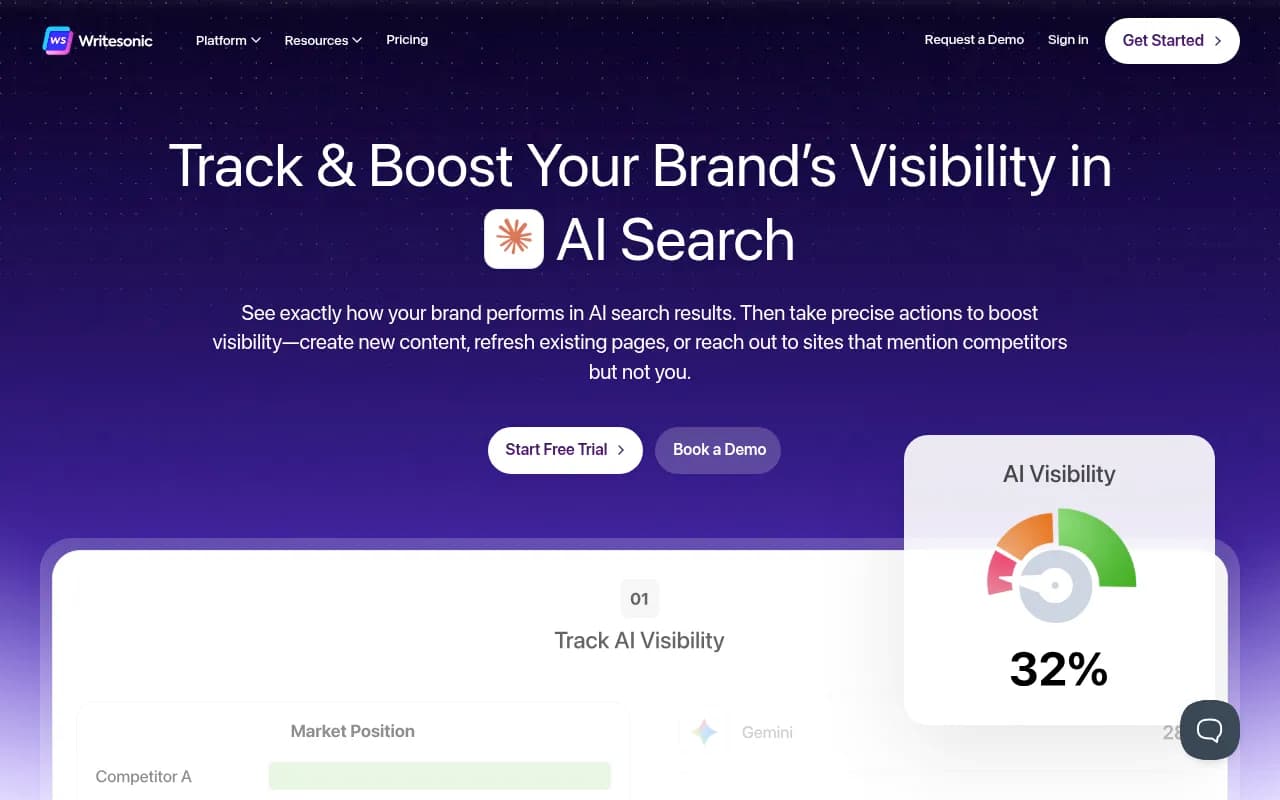
Starter $99/mo ($79 annually) and Basic $249/mo ($199 annually). It combines visibility tracking with content generation. Any generated legal content needs attorney review before it goes near your site.
Comparison table
| Tool | Starting price (vendor-reported) | Local tracking | Crawler logs | Content workflow | Best for |
|---|---|---|---|---|---|
| Promptwatch | Free tier, then $95/mo | Country on all paid plans, state and city from Business | Yes, IP-verified | Content Agent with review inbox | Firms that want to fix gaps, not just see them |
| Peec AI | $95/mo | Multi-country | No | No | Dashboard-first tracking |
| Otterly.AI | From $29/mo | Limited by config | No | No | Solo and small firms on a budget |
| Semrush AI Toolkit | $99/mo | Per domain, 25 questions at entry | No | Via wider Semrush suite | Teams already on Semrush |
| SE Ranking AI Search | From $89/mo add-on | Yes | No | Via wider SE Ranking suite | Existing SE Ranking users |
| Scrunch | $250/mo | Yes | Limited | AXP for heavy sites | Large or JS-heavy sites |
| AthenaHQ | $295/mo | Yes | No | Limited | Mid-size teams |
| Writesonic | $99/mo | Limited | No | Yes | Tracking plus drafting, with legal review |
For more options, the GEO software directory at bestgeosoftware.com lists dozens of alternatives.
Pair the tool with free measurement
A GEO platform is only half the picture. The cheapest and most reliable proof that AI search is working for you lives in your own analytics.
- In GA4, filter or segment sessions from chatgpt.com, perplexity.ai and copilot.microsoft.com. Expect low volume and high intent, the kind of visitor a model sent because it recommended you.
- Check server logs, or a crawler analytics tool, for OAI-SearchBot and PerplexityBot hits on your practice pages. If they never show up, no content fix will help.
- Use Google Search Console and Bing Webmaster Tools as Best Lawyers recommends. Pages that rank in Google but never get cited by AI are your best quick-win candidates.
- Add a "how did you hear about us" field to your intake form with an AI option. Many AI-influenced clients never show up as a referral.

A practical rollout plan
- Audit the basics. Make sure attorney names, bar numbers, offices and practice areas are identical on your site, Google Business Profile, Avvo, Martindale and other directories. AI models hate contradictions.
- Check crawler access. Confirm your robots.txt and CDN are not blocking AI bots you want reading your pages.
- Build your prompt set. 20 to 30 prompts covering each office and practice area, plus reputation and comparison queries.
- Pick a tool using the test above. Run a trial with your real prompts, not demo ones.
- Fix the biggest gaps first. Usually thin practice pages, missing FAQ content and stale directory profiles.
- Add attorney-reviewed content on a schedule. Evergreen landing pages and FAQs before news-style blog posts.
- Review monthly. Compare AI visibility against GA4 conversions and calls.
Should you hire an agency instead?
Maybe. If nobody on your team has time to run the audit, write the pages and chase outside profiles, a specialist helps. Some legal-focused agencies sell GEO as part of a full-service program, and agencies like 1001 SEO Media cover technical SEO, content and generative engine optimization with no long-term contracts. Whoever you choose, ask which tool they use for tracking, who reviews content for compliance, and whether you can see the data yourself.
Bottom line
Pick the tool by how well it handles your prompt matrix, not by the lowest sticker price. Solo practitioners can start with the free Promptwatch tier or Otterly. Multi-office firms should plan for a mid-tier plan with local tracking, crawler data and a content workflow with an attorney review step. Then confirm everything against GA4, your server logs and your intake form, because the real test is whether the phone rings.