n8n Review 2026
n8n is a powerful workflow automation platform that combines visual drag-and-drop building with full code access (JavaScript/Python). Built for technical teams, it offers 500+ integrations, AI agent capabilities, self-hosting options, and the flexibility to switch between no-code and code whenever n
Summary
- Best for technical teams who need both the speed of visual automation and the power of custom code -- DevOps, IT Ops, SecOps, and developers who want control without vendor lock-in
- Standout feature: True code flexibility -- write JavaScript or Python inline, import npm packages, paste cURL requests, or use the visual builder. Most competitors force you to pick one approach.
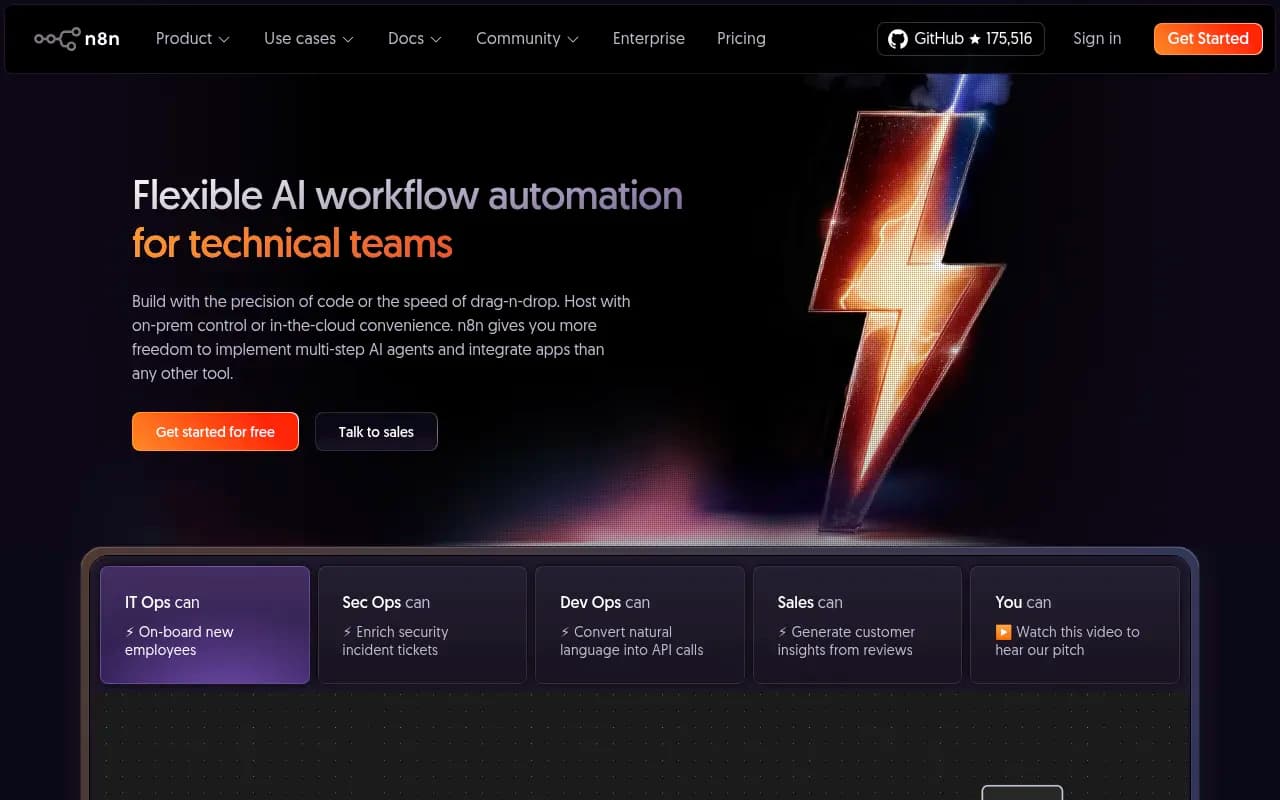
- Self-hosting is a first-class option with full source code access on GitHub (175.5k stars), Docker deployment, and enterprise-grade security. Cloud hosting also available.
- AI agent capabilities built in -- create multi-step agents that call custom tools, use local AI models, or connect to OpenAI/Anthropic/AWS Bedrock
- Pricing starts at €20/month for 2,500 workflow executions with unlimited users and workflows. Enterprise plans available for larger teams.
n8n (pronounced "n-eight-n") is a workflow automation platform built by a German company that's become one of the most popular open-source projects on GitHub. It's used by technical teams at Delivery Hero, StepStone, Wayfair, Vodafone, and Microsoft to automate everything from employee onboarding to security incident enrichment to API integrations. The core idea: give developers and technical teams the flexibility of code when they need it, and the speed of visual automation when they don't.
What makes n8n different from Zapier, Make, or other automation tools is that it doesn't hide the complexity -- it embraces it. You can build workflows visually by dragging nodes onto a canvas, but you can also drop into JavaScript or Python at any point to write custom logic, call external libraries, or manipulate data in ways the visual interface doesn't support. This hybrid approach means you're never stuck waiting for the vendor to add a feature you need.
Visual builder with code escape hatches
The workflow editor is a node-based canvas where you connect triggers (webhooks, schedules, app events) to actions (send email, update database, call API). Each node represents a step in your workflow. You configure nodes through forms -- select an app, choose an action, map fields -- but you can always click into the code view and write JavaScript or Python directly. This is huge for teams that hit the limits of pure no-code tools. Need to parse a complex JSON response? Write a function. Want to call a custom npm package? Import it. The visual builder handles the 80% case, code handles the rest.
n8n supports over 500 integrations out of the box -- Google Sheets, Slack, Airtable, Salesforce, MySQL, Postgres, AWS, Stripe, Shopify, and hundreds more. Each integration is a node you can drop into your workflow. If an integration doesn't exist, you can use the HTTP Request node to call any API, or build a custom node using n8n's node development kit. The HTTP Request node is particularly powerful -- you can paste a cURL command directly into it and n8n will parse it into a working request.
AI agents and LLM integrations
n8n has deep support for building AI workflows and multi-step agents. The AI Agent node lets you create agents that can call tools, make decisions, and execute multi-step tasks. You can connect agents to OpenAI, Anthropic Claude, AWS Bedrock, Google Gemini, or run local models using Ollama. The platform includes vector store integrations (Pinecone, Qdrant, Supabase) for building RAG (retrieval-augmented generation) pipelines, and tools for document processing, embeddings, and memory management. This is where n8n shines for teams building AI-powered automation -- you can prototype an agent workflow in the visual editor, then refine the prompts and logic with code.
One example workflow: an AI agent that monitors a Slack channel, extracts action items from conversations, searches a knowledge base for relevant context, generates a summary with recommendations, and posts it back to Slack. You'd use the Slack trigger node, an AI Agent node with a custom prompt, a vector store node for the knowledge base search, and a Slack message node for the output. The entire workflow is visual, but you can drop into code to customize the prompt formatting or add conditional logic.
Self-hosting and deployment options
This is where n8n diverges sharply from most automation platforms. The entire codebase is open source (Apache 2.0 license with a fair-code license for the enterprise features) and available on GitHub. You can deploy n8n on your own infrastructure using Docker, Kubernetes, or a simple Node.js server. This matters for teams with strict data residency requirements, compliance needs, or who just don't want to send sensitive data through a third-party cloud service. You get the full feature set when self-hosting -- there's no crippled version.
The self-hosted version includes the workflow editor, all integrations, the execution engine, and a built-in database (SQLite by default, but you can use Postgres or MySQL). You can run it on a single server for small teams or scale it horizontally with queue mode for high-volume workflows. n8n also supports external storage for workflow data (S3, MinIO) and log streaming to third-party services for monitoring.
If you don't want to manage infrastructure, n8n offers a cloud-hosted version at n8n.cloud. Same features, same editor, but they handle the hosting, backups, and scaling. The cloud version starts at €20/month for 2,500 workflow executions. Both options support unlimited users and unlimited workflows -- pricing is based purely on execution volume.
Developer experience and debugging
The workflow editor has features that make it feel more like a development environment than a no-code tool. You can re-run individual nodes without re-running the entire workflow, which is essential for debugging complex workflows. You can mock data or replay previous executions to test changes without waiting for external triggers. Error logs appear inline with the node that failed, showing you the exact input data, error message, and stack trace. This tight feedback loop is what makes n8n fast to work with -- you're not guessing what went wrong.
The code editor supports JavaScript (ES6+) and Python, with full access to the Node.js standard library and the ability to import npm packages. You can write functions that transform data, make HTTP requests, interact with databases, or call external APIs. The editor includes autocomplete, syntax highlighting, and inline documentation. For Python, n8n runs your code in a sandboxed environment and handles the data serialization between JavaScript and Python.
n8n also supports version control through Git integration. You can sync your workflows to a Git repository, track changes, and collaborate with your team using pull requests. This is a feature most no-code tools don't have -- workflows are treated as code, not locked in a proprietary format.
Integrations and ecosystem
The 500+ integrations cover most common SaaS apps, databases, and APIs. Each integration is a node with pre-built actions and triggers. For example, the Slack integration includes actions like "Send Message", "Update Message", "Add Reaction", and triggers like "New Message Posted", "New Channel Created". You configure each action through a form, but you can also use expressions (JavaScript snippets) to dynamically set values based on data from previous nodes.
If an integration doesn't exist, you have three options: use the HTTP Request node to call the API directly, build a custom node using n8n's node development kit, or request it from the community. The community is active -- 200k+ members on the forum and Discord -- and new integrations are added regularly. The HTTP Request node is surprisingly powerful -- it supports authentication (OAuth, API keys, basic auth), custom headers, query parameters, and request body formatting. You can build a working integration for most APIs in minutes.
n8n also has a template library with 1,700+ pre-built workflows. These range from simple automations ("Send Slack notification when new row added to Google Sheets") to complex multi-step workflows ("Sync Salesforce contacts to HubSpot, enrich with Clearbit data, and update Airtable"). You can import a template, customize it, and have a working workflow in minutes. This is helpful for getting started or finding examples of how to use specific integrations.
Pricing and value
The cloud-hosted version has three tiers:
- Starter: €20/month for 2,500 workflow executions. Includes unlimited users, unlimited workflows, all integrations, and community support.
- Pro: €50/month for 10,000 executions. Adds priority support, advanced permissions, and environment variables.
- Enterprise: Custom pricing starting around €20,000/year. Adds SSO/SAML, LDAP, audit logs, log streaming, isolated environments, SLA, and dedicated support.
All tiers include unlimited users and unlimited workflows. Pricing is based purely on execution volume -- one execution is one workflow run, regardless of how many nodes it contains. This is different from Make or Zapier, which charge per task (each node is a task). A 10-node workflow in n8n counts as 1 execution, while the same workflow in Make would count as 10 tasks. This makes n8n significantly cheaper for complex workflows.
The self-hosted version is free for unlimited executions if you're comfortable managing your own infrastructure. The enterprise features (SSO, audit logs, advanced RBAC) require a license, but the core platform is fully functional without it. For teams that want control over their data and don't mind running a Docker container, self-hosting is the best value.
Compared to competitors: Zapier starts at $29.99/month for 750 tasks (not executions), Make starts at $10.59/month for 1,000 operations, and Tray.io is enterprise-only with pricing starting around $30k/year. n8n is cheaper than Zapier and Make for high-volume workflows, and significantly cheaper than Tray.io for enterprise teams. The self-hosting option is unique -- none of the major competitors offer it.
Who is it for
n8n is built for technical teams who need more control than Zapier or Make can provide. The primary users are:
- DevOps and IT Ops teams automating infrastructure tasks, deployments, monitoring, and incident response. Example: automatically roll back a deployment if custom unit tests fail, notify the team in Slack, and create a ticket in Jira.
- SecOps teams enriching security incidents, automating threat intelligence workflows, and integrating security tools. Example: when a new security ticket is created in ServiceNow, pull threat data from VirusTotal, enrich with OSINT sources, and update the ticket with findings.
- Developers building internal tools, API integrations, and data pipelines. Example: sync data between Salesforce and a custom database, transform it with Python, and send daily reports to Slack.
- Marketing and sales teams at technical companies who want more flexibility than traditional automation tools. Example: scrape competitor pricing from their website, store it in Airtable, and send weekly comparison reports.
The ideal team size is 5-50 people at a startup or scale-up, or a technical team within a larger enterprise. n8n works for solo developers, but the real value comes when multiple people are building and maintaining workflows. The unlimited users feature means you can give access to your entire team without worrying about seat costs.
Who should NOT use n8n: non-technical teams who want a pure no-code experience. While n8n has a visual builder, it assumes you're comfortable with concepts like APIs, JSON, and basic programming. If your team has never written a line of code and doesn't want to, Zapier or Make are better choices. n8n is also not ideal for teams that need 24/7 enterprise support -- the community support is excellent, but if you need a guaranteed SLA, you'll need the enterprise plan.
Strengths
- True code flexibility: You can write JavaScript or Python inline, import libraries, and drop into code whenever the visual builder isn't enough. This is the killer feature -- you're never stuck.
- Self-hosting option: Full source code access, Docker deployment, and no vendor lock-in. This is rare in the automation space and critical for teams with compliance or data residency requirements.
- AI agent capabilities: Built-in support for multi-step agents, vector stores, and LLM integrations. Most competitors are still catching up on AI workflows.
- Unlimited users and workflows: Pricing is based on executions, not seats or workflow count. This makes n8n much cheaper for teams that build a lot of workflows.
- Active open-source community: 175.5k GitHub stars, 200k+ community members, and regular contributions. The community builds integrations, shares templates, and helps with troubleshooting.
Limitations
- Steeper learning curve: The flexibility comes with complexity. If you've never worked with APIs or JSON, n8n will be harder to learn than Zapier. The visual builder helps, but you'll eventually need to understand how data flows between nodes.
- Fewer pre-built integrations than Zapier: n8n has 500+ integrations, Zapier has 7,000+. The gap is closing, and you can always use the HTTP Request node, but if you need a niche integration, Zapier might have it and n8n might not.
- Enterprise pricing is high: The self-hosted enterprise license starts around €20k/year, which is steep for small teams. The core platform is free, but if you need SSO or audit logs, you'll pay for it. Competitors like Make and Zapier include these features at lower price points.
Bottom line
If you're a technical team that needs workflow automation with the flexibility to write code when necessary, n8n is the best option in 2026. The combination of visual building, code access, self-hosting, and AI agent capabilities is unmatched. It's cheaper than Zapier for complex workflows, more flexible than Make, and more accessible than Tray.io. The self-hosting option alone makes it worth considering for teams with strict data requirements. Best use case: DevOps teams automating infrastructure and deployment workflows where you need both speed and control.
Frequently asked questions
What is n8n and what does it do?
Is n8n free to use?
How much does n8n cost?
Who is n8n best for?
Can you self-host n8n?
What makes n8n different from Zapier or Make?
Does n8n support AI agents?
How many integrations does n8n have?
Can you write custom code in n8n?
What companies use n8n?
Similar and alternative tools to n8n