Claude Review 2026
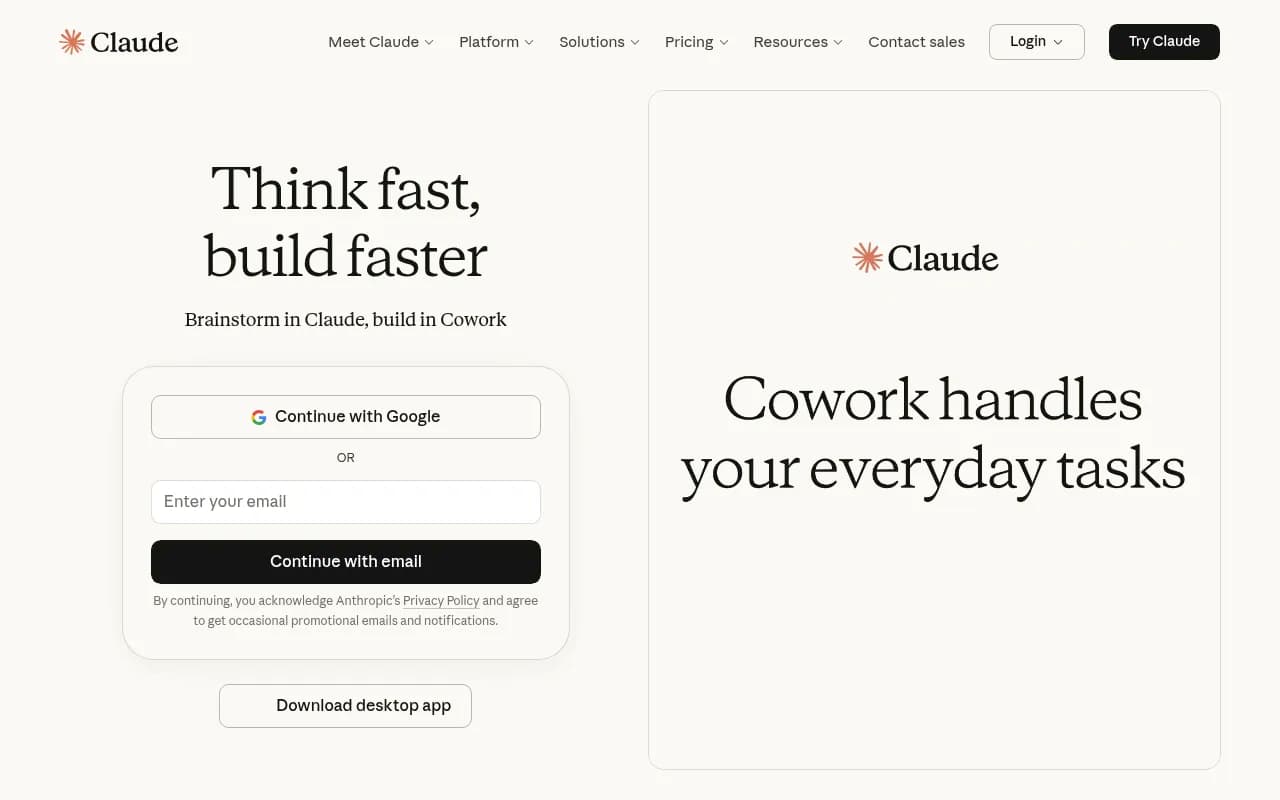
Built by Anthropic, Claude excels at long-form writing, nuanced editing, and content analysis. Handles very large documents thanks to its extended context window.
Key takeaways
- Claude is Anthropic's flagship AI assistant, built for complex reasoning, writing, coding, and analysis -- with a notably large context window that handles long documents well
- Available on web, iOS, Android, and desktop, with integrations for Slack, Google Workspace, Excel, PowerPoint, and Chrome
- Free tier is genuinely usable; Pro starts at $17/month (annual) with access to Claude Code, memory, and research tools
- Strong at nuanced writing and multi-step reasoning; less dominant than competitors in real-time web search and agentic task execution at scale
- Not a GEO or AI visibility tool -- if you're looking to track or improve your brand's presence in AI search results, that's a different category entirely
Claude is Anthropic's consumer and professional AI assistant, and it occupies a specific niche in a crowded market: it's the one people reach for when the task actually requires thinking. Where other AI tools have leaned into speed and breadth, Anthropic has consistently prioritized reasoning quality, safety, and handling genuinely difficult problems. That positioning has earned Claude a loyal following among writers, developers, researchers, and analysts who find that other tools produce plausible-sounding but shallow output.
Anthropic was founded in 2021 by former OpenAI researchers, including Dario and Daniela Amodei, with a focus on AI safety. Claude launched publicly in 2023 and has gone through several model generations since, with Claude 3 (Haiku, Sonnet, Opus) and the more recent Claude 3.5 and Claude 3.7 releases expanding capabilities significantly. The company has raised billions in funding from Google and Amazon, which has allowed it to invest heavily in model quality and infrastructure.
The target audience is broad but skews toward knowledge workers who need more than a quick answer. Think: a senior developer debugging a complex codebase, a consultant drafting a 40-page strategy document, a researcher synthesizing a stack of PDFs, or a product manager who needs to think through a hard decision with a capable thinking partner. Claude is less optimized for casual chatting and more for substantive, extended work sessions.
Key features
Extended context window Claude's context window is one of its defining technical characteristics. Depending on the model version, it can handle very large inputs -- hundreds of thousands of tokens -- which means you can paste in entire codebases, lengthy legal documents, or multiple research papers and have Claude reason across all of it at once. In practice, this matters a lot for tasks like "summarize and compare these five reports" or "find the inconsistency across these contracts." Most users won't hit the limit in normal use, but for power users working with large documents, it's a genuine differentiator.
Writing and editing Claude's writing quality is consistently rated among the best of any AI model. It handles tone well, avoids the generic corporate-speak that plagues other AI outputs, and can adapt to specific style guides or voice requirements. The editing mode is particularly strong -- give it a draft and ask for specific improvements, and it tends to make targeted changes rather than rewriting everything. It's also good at explaining why it made a change, which is useful if you're trying to learn or maintain editorial control.
Code generation and Claude Code Claude has strong coding capabilities across most major languages. The Pro and Max tiers include access to Claude Code, which is a more agentic coding experience that can handle multi-file projects, run code, and iterate on solutions. For developers, this is one of the more compelling reasons to upgrade. Claude Code can be used via the web interface or through integrations, and there's an active community building tools around it (including third-party orchestration tools for running multiple Claude Code agents in parallel).
Research mode Available on Pro and above, Research is Claude's web-connected research tool. It can search the web, synthesize information from multiple sources, and produce structured research outputs. This is useful for competitive analysis, market research, or staying current on a topic. It's not as real-time as some dedicated research tools, but the synthesis quality is high.
Memory across conversations Pro users get persistent memory, meaning Claude can remember context from previous conversations. This is more useful than it sounds -- you can tell Claude your preferences, your project context, your writing style, and it will carry that forward without you having to re-explain every session. The implementation is still maturing, but it meaningfully reduces the setup overhead for regular users.
Projects Projects let you organize conversations, files, and context around a specific topic or goal. You can upload documents, set instructions, and keep related work together. Pro users get unlimited projects. This is essentially a lightweight workspace feature that makes Claude more useful for ongoing work rather than one-off queries.
Desktop extensions and integrations The desktop app supports extensions that let Claude interact with other applications on your computer. There's also native integration with Slack and Google Workspace, which means Claude can pull context from your actual work environment. The Chrome extension brings Claude into your browser. Excel and PowerPoint integrations (the latter on Max tier) let you use Claude directly inside Microsoft Office tools, which is a practical addition for anyone who lives in spreadsheets or slide decks.
Extended thinking For complex problems, Claude can be prompted to use extended thinking mode, where it works through a problem more slowly and explicitly before giving an answer. This is particularly useful for math, logic puzzles, multi-step reasoning, and any situation where you'd rather have a careful answer than a fast one. It's not always necessary, but when it is, the quality difference is noticeable.
Multi-platform availability Claude runs on web, iOS, Android, and desktop (Mac and Windows). The mobile apps are solid and support most of the core features. The desktop app adds the extension ecosystem. There's no meaningful feature gap between platforms for most users, which is a practical advantage over tools that are clearly web-first with mobile as an afterthought.
Who is it for
Claude works best for knowledge workers who spend significant time writing, analyzing, or coding. A senior developer who needs a capable pair programmer that can hold the context of a large codebase in mind is a good fit. So is a consultant who drafts long documents and needs an editor that understands nuance, or a researcher who regularly needs to synthesize large volumes of text. The extended context window and writing quality are the two features that most consistently differentiate Claude from alternatives for these users.
Teams and enterprises are also a clear target. The Team and Enterprise tiers (not fully detailed on the public pricing page) add admin controls, SSO, and presumably higher usage limits. The Slack and Google Workspace integrations make Claude more practical in a team context where work happens across multiple tools. For a team of 10-50 people who want to add AI to their workflow without building custom infrastructure, Claude's ecosystem is reasonably complete.
Who should probably look elsewhere: casual users who just want quick answers and don't need the depth Claude offers (a simpler, cheaper tool would do), users who need heavy real-time web search as a primary use case (dedicated search-augmented tools may be stronger), and anyone building large-scale agentic workflows who needs enterprise-grade orchestration (the API and Claude Code are capable, but purpose-built agent frameworks may be more appropriate).
Integrations and ecosystem
Claude's integration story has expanded considerably. The core integrations include:
- Slack: Claude can be added to Slack workspaces, allowing teams to query it directly in channels or DMs
- Google Workspace: Integration with Google Docs, Drive, and related services
- Microsoft Office: Excel integration on Pro, PowerPoint on Max
- Chrome extension: Brings Claude into the browser for in-context assistance
- Remote MCP (Model Context Protocol): Allows connecting external tools and data sources through a standardized protocol, which is significant for developers building custom integrations
- Anthropic API: Full API access for developers, with support for all Claude models. The API is well-documented and widely used in production applications
The MCP support is worth noting specifically. Anthropic developed the Model Context Protocol as an open standard for connecting AI models to external tools and data, and Claude's support for remote MCP means you can connect it to essentially any system that has an MCP server. This is a meaningful extensibility story for technical users.
There's no native Zapier integration listed, but the API makes it straightforward to build custom automations. The ecosystem of third-party tools built on Claude (including various Claude Code orchestration tools) is growing.
Pricing and value
Claude's pricing is structured across four tiers:
- Free: $0. Includes web, iOS, Android, and desktop access; code generation; writing and editing; image analysis; web search; file creation and code execution; desktop extensions; Slack and Google Workspace connections; remote MCP. Genuinely capable for light use.
- Pro: $20/month billed monthly, or $17/month with annual billing ($200/year). Adds more usage, Claude Code, Cowork (collaborative workspace), unlimited projects, Research mode, memory across conversations, more model options, Claude in Excel, and Claude in Chrome.
- Max 5x: $100/month. Everything in Pro, plus 5x more usage than Pro, higher output limits, early access to advanced features, priority access during high traffic, and Claude in PowerPoint.
- Max 20x: $200/month. Same as Max 5x but with 20x more usage than Pro.
The free tier is more capable than most competitors' free tiers, which makes it a reasonable starting point for evaluation. Pro at $20/month is competitive with ChatGPT Plus ($20/month) and Gemini Advanced ($20/month), though the feature sets differ. The Max tiers are for heavy users who regularly hit usage limits on Pro.
For most individual knowledge workers, Pro is the right tier. For teams, the enterprise pricing (not publicly listed) would apply. The annual discount on Pro ($200/year vs $240/year monthly) is modest but worth taking if you're committed.
Strengths and limitations
Where Claude genuinely excels:
- Writing quality is consistently among the best available. The outputs are less generic, better calibrated to tone, and more editable than most alternatives.
- The extended context window is a real advantage for document-heavy work. Being able to load an entire codebase or a stack of research papers and reason across all of it is something many users specifically choose Claude for.
- Reasoning quality on complex, multi-step problems is strong. Extended thinking mode in particular produces noticeably more careful outputs on hard problems.
- The free tier is genuinely useful, not a crippled demo. New users can evaluate Claude properly without committing to a subscription.
Honest limitations:
- Usage limits are a recurring frustration for Pro users. The limits aren't published explicitly, and hitting them mid-task is disruptive. The Max tiers exist partly to address this, but at $100-200/month, they're a significant step up.
- Real-time information access is improving but still not Claude's strongest suit. For tasks that require very current information, dedicated search-augmented tools may be more reliable.
- The agentic capabilities (Claude Code, extended tasks) are capable but still maturing. For complex, long-running autonomous workflows, purpose-built agent frameworks may offer more control and reliability.
Bottom line
Claude is the right choice for knowledge workers who prioritize reasoning quality and writing capability over raw speed or breadth of integrations. It's particularly strong for developers who need a capable coding partner, writers and editors who want AI assistance that doesn't flatten their voice, and researchers who regularly work with large documents.
Best use case in one sentence: Claude is the AI assistant to reach for when the task is genuinely hard and you need an answer you can trust, not just an answer that sounds right.
Frequently asked questions
What is Claude and who makes it?
Is there a free version of Claude?
How much does Claude Pro cost?
What makes Claude different from ChatGPT or Gemini?
What is Claude Code?
Does Claude have a context window advantage?
Similar and alternative tools to Claude