Workato Review 2026
Workato is the #1 enterprise integration platform (iPaaS) that connects AI agents like ChatGPT, Claude, and Copilot to over 1,400 business applications through secure MCP servers. Used by Adobe, Cisco, and Booking.com to automate workflows, build custom agents, and embed integrations into products w
Summary
- Enterprise MCP leader: Workato provides Model Context Protocol (MCP) servers that connect AI agents (ChatGPT, Claude, Copilot, Gemini) to 1,400+ business apps with proven workflows, not raw APIs -- agents execute predictably with memory, rollback, and transactional integrity
- iPaaS foundation: Built on the #1 integration platform as a service, recognized 7x as a Gartner Leader in iPaaS -- handles 100M+ tasks automated for customers like Vodafone, Samsara, and Nasdaq
- Three core use cases: Internal automation (Recipe Copilot turns prompts into workflows), custom agents (Agent Studio builds role-based AI workers), and embedded integrations for SaaS platforms
- Real business impact: Workato's own deployment drove 700% increase in AI usage when they connected Claude to Salesforce, Jira, Gmail, and Gong -- usage stayed flat before MCP servers went live
- Pricing starts around $10,000/year: Usage-based model with custom enterprise pricing -- not a self-serve product, requires sales engagement
Workato started as an integration platform and evolved into the infrastructure layer for agentic AI in the enterprise. The company's pitch is simple: AI agents are useless without access to your business systems, and raw API access is too brittle for production. Workato sits in the middle, exposing 1,400+ connectors as structured MCP servers that AI models can call reliably. Adobe, Atlassian, Cisco, Booking.com, and 20,000+ other companies use it to automate workflows, build custom agents, and embed integrations into their own products.
The platform has three main personas: IT teams automating internal processes, product teams embedding integrations into SaaS apps, and business teams deploying AI agents. All three use cases run on the same iPaaS engine, which is why Workato can claim both "enterprise automation" and "agentic AI" without contradiction -- the workflows you build for automation become the skills your agents use.
Enterprise MCP: Connecting AI Agents to Business Systems
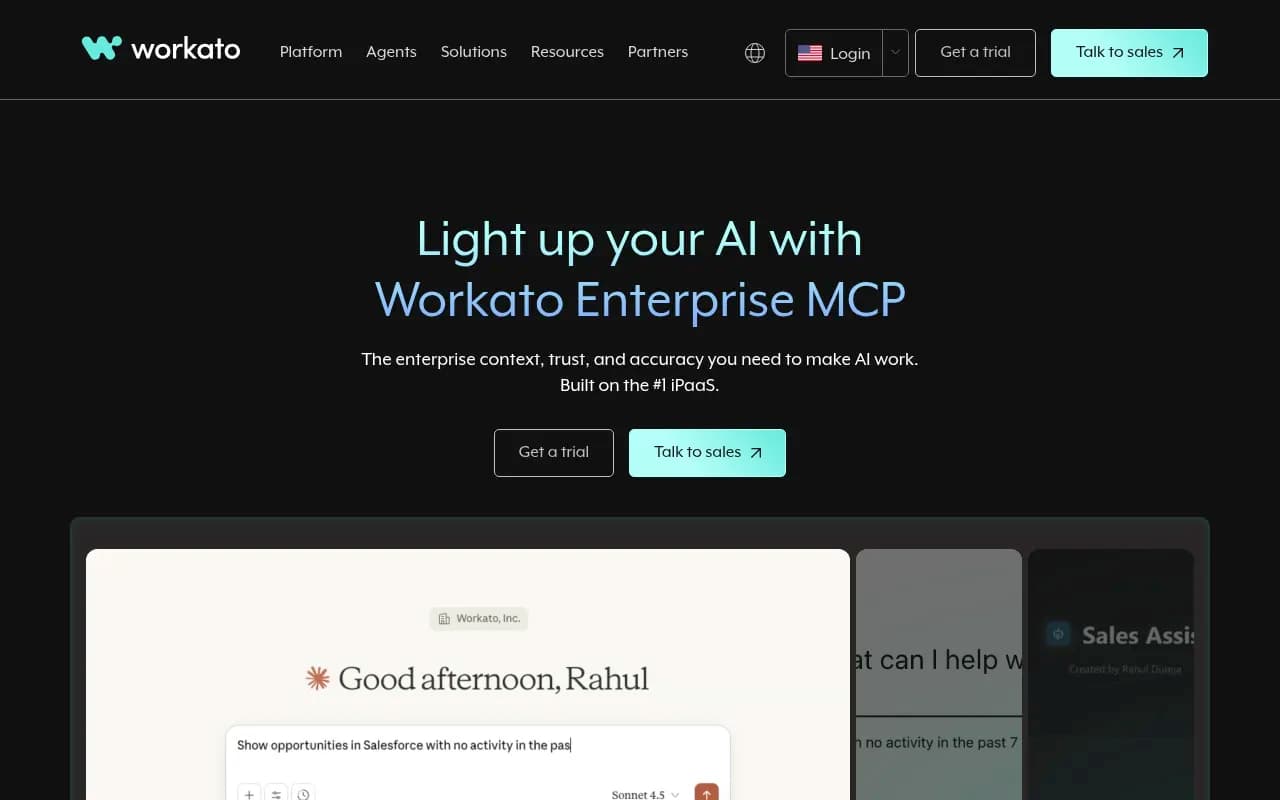
Workato's flagship AI product is Enterprise MCP (Model Context Protocol) servers. MCP is an open standard (originally from Anthropic) that lets AI models like Claude, ChatGPT, and Copilot call external tools. Workato's implementation wraps 1,400+ business app connectors -- Salesforce, Jira, Gmail, Slack, HubSpot, NetSuite, SAP, Workday, etc. -- into MCP servers that AI agents can invoke.
The difference from basic MCP: Workato exposes proven workflows, not raw APIs. Instead of an agent improvising a sequence of API calls to "create a Salesforce opportunity," it calls a pre-built, tested workflow that handles validation, error handling, rollback, and audit logging. This matters in production. Workato's own case study is telling: they gave 1,000 employees access to Claude, ran training and challenges, saw modest usage. Then they turned on Enterprise MCP servers connecting Claude to Salesforce, Jira, Gmail, and Gong. Usage jumped 700%. The agents finally had reliable tools.
Each MCP server includes:
- Transactional integrity: Multi-step workflows with rollback if any step fails
- Memory and context: Agents can reference previous actions and maintain state across sessions
- Authentication and governance: Role-based access control, audit trails, and compliance guardrails built in
- Orchestration across systems: Agents can chain actions across multiple apps in a single workflow (e.g. pull data from Salesforce, update Jira, send Slack notification)
Workato supports Claude Desktop, ChatGPT, Microsoft Copilot, and any LLM that implements the MCP standard. You can also build custom agents in Workato's Agent Studio and deploy them as Slack bots, web apps, or embedded in your product.
Recipe Copilot: Prompt-to-Workflow Automation
Recipe Copilot is Workato's AI assistant for building integrations. You describe a workflow in plain English ("When a new lead is created in Salesforce, send a Slack message to the sales channel and create a task in Asana"), and Recipe Copilot generates the integration recipe. It picks the right connectors, maps fields, adds error handling, and suggests conditional logic.
This is not a toy. Workato's iPaaS engine is enterprise-grade -- it handles complex data transformations, API rate limiting, retry logic, and parallel processing. Recipe Copilot generates production-ready workflows, not prototypes. You can edit the generated recipe in Workato's visual builder or code mode (Ruby-based formula language).
The copilot learns from Workato's library of 500,000+ pre-built recipes (templates) and millions of customer workflows. It knows common patterns like "sync contacts between Salesforce and HubSpot" or "post new Zendesk tickets to Slack" and adapts them to your specific requirements. You can also train it on your company's custom connectors and internal APIs.
Agent Studio: Build Custom AI Agents
Agent Studio lets you build role-based AI agents (Workato calls them "Genies") that work alongside your team. You define the agent's job description, KPIs, and access to company docs, then deploy it in Slack, Microsoft Teams, or a web interface. The agent uses Workato's MCP servers to take actions across your business systems.
Example agents Workato showcases:
- CPQ Genie: Generates quotes, checks inventory, applies discounts, and creates Salesforce opportunities
- Support Genie: Triages tickets, pulls customer history from CRM, suggests solutions, and escalates to humans when needed
- IT Genie: Provisions accounts, resets passwords, manages access requests across Okta, Google Workspace, and internal systems
- Lead Genie: Qualifies inbound leads, enriches data from Clearbit or ZoomInfo, routes to the right sales rep, and logs everything in Salesforce
Each agent is built in a low-code visual interface. You define:
- Skills: Which MCP servers (workflows) the agent can call
- Knowledge base: Company docs, FAQs, product manuals the agent can reference
- Guardrails: What the agent can do autonomously vs. when it needs human approval
- Escalation rules: When to hand off to a human (e.g. high-value deals, sensitive data)
Agents can be deployed internally (for your team) or embedded in your product (for your customers). Workato handles the orchestration, security, and compliance. You own the agent's behavior and branding.
Embedded Integrations for SaaS Platforms
Workato Embed is a white-label integration platform for SaaS companies. You embed Workato's integration UI into your product, and your customers can connect your app to their business systems without leaving your interface. This is how SaaS companies like Coupa, Samsara, and Zendesk offer "native integrations" to hundreds of apps without building each connector themselves.
Workato Embed includes:
- 1,400+ pre-built connectors: Salesforce, NetSuite, SAP, Workday, HubSpot, Slack, etc. -- your customers can connect to any app in their stack
- Customizable UI: White-label the integration marketplace, connection flows, and settings pages to match your product's branding
- Recipe templates: Pre-built workflows for common use cases (e.g. "sync invoices from your app to QuickBooks") that customers can activate with one click
- Customer-specific logic: Each customer's integrations run in isolated environments with their own credentials, data mappings, and business rules
- Enterprise governance: Role-based access control, audit logs, and compliance certifications (SOC 2, GDPR, HIPAA) built in
The pitch to SaaS companies: integrations are a competitive requirement, but building and maintaining 100+ connectors in-house is a resource drain. Workato Embed lets you offer enterprise-grade integrations without hiring an integrations team. You pay Workato per active connection or per task executed (usage-based pricing).
Workato also offers Enterprise MCP for SaaS Platforms, which exposes your product's API as an MCP server. This lets AI agents (ChatGPT, Claude, etc.) call your product's features directly. For example, if you're a CRM vendor, you can expose "create contact," "log activity," and "generate report" as MCP tools. Your customers' AI agents can then interact with your product without your team rewriting APIs or building custom integrations.
Connectors and Integrations
Workato supports 1,400+ connectors across categories:
- CRM: Salesforce, HubSpot, Microsoft Dynamics, Zoho, Pipedrive
- ERP: NetSuite, SAP, Oracle, Workday, QuickBooks
- Marketing: Marketo, Mailchimp, Pardot, Google Ads, Facebook Ads
- Support: Zendesk, Freshdesk, Intercom, ServiceNow
- Collaboration: Slack, Microsoft Teams, Google Workspace, Zoom
- Dev tools: Jira, GitHub, GitLab, PagerDuty, Datadog
- Databases: PostgreSQL, MySQL, SQL Server, MongoDB, Snowflake, BigQuery
- Cloud storage: Google Drive, Dropbox, Box, OneDrive, AWS S3
- HR: BambooHR, Greenhouse, Lever, ADP, Workday
Each connector includes triggers ("when X happens") and actions ("do Y"). Workato's connectors are not just API wrappers -- they include field mapping, data transformation, error handling, and rate limiting. For example, the Salesforce connector handles bulk operations, governor limits, and sandbox vs. production environments.
Workato also supports custom connectors via HTTP, SOAP, and REST APIs. You can build private connectors for internal systems or proprietary SaaS apps. The Connector SDK (Ruby-based) lets you define triggers, actions, and authentication flows. Custom connectors can be shared across your organization or published to Workato's connector marketplace.
Pricing and Plans
Workato uses usage-based pricing. You buy "tasks" (workflow executions) in annual packages. Pricing is not publicly listed -- you need to contact sales for a quote. Based on third-party sources and customer reports:
- Starter Plan: Around $10,000/year for small teams automating essential workflows. Includes basic connectors, limited tasks, and standard support.
- Professional Plan: Custom pricing based on task volume and connector requirements. Includes advanced connectors (SAP, Workday, NetSuite), Recipe Copilot, and priority support.
- Enterprise Plan: Custom pricing for large deployments. Includes Agent Studio, Enterprise MCP servers, dedicated success manager, and SLA guarantees.
- Embed Plan: Custom pricing for SaaS companies embedding Workato into their product. Pricing based on number of active connections or tasks executed by end customers.
A "task" is one workflow execution. For example, "sync 100 Salesforce contacts to HubSpot" counts as 100 tasks (one per contact). Workato offers task bundles (e.g. 100,000 tasks/year, 500,000 tasks/year) with volume discounts. Overage charges apply if you exceed your task limit.
Workato offers a free trial (typically 14-30 days) with limited tasks and connectors. No freemium tier. This is an enterprise product -- expect a sales process, not self-serve signup.
Who Is Workato For
Workato targets three main personas:
IT and operations teams at mid-market to enterprise companies (500+ employees) automating internal workflows. Common use cases: employee onboarding (sync HR data from Workday to Okta, Slack, and Google Workspace), lead-to-cash automation (sync Salesforce opportunities to NetSuite invoices), incident management (route PagerDuty alerts to Jira and Slack). These teams need enterprise-grade reliability, governance, and compliance. Workato competes with Zapier Enterprise, Tray.io, and MuleSoft.
Product and engineering teams at SaaS companies embedding integrations into their product. These teams want to offer "native integrations" to customers without building each connector in-house. Workato Embed competes with Merge, Paragon, and Prismatic. The decision often comes down to: do you want a white-label integration platform (Workato, Prismatic) or a unified API that abstracts multiple connectors (Merge)?
Business teams deploying AI agents to automate repetitive tasks. These teams are experimenting with ChatGPT, Claude, and Copilot but hitting limits because the agents can't access business systems. Workato's Enterprise MCP servers solve this. The target audience: sales ops, marketing ops, customer success, finance ops -- anyone who spends time copying data between systems or answering repetitive questions. Workato competes with AI agent platforms like LangChain, CrewAI, and Relevance AI, but Workato's advantage is the iPaaS foundation -- the connectors and workflows already exist.
Workato is not for: Small businesses or solopreneurs looking for simple automation. Zapier is cheaper and easier. Developers building custom integrations from scratch -- Workato's low-code approach is overkill if you're comfortable writing API code. Early-stage startups with limited budget -- Workato's pricing starts at $10,000/year, which is steep for a 10-person company.
Strengths
- Enterprise-grade reliability: Workato handles 100M+ tasks/month for customers like Vodafone and Samsara. The platform includes monitoring, alerting, retry logic, and SLA guarantees. This is production infrastructure, not a side project.
- Breadth of connectors: 1,400+ connectors is more than Zapier (6,000+) but deeper than most enterprise iPaaS platforms (MuleSoft ~300, Tray.io ~600). Workato's connectors include advanced features like bulk operations, custom objects, and webhook support.
- AI-first roadmap: Workato is betting heavily on agentic AI. Recipe Copilot, Agent Studio, and Enterprise MCP servers are not bolt-ons -- they're core to the product strategy. The company is positioning itself as the infrastructure layer for AI agents in the enterprise.
- Gartner Leader: Recognized 7x as a Leader in Gartner's Magic Quadrant for iPaaS, 2x Furthest in Vision. This matters for enterprise buyers who need vendor credibility.
- Embedded integrations: Workato Embed is a strong product for SaaS companies. The white-label UI, recipe templates, and customer-specific logic are more polished than competitors like Prismatic or Paragon.
Limitations
- Pricing opacity: Workato does not publish pricing. You need to contact sales for a quote, which adds friction. Competitors like Zapier and Make.com have transparent pricing tiers.
- Steep learning curve: Workato's low-code interface is powerful but not intuitive. The visual recipe builder has a learning curve, and the formula language (Ruby-based) requires scripting knowledge for advanced use cases. Zapier is easier for non-technical users.
- No freemium tier: Workato offers a free trial but no free plan. Zapier, Make.com, and n8n (open source) let you start for free and upgrade as you scale. Workato's $10,000/year entry point is a barrier for small teams.
- Overkill for simple workflows: If you're automating "post new Typeform submissions to Slack," Workato is overkill. Zapier or Make.com will get you there faster and cheaper. Workato shines when you need complex workflows, enterprise governance, or embedded integrations.
Bottom Line
Workato is the best enterprise iPaaS for companies deploying AI agents at scale. If you're connecting ChatGPT, Claude, or Copilot to business systems and need reliable, governed workflows -- not improvised API calls -- Workato's Enterprise MCP servers are the strongest option in 2026. The platform also excels at embedded integrations for SaaS companies and internal automation for IT teams. The trade-off: high cost, steep learning curve, and no freemium tier. Small teams should start with Zapier or Make.com. Mid-market and enterprise teams automating mission-critical workflows should evaluate Workato, Tray.io, and MuleSoft. For agentic AI specifically, Workato is the clear leader.
Tags:
Frequently asked questions
What is Workato and what does it do?
How much does Workato cost?
Is Workato free to use?
What is MCP and how does Workato use it for AI agents?
Who uses Workato and what industries is it for?
What are the main use cases for Workato?
How many app integrations does Workato support?
What is the difference between Workato and other iPaaS platforms?
What results has Workato delivered for customers?
Does Workato require technical expertise to use?
Similar and alternative tools to Workato