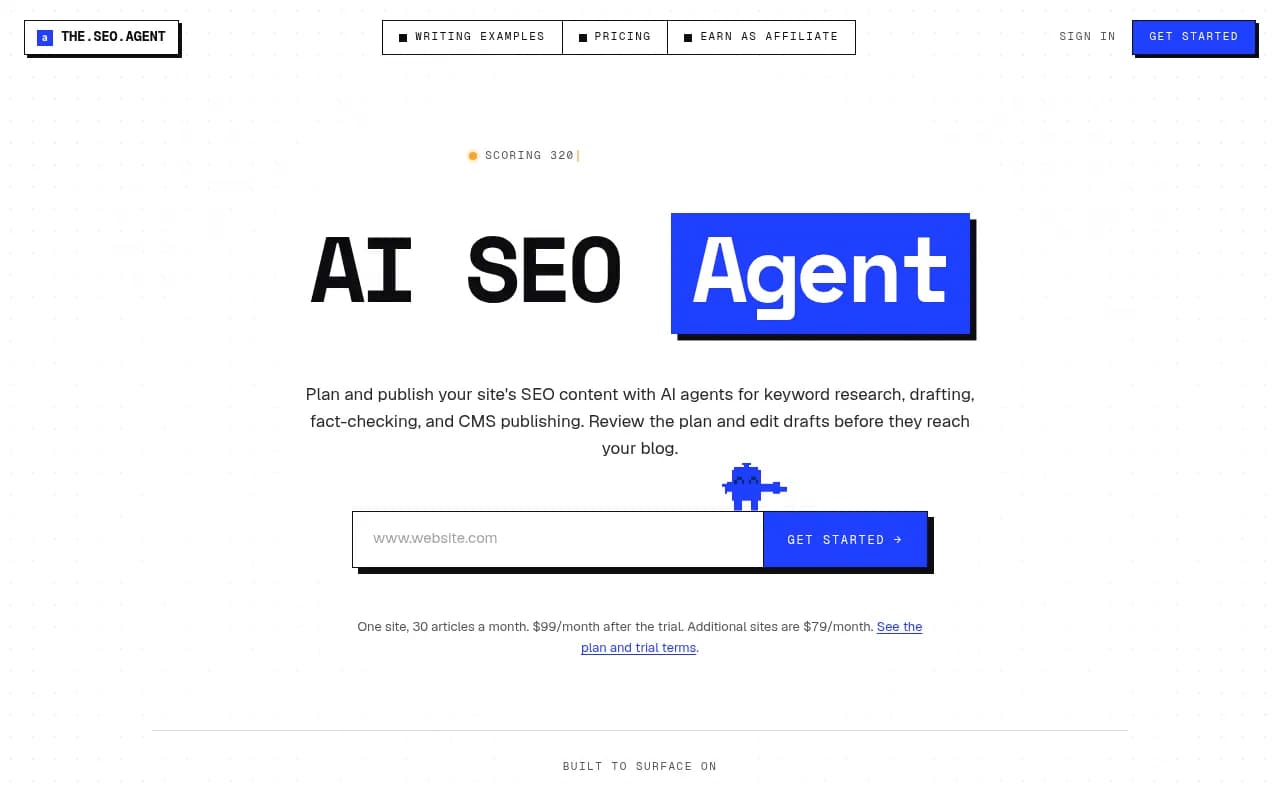
Notion AI Review 2026
Adds AI writing, summarization, and automation to Notion workspaces. Increases team productivity through intelligent task management and content generation.
Key Takeaways
- Notion Agent and Custom Agents handle real work: Unlike basic AI assistants, Notion's agents complete multi-step tasks autonomously—building pages, updating databases, routing tickets, and posting updates to Slack without human intervention. One person sets them up, the entire team benefits 24/7.
- Enterprise Search spans your entire stack: Search across Notion, Slack, Google Drive, GitHub, and other connected apps from one interface. No more tab-switching to find that one document or Slack thread.
- AI Meeting Notes without bots: Transcribes, summarizes, and surfaces action items automatically—no awkward meeting bot joining your calls.
- Strong enterprise security: SOC 2 Type 2, ISO 27001, GDPR/CCPA compliant, zero data retention for Enterprise customers, and contractual guarantees that your data won't train AI models. HIPAA-compliant option available.
- Pricing scales with usage: Core AI features (Notion Agent, Enterprise Search, AI Meeting Notes) included in Business ($20/seat/month) and Enterprise plans. Custom Agents run on Notion credits—free until May 2026, then $10 per 1,000 credits.
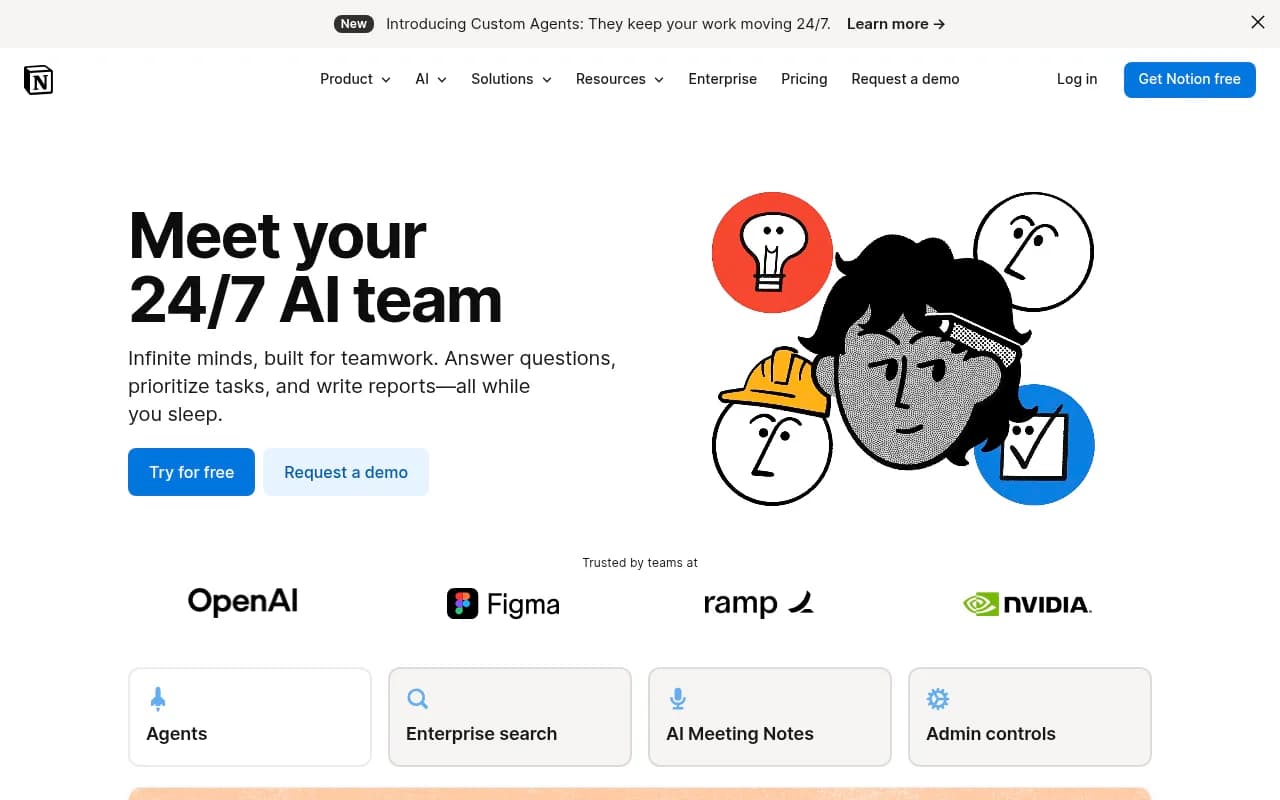
Notion AI isn't just another writing assistant bolted onto a productivity tool. It's a full AI operating layer built directly into Notion's workspace platform, used by teams at OpenAI, Figma, Ramp, and Nvidia. The pitch is simple: your team already lives in Notion for docs, tasks, and databases—now AI can do the repetitive work for you, using context from your workspace and connected apps to actually complete tasks instead of just suggesting next steps.
The platform launched its AI features in 2023 and has since evolved from basic writing assistance into a comprehensive automation and intelligence layer. In early 2025, Notion introduced Custom Agents, which represent a shift from on-demand AI help to always-on automation that runs on schedules or triggers. This positions Notion AI as infrastructure for team workflows, not just a productivity boost for individuals.
Notion Agent: Your personal AI teammate
Notion Agent is the core AI assistant that lives inside your workspace. You chat with it like a colleague, and it uses context from your Notion pages, databases, and connected apps to complete entire tasks. Ask it to draft a product roadmap, and it pulls from your existing strategy docs, competitor research, and team feedback to build a structured page with timelines and owners. Request a weekly report, and it aggregates data from multiple databases, formats it, and drops it into your team's reporting template.
The key difference from generic AI chatbots: Notion Agent can take action. It doesn't just generate text—it creates pages, edits databases, updates properties, and follows your workspace structure. If you ask it to onboard a new hire, it can create the onboarding doc, populate a task database with assignments, set due dates, and notify the right people. This action-oriented design means you're not copy-pasting AI outputs into Notion—the work happens directly in your workspace.
Notion Agent pulls context from your entire workspace (respecting permissions) and, when enabled, from connected apps via Notion AI Connectors. This means it can reference that Slack conversation from last week, the Google Doc your marketing team shared, or the GitHub issue your engineers are tracking. The more context it has, the more useful it becomes—especially for cross-functional work where information lives in multiple tools.
Custom Agents: Automation that runs 24/7
Custom Agents are where Notion AI gets interesting for teams. These are autonomous agents you build once and set to run on a schedule or trigger. They handle recurring work that would otherwise require manual effort from someone on your team. Examples from Notion's own customers: an agent that monitors Slack for support questions and routes them to the right team member in a Notion database, an agent that compiles weekly project updates from multiple databases and posts a summary to Slack every Friday, an agent that triages product feedback submissions and tags them by theme and priority.
The setup process is straightforward: you define what the agent should do (the task), when it should run (schedule or trigger), and what context it needs (which pages, databases, or connected apps to reference). Once activated, the agent runs independently. If you're offline at 2am and a customer posts a question in your Slack support channel, the agent can still route it, create a ticket, and notify the on-call engineer. This is fundamentally different from on-demand AI tools—Custom Agents are infrastructure, not assistants.
Notion credits power Custom Agents. Each run consumes credits based on the complexity and length of the task. Simple tasks (like tagging a database entry) use fewer credits than complex multi-step workflows (like generating a report, updating three databases, and posting to Slack). Admins can track credit usage in a dashboard and purchase additional credits as needed. From now through May 3, 2026, Custom Agents are free to use on Business and Enterprise plans, giving teams time to experiment and understand their usage patterns before credits kick in.
The real value of Custom Agents shows up in repetitive, multi-step work that requires context. If your team manually compiles a weekly status report by checking five different databases, reading Slack threads, and formatting everything into a doc—that's a perfect Custom Agent use case. One person builds the agent, and the entire team benefits every week without lifting a finger.
Enterprise Search: One search bar for everything
Enterprise Search (currently in beta) lets you search across Notion and all your connected apps from a single interface. Instead of opening Slack to search for a conversation, then switching to Google Drive to find a doc, then checking GitHub for an issue—you search once in Notion and get results from everywhere. The search understands natural language queries and surfaces relevant results with context, so you can see where the information came from and who created it.
Notion AI Connectors power this capability by integrating with Slack, Google Drive, GitHub, and other tools your team uses. When you enable a connector, Notion can index and search content from that app (respecting permissions—you only see what you have access to). This is particularly valuable for cross-functional teams where information is scattered across tools. A product manager searching for "Q1 roadmap feedback" might get results from a Notion doc, a Slack thread where engineers discussed feasibility, and a Google Sheet with customer requests.
The search isn't just keyword matching—it's semantic, meaning it understands intent. Ask "What did Sarah say about the pricing change?" and it finds relevant Slack messages, meeting notes, and comments even if they don't contain those exact words. This makes Enterprise Search feel less like a traditional search engine and more like asking a knowledgeable coworker who remembers everything.
AI Meeting Notes: Perfect meeting memory
AI Meeting Notes transcribes meetings, generates summaries, and surfaces action items automatically. Unlike tools that require a bot to join your call (which can feel awkward in client meetings or sensitive discussions), Notion's approach integrates with your calendar and captures audio directly. After the meeting, you get a transcript, a summary of key points, a list of decisions made, and action items with owners—all formatted and ready to share.
The summaries are contextual. If you're discussing a project that already has a Notion page, the meeting notes can reference that page and even suggest updates based on what was discussed. Action items can be automatically added to your team's task database with the right owners and due dates. This closes the loop between meetings and execution—decisions don't get lost in a transcript, they turn into trackable work.
For teams that live in meetings (sales, customer success, product), this feature is a time-saver. Instead of someone taking notes and then spending 15 minutes after the call formatting them and assigning follow-ups, it happens automatically. The transcript is searchable, so you can find that one thing someone said three weeks ago without re-watching the entire recording.
AI writing and database features
Beyond the headline features, Notion AI includes practical tools for everyday work. AI blocks let you generate drafts, improve writing, translate text, or summarize long documents directly in your pages. Highlight a paragraph and ask AI to make it more concise, or start with a blank page and prompt it to draft a project brief based on your notes. The writing assistant understands Notion's formatting (headings, lists, callouts) and generates content that fits your workspace style.
For databases, Notion AI can autofill properties, write formulas, and generate entire database structures. If you have a task database and want to add a "Priority" property, AI can analyze existing tasks and suggest priority levels based on due dates, descriptions, and other context. Need a formula to calculate project timelines? Describe what you want in plain English, and AI writes the formula for you. This makes databases accessible to non-technical users who would otherwise struggle with Notion's formula syntax.
Research Mode is a deeper dive feature that generates detailed reports on a topic by pulling from your workspace and the web. Ask it to research "competitor pricing strategies" and it compiles information from your internal docs, public sources, and connected apps into a structured report with citations. This is useful for strategic work where you need comprehensive information synthesized quickly.
Who is Notion AI for?
Notion AI is built for teams that already use Notion as their central workspace—or teams considering a switch to consolidate their tools. If your team's work lives in Notion (docs, tasks, wikis, databases), adding AI capabilities is a natural extension. The target audience spans startups to enterprise, but the sweet spot is mid-sized teams (20-200 people) with cross-functional workflows where information lives in multiple places.
Specific personas who benefit most: product managers coordinating roadmaps across engineering, design, and marketing; operations teams managing onboarding, reporting, and process documentation; customer success teams tracking accounts and synthesizing feedback; marketing teams managing content calendars and campaign planning. Essentially, anyone whose job involves synthesizing information from multiple sources, creating structured documents, or handling repetitive workflows.
Notion AI is less useful for teams that don't use Notion as their primary workspace. If your docs are in Google Workspace, your tasks are in Asana, and your wiki is in Confluence, you'd need to migrate to Notion to get the full value—or at least connect those tools via Notion AI Connectors, which adds complexity. The platform works best when your team's work is already in Notion, so the AI has rich context to pull from.
Teams that need heavy customization or want to build their own AI agents from scratch might find Notion's approach too opinionated. Custom Agents are powerful but work within Notion's framework—you can't write arbitrary code or integrate with any API. For teams that want full control, building on top of an AI platform like LangChain or using a workflow automation tool like n8n might be a better fit.
Integrations and ecosystem
Notion AI Connectors integrate with Slack, Google Drive, GitHub, and other tools to enable Enterprise Search and give Notion Agent access to external context. The connectors respect permissions, so users only see data they have access to in the source app. This is critical for enterprise teams with sensitive information—you don't want AI surfacing confidential Slack channels to people who shouldn't see them.
Notion also integrates with calendar apps (Google Calendar, Outlook) for AI Meeting Notes, and with Zapier for workflow automation. The API allows developers to build custom integrations, though Notion's API is more limited than platforms like Airtable or Coda when it comes to programmatic control. You can read and write data, but you can't trigger Custom Agents via API or access AI features programmatically (as of early 2026).
For teams that want to extend Notion's capabilities, the ecosystem includes third-party tools like Super (for building websites from Notion pages), Notion2Sheets (for syncing databases to Google Sheets), and various browser extensions for enhanced functionality. The community is active, with templates, tutorials, and integrations shared regularly.
Pricing and value
Notion's pricing structure is straightforward but has nuances around AI features. The core plans are Free (individuals, limited AI trial), Plus ($10/seat/month, limited AI trial), Business ($20/seat/month, full AI included), and Enterprise (custom pricing, full AI included). The Free and Plus plans get trial access to Notion AI features, but for ongoing use, you need Business or Enterprise.
Custom Agents run on Notion credits, which are an add-on to Business and Enterprise plans. From now through May 3, 2026, Custom Agents are free to use, giving teams time to experiment. Starting May 4, 2026, credits will cost $10 per 1,000 credits. Credit consumption varies by task complexity—simple tasks might use 5-10 credits, while complex multi-step workflows could use 50-100 credits per run. Admins can track usage in the Notion credits dashboard to estimate costs.
Compared to standalone AI tools, Notion AI's pricing is competitive if you're already paying for Notion. A team of 20 on the Business plan pays $400/month, which includes unlimited use of Notion Agent, Enterprise Search, and AI Meeting Notes. Adding Custom Agents might cost an extra $50-200/month depending on usage, bringing the total to $450-600/month for a full AI-powered workspace. That's cheaper than paying separately for a project management tool, a wiki, a meeting notes app, and an AI assistant.
For teams not already on Notion, the value proposition depends on whether consolidating tools into Notion makes sense. If you're happy with your current stack (Confluence, Asana, Slack, etc.), migrating to Notion just for AI features is a big lift. But if you're already considering Notion or frustrated with tool sprawl, the AI capabilities are a strong reason to make the switch.
Strengths and limitations
Notion AI's biggest strength is integration depth. Because the AI is built directly into Notion's platform, it can take action—not just generate text. This makes it fundamentally more useful than AI tools that sit on top of other platforms and require you to copy-paste outputs. Custom Agents running 24/7 on schedules or triggers is a capability most productivity tools don't offer, and it positions Notion as infrastructure rather than just a tool.
The security and privacy stance is strong. SOC 2 Type 2, ISO 27001, GDPR/CCPA compliance, and contractual guarantees that customer data won't train AI models address the main concerns enterprise teams have about AI tools. Zero data retention for Enterprise customers and HIPAA compliance options make Notion AI viable for regulated industries.
Enterprise Search across connected apps is a differentiator. Most productivity tools let you search within their own platform, but searching across Notion, Slack, Google Drive, and GitHub from one interface is rare. This is particularly valuable for cross-functional teams where information is scattered.
Limitations: Notion AI is tightly coupled to Notion's platform. If your team doesn't use Notion as the primary workspace, you won't get the full value. The AI features work best when your docs, tasks, and databases are in Notion, so teams on other platforms would need to migrate or heavily integrate via connectors.
Custom Agents, while powerful, are less flexible than building your own automation with code. You can't write arbitrary scripts, call any API, or integrate with niche tools that don't have Notion connectors. Teams that need highly customized workflows might hit limitations.
Notion AI Connectors are currently limited to a handful of apps (Slack, Google Drive, GitHub, etc.). If your team uses tools outside that list, you can't pull them into Enterprise Search or give Notion Agent access to that context. The connector ecosystem will likely expand, but as of early 2026, it's not comprehensive.
The credit-based pricing for Custom Agents introduces complexity. Teams need to estimate usage and purchase credits in advance, which requires monitoring and planning. If credits run out, agents pause until more are added—this could disrupt workflows if not managed carefully. The free period through May 2026 helps teams understand their usage, but the transition to paid credits might be a friction point.
Notion's interface, while powerful, has a learning curve. Teams new to Notion often struggle with the flexibility—there's no prescribed way to organize information, so you have to design your own structure. Adding AI features on top of that complexity can be overwhelming for new users. Notion provides templates and guides, but onboarding still takes time.
Bottom line
Notion AI is best for teams that already use Notion as their central workspace and want to automate repetitive work, search across connected apps, and capture meeting insights without switching tools. The combination of Notion Agent, Custom Agents, Enterprise Search, and AI Meeting Notes turns Notion into an intelligent operating system for team workflows—not just a place to store docs.
If your team is on Notion's Business or Enterprise plan and deals with recurring tasks, cross-functional coordination, or information scattered across tools, Notion AI is worth enabling. The free Custom Agents period through May 2026 is a low-risk way to experiment with automation and see if it fits your workflows.
For teams not on Notion, the decision is harder. Migrating to Notion just for AI features is a big commitment, and you'd need to weigh the benefits of consolidation against the effort of changing tools. If you're already frustrated with tool sprawl and considering a move to Notion, the AI capabilities make a strong case. If you're happy with your current stack, standalone AI tools or workflow automation platforms might be a better fit.
Best use case in one sentence: Cross-functional teams on Notion who want AI to handle recurring workflows, search across their entire stack, and turn meeting discussions into trackable work—all without leaving their workspace.
Tags:
Frequently asked questions
What is Notion AI and what does it do?
How much does Notion AI cost?
Is Notion AI free to use?
What are Notion Custom Agents and how do they work?
Does Notion AI work with other apps besides Notion?
Is Notion AI secure and compliant for enterprise use?
How does Notion AI Meeting Notes work?
Who uses Notion AI?
Similar and alternative tools to Notion AI