UiPath Review 2026
UiPath is an enterprise automation platform that combines robotic process automation (RPA), AI agents, and workflow orchestration to help businesses automate complex processes. Trusted by 6,700+ brands including Uber, EY, and Canon, it enables teams to build, deploy, and govern AI-driven automation
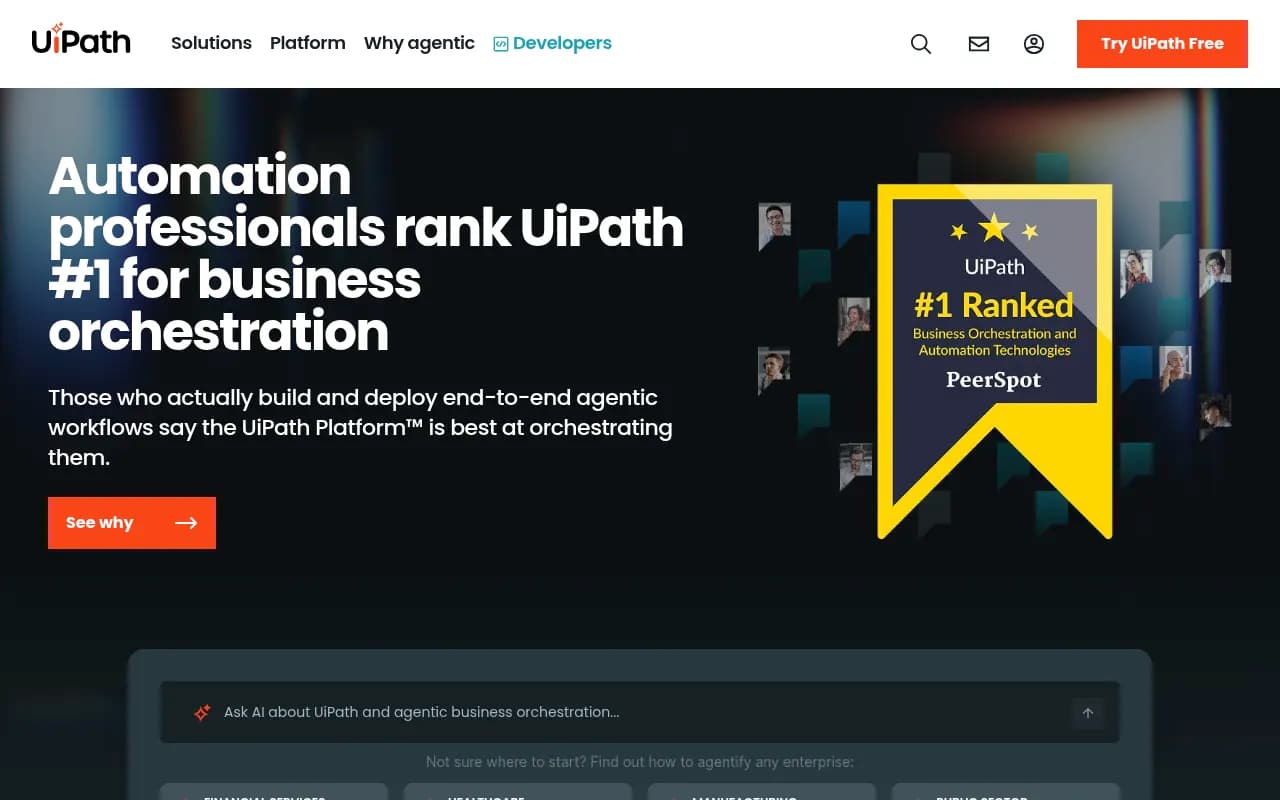
Summary:
- Best for: Enterprise teams automating complex, multi-step workflows across departments (finance, healthcare, insurance, manufacturing, public sector)
- Standout strength: Agentic orchestration that combines AI agents, RPA robots, and API workflows in a single platform with enterprise-grade governance
- Key limitation: Steep learning curve and higher price point compared to simpler automation tools -- overkill for small teams or basic task automation
- Pricing: Starts at $25/month for individuals; Essential $99/month (1 site, 50 prompts, 5 articles), Professional $249/month, Business $579/month. Enterprise custom pricing.
- Bottom line: If you're an enterprise running hundreds of automations across multiple systems and need AI + RPA + governance in one platform, UiPath is the industry standard. Smaller teams should look elsewhere.
UiPath is the 800-pound gorilla of enterprise automation. Founded in 2005 and publicly traded since 2021, it's the platform that Fortune 500 companies reach for when they need to automate everything from invoice processing to claims management to supply chain workflows. The company recently pivoted hard into "agentic automation" -- their term for orchestrating AI agents alongside traditional RPA robots -- positioning itself as the control plane for enterprise AI transformation.
The core pitch: UiPath doesn't just automate repetitive tasks (though it does that). It orchestrates complex, multi-step processes that span multiple systems, require human judgment calls, and need to adapt based on context. Think "process a loan application that touches 8 different systems, requires document verification, credit checks, and manager approval" not "copy data from Excel to Salesforce."
What UiPath Actually Does
The platform has three main components working together:
Robotic Process Automation (RPA): Software robots that interact with applications the way humans do -- clicking buttons, reading screens, entering data. These robots can run attended (with a human watching) or unattended (fully autonomous). UiPath's RPA engine is mature and handles complex scenarios like Citrix environments, mainframe systems, and legacy apps that don't have APIs. The robots are resilient -- they can recover from errors, retry failed steps, and log everything for audit trails.
AI Agents: This is the newer piece. UiPath now lets you build AI agents that can reason, make decisions, and orchestrate workflows. These agents use large language models to understand context, extract information from documents, and determine next steps. The platform supports both UiPath's own agents and third-party agents from OpenAI, Anthropic, or custom models. The agents can trigger RPA robots, call APIs, or hand off to humans when needed.
Orchestration & Governance: The control plane that ties everything together. This is where you define workflows, set permissions, monitor execution, and enforce compliance rules. Every action is logged. You can set guardrails on what agents can do, require human approval for certain decisions, and get real-time alerts when things go wrong. For enterprises dealing with SOX compliance, HIPAA, or financial regulations, this governance layer is non-negotiable.
The platform also includes:
- Document Understanding: AI-powered extraction from invoices, contracts, forms, medical records -- any structured or semi-structured document. It uses computer vision and NLP to pull out fields even when formats vary.
- Process Mining: Analyzes event logs from your systems to discover how processes actually run (vs. how you think they run). Shows bottlenecks, variations, and automation opportunities.
- Task Mining: Records what employees do on their desktops to identify repetitive patterns worth automating.
- Test Suite: Automated testing for both RPA workflows and traditional applications. Runs regression tests, validates UI changes, and catches errors before deployment.
- Apps: Low-code app builder for creating custom interfaces on top of your automations. Useful for giving business users a simple form instead of making them learn the full platform.
Who Uses UiPath (And Who Shouldn't)
UiPath is built for enterprises with complex automation needs:
Financial Services: Banks use it for loan origination, trade exception handling, KYC/AML compliance, and fraud detection. WEX (a payments company) saved $2.7M by automating invoice processing and reconciliation across multiple systems. The platform handles the regulatory requirements and audit trails that banks need.
Healthcare: Hospitals and payers automate claims processing, prior authorization, patient intake, and referral management. Omega Healthcare doubled productivity and cut invoice turnaround by 50% using UiPath to process medical claims. The platform integrates with EHR systems like Epic and Cerner.
Insurance: Carriers automate underwriting, policy administration, and claims processing. HUB International uses UiPath across multiple lines of business to handle policy renewals, endorsements, and claims intake. The platform handles the document-heavy workflows that dominate insurance.
Manufacturing: Companies automate supply chain processes, quality control reporting, and production scheduling. Arçelik uses UiPath to digitalize processes across global operations. The platform connects ERP systems, MES systems, and legacy manufacturing software.
Public Sector: Government agencies automate benefits processing, permit applications, and case management. The U.S. Department of Veterans Affairs cut claims processing from 27 days to 12 hours using UiPath. The platform is FedRAMP authorized for federal use.
Who Should NOT Use UiPath:
- Small teams (under 50 people): The platform is overkill. You'll spend more time on governance and setup than you'll save from automation. Look at Zapier, Make, or n8n instead.
- Simple task automation: If you just need to sync data between two SaaS apps, UiPath is massive overkill. Use native integrations or a lightweight iPaaS.
- Budget-conscious startups: The pricing starts reasonable but scales quickly. You need dedicated automation developers and infrastructure. Smaller companies should start with simpler tools.
- Teams without technical resources: UiPath requires developers or citizen developers who can learn the platform. The low-code tools help, but you still need people who understand logic, error handling, and system integration.
Key Features Breakdown
Studio & Studio X: The development environments. Studio is for professional developers -- full IDE with debugging, version control, and advanced features. Studio X is the low-code version for business users -- drag-and-drop interface with pre-built activities. Both generate the same underlying workflows. Studio supports C# and VB.NET for custom code when needed.
Orchestrator: The command center. This is where you deploy robots, schedule jobs, manage queues, and monitor execution. It handles load balancing across robot fleets, credential management (passwords stored encrypted), and logging. You can set up alerts for failures, track SLA compliance, and generate reports for management. Orchestrator runs in the cloud (Automation Cloud) or on-premises (Automation Suite).
AI Center: The machine learning hub. Train custom ML models, deploy pre-trained models, or integrate third-party models. Includes MLOps capabilities -- model versioning, A/B testing, performance monitoring. You can build models for document classification, sentiment analysis, forecasting, or any custom use case. Models deploy as services that your workflows can call.
Action Center: Human-in-the-loop interface. When a workflow needs human judgment, it creates a task in Action Center. The human reviews the data, makes a decision, and the workflow continues. Common for exception handling, approval workflows, and quality checks. The interface is customizable -- you can add validation rules, attach documents, and require comments.
Insights: Analytics and reporting. Dashboards show automation performance -- how many processes ran, success rates, time saved, ROI. You can drill down to individual workflow executions, see where errors happened, and identify optimization opportunities. Integrates with Tableau, Power BI, and other BI tools for custom reporting.
Integration Service: Pre-built connectors for 500+ applications. Includes Salesforce, SAP, ServiceNow, Microsoft 365, Google Workspace, Slack, and most enterprise software. The connectors handle authentication, API rate limits, and error handling. You can also build custom connectors using OpenAPI specs.
Automation Hub: Idea management for automation. Employees submit automation ideas, the team evaluates them, and approved ideas move into development. Includes ROI calculators, prioritization frameworks, and pipeline tracking. Helps scale automation programs beyond IT-driven initiatives.
Agentic Orchestration (The New Hotness):
UiPath's 2025-2026 focus is "agentic automation" -- orchestrating AI agents that can reason, plan, and execute complex workflows. Here's what that actually means:
Agent Builder: Create AI agents using natural language descriptions. You define the agent's goal, give it access to tools (APIs, RPA robots, databases), and set guardrails. The agent uses an LLM to understand requests, break them into steps, and execute them. Example: "Create an agent that processes customer refund requests by checking order history, verifying return eligibility, and issuing refunds."
Multi-Agent Orchestration: Chain multiple agents together. One agent handles document extraction, another validates the data, a third makes a decision, and a fourth updates systems. The orchestration layer manages handoffs, error handling, and human escalation. This is where UiPath differentiates from standalone AI tools -- it's not just one agent, it's coordinating dozens of agents and robots across an enterprise process.
Governance for Agents: Set rules for what agents can do. Require human approval for high-value transactions. Log every decision for audit trails. Monitor agent performance and intervene when accuracy drops. This is the enterprise-grade control that pure AI tools lack.
Prompt Intelligence: UiPath claims to analyze 880M+ citations to understand how AI models respond to different prompts. They use this to optimize agent prompts for better accuracy. The platform also tracks prompt volumes and difficulty scores to help you prioritize which processes to agentify.
Integrations & Ecosystem
UiPath integrates with everything:
Enterprise Apps: SAP, Oracle, Salesforce, ServiceNow, Workday, Microsoft Dynamics, NetSuite. Pre-built activities for common operations.
Collaboration Tools: Microsoft Teams, Slack, Zoom, Google Workspace. Robots can send messages, create meetings, and respond to requests.
Databases: SQL Server, Oracle, MySQL, PostgreSQL, MongoDB. Direct database activities for reading and writing data.
Cloud Platforms: AWS, Azure, Google Cloud. Deploy robots in the cloud, use cloud services (S3, Lambda, etc.), and integrate with cloud-native apps.
Developer Tools: Git, Azure DevOps, Jenkins, Jira. Version control for workflows, CI/CD pipelines, and issue tracking.
AI/ML: OpenAI, Anthropic, Google Vertex AI, Azure OpenAI. Integrate any LLM or ML model.
API: RESTful API for everything. Build custom integrations, trigger workflows from external systems, and pull data for reporting.
Marketplace: 5,000+ pre-built components, templates, and connectors from UiPath and partners. Accelerates development.
Pricing Reality Check
UiPath's pricing is complex and scales with usage:
Individual/Small Team:
- Basic: $25/month per user. Includes Studio, attended robots, and basic orchestration. Good for personal productivity automation.
Business Tiers:
- Essential: $99/month. 1 site, 50 prompts, 5 articles. Basic automation capabilities.
- Professional: $249/month. 2 sites, 150 prompts, 15 articles, crawler logs, regional tracking. For growing teams.
- Business: $579/month. 5 sites, 350 prompts, 30 articles. For established automation programs.
Enterprise: Custom pricing. Depends on number of robots (attended vs. unattended), Orchestrator instances, AI Center usage, and support level. Typical enterprise deals start at $50K-$100K annually and scale into millions for large deployments.
Hidden Costs:
- Infrastructure: If running on-premises, you need servers, databases, and IT support.
- Development: You need developers or citizen developers. Training costs $1K-$5K per person.
- Maintenance: Workflows break when applications change. Budget for ongoing maintenance.
- Licensing Complexity: Unattended robots cost more than attended. Production environments cost more than development. You'll need a licensing specialist.
Value Proposition: For enterprises running hundreds of automations, the ROI is clear. Johnson Controls saved $18M and 900,000 hours. Uber is on track to save $22M. But for smaller companies, the total cost of ownership (platform + people + infrastructure) can exceed the savings.
Strengths
Enterprise-Grade Governance: Role-based access control, audit logs, compliance reporting, and security controls that meet SOX, HIPAA, and financial regulations. This is table stakes for large enterprises and where UiPath excels.
Mature RPA Engine: Handles complex scenarios that break other tools -- Citrix, mainframes, legacy apps, dynamic UIs. The computer vision and OCR capabilities are best-in-class.
Orchestration at Scale: Manage thousands of robots across global deployments. Load balancing, failover, and centralized monitoring. The platform doesn't fall over when you scale.
Ecosystem & Community: 5,000+ marketplace components, active community forums, extensive documentation, and training programs. You're never stuck without resources.
Agentic Orchestration: The ability to coordinate AI agents, RPA robots, and human workers in a single workflow is genuinely differentiated. Most competitors are either pure RPA or pure AI -- UiPath bridges both.
Limitations
Steep Learning Curve: Even Studio X (the "easy" version) requires understanding workflows, error handling, and system integration. Expect 2-3 months before new users are productive. The full Studio requires programming knowledge.
Pricing Opacity: The public pricing is just the starting point. Enterprise deals involve complex negotiations, and the final cost depends on usage patterns that are hard to predict upfront. Budget surprises are common.
Overkill for Simple Use Cases: If you just need to sync Salesforce and HubSpot, UiPath is like using a bulldozer to plant a flower. The platform's power comes with complexity that's only justified for large-scale automation.
Vendor Lock-In: Once you've built hundreds of workflows in UiPath, migrating to another platform is nearly impossible. The proprietary workflow format and tight integration with UiPath services make switching painful.
Performance Overhead: The platform's flexibility and governance come with performance costs. Simple automations run slower than purpose-built tools. For high-frequency, low-latency use cases, lighter alternatives may be better.
Bottom Line
UiPath is the enterprise automation platform for companies that need to orchestrate complex, multi-step processes across dozens of systems with AI agents, RPA robots, and human workers all playing a role. If you're a Fortune 500 company, a large healthcare system, a major bank, or a government agency running hundreds of automations, UiPath is the safe choice. The governance, scalability, and ecosystem justify the cost and complexity.
For everyone else -- small businesses, startups, teams with simple automation needs -- UiPath is overkill. The learning curve is steep, the pricing scales quickly, and you'll spend more time managing the platform than you'll save from automation. Start with simpler tools (Zapier, Make, n8n) and graduate to UiPath only when you've proven the ROI and need enterprise-grade capabilities.
The agentic automation push is interesting but still early. The orchestration capabilities are real, but most companies are still figuring out basic RPA. Don't buy UiPath for the AI hype -- buy it because you need industrial-strength automation with governance that won't get you fired.
Tags:
Frequently asked questions
What is UiPath and what does it do?
How much does UiPath cost?
Is UiPath free to use?
Who is UiPath best for?
What are the key features of UiPath?
What is the main limitation of UiPath?
What is agentic automation in UiPath?
How does UiPath compare to other automation tools?
Similar and alternative tools to UiPath