Make (formerly Integromat) Review 2026
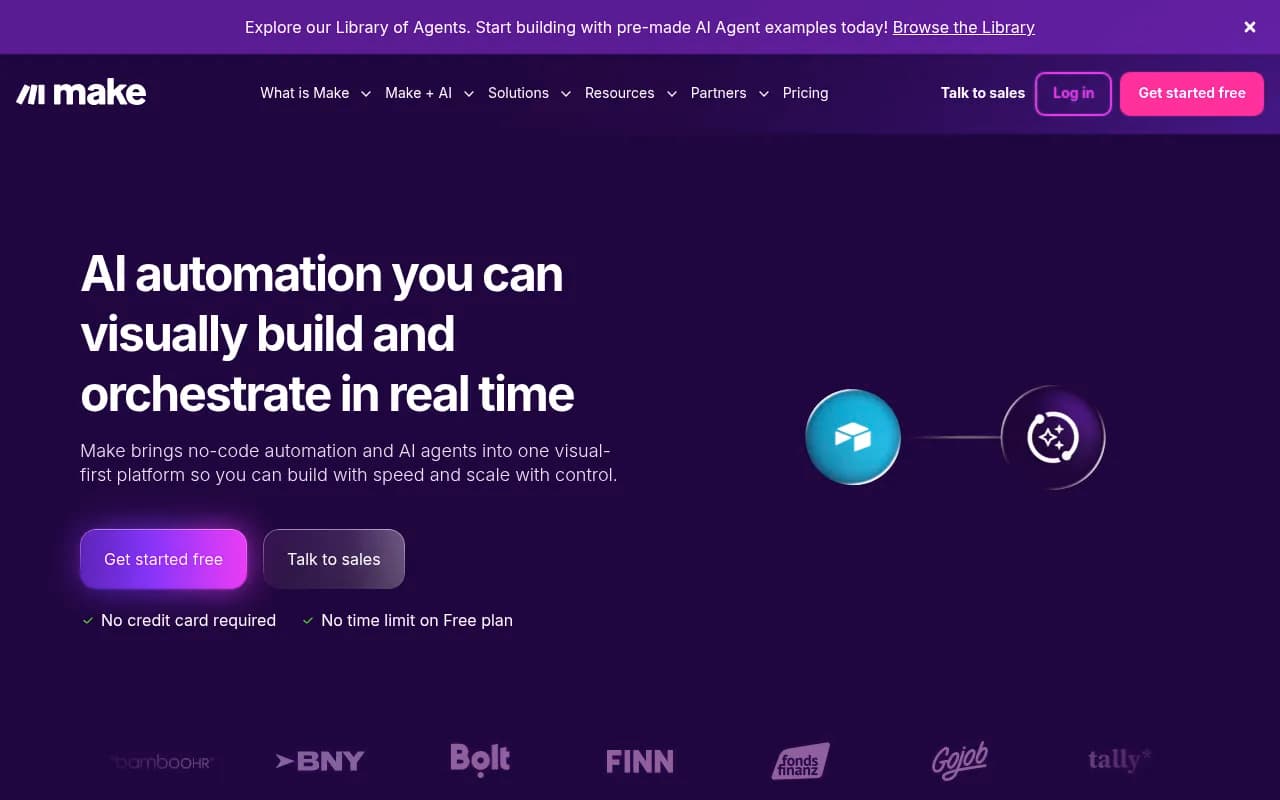
Make (formerly Integromat) is a visual workflow automation platform that lets you build complex integrations and AI-powered workflows without code. Connect 3,000+ apps including OpenAI, Salesforce, HubSpot, and Slack through a drag-and-drop interface. Used by 500,000+ businesses to automate operatio
Summary
- Best for: Operations teams, IT departments, and businesses automating complex multi-step workflows across dozens of apps -- especially those integrating AI models into their processes
- Standout strength: Visual workflow builder that makes even the most complex automations easy to understand and debug, with 3,000+ pre-built app integrations and native AI agent capabilities
- Key limitation: Credit-based pricing can get expensive fast for high-volume workflows compared to flat-rate competitors like Zapier
- Not ideal for: Simple one-off automations (overkill) or users who prefer writing code over visual builders
- Bottom line: The most powerful visual automation platform for teams that need to orchestrate complex, multi-app workflows with AI -- but you'll pay for that power at scale
Make started life as Integromat in 2012, built by a Czech team frustrated with the limitations of existing automation tools. After years of steady growth in Europe, it rebranded to Make in 2022 and raised significant funding to compete globally against Zapier and newer AI-native players. The rebrand came with a major push into AI automation -- Make now positions itself as the platform for building and orchestrating AI agents alongside traditional workflow automation.
The core pitch: you can visually design anything from a simple two-app sync to a full autonomous AI agent that monitors data, makes decisions, and takes actions across your entire tech stack. All without writing code, but with enough control and customization that technical teams actually want to use it.
Visual workflow builder that actually handles complexity
Make's defining feature is its visual scenario editor. Unlike Zapier's linear trigger-action model, Make uses a flowchart-style canvas where you drag modules (their term for steps) onto a board and connect them with lines. Each module represents an app action -- pull data from Salesforce, send it to OpenAI for analysis, write results to Google Sheets, post a summary to Slack.
What makes this powerful: you can see branching logic, parallel paths, error handling, and data transformations all at once. If a workflow breaks, you click on the failed module and see exactly what data came in and where it went wrong. No digging through logs or guessing which step in a 47-step Zap failed.
The builder includes routers (if/then branching), iterators (loop through arrays), aggregators (combine data from multiple sources), and filters (skip steps based on conditions). You can nest these infinitely -- run a loop inside a conditional inside another loop. Most automation platforms force you into code or custom functions for this level of complexity. Make just lets you drag more boxes.
Data mapping is visual too. When you connect two modules, Make shows you all available fields from the previous step. Click a field, it inserts into the current step. Need to transform data? Built-in functions for text manipulation, date formatting, math operations, JSON parsing -- all accessible through a formula bar that feels more like Excel than a programming language.
3,000+ app integrations with deep customization
Make connects to 3,000+ apps through pre-built modules. The big ones you'd expect -- Salesforce, HubSpot, Google Workspace, Microsoft 365, Slack, Notion, Airtable, monday.com. But also niche B2B tools, regional European platforms, and a massive collection of AI apps: OpenAI (ChatGPT, DALL-E, Whisper, Sora), Anthropic Claude, Perplexity, DeepSeek, Cohere, Stability AI, ElevenLabs, Midjourney.
Each integration exposes dozens of actions. The HubSpot module has 50+ actions covering contacts, deals, companies, tickets, workflows, and custom objects. You're not limited to "create contact" and "update deal" -- you can search by custom properties, bulk update records, trigger HubSpot workflows, pull analytics data.
If an app isn't in the library, Make has HTTP modules for custom API calls. You can authenticate with OAuth2, API keys, or custom headers, then build requests with full control over endpoints, parameters, headers, and body. The response parser handles JSON and XML automatically. This is how technical teams integrate internal tools or new SaaS products before Make builds an official module.
Webhooks work both ways. Trigger scenarios from external systems by sending data to a Make webhook URL. Or have Make send webhooks to other systems when certain conditions are met. This makes Make a central orchestration layer -- it can react to events from anywhere and push updates everywhere.
AI agents and agentic automation
Make's big 2024-2025 push is AI agents -- autonomous workflows that make decisions and take actions without human intervention. The platform now includes an AI Agents Library with pre-built templates: customer support agents that triage tickets and draft responses, sales agents that qualify leads and schedule meetings, content agents that monitor topics and generate social posts.
How it works: you build a scenario that includes AI model calls (usually OpenAI or Claude), decision logic based on the AI's output, and actions across your apps. The AI agent runs continuously, monitoring triggers (new emails, form submissions, Slack messages), processing them through the AI model, and executing the appropriate workflow path.
Example from their case studies: GoJob built an AI agent that monitors job applications, uses Claude to assess candidate fit based on job requirements, automatically schedules interviews for qualified candidates, and sends personalized rejection emails to others. The agent handles 70% of initial screening without human review, freeing recruiters to focus on interviews.
Make provides tools specifically for agent orchestration: state management (agents remember context across runs), retry logic (handle API failures gracefully), rate limiting (avoid hitting AI model quotas), and cost tracking (monitor AI API spend per agent). You can also set up human-in-the-loop checkpoints where the agent pauses for approval before taking high-stakes actions.
The visual builder makes agent behavior transparent. You can see exactly what the agent does in each scenario, what data it considers, and how it makes decisions. This is a huge advantage over black-box AI tools -- when an agent does something unexpected, you can trace through the workflow and fix the logic.
Real-time execution and debugging
Make scenarios run in real-time. When a trigger fires, you see each module execute in sequence on the visual canvas. Successful modules turn green, failed ones turn red, skipped ones stay gray. Click any module to see the input data, output data, and execution time.
This real-time visibility is critical for debugging complex workflows. If a scenario fails, you don't need to reproduce the error -- the execution history shows you exactly what happened. You can see the data that came in, how it was transformed at each step, and where it broke. Then you can manually re-run that specific execution with the same data to test your fix.
The execution history keeps detailed logs for every run. Filter by date, status (success/error), or specific modules. Download execution data as JSON for deeper analysis. Set up error notifications to Slack or email when scenarios fail.
Make also has a built-in debugger. You can pause a scenario mid-execution, inspect variables, and step through modules one at a time. This is rare in no-code tools -- most force you to add logging steps and re-run the whole workflow.
Scheduling and advanced triggers
Beyond instant triggers (webhooks, new records in apps), Make supports scheduled scenarios. Run a workflow every 15 minutes, daily at 3am, or on the first Monday of each month. You can also set up custom CRON expressions for complex schedules.
Polling triggers check external systems for changes on a schedule. Make monitors the app, detects new or updated records, and processes them. This works for apps that don't support webhooks. You control the polling interval -- more frequent polling uses more operations (Make's term for execution steps).
Data stores let you persist data between scenario runs. Store state, cache API responses, or build a simple database. Useful for agents that need to remember context or workflows that aggregate data over time.
Team collaboration and governance
Make's Teams and Enterprise plans add collaboration features. Multiple users can work on the same organization, with role-based permissions controlling who can create, edit, or run scenarios. You can organize scenarios into folders and teams, making it easier to manage dozens or hundreds of automations.
Version control tracks changes to scenarios. See who edited what and when, compare versions, and roll back to previous versions if something breaks. This is essential for teams where multiple people touch the same workflows.
Enterprise plans add SSO (SAML 2.0), advanced security controls, dedicated support, and custom SLAs. Make is SOC 2 Type II and SOC 3 certified, GDPR compliant, and encrypts data in transit and at rest.
Who should use Make
Make is built for operations teams, IT departments, and businesses that need to automate complex, multi-step processes across many apps. The visual builder and deep customization make it ideal for:
- Operations teams at 50-500 person companies managing workflows across sales, marketing, support, and finance. You need to connect Salesforce, HubSpot, NetSuite, Slack, and a dozen other tools, with conditional logic and error handling.
- IT teams building internal automations that integrate custom APIs, internal databases, and third-party SaaS tools. Make's HTTP modules and scripting capabilities give you the control you need without forcing you into full code.
- Agencies managing client workflows across different tech stacks. Make's template system and team features let you build reusable automations and deploy them for multiple clients.
- Businesses integrating AI into operations -- customer support, content creation, data analysis, lead qualification. Make's AI agent capabilities and 400+ AI app integrations make it the strongest platform for agentic automation.
Make is overkill for simple automations. If you just need to sync contacts between two apps or post new blog articles to social media, Zapier's simpler interface is faster to set up. Make's power comes from handling complexity -- if your workflow has 5+ steps, branching logic, or AI decision-making, Make is worth the learning curve.
Not ideal for developers who prefer code. Make's visual builder is powerful, but if you're comfortable writing Python or JavaScript, tools like n8n (open source, code-friendly) or Pipedream (code-first automation) give you more control. Make does support custom code modules, but it's clearly designed for visual-first workflows.
Integrations and ecosystem
Make's 3,000+ app library covers most business needs. Key categories:
- CRM & Sales: Salesforce, HubSpot, Pipedrive, Zoho CRM, Close, Copper
- Marketing: Mailchimp, ActiveCampaign, Klaviyo, Marketo, Google Ads, Facebook Ads
- Project Management: Asana, monday.com, ClickUp, Jira, Trello, Notion
- Communication: Slack, Microsoft Teams, Discord, Telegram, WhatsApp Business
- E-commerce: Shopify, WooCommerce, BigCommerce, Stripe, PayPal
- AI & ML: OpenAI, Anthropic, Perplexity, DeepSeek, Cohere, Hugging Face, Stability AI, ElevenLabs, Midjourney, Runway
- Data & Analytics: Google Sheets, Airtable, MySQL, PostgreSQL, MongoDB, Snowflake, BigQuery
- File Storage: Google Drive, Dropbox, OneDrive, Box, AWS S3
Make has a public API for building custom integrations and managing scenarios programmatically. The API lets you create, update, and trigger scenarios from external systems. Useful for embedding Make into your own products or building custom dashboards.
No official mobile app, but scenarios run in the cloud and can be triggered from anywhere via webhooks or API calls. The web interface is responsive and works on tablets, though building complex scenarios on mobile is impractical.
Pricing and value
Make uses credit-based pricing. Each operation (a single module execution) costs credits. Simple actions like "get a record" cost 1 credit, complex actions like "search with filters" cost 2-5 credits. AI model calls cost 10-50 credits depending on the model and input size.
Pricing tiers (monthly billing):
- Free: 1,000 operations/month, 2 active scenarios, 15-minute minimum interval. Good for testing but too limited for production use.
- Core: $9/month, 10,000 operations, unlimited scenarios, 1-minute minimum interval. Suitable for small businesses with light automation needs.
- Pro: $16/month, 10,000 operations with overage flexibility (pay for extra operations), priority support, advanced features like data stores and custom variables. Most popular for growing teams.
- Teams: $29/month, 10,000 operations, team collaboration features, SSO, advanced permissions. For teams of 5-20 people.
- Enterprise: Custom pricing, volume discounts, dedicated support, custom SLAs, advanced security. For companies running hundreds of scenarios.
Annual billing gives you credits that expire after 12 months instead of monthly, providing more flexibility for variable usage.
The credit model is Make's biggest pricing challenge. High-volume workflows burn through credits fast. A scenario that runs every 5 minutes and executes 10 modules uses 288,000 operations/month (10 modules × 12 runs/hour × 24 hours × 30 days). That's $230/month on the Pro plan with overages. Zapier's $20/month plan includes unlimited tasks for simple workflows, making it cheaper for high-frequency automations.
Make is better value for complex, low-frequency workflows. A scenario that runs once per day but executes 50 modules with AI calls and conditional logic costs the same as a simple 2-step workflow that runs constantly. If your automations are sophisticated but don't run thousands of times per day, Make's pricing works in your favor.
Strengths
- Visual complexity handling: The flowchart builder makes complex workflows with branching, loops, and error handling easy to understand and debug. No other platform matches this for transparency.
- Deep app integrations: 3,000+ apps with dozens of actions each, plus HTTP modules for custom APIs. You can automate almost anything.
- AI agent capabilities: Native support for building autonomous AI agents with state management, decision logic, and orchestration across apps. Competitors are still catching up.
- Real-time debugging: See workflows execute in real-time, inspect data at each step, and debug failures without reproducing errors. Saves hours of troubleshooting.
- Customization depth: Routers, iterators, aggregators, filters, custom functions, data stores -- you can build production-grade automations without code.
Limitations
- Credit-based pricing gets expensive: High-volume workflows cost significantly more than flat-rate competitors. A scenario running every 5 minutes can easily hit $200+/month.
- Steeper learning curve: The visual builder is more complex than Zapier's linear interface. New users need 2-3 hours to understand routers, iterators, and data mapping.
- No mobile app: You can't build or edit scenarios on mobile. The web interface works on tablets but isn't optimized for touch.
- Limited built-in AI features: While Make integrates with AI models, it doesn't have built-in AI assistants for building workflows (like Zapier's AI Actions). You're connecting to external AI APIs, not using Make's own AI.
Bottom line
Make is the best visual automation platform for teams that need to orchestrate complex, multi-app workflows with AI. If you're connecting 5+ apps, using conditional logic, integrating AI models, or building autonomous agents, Make's visual builder and deep customization are unmatched. The real-time debugging and transparent execution make it easier to build and maintain sophisticated automations than any competitor.
But you'll pay for that power. Make's credit-based pricing is expensive for high-volume workflows, and the learning curve is steeper than simpler tools. If you're just syncing data between two apps or running basic automations, Zapier or Pabbly Connect are cheaper and faster to set up.
Best use case in one sentence: Operations teams at 50-500 person companies that need to automate complex processes across dozens of apps, especially when integrating AI models into workflows.
Tags:
Frequently asked questions
What is Make and what does it do?
Is Make free to use?
What is the difference between Make and Integromat?
How is Make different from Zapier?
Who should use Make?
How many apps does Make integrate with?
Does Make support AI automation?
What are operations in Make pricing?
Similar and alternative tools to Make (formerly Integromat)