Key takeaways
- Most AI visibility platforms stop at monitoring -- they show you data but don't help you act on it. The checklist below separates trackers from optimization platforms.
- Integration depth matters as much as feature count: a tool that can't connect to your CMS, analytics stack, or reporting layer creates more work, not less.
- The non-negotiables in 2026 are: multi-model tracking, crawler log access, content gap analysis, traffic attribution, and API/export capabilities.
- Agencies have an extra layer of requirements -- white-label reporting, multi-client management, and deliverable-ready outputs.
- Price doesn't predict capability. Some $89/mo tools outperform $500/mo platforms on specific dimensions. Match the tool to your actual workflow.
The AI visibility platform market has exploded. Two years ago there were maybe a dozen tools worth considering. Now there are well over 50, and the differences between them are not always obvious from a feature page. Some are genuine optimization platforms. Most are monitoring dashboards dressed up with impressive-sounding metrics.
The problem with buying a monitoring-only tool is that it tells you where you're invisible without helping you do anything about it. That's useful for a week. After that, you're staring at a dashboard that confirms your competitors are beating you in ChatGPT responses, and you have no clear path to fix it.
This checklist is designed to cut through that. It covers every integration capability you should evaluate before committing to a platform -- from the basics (which AI models does it actually track?) to the things most buyers forget to ask about (can it show me which of my pages AI crawlers are actually reading?).
Section 1: AI model coverage
The first question is obvious but the answer is less obvious than vendors make it seem. "We track 10 AI models" sounds comprehensive until you realize some platforms query models infrequently, use cached responses, or only track a subset of query types on each model.
What to ask:
- Which models are tracked, and how often are queries run?
- Does it cover Google AI Overviews and Google AI Mode separately? (They behave differently and require different optimization strategies.)
- Is ChatGPT Shopping tracked? This matters if you sell physical products -- ChatGPT's product recommendation carousels are a distinct surface from its conversational responses.
- Are responses geo-targeted? A brand that sells in Germany needs to know what German-language ChatGPT says, not just the US English version.
The table below shows how coverage varies across some of the better-known platforms:
| Platform | Models tracked | Google AI Mode | ChatGPT Shopping | Multi-language |
|---|---|---|---|---|
| Promptwatch | 10+ (ChatGPT, Claude, Gemini, Perplexity, Grok, DeepSeek, Copilot, Meta AI, Mistral, AI Overviews, AI Mode) | Yes | Yes | Yes |
| Profound | 10+ | Yes | No (noted) | Yes |
| AthenaHQ | 8 | Yes | No | Limited |
| Peec AI | 3 core + add-ons | No | No | Yes |
| Otterly.AI | ChatGPT + AI Overviews | No | No | Limited |
| Airefs | ChatGPT default, others on request | No | No | Limited |





Breadth of model coverage matters more now than it did 18 months ago because different models cite different sources. A brand that dominates in Perplexity responses might be nearly invisible in Claude. You can't optimize what you can't see.
Section 2: Prompt intelligence and query coverage
Tracking your brand across AI models is table stakes. The more important question is: which prompts are you tracking, and how do you know those are the right ones?
Weak platforms let you enter a list of prompts and track those. That's fine as a starting point, but it creates a blind spot: you're only measuring the prompts you already know about. The prompts where competitors are beating you -- the ones you haven't thought to track -- stay invisible.
Strong platforms add:
- Prompt volume estimates (how often is this query actually being asked?)
- Difficulty scores (how competitive is this prompt?)
- Query fan-outs (one broad prompt branches into dozens of sub-queries -- can the platform show you the full tree?)
- Answer gap analysis (which prompts are competitors appearing in that you're not?)
That last one is the most valuable. If a competitor is being cited in responses to "best project management tool for remote teams" and you're not, you need to know that -- and you need to know what content on their site is driving that citation.
Section 3: Citation and source analysis
When an AI model recommends your brand, it's usually pulling from specific sources: a page on your website, a Reddit thread, a YouTube video, a review on G2, a news article. Understanding which sources are being cited -- and why -- is how you figure out where to publish and what to optimize.
Checklist items:
- Can the platform show you the exact URLs being cited in AI responses?
- Does it surface third-party citations (Reddit, YouTube, review sites) not just your own domain?
- Can you see citation frequency by source and by AI model?
- Does it show competitor citation sources so you can reverse-engineer what's working for them?
Reddit tracking is worth calling out specifically. A surprisingly large share of AI citations trace back to Reddit discussions. Most platforms ignore this entirely. A few -- including Promptwatch -- surface Reddit threads that are directly influencing AI recommendations, which gives you a channel to engage with that most competitors aren't even watching.
Section 4: AI crawler log access
This is the integration capability that separates serious platforms from dashboards. AI crawler logs show you which pages on your site are being visited by AI crawlers (GPTBot, ClaudeBot, PerplexityBot, etc.), how often, and whether they're encountering errors.
Why it matters: you can have great content and still be invisible in AI responses if the crawlers can't access it. Common issues include pages blocked by robots.txt, slow load times that cause crawler timeouts, or JavaScript rendering problems that prevent content from being read.
Without crawler log data, you're optimizing blind. You might publish a new article targeting a high-value prompt and have no idea whether any AI model has even read it.
What to check:
- Does the platform provide real-time or near-real-time crawler logs?
- Can you filter by crawler type (GPTBot vs. ClaudeBot vs. PerplexityBot)?
- Does it flag errors or access issues?
- Can you correlate crawler activity with citation changes?
This feature is absent from most monitoring-only platforms. It requires actual server-side integration or log file analysis, which is more technically complex to build. That's exactly why it's a useful filter: if a platform has it, they've invested in the infrastructure to do this properly.
Section 5: Content gap analysis and content generation
Here's where the market really splits. Monitoring tools tell you where you're losing. Optimization platforms tell you why and help you fix it.
Content gap analysis should show you:
- Which prompts competitors rank for that you don't
- What topics and angles are missing from your site
- Which specific pages on competitor sites are driving their AI citations
Content generation goes further: using that gap data to actually produce articles, listicles, and comparison pages that are engineered to get cited by AI models -- not generic SEO filler, but content grounded in real citation patterns.
This is a meaningful capability difference. A team that can identify a gap and generate a well-structured article targeting that gap in the same workflow moves much faster than one that has to export data, brief a writer, wait for a draft, and then publish.
Platforms with content generation built in (rather than bolted on as an afterthought) typically use citation data to inform the content -- they know which sources AI models trust in your category, what format those sources use, and what questions they answer.
Section 6: Traffic attribution and revenue connection
This is the integration capability that most buyers forget to ask about until they're six months into a contract and trying to justify the spend to their CFO.
AI visibility metrics -- citation rate, share of voice, prompt coverage -- are leading indicators. They don't directly answer "is this driving revenue?" To close that loop, you need traffic attribution: a way to connect AI citations to actual website visits and conversions.
There are three common approaches:
- JavaScript snippet (easiest to implement, captures AI referral traffic in your analytics)
- Google Search Console integration (connects GSC data to your visibility metrics)
- Server log analysis (most accurate, requires more technical setup)
Checklist questions:
- Does the platform offer any form of AI traffic attribution?
- Which attribution methods does it support?
- Can you see which specific pages are receiving AI-referred traffic?
- Does it integrate with your existing analytics stack (GA4, GSC, etc.)?
Without attribution, you're measuring visibility in a vacuum. With it, you can show that a 15% increase in citation rate for a specific prompt category corresponded to a measurable increase in organic traffic from AI sources. That's the kind of evidence that justifies budget.
Section 7: Reporting, API, and integrations
For in-house teams, the question is whether the platform fits into your existing reporting workflow. For agencies, it's whether you can deliver client-ready outputs without rebuilding everything from scratch.
Key integration capabilities to evaluate:
API access: Can you pull data programmatically? This matters for custom dashboards, automated reporting, and building internal tools on top of the platform's data.
Looker Studio / Google Data Studio: Can you connect the platform's data to Looker Studio for custom visualizations? This is particularly valuable for agencies that deliver reporting in a standardized format.
White-label reporting: For agencies, can you export reports with your branding rather than the platform's?
Multi-client / multi-site management: Can you manage multiple brands or domains from a single account? What are the limits?
CMS integrations: Can published content be pushed directly to your CMS, or does it require manual copy-paste?
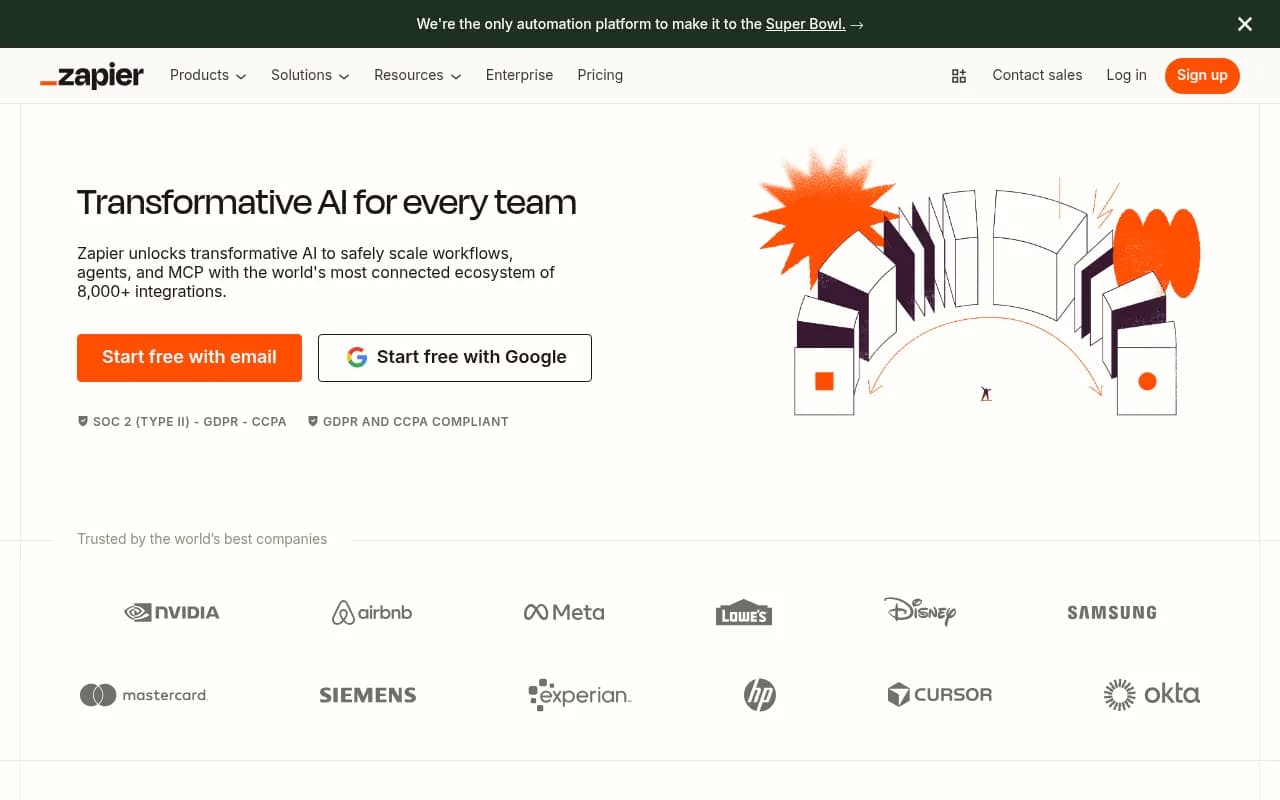
Webhook / Zapier support: Can you trigger workflows in other tools when specific events happen (e.g., citation rate drops below a threshold)?
| Capability | Why it matters |
|---|---|
| API access | Custom dashboards, automated reporting, internal tools |
| Looker Studio connector | Standardized agency reporting |
| White-label exports | Client-facing deliverables |
| Multi-site management | Agency efficiency, enterprise scale |
| CMS publishing | Reduces friction in content workflow |
| Webhooks / Zapier | Alerts, automated responses to visibility changes |
Section 8: Competitive intelligence features
Knowing your own visibility score is useful. Knowing how it compares to competitors -- and why -- is actionable.
Strong competitive intelligence features include:
- Competitor heatmaps showing share of voice by AI model and prompt category
- Side-by-side citation source analysis (what's driving their citations vs. yours?)
- Prompt-level competitor tracking (who appears in responses to specific queries?)
- Historical trend data (are competitors gaining or losing ground over time?)
One thing worth checking: how many competitors can you track simultaneously? Some platforms limit this to 3-5 in lower tiers, which can be a real constraint in competitive categories.
Section 9: Agency-specific requirements
If you're evaluating platforms on behalf of an agency, the checklist above applies -- but you have additional requirements that most platform reviews don't cover.
The agency-specific checklist:
- Can you manage 10+ client accounts from a single login without switching between separate accounts?
- Is there a white-label reporting option, or do all exports carry the platform's branding?
- Are there agency-tier pricing structures (per-seat, per-client, or flat-rate)?
- Can you set up automated reporting cadences (weekly/monthly client reports)?
- Does the platform provide deliverable templates or frameworks you can adapt for client presentations?
- Is there a dedicated agency support channel or account manager?
The gap between what agencies need and what most platforms provide is real. Many platforms are built for in-house marketing teams and treat agencies as an afterthought. The ones that have invested in agency workflows -- multi-client dashboards, white-label exports, client-specific prompt sets -- are meaningfully easier to operate at scale.

Section 10: Pricing structure and scalability
Pricing in this category is all over the place, and the sticker price often doesn't reflect the real cost of using the tool at scale.
Things to watch for:
- Prompt limits: most platforms charge based on the number of prompts you track. A limit of 50 prompts sounds fine until you realize you need 200 to cover your full product catalog.
- Model add-ons: some platforms (Peec AI is a clear example) charge extra per AI model. Tracking 5 models at $20-30 each adds up fast.
- Site limits: if you manage multiple domains, check whether the plan supports them or requires separate subscriptions.
- Article/content generation limits: if content generation is part of the workflow, how many articles per month are included?
- Overage fees: what happens when you exceed your prompt or query limit?
A rough pricing landscape for 2026:
| Tier | Typical price range | What you get |
|---|---|---|
| Entry / solo | $24 - $99/mo | 1 site, limited prompts, basic tracking |
| Professional | $99 - $299/mo | 2-3 sites, 100-200 prompts, some content features |
| Business | $299 - $599/mo | 5+ sites, 300+ prompts, full feature set |
| Agency / Enterprise | $600+/mo or custom | Unlimited or high-volume, white-label, API |
Annual billing typically saves 20-30% across most platforms, so if you're confident in a tool after a trial, the annual commitment is usually worth it.
The full integration checklist at a glance
Use this as your evaluation scorecard. Run every platform you're considering through it before signing anything.
AI model coverage
- Tracks 8+ AI models including Google AI Mode and AI Overviews
- Supports multi-language and multi-region queries
- Tracks ChatGPT Shopping (if relevant to your category)
- Queries are run frequently enough to detect changes within days
Prompt intelligence
- Volume estimates per prompt
- Difficulty / competitiveness scoring
- Query fan-out mapping
- Answer gap analysis vs. competitors
Citation and source analysis
- Shows exact URLs cited in AI responses
- Surfaces third-party sources (Reddit, YouTube, review sites)
- Competitor citation source analysis
- Page-level citation tracking on your own domain
AI crawler logs
- Real-time or near-real-time crawler activity logs
- Filters by crawler type
- Error and access issue flagging
- Correlation with citation changes
Content gap and generation
- Identifies prompts competitors rank for that you don't
- Shows which competitor pages drive their citations
- Built-in content generation (not just a brief, but a full draft)
- Content grounded in citation data, not generic SEO templates
Traffic attribution
- JavaScript snippet, GSC integration, or server log analysis
- Page-level AI traffic attribution
- Integration with GA4 or existing analytics stack
Reporting and integrations
- API access
- Looker Studio connector
- White-label reporting (agencies)
- Multi-site / multi-client management
- CMS publishing integration
- Webhook or Zapier support
Competitive intelligence
- Competitor heatmaps by model and prompt
- Historical trend data
- Share of voice tracking
- Tracks 5+ competitors simultaneously
Pricing and scalability
- Prompt limits match your actual needs
- No per-model add-on fees (or transparent pricing if there are)
- Annual billing discount available
- Free trial available before commitment
Putting it together
The platforms that check the most boxes on this list are the ones that have been built as optimization tools rather than monitoring dashboards. The distinction matters because monitoring tells you what's happening; optimization helps you change it.
Promptwatch is the platform that covers the most ground across this checklist -- crawler logs, content gap analysis, built-in content generation, traffic attribution, Reddit tracking, ChatGPT Shopping, and API access, all in one workflow. It's the right starting point for teams that want to move from visibility data to actual results.
For teams with narrower needs -- say, a solo founder who just wants to know if their brand is showing up in ChatGPT responses -- a lighter tool like Airefs or Otterly.AI might be sufficient. The checklist still applies; you'll just weight different items differently based on your situation.
The one thing I'd push back on is the instinct to start with the cheapest option and upgrade later. The real cost of a monitoring-only tool isn't the subscription fee -- it's the months you spend watching a dashboard while competitors are actively optimizing their AI visibility. If you're serious about this channel, start with a platform that can actually help you act.