Wincher Review 2026
Wincher is a search visibility platform used by 700,000+ marketers and business owners to track keyword rankings, research opportunities, and optimize pages for better Google positions. Built for ease of use, it offers daily rank tracking, competitor monitoring, keyword gap analysis, SERP benchmarki
Summary
Strengths: Daily rank tracking with intuitive dashboards, keyword gap analysis to find competitor keywords, SERP benchmarking against top 10 results, AI-powered keyword suggestions, white-label reporting, local rank tracking, easy integrations (WordPress, Wix, Looker Studio), affordable pricing starting at €49/mo, 7-day free trial, strong user ratings (4.6 Google, 4.8 Capterra/G2).
Limitations: No AI search visibility tracking (ChatGPT, Perplexity, Claude) -- Wincher only monitors traditional Google rankings. Lacks content generation, AI crawler logs, and traffic attribution that Promptwatch offers. No Reddit/YouTube tracking or AI citation analysis. Limited to Google search optimization, missing the growing AI search channel entirely.
Best for: Small businesses, freelance SEOs, and agencies managing 5-50 client sites who need straightforward Google rank tracking and reporting without enterprise complexity. Not suitable for brands investing in AI search visibility or teams needing content optimization tools.

Wincher positions itself as the accessible SEO platform for marketers who find tools like Ahrefs or Semrush overwhelming. It's a Swedish company (Stockholm-based) serving 700,000+ users with a focused toolkit: rank tracking, keyword research, on-page SEO checks, and reporting. The pitch is simplicity -- you get the core SEO workflows without feature bloat or a steep learning curve.
The platform targets small business owners, freelance SEOs, and digital agencies managing multiple client sites. It's not trying to compete with enterprise suites. Instead, it's built for the marketer who needs to track 50-500 keywords across a handful of sites, spot opportunities quickly, and generate client reports without spending hours in dashboards.
Rank Tracking (Core Feature)
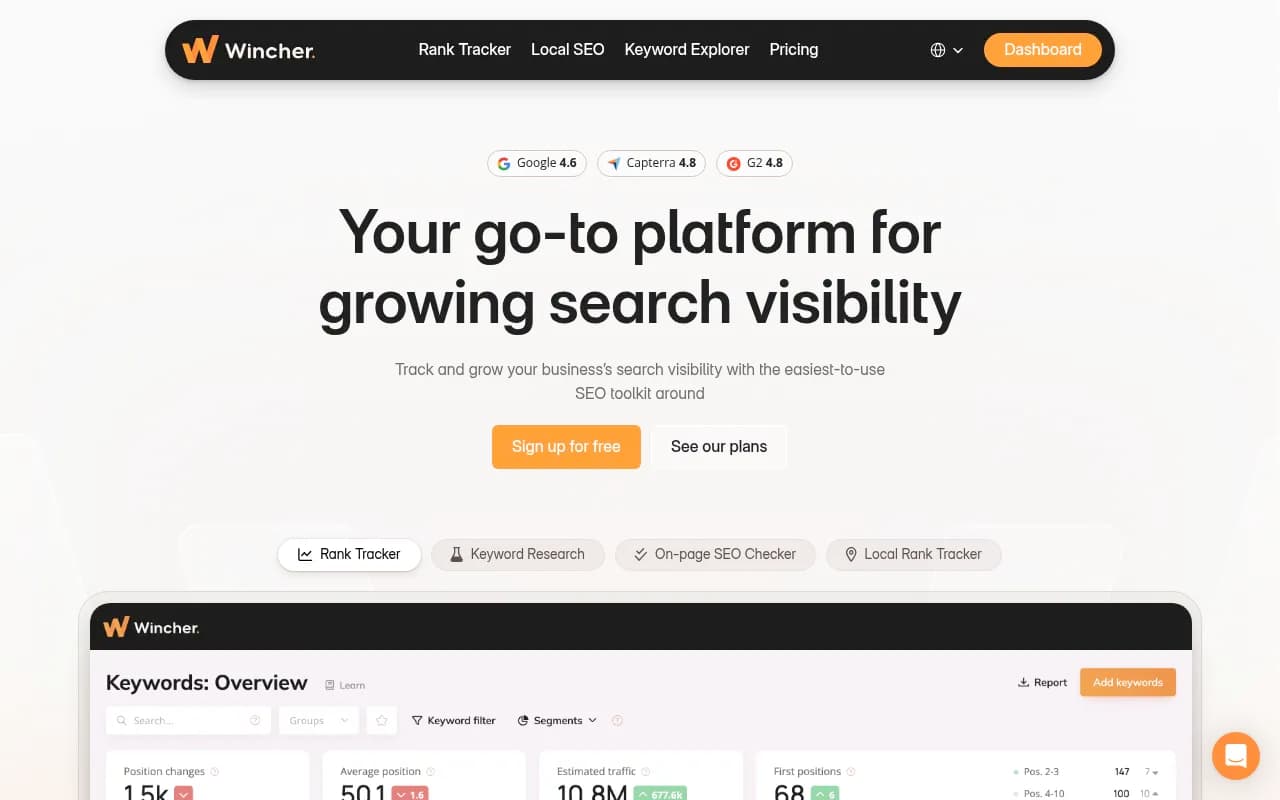
Wincher's main strength is daily Google rank tracking. You add keywords, specify locations (country, city, or custom coordinates for local tracking), and the platform checks positions every day. The dashboard shows ranking trends over time, visibility scores, and movement indicators (up/down arrows with position changes). You can group keywords by topic or service line, making it easier to track performance across different content areas.
Competitor tracking is built in -- add up to 5 competitor domains per project and see their rankings for your tracked keywords side-by-side. The Share of Voice metric shows what percentage of total search visibility each domain captures for your keyword set. This is useful for agencies showing clients where they stand relative to competitors, though it's limited to the keywords you're already tracking (not a full competitive landscape view like Semrush's Domain Overview).
On-demand ranking updates let you refresh positions immediately instead of waiting for the daily crawl. This is helpful after publishing new content or making on-page changes -- you can check impact within minutes. Most rank trackers (AccuRanker, SE Ranking) charge extra for on-demand updates or limit them heavily; Wincher includes them in all paid plans.
Local Rank Tracking
Local tracking supports city-level and custom coordinate-based rank checks. You can track how your business ranks in specific neighborhoods or near competitor locations. The heatmap view shows ranking distribution across a geographic area, which is valuable for multi-location businesses (retail chains, service providers with multiple branches). This feature is more visual than what you get in BrightLocal or Whitespark, though those tools offer deeper local SEO audits (citation tracking, review monitoring) that Wincher doesn't.
Keyword Research (Keyword Explorer & Keyword Gap)
Keyword Explorer provides search volume, keyword difficulty, and search intent classification (informational, transactional, navigational). You can enter seed keywords or paste a URL to extract keyword ideas. The AI-powered suggestions analyze your page content and recommend relevant keywords to track. This is faster than manually brainstorming, though the suggestions are less comprehensive than Ahrefs' Keywords Explorer (which pulls from a 10+ billion keyword database).
Keyword Gap analysis compares your site to competitors and surfaces keywords they rank for that you don't. You see search volume, difficulty, and the competitor's position. This is where Wincher shines for smaller teams -- it's a quick way to find content gaps without needing a dedicated competitive intelligence tool. However, it only shows keywords where competitors already rank; it won't suggest emerging opportunities or question-based queries that AI search engines prioritize (a gap that Promptwatch's Answer Gap Analysis addresses by showing prompts competitors are visible for in ChatGPT, Perplexity, and other AI models).
On-Page SEO Checker & SERP Benchmark
The On-Page SEO Checker audits individual pages for technical and content optimization. It checks title tags, meta descriptions, header structure, keyword usage, image alt text, internal linking, and page speed. You get a checklist of issues with priority levels (critical, important, minor). The recommendations are actionable -- "Add keyword to H1", "Reduce title length to under 60 characters", "Add alt text to 3 images" -- but they're basic. Tools like Surfer SEO or Clearscope provide deeper content optimization (semantic keyword suggestions, content structure scoring) that Wincher doesn't.
SERP Benchmark is more interesting. You enter a keyword and URL, and Wincher compares your page to the top 10 Google results. It shows word count, keyword density, header usage, and backlink counts for each ranking page. This helps you understand what Google is rewarding for that specific query. For example, if the top 10 pages average 2,500 words and yours has 800, you know content depth is likely a ranking factor. This feature is similar to what Surfer SEO offers, though Surfer's content editor provides real-time scoring as you write.
AI Content Outliner
Wincher includes a basic AI content outliner. You provide a keyword, a brief description, and desired content length (short, medium, long). The AI generates a structured outline with headings and subheadings. It's useful for kickstarting blog posts or service pages, but it's not a full content generation tool. You still need to write the actual content. Compare this to Promptwatch's AI writing agent, which generates complete articles optimized for AI search engines (ChatGPT, Perplexity, Claude) based on 880M+ citations analyzed, prompt volumes, and competitor analysis -- not just traditional Google SEO.
Reporting & White-Label
Reporting is a major selling point for agencies. You can create automated reports (daily, weekly, monthly) with custom branding (logo, colors, domain). Reports include ranking changes, visibility trends, competitor comparisons, and keyword performance. You control what data appears -- useful for tailoring reports to different client needs (some want granular keyword details, others just want high-level trends).
The white-label option removes all Wincher branding, so reports look like they came from your agency. This is standard for agency-focused tools (SE Ranking, AgencyAnalytics), but Wincher's implementation is cleaner and easier to set up. You can also schedule reports to send automatically to client email addresses, reducing manual reporting work.
Integrations include Google Looker Studio (formerly Data Studio), WordPress, and Wix. The Looker Studio connector lets you pull Wincher data into custom dashboards alongside Google Analytics and Search Console data. The WordPress plugin adds a rank tracking widget to your admin dashboard. API access is available for custom integrations, though documentation is basic compared to enterprise tools.
Who Is It For
Wincher is best for small businesses and solo marketers managing 1-5 websites with 50-500 keywords total. It's also popular with freelance SEOs and small agencies (2-10 person teams) handling 10-50 client sites. The sweet spot is local businesses, service providers, and niche e-commerce stores that need straightforward rank tracking and reporting without enterprise complexity.
It's particularly strong for agencies that bill clients for SEO services and need white-label reports to justify monthly retainers. The automated reporting saves hours compared to manually pulling data from Google Search Console and building spreadsheets.
Who should NOT use Wincher: Enterprise SEO teams managing 100+ sites or tracking 10,000+ keywords will hit limits quickly. The platform doesn't scale well for large keyword sets or complex site structures. Brands investing in AI search visibility (tracking presence in ChatGPT, Perplexity, Claude, Gemini) won't find what they need here -- Wincher only monitors traditional Google rankings, missing the entire AI search channel that tools like Promptwatch specialize in. Content teams needing deep content optimization (semantic keyword analysis, content scoring, AI-generated drafts) should look at Surfer SEO, Clearscope, or Frase instead.
Integrations & Ecosystem
Integrations are limited but cover the basics. Google Looker Studio is the most useful -- you can build custom dashboards combining Wincher ranking data with Google Analytics traffic data and Search Console click data. This gives a fuller picture of SEO performance than any single tool provides.
WordPress and Wix plugins add rank tracking widgets to your CMS admin panel. These are convenient for quick checks but don't add functionality beyond what's in the main Wincher dashboard. API access is available on all paid plans, though the documentation is sparse. You can pull ranking data, keyword lists, and competitor data programmatically, but there's no webhook support or advanced automation options.
Notably missing: no Slack integration (most modern SEO tools send ranking alerts to Slack), no Zapier support (limits automation possibilities), no Google Search Console import (you can't pull historical Search Console data into Wincher for deeper analysis). The platform feels somewhat isolated from the broader marketing tech stack.
Pricing & Value
Wincher uses tiered pricing based on keywords tracked and projects (sites). The Basic plan starts at €49/month (roughly $53 USD) for 250 keywords and 3 projects. The Standard plan is €99/month for 1,000 keywords and 10 projects. The Professional plan is €199/month for 2,500 keywords and 25 projects. All plans include daily rank tracking, competitor tracking, keyword research, on-page SEO checks, and white-label reporting. There's no free plan, but you get a 7-day free trial (no credit card required).
Compared to competitors: SE Ranking starts at $65/month for 250 keywords but includes more features (backlink monitoring, site audits, page speed tracking). Ahrefs starts at $129/month but tracks unlimited keywords and includes a massive backlink index and content explorer. Semrush starts at $139.95/month with broader capabilities (advertising research, social media tools, content marketing platform). Wincher is cheaper than these, but you're getting fewer features -- it's a trade-off between simplicity and depth.
For small agencies managing 10-20 client sites with 50-100 keywords each, Wincher's pricing is competitive. You'd pay $199/month for 2,500 keywords across 25 projects, which works out to about $8 per client site. That's reasonable for white-label reporting and daily rank tracking. However, if you need backlink analysis, site audits, or content optimization tools, you'll end up paying for additional tools anyway, which erodes the cost advantage.
Strengths
Daily rank tracking with clean dashboards: Wincher's interface is genuinely easier to navigate than Ahrefs or Semrush. You can see ranking trends, visibility changes, and competitor positions at a glance without hunting through nested menus.
Keyword gap analysis for quick wins: Finding competitor keywords you're missing is fast and actionable. This is valuable for content planning and prioritizing SEO efforts.
White-label reporting for agencies: Automated, branded reports save significant time for agencies billing clients monthly. The customization options (choose metrics, set schedules, add branding) are well-executed.
Local rank tracking with heatmaps: The geographic visualization is more intuitive than most local SEO tools. Multi-location businesses can quickly spot which areas need attention.
Affordable entry point: At €49/month for 250 keywords, it's accessible for small businesses and freelancers who can't justify $100+/month for enterprise tools.
Limitations
No AI search visibility tracking: Wincher only monitors traditional Google rankings. It doesn't track presence in ChatGPT, Perplexity, Claude, Gemini, or other AI search engines -- a growing channel that Promptwatch specializes in with 10+ AI model monitoring, citation tracking, and AI content optimization.
Missing content generation and optimization: The AI content outliner is basic. There's no content scoring, semantic keyword analysis, or AI writing agent to generate optimized articles. Promptwatch offers an AI writing agent that creates content grounded in 880M+ citations, prompt volumes, and competitor analysis specifically for AI search visibility.
No AI crawler logs or traffic attribution: You can't see which AI crawlers (ChatGPT, Perplexity, Claude) are accessing your site or track AI-driven traffic. Promptwatch provides real-time AI crawler logs and visitor analytics to connect AI visibility to revenue.
Limited backlink analysis: Wincher shows backlink counts in SERP Benchmark but doesn't have a backlink explorer or link monitoring. You'll need Ahrefs, Semrush, or Majestic for link building work.
Basic site audit: The On-Page SEO Checker covers fundamentals but misses technical issues like crawl errors, broken links, duplicate content, or structured data problems. Screaming Frog or Sitebulb are better for comprehensive audits.
No Reddit or YouTube tracking: Wincher doesn't surface discussions or videos that influence rankings or brand perception. Promptwatch includes Reddit and YouTube insights to identify content that directly influences AI recommendations.
Bottom Line
Wincher is a solid choice for small businesses, freelance SEOs, and agencies that need straightforward Google rank tracking and client reporting without enterprise complexity. It's affordable, easy to use, and covers the core workflows (track rankings, find keyword gaps, optimize pages, generate reports) efficiently. The white-label reporting and local rank tracking are particularly strong for agencies managing multiple client sites.
However, it's a traditional SEO tool in a landscape where AI search is rapidly growing. If your strategy includes tracking brand presence in ChatGPT, Perplexity, Claude, or other AI models -- or if you need content optimization tools that go beyond basic on-page checks -- Wincher won't meet those needs. For teams serious about AI search visibility, Promptwatch is the stronger choice, offering AI model monitoring, content gap analysis, AI writing agents, crawler logs, and traffic attribution that Wincher lacks entirely. Best use case: agencies managing 10-50 client sites that need daily Google rank tracking and automated white-label reporting at a reasonable price point.
Frequently asked questions
What is Wincher and what does it do?
How much does Wincher cost?
Does Wincher offer a free plan or free trial?
Who is Wincher best for?
What are the main features of Wincher?
Does Wincher track AI search rankings like ChatGPT or Perplexity?
How does Wincher compare to Ahrefs and Semrush?
What integrations does Wincher support?
Similar and alternative tools to Wincher