Key takeaways
- SEO MCP servers are as secure as you configure them. Official, OAuth-based remote servers are a much safer starting point than community repos with static keys in a config file.
- The biggest practical risks are leaked API keys, over-broad permissions, malicious or poisoned community servers, and client data flowing to a model provider you never vetted.
- Scope credentials per server, per client and per task. One key for everything means one leak exposes everything.
- Treat approval as ongoing, not one-off: pin versions, re-review tool descriptions and log every tool call.
- A short checklist near the end of this guide turns all of this into something you can run before connecting any new server.
The short answer
MCP (Model Context Protocol) servers let an AI assistant call tools: pull keyword data, query Search Console, run a crawl. That is useful. It also means a piece of software holding your credentials takes instructions from a language model that reads text an attacker may have written.
So are SEO MCP servers secure? Some are, if you pick and configure them carefully. Plenty are not. The protocol itself isn't the main problem. As one enterprise write-up from OvalEdge puts it, the authentication can pass, the token can be scoped, the tool call can be authorized, and the agent can still reach data it should never have seen.
For an SEO team the stakes are specific. You hold paid API keys, Google property access, and often data that belongs to clients. A leak is a money problem and a contract problem.
Why MCP security differs from normal API security
With a regular API integration, your code decides what to call. With MCP, the model decides, based on tool descriptions the server supplies. Stacklok's enterprise guidance makes the point well: traditional API security authenticates the caller, while MCP security also has to control what an authenticated caller can do, with which tools, and under what conditions.
Two things follow:
- Tool descriptions are trusted context. If a description is poisoned, the model may follow hidden instructions.
- The server is an intermediary. If it is compromised, it can act across everything it can reach, not just leak one record.
What the ecosystem data says
The numbers below come from vendor and academic compilations, so treat them as directional rather than precise.
According to a Bonfy compilation of third-party audits, Astrix looked at more than 5,200 servers. 88% required some credential, 53% relied on static API keys or personal access tokens, 79% passed keys through environment variables, and only 8.5% used OAuth. That is the single most relevant stat for SEO folks, because most of us paste keys into config files without thinking twice.
The same compilation cites Trend Micro finding 492 internet-exposed MCP servers with no authentication or encryption, and BlueRock finding 36.7% of more than 7,000 servers vulnerable to SSRF. An August 2026 CVE (CVE-2026-19956) hit a Facebook Ads MCP server for SSRF, which is about as close to marketing tooling as the incident record gets. I found no SEO-specific breach reports beyond that, which is reassuring but probably says more about how new the category is than how safe it is.
An academic study of MCP server repositories (arXiv 2506.13538) found vulnerabilities in 7.2% of repos. Credential exposure was the most common issue at 3.6%. Official servers had no detectable vulnerabilities. The vulnerable community ones tended to be larger, single-maintainer and rarely updated, with a median of 226.5 days since the last commit.
That last finding gives you a vetting rule: prefer official, actively maintained servers.
Incidents worth knowing
AuthZed's MCP breach timeline lists several that map neatly onto SEO workflows:
- Postmark-MCP (September 2025): a malicious package silently BCC'd and exfiltrated emails.
- Smithery hosting breach (October 2025): a path-traversal bug leaked a token controlling more than 3,000 apps, and inbound traffic containing users' API keys was exposed. The lesson: a third-party hosted MCP can see your keys.
- MCP Inspector (June 2025): unauthenticated remote code execution (CVE-2025-49596).
- STDIO transport design (April 2026): OX Security reported that config-to-command execution is possible and recommended command allowlists.
AuthZed also notes that several of these attacks exploited overly broad token scopes. Scopes matter more than anything else on this list.
How the main SEO MCP servers authenticate
Auth models differ a lot. This table draws on vendor comparisons (SEOmatic, Nightwatch, DataForSEO's docs), so verify against each vendor's current documentation before relying on it.
| Server | Typical auth | Where the secret lives | Main concern |
|---|---|---|---|
| Ahrefs MCP | OAuth, hosted, no local setup | Vendor-managed session | Check what data the connected account exposes |
| Semrush MCP | OAuth 2.1 or API key, depending on transport | Vendor session or your config | API key path means a long-lived secret |
| DataForSEO MCP | OAuth, or login and password | Basic auth header in client config | Base64 login:password sitting in a file |
| Community Search Console MCPs | Your own Google Cloud OAuth client or a service account | Local JSON key or token file | Property-wide access if the key leaks |
Note that DataForSEO's remote config sends an Authorization: Basic header to its MCP endpoint. That is a long-lived base64-encoded login:password pair, and base64 is encoding, not encryption. If that config file ends up in a repo, a screenshot or a synced folder, the credential is gone.
Nightwatch recommends preferring OAuth-based remote MCPs (Ahrefs, SE Ranking, Nightwatch) over local servers where possible. I agree with the direction, with one caveat: a vendor-hosted server is only as safe as the vendor, and you are trusting their logging and retention too.
I did not verify whether each vendor's keys can be made read-only. Check that in their docs before you connect, because it changes your risk considerably.
SEO platforms that provide MCP access or API keys include Semrush, SE Ranking and Nightwatch:
The checklist
1. Handle API keys properly
- Use one key per server, and ideally one per client or project. A single shared key across everything gives a huge blast radius, which is the consensus on r/devops threads about MCP key handling.
- Inject secrets at runtime from a secrets manager or your OS keychain. Do not hardcode them in
claude_desktop_config.json-style files that get synced, backed up or committed. - Add config files to
.gitignorebefore the first commit, and run a secret scanner on your repos. - Rotate keys on a schedule and immediately when someone leaves. Prefer OAuth where the vendor offers it, because tokens expire.
- Set spend caps on pay-per-call providers. A runaway agent loop against a metered API is a security event and a billing event at once.
A minimal pattern for a local config that avoids literal secrets:
{
  "mcpServers": {
    "seo-data": {
      "command": "seo-mcp-server",
      "env": { "API_KEY": "${SEO_DATA_KEY}" }
    }
  }
}
The exact syntax depends on your client. The principle is that the value comes from the environment or a vault, not from a file you might share. Note that the Astrix audit found 79% of servers pass keys through environment variables, so this is better than a literal string but still not perfect. A secrets manager that injects at launch is better again.
2. Scope permissions tightly
- Request read-only access wherever the tool allows it. Most SEO research tasks never need write access.
- For Google Search Console and GA4, create a dedicated Google account or service account and grant it access only to the specific properties needed. A service-account JSON key grants property-level access, so a leak exposes every property it has been added to.
- Prefer audience-scoped OAuth tokens. The MCP spec says servers MUST accept only tokens issued for them and never forward client tokens on to other APIs (token passthrough).
- Require human approval for any tool that writes, publishes, deletes or spends money.
- Watch for overbroad local permissions. The academic study found servers asking for full disk access and one shipping with auto-approval switched on. Neither belongs on a machine with client files.
3. Vet every server before you connect it
- Prefer official servers from the data vendor. Community servers are where the vulnerability data concentrates.
- Check the maintainer, the commit history, open issues and whether the package name is what you think it is. Typosquats are real.
- Read the tool descriptions. Hidden instructions in metadata are the mechanism behind tool poisoning, and tools like mcp-scan can flag some of it (though the academic study notes it misses excessive permissions and insecure defaults).
- Pin versions. The reported "Deadbugz" campaign involved a server that behaved normally for three tool calls and then rewrote its own tool metadata to hunt for SSH keys and cloud credentials. Approving a server once is not enough, so re-review after every update.
- Avoid local servers you cannot isolate. Run them in a container with no access to your home directory, SSH keys or cloud credentials.
4. Lock down the transport
- Bind local HTTP servers to 127.0.0.1, not 0.0.0.0.
- Use HTTPS for anything remote. Some assessments found a significant share of servers on plaintext HTTP.
- Restrict which commands a STDIO server may launch, using an allowlist.
- For clients you build, block private address ranges when fetching OAuth discovery URLs to prevent SSRF.
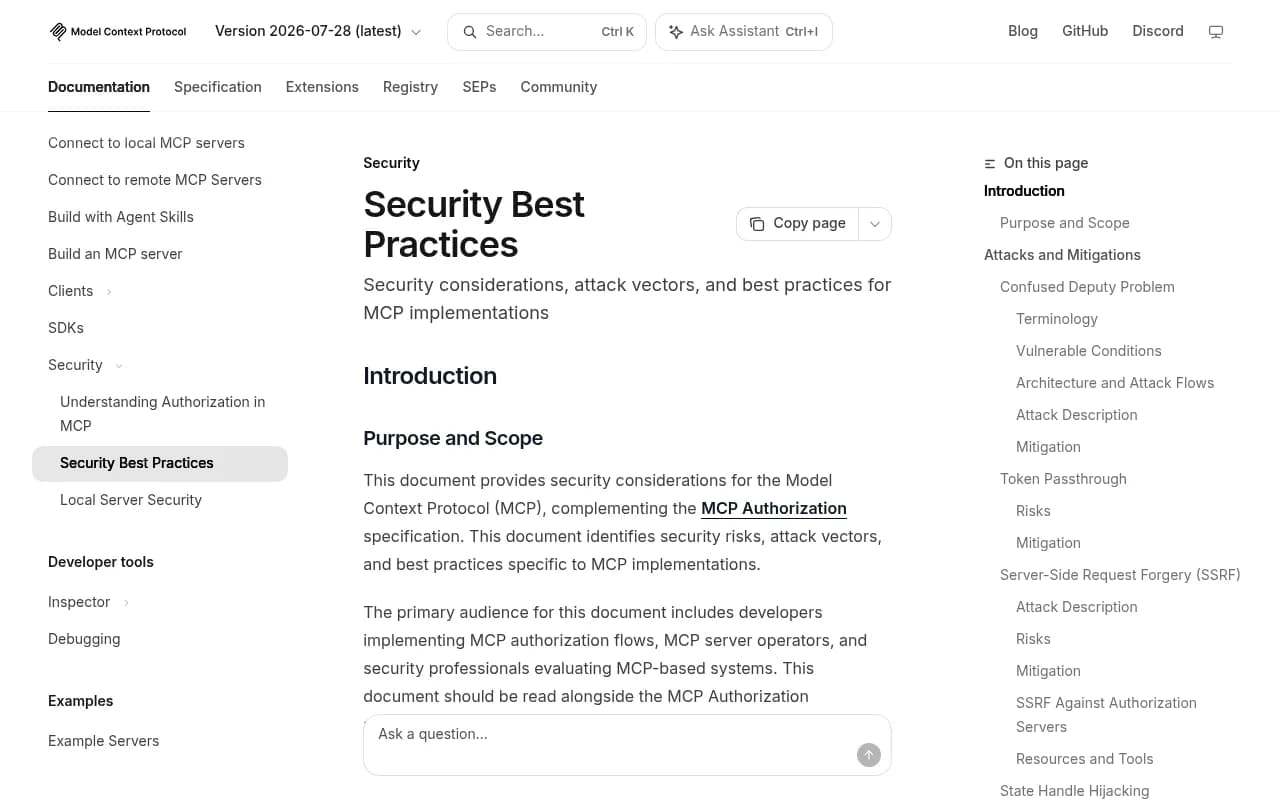
The official MCP security best practices cover confused deputy attacks, state handle hijacking and token passthrough in detail. It is worth an hour if you build or host servers.
5. Protect client data
This is the part SEO teams skip, and I think it is the most likely place for a real problem.
When an assistant pulls Search Console queries, GA4 conversions or a client's crawl data through an MCP server, that data enters the model's context. It goes wherever that model provider processes it. Ask yourself:
- Does your client contract allow third-party AI processing of their analytics and search data?
- Is the model account a business plan with training disabled and defined retention, or someone's personal login?
- Are you mixing clients in one session? Cross-client leakage inside a single conversation is easy to cause and hard to notice.
- Does your tool output include personal data, such as query strings with emails or names, or CRM-linked conversions?
Practical rules: one workspace or session per client, no personal accounts, anonymise where possible, and put AI use in your data processing agreements. If you work at an agency, tell clients.
6. Log and watch everything
- Log every tool call with the user, server, arguments and timestamp.
- Alert on unusual call volume, new tools appearing in a server's manifest, and calls to domains you do not recognise.
- Review usage dashboards on metered APIs weekly.
- Keep a revocation runbook: who kills which key, in what order, when something looks wrong.
Pre-connection checklist
| Question | Pass condition |
|---|---|
| Is it an official vendor server? | Yes, or reviewed source with active maintenance |
| Does it use OAuth? | Yes, or a per-server key stored in a secrets manager |
| Is access read-only where possible? | Yes |
| Are scopes limited to specific properties and projects? | Yes |
| Is the version pinned and tool descriptions reviewed? | Yes, with re-review on update |
| Does it run isolated, bound to localhost or over HTTPS? | Yes |
| Is client data covered by contract and a business AI plan? | Yes |
| Are tool calls logged and spend capped? | Yes |
| Is there a revocation plan? | Yes |
If you cannot tick most of these, do not connect the server to client accounts. Test it with a throwaway account first.
Hosted vs local: which is safer?
Neither wins outright. Hosted OAuth servers from the data vendor remove the biggest risk, a static key in a local file, and they have no local code execution. The trade is that you trust the vendor with your traffic. The Smithery incident is a reminder that intermediary hosts see your credentials.
Local servers give you control and keep traffic on your machine. They also expose you to supply-chain risk, command execution and file access. If you go local, containerise it and use a dedicated low-privilege credential.
My default for client work: official hosted OAuth server first, a sandboxed local server only when there is no alternative.
Monitoring AI search visibility safely
A lot of teams connect MCP servers to pull AI visibility data. If that is your use case, the same checklist applies to the platform you pick. Promptwatch offers a hosted MCP server and REST API alongside its dashboards, so you can scope access per project and keep the credentials on a vendor-managed OAuth-style connection rather than a pasted key. Check its current documentation for the scopes available.

For a wider look at tools in this space, the GEO software directory is a reasonable starting point.
Common mistakes
- Pasting a master API key into a shared team config.
- Connecting a community Search Console server using a service account that has access to every client property.
- Letting an agent write or publish without an approval step.
- Assuming a popular package name is the official one.
- Never re-reviewing a server after the first install.
- Using a personal AI account for client work.
What to do this week
- List every MCP server your team has connected and who owns each.
- Replace static keys with OAuth where the vendor supports it. Rotate the rest.
- Cut each key to the minimum scope, read-only by default.
- Remove community servers you cannot justify, and pin the ones you keep.
- Move client work to a business AI plan with defined retention, and document it in your contracts.
- Turn on logging and spend caps.
If you would rather have a specialist review your setup alongside your wider search strategy, 1001 SEO Media works with teams on technical SEO and AI search, and security of the tooling stack is a fair thing to raise in an audit.
SEO MCP servers are not inherently unsafe, but the usual shortcuts, shared static keys, unvetted community code and client data sent to personal AI accounts, are where the damage happens. Fix those three and you remove most of the realistic risk.