Key takeaways
- Your server, CDN or WAF logs are the only reliable record of AI crawler visits. Browser analytics never see them because these bots skip JavaScript.
- Match stable tokens (GPTBot, ClaudeBot, PerplexityBot), then verify the source IP against the operator's published ranges. A user-agent string is a claim, not proof.
- Separate bots by job: training, search indexing and live user-triggered fetches mean different things for your visibility.
- Logs show access, not citations. A GPTBot hit does not mean you were cited or used in training.
- Once you have the basics, track success rates by page type and tools like Promptwatch can take over the dashboarding.
Why server logs are the only source of truth
GA4, Plausible and Mixpanel filter out non-human traffic, and most AI crawlers never execute page JavaScript anyway. Search Console does not report them either. So if you want to know whether an AI system fetched your pricing page this morning, the one place that fact lives is a request log.
Some numbers make the point. One writer who checked a week of their own logs found ChatGPT-User fetched pages 56 times, while analytics showed just 2 visits that came from ChatGPT. Same site, same week. Analytics saw the humans who clicked through. Logs saw the machines that read.
A log line can tell you when a request arrived, which URL it wanted, what your server answered and how long it took. It cannot tell you on its own that the visitor was a legitimate AI crawler, or what it was trying to do. That takes classification, and the working order is:
identify the claimed bot, understand its purpose, verify it, then analyse what happened.
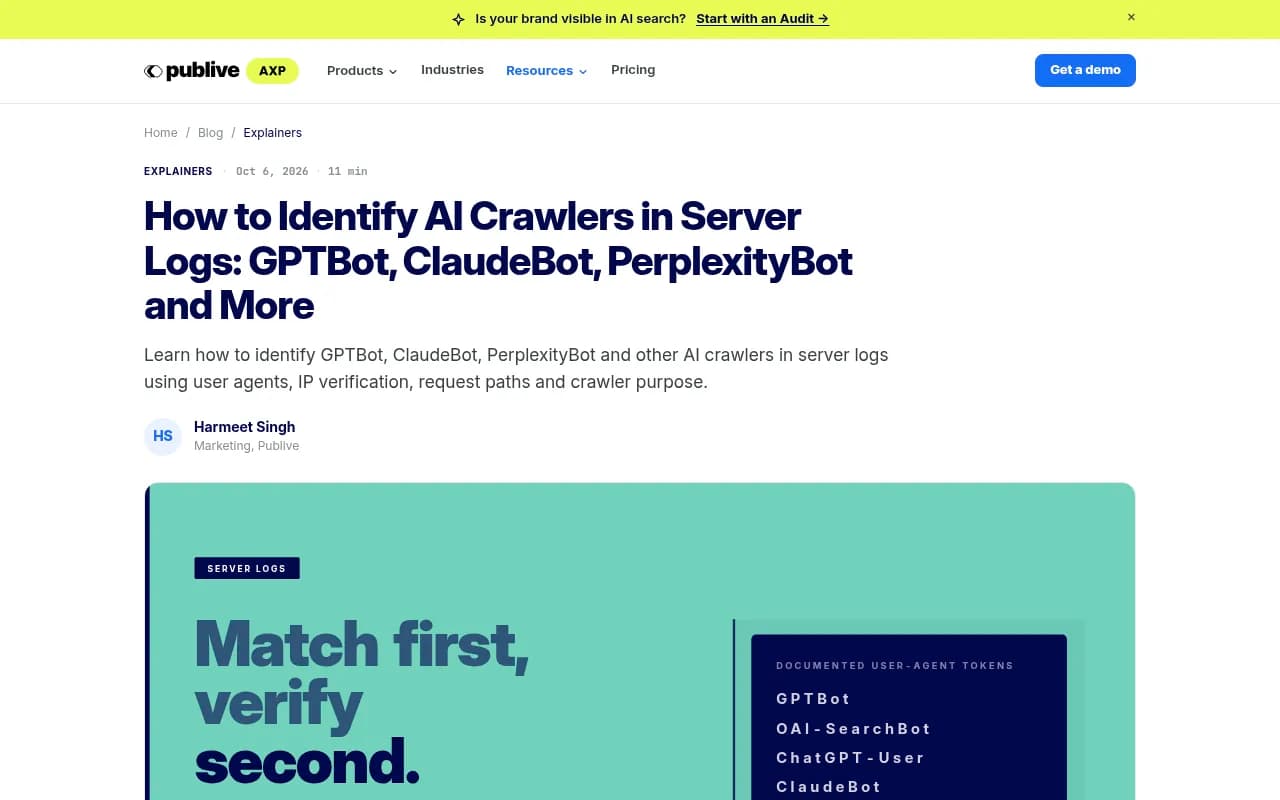
Know the bots before you search
Each AI company runs several machine visitors, and they do different jobs. Treating them as one thing is the most common mistake I see.
| Job | OpenAI | Anthropic | Perplexity | What it means for you |
|---|---|---|---|---|
| Training | GPTBot | ClaudeBot | none | Your content may feed future models |
| Search index | OAI-SearchBot | Claude-SearchBot | PerplexityBot | Whether you can appear in AI search answers at all |
| Live fetch for a user | ChatGPT-User | Claude-User | Perplexity-User | A person just asked about your page |
The live-fetch row is the one worth watching. A burst of Claude-User or Perplexity-User requests across several URLs on your domain suggests an answer is being composed from your content right now. A GPTBot fetch is closer to index or training input, not a live answer.
This split also drives robots.txt decisions. If you want to appear in Claude's answers but stay out of its training set, you would allow Claude-User and disallow ClaudeBot. OpenAI documents the same separation: GPTBot for training, OAI-SearchBot for ChatGPT Search. Check each operator's own documentation (OpenAI's crawler docs, Anthropic's crawler guidance, Perplexity's bot docs) because tokens and behaviors change.
Cloudflare's AI bot reference is a handy list too. It covers OpenAI, Anthropic and Perplexity alongside machine visitors from Meta, Apple, Amazon, Microsoft and ByteDance, which helps when you hit a bot name you do not recognise.
Step 1: make sure your logs record the right fields
You do not need a dedicated AI analytics platform to start. You need request-level logs that keep enough detail. NGINX's access log module can record the client address, request, status, bytes sent, user agent and processing time. Fastly's logging can expose the same at the CDN layer.
| Field | Why it matters |
|---|---|
| Timestamp | When did it happen, and in what pattern? |
| Source IP | Can the request be verified against published ranges? |
| Hostname | Which site or subdomain was hit? |
| Path | What content did the machine want? |
| HTTP status | Did the request succeed? |
| User agent | Which crawler does it claim to be? |
| Bytes sent | Was a real page returned, or a stub? |
| Response time | Is your infrastructure slow for bots? |
If your current setup drops the user agent or source IP, fix that first. There is no point building a dashboard on data you did not keep.
Step 2: find the requests
Start at the layer that sees traffic first. That usually means CDN or edge logs, then WAF or bot-management logs, then your reverse proxy, then the origin server. If you pull from both CDN and origin, deduplicate by request ID or by matching timestamp, path and edge IP, or one visit will look like two.
A quick pass with grep:
grep -hEi 'GPTBot|OAI-SearchBot|ChatGPT-User|ClaudeBot|Claude-SearchBot|Claude-User|PerplexityBot|Perplexity-User|CCBot|Bytespider|Meta-ExternalAgent' access.log
If logs are rotated and compressed:
zgrep -hEi 'GPTBot|OAI-SearchBot|ChatGPT-User|ClaudeBot|Claude-SearchBot|Claude-User|PerplexityBot|Perplexity-User' access.log.*.gz
Match on the stable token, not the full user-agent string. Version numbers and surrounding text change.
Count visits per bot per day
awk 'BEGIN { split("GPTBot ChatGPT-User OAI-SearchBot ClaudeBot Claude-User PerplexityBot Perplexity-User", bots, " ") }
/GPTBot|ChatGPT-User|OAI-SearchBot|ClaudeBot|Claude-User|PerplexityBot|Perplexity-User/ {
  split($4, d, ":"); date = substr(d[1], 2)
  for (i in bots) if ($0 ~ bots[i]) hits[date " " bots[i]]++
}
END { for (k in hits) print k, hits[k] }' access.log | sort
This assumes the standard combined log format, where field 4 is the timestamp. Adjust if yours differs. One quirk: a user agent like OAI-SearchBot contains no GPTBot string, but ChatGPT-User and others could overlap with loose patterns, so test against a sample.
See which URLs each bot wants
grep "GPTBot" access.log | awk '{print $7}' | sort | uniq -c | sort -rn | head -20
Repeat for each token. The contrast is the interesting part. The URLs under GPTBot are roughly your training-crawl footprint. The URLs under Claude-User are what real people are asking Claude about today.
Step 3: verify before you trust
This is the step most guides skip, and it matters more than the counting.
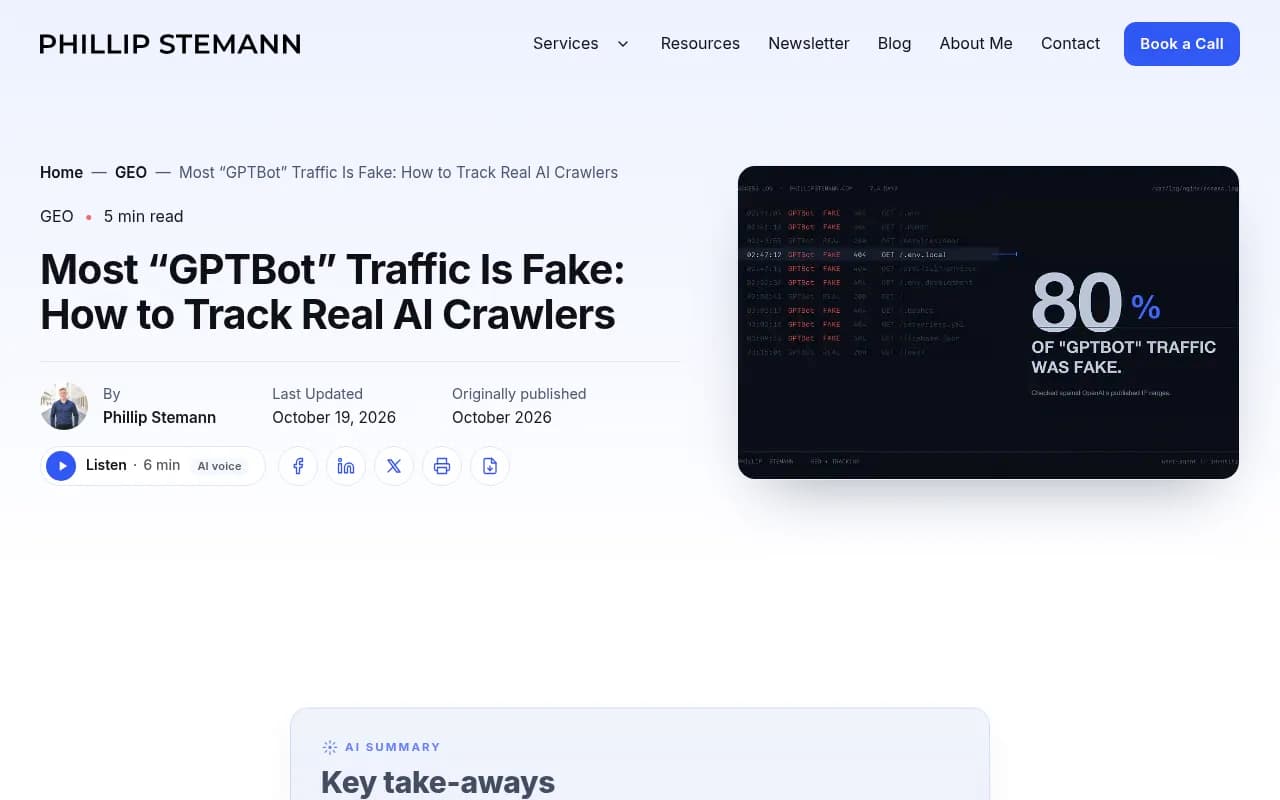
Phillip Stemann ran this check on a week of his own logs and found that 80% of requests calling themselves GPTBot were fake. For Perplexity-User it was 100%. The fakes were not reading content. They were probing for .env files, cloud credentials and Kubernetes tokens. The real crawlers, by contrast, almost always got successful responses. One site, one week, so treat the percentages as an illustration, not a benchmark. But the lesson holds: a log full of 403s and 404s under a bot's name may be a scanner, not an AI company struggling with your site.
Two ways to verify:
- IP range check. OpenAI, Anthropic and Perplexity publish IP lists. Pull the source IP from the log line and test whether it falls inside the operator's current ranges.
- Reverse DNS where the operator supports it. Resolve the IP to a hostname, then forward-resolve that hostname and confirm it returns the same IP.
A simple routine: export the candidate IPs from your bot matches, download the official lists, and flag anything outside them. Keep the verified and unverified sets separate in every report you build afterward.
Step 4: read what the requests are telling you
Once the traffic is clean, look at a few patterns.
| Signal | Likely meaning | What to do |
|---|---|---|
| Verified GPTBot or ClaudeBot on many URLs on a schedule | Training or index crawling | Decide deliberately in robots.txt |
| Verified OAI-SearchBot or PerplexityBot hits | You are being indexed for AI search | Check that key pages return 200s |
| Clustered Claude-User or Perplexity-User hits | Live answers being built from your pages | Note which pages; they are your citation candidates |
| Repeated 4xx or 5xx for a verified bot | Blocked or broken for that platform | Check robots.txt, WAF and CDN rules |
| Heavy hits on thin or stub pages | Bots reading what they find | Fix or consolidate those pages |
| No hits from a major provider at all | You may be blocked or unreachable | Test with a crawler URL inspector |
In one 7-day log study across 13 online marketplaces, ClaudeBot was the most active crawler with 168 of 604 total visits, almost four times GPTBot, and new listings were read within a day (video write-up). Small sample, declared user agents only, so do not treat it as a rule. Your own mix will differ.
Compare against the wider market
It helps to have a baseline. Promptwatch Data's AI crawler traffic report tracks IP-verified requests from OpenAI, Anthropic, Google, Perplexity and Mistral between June 8 and September 6, 2026. OpenAI made up 79.8% of verified requests in the week of Aug 31 to Sep 6, down from 94.8% in the week of June 8 to 14. Weekly bars sum to 100%, so a share can grow without absolute volume growing.
The practical use: if a provider has a big share in that report but is near zero in your logs, you are probably blocked or unreachable for it. Also see Promptwatch's reports on Meta-WebIndexer, which grew from about 2% to nearly 38% of tracked AI crawler requests between mid-July and August 9, 2026, and Claude's citation crawler visits. If an unfamiliar bot suddenly tops your logs, it may be one of these.
What server logs cannot tell you
Logs measure access. That is all.
A GPTBot request does not prove your content was used in training. It does not prove the page was parsed correctly or retained. It certainly does not prove a citation. Citations, referral clicks and conversions are downstream events, and they show up in different places: AI answers themselves, and your human-visit analytics.
So do not report "GPTBot visited 4,000 times" as an AI visibility win. Treat it as an operational signal about whether machines can reach your content. The goal is a sentence like: "We know which AI systems request which parts of our site, why, whether they are legitimate, and whether our infrastructure serves them successfully." That is the point where logs stop being infrastructure exhaust.
Do it by hand or use a tool?
Grep and awk are fine for a one-off audit. They get tiring when you want weekly trends, IP verification at scale and a link from crawls to citations. Options:
| Approach | Best for | Trade-off |
|---|---|---|
| grep, awk, GoAccess | One-off checks, small sites | Manual, no built-in verification |
| CDN dashboards such as Cloudflare bot analytics | Quick overview if you already use the CDN | Limited to that provider's classification |
| Dedicated crawler trackers | Ongoing monitoring | Another tool to run |
| Full AI visibility platforms | Connecting crawls to citations and traffic | Costs more, bigger scope |
On the dedicated side, DarkVisitors focuses on tracking AI agents and bots hitting a site.
xSeek lists crawler analytics among its features, tied to its prompt tracking.
For the bigger picture, Promptwatch has IP-verified crawler logs (spoofed bots filtered out) covering GPTBot, OAI-SearchBot, ChatGPT-User, ClaudeBot, Claude-User, PerplexityBot and others, with which pages they read, what errors they hit and a citation rate per page. Logs come in through Cloudflare, Vercel, Fastly, CloudFront, Netlify and others, or the WordPress plugin. That is the piece that goes beyond what grep can do: linking a crawl to whether the page then gets cited.

If you are browsing the wider category, the GEO software directory lists more options. For technical crawling of your own site (a different job from watching AI bots), Screaming Frog and Botify are the usual names.

Common pitfalls
- Trusting the user agent alone. Verify the IP or you will count scanners as AI.
- Lumping all bots together. GPTBot and ChatGPT-User mean different things, so keep them in separate columns.
- Counting a request twice because CDN and origin logs overlap.
- Using only browser analytics, which cannot see bots at all.
- Assuming a crawl equals a citation.
- Forgetting rotated logs. Use zgrep on the archives or you will under-count.
- Blocking a bot in robots.txt, then wondering why it vanished from your logs. That is the rule working.
A short weekly routine
- Pull seven days of logs from the CDN or edge layer.
- Filter for the AI tokens above.
- Verify source IPs against each operator's published ranges.
- Split verified traffic by job: training, search, live fetch.
- List the top URLs and the status-code split per bot.
- Investigate any page class that fails repeatedly.
- Compare your provider mix with the Promptwatch Data crawler report.
That takes under an hour once scripted, and it tells you whether the machine audience can even reach you. If the answer is yes and you still are not being cited, the problem has moved from access to content, which is a different guide.
And if you want help acting on what the logs show, an SEO and GEO agency such as 1001 SEO Media handles technical SEO and AI search work alongside this kind of log analysis.
Frequently asked questions
How do I identify GPTBot in server logs?
Match the GPTBot token in the user-agent field, then check the source IP against the ranges in OpenAI's crawler documentation. Keep it separate from OAI-SearchBot and ChatGPT-User, which have different purposes.
How do I identify ClaudeBot traffic?
Match ClaudeBot, Claude-SearchBot and Claude-User separately. Anthropic documents different purposes for each and publishes IP information for validation.
Does seeing GPTBot in my logs mean my content trained a model?
No. It means a request claiming to be GPTBot reached your server. It does not authenticate the request, prove the content was parsed, or show the data was retained.
Why can't Google Analytics show AI crawlers?
Browser analytics need JavaScript to run, and most AI crawlers request plain HTML without executing it. Use server, CDN, WAF or reverse-proxy logs.
Can I track AI crawlers for free?
Yes. Filter your access logs with grep, awk, GoAccess or AWStats using the tokens listed above. Add IP verification if you want clean numbers.