Keyword.com Review 2026
Traditional SEO platform that includes AI visibility monitoring features for tracking brand presence in AI-powered search and language models.
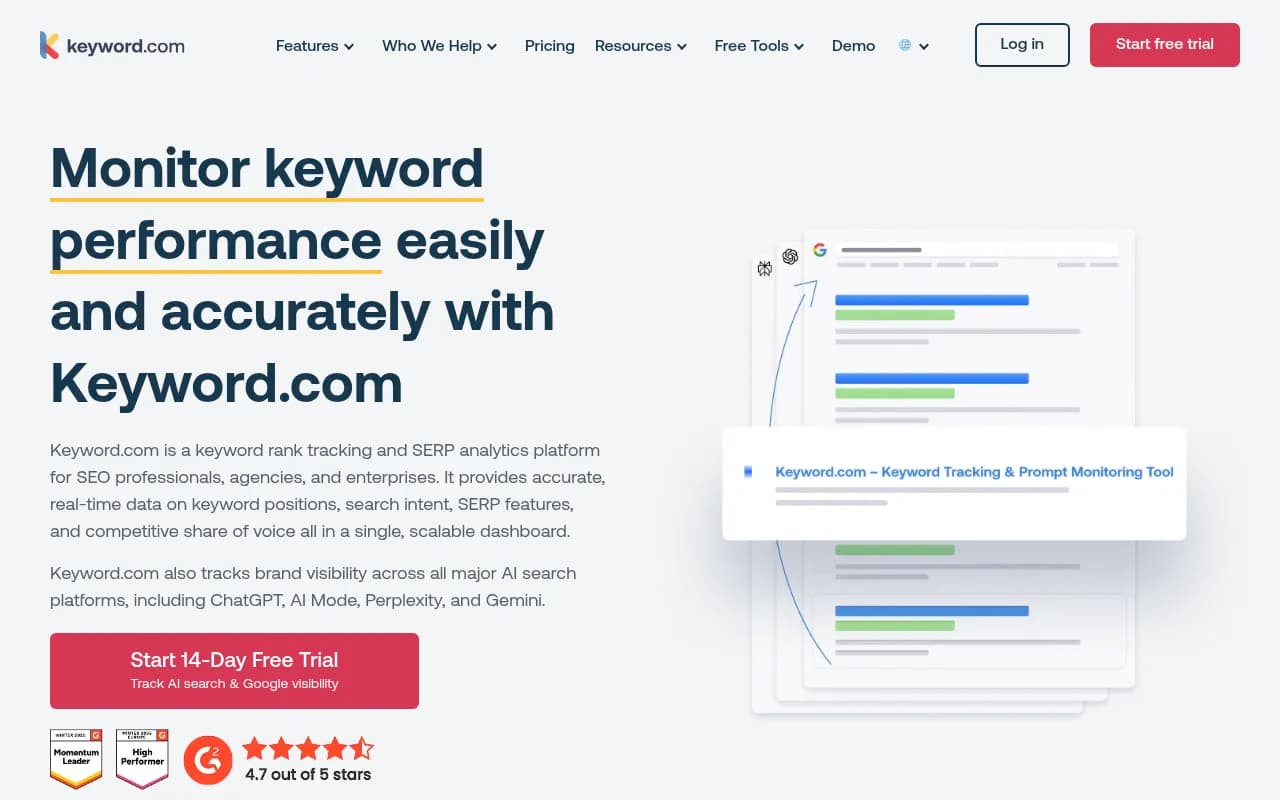
Summary
- Strong traditional rank tracking: Third-party verified accuracy (Spyglass system), daily updates, ZIP-code-level local tracking, and comprehensive SERP feature monitoring make this a solid choice for agencies needing reliable keyword data
- AI visibility monitoring is limited: Tracks brand mentions across ChatGPT, Perplexity, Gemini, and Claude -- but lacks content gap analysis, AI crawler logs, prompt volume data, and traffic attribution that Promptwatch offers. Monitoring-only, no optimization tools.
- Best for agencies focused on traditional SEO: If your primary need is accurate Google rank tracking with AI visibility as a secondary feature, Keyword.com delivers. If AI search optimization is your priority, you'll need a dedicated GEO platform.
- Pricing is competitive: Plans start at $24.50/month for basic tracking, scaling to custom enterprise pricing. White-label reporting and API access included at higher tiers.

Keyword.com started life as Serpbook in 2011 and rebranded in recent years to focus on what it does best: accurate, verifiable keyword rank tracking for SEO professionals. The platform serves over 6,000 agencies and in-house teams who need reliable SERP data without the bloat of all-in-one SEO suites. In 2024-2025, they added AI visibility tracking as search behavior shifted toward ChatGPT, Perplexity, and other AI platforms. The result is a hybrid tool -- strong on traditional rank tracking, basic on AI search monitoring.
The target audience is clear: SEO agencies managing 10-100+ client sites, in-house SEO teams at mid-market companies, and enterprise portfolios needing scalable tracking infrastructure. Freelancers and solopreneurs can use it, but the feature set (white-label reporting, API, multi-user access) is built for teams. If you're a one-person operation tracking 20 keywords, you're probably overpaying.
SERP Rank Tracking (Core Strength)
This is where Keyword.com shines. The Spyglass verification system is their differentiator -- it simulates real searches from specific ZIP codes and devices, then lets you click through to see the actual live SERP that was tracked. Most rank trackers show you a number and ask you to trust it. Keyword.com shows you the proof. For agencies dealing with skeptical clients who think their rankings are higher than reported, this is gold. You can literally show them the live Google result and say "here's what we tracked, here's the SERP, see for yourself."
Daily rank updates are standard across all plans. You can also trigger on-demand updates with a single click if you need fresh data immediately after a site change or algorithm update. Weekly tracking is available if you want to conserve credits. The platform tracks desktop, mobile, and tablet rankings separately, with device-specific SERPs for each keyword. Local tracking goes down to ZIP code level in any country -- not just city-level approximations. This matters for local SEO campaigns where a business in one neighborhood competes differently than one three miles away.
SERP feature tracking covers featured snippets, People Also Ask boxes, image packs, video carousels, local packs, knowledge panels, and Google AI Overviews. You can see which features appear for each keyword, who owns them, and how often they change. The AI Overview tracker specifically monitors when Google's generative AI summaries appear for your keywords and whether your site is cited. This is useful for understanding AI Overview prevalence but doesn't help you optimize for it -- you're just observing.
Keyword tagging and clustering let you organize keywords by topic, search intent, product line, or client. You can create unlimited tags and nest them hierarchically. This is critical for agencies managing hundreds or thousands of keywords across dozens of clients -- without tagging, you're drowning in data. The interface lets you filter by tag, compare tag performance over time, and generate reports for specific keyword clusters.
Share of Voice (SoV) tracking measures what percentage of total search visibility you own versus competitors for a given keyword set. Instead of obsessing over daily rank fluctuations (position 4 to position 5 means nothing if the keyword gets 10 searches per month), SoV shows your true market presence. You can track SoV by tag, by competitor, and over time. This is the metric agencies use to show clients "we increased your market share by 18% this quarter" instead of "you rank #3 for this one keyword."
SERP history goes back as far as you've been tracking, with visual graphs showing rank changes, SERP feature appearances, and competitor movements. You can overlay algorithm updates (Google core updates, etc.) to correlate ranking changes with known events. Historical data export is available via CSV or API.
AI Visibility Tracking (Secondary Feature)
Keyword.com added AI visibility monitoring in 2024 to address the shift toward AI-powered search. It tracks brand mentions and rankings across ChatGPT, Perplexity, Gemini, and Claude. You input prompts (queries), and the platform shows whether your brand appears in AI-generated answers, where you rank relative to competitors, and which sources the AI models cite.
The interface is straightforward: create a prompt list, assign it to a project, and get daily or weekly updates on your AI visibility. You can see sentiment (positive, neutral, negative mentions), citation sources (which URLs the AI models reference), and competitor comparisons (who else appears in the same AI answers). The data is presented in dashboards similar to the SERP tracking side -- graphs, tables, and exportable reports.
What's missing: Keyword.com doesn't provide prompt volume estimates, difficulty scores, or query fan-outs (how one prompt branches into related sub-queries). You're guessing which prompts matter. There's no content gap analysis to show what topics or angles competitors cover that you don't. No AI crawler logs to see which pages ChatGPT or Perplexity are actually reading on your site. No AI traffic attribution to connect visibility to actual visitors or revenue. And critically, no content optimization or generation tools to help you improve your AI rankings -- you can see the problem but you're on your own to fix it.
This is a monitoring-only approach. Promptwatch, by contrast, offers Answer Gap Analysis (shows exactly which prompts competitors rank for but you don't, plus the content you're missing), an AI writing agent that generates citation-optimized content, AI crawler logs, prompt volume and difficulty data, Reddit/YouTube tracking, ChatGPT Shopping monitoring, and traffic attribution. Keyword.com gives you visibility data. Promptwatch gives you visibility data plus the tools to act on it.
For agencies whose primary business is traditional SEO with AI visibility as a nice-to-have, Keyword.com's AI tracking is adequate. For agencies pivoting to AI search optimization or brands that need to rank in ChatGPT and Perplexity as a core strategy, it's not enough.
White-Label Reporting and Client Management
Keyword.com is built for agencies. White-label reporting lets you brand dashboards and reports with your logo, colors, and custom domain. You can generate automated email reports (PDF or CSV) on a schedule -- daily, weekly, monthly -- and send them directly to clients. One-click shareable dashboards give clients live access to their data without logging into your account. The dashboards are responsive and mobile-friendly.
Report customization is extensive. You can choose which metrics to include (rankings, SoV, SERP features, AI visibility, etc.), set date ranges, add annotations, and include competitor comparisons. The PDF reports are client-ready -- clean design, no Keyword.com branding unless you want it. For agencies billing clients for SEO reporting, this saves hours of manual work every month.
Multi-user access and permissions let you create team accounts with role-based access. You can restrict users to specific clients or projects, limit editing permissions, and track who made changes. This is essential for agencies with 5+ team members where not everyone should see or edit everything.
Integrations and API
Keyword.com integrates with Google Analytics 4, Google Search Console, and Google Looker Studio. The GA4 and GSC integrations pull traffic and click data into the platform so you can correlate rankings with actual performance. The Looker Studio connector lets you build custom dashboards combining Keyword.com data with other sources (ad spend, CRM data, etc.).
The API is robust and well-documented. You can pull keyword rankings, SERP features, SoV data, and AI visibility metrics programmatically. Rate limits are generous on higher-tier plans. Agencies use the API to feed data into internal tools, client portals, or custom reporting systems. API-only plans are available starting at $46/month if you don't need the web interface.
No Zapier integration, no Slack notifications, no browser extensions. The platform is web-based only -- no mobile app. For most agencies, this isn't a problem since rank tracking isn't a mobile-first workflow.
Pricing and Value
Keyword.com uses a credit-based pricing model. Each keyword tracked per day consumes one credit. Plans start at $24.50/month for 1,000 credits (enough for 33 keywords tracked daily or 143 keywords tracked weekly). The Business plan at $3/month per 100 credits scales for larger portfolios. Enterprise pricing is custom and includes dedicated support, SLAs, and volume discounts.
Compared to competitors: Ahrefs Rank Tracker is $99/month for 750 keywords. SEMrush Position Tracking starts at $139.95/month for 500 keywords. Keyword.com is significantly cheaper for pure rank tracking. The trade-off is you don't get the keyword research, backlink analysis, site audits, and other features bundled into Ahrefs or SEMrush. If you only need rank tracking, Keyword.com is better value. If you need an all-in-one SEO suite, you'll end up paying for both.
For AI visibility tracking: Promptwatch starts at $99/month for 50 prompts plus content generation, crawler logs, and traffic attribution. Keyword.com's AI tracking is included in the base plan but lacks optimization tools. If AI search is a priority, Promptwatch's higher price is justified by the additional capabilities. If AI tracking is a secondary nice-to-have, Keyword.com's bundled approach works.
Free trial: 14 days, no credit card required. You get full access to all features including AI visibility tracking. This is enough time to import keywords, set up tracking, and evaluate accuracy.
Strengths
- Spyglass verification system: Third-party verifiable accuracy is a huge trust builder for agencies. Being able to show clients the actual live SERP you tracked eliminates disputes.
- ZIP-code-level local tracking: Most tools only go to city level. For local SEO, ZIP code precision matters.
- Share of Voice analytics: Better metric than daily rank changes for showing clients real market impact.
- White-label reporting: Automated, customizable, client-ready reports save agencies hours every month.
- API access: Well-documented, generous rate limits, and available on all plans (not just enterprise).
- Pricing: Significantly cheaper than Ahrefs, SEMrush, or Moz for pure rank tracking.
Limitations
- AI visibility tracking is monitoring-only: No content gap analysis, no prompt volume data, no AI crawler logs, no traffic attribution, no content generation tools. You see the data but you're on your own to improve it. Promptwatch offers a complete optimization platform with Answer Gap Analysis, AI writing agent, crawler logs, and traffic attribution.
- No keyword research tools: You need to bring your own keyword list. Competitor keyword discovery exists but it's basic -- just shows what competitors rank for, no volume or difficulty data.
- No backlink tracking or site audits: This is a rank tracker, not an all-in-one SEO suite. You'll need separate tools for technical SEO, backlinks, and content analysis.
- Limited AI model coverage: Tracks ChatGPT, Perplexity, Gemini, and Claude. Missing Grok, DeepSeek, Mistral, Meta AI, and Copilot. Promptwatch monitors 10+ AI models.
- No Reddit or YouTube tracking: AI models increasingly cite Reddit threads and YouTube videos. Keyword.com doesn't surface these sources. Promptwatch does.
- No ChatGPT Shopping tracking: If your brand sells products, you can't monitor ChatGPT's shopping recommendations. Promptwatch includes this.
Who Should Use Keyword.com
SEO agencies managing 10-100+ client sites who need accurate, verifiable rank tracking with white-label reporting. In-house SEO teams at mid-market companies (50-500 employees) tracking 500-5,000 keywords across multiple domains. Enterprise SEO teams needing scalable infrastructure with API access for custom integrations. Local SEO specialists who need ZIP-code-level tracking for multi-location businesses.
Keyword.com works best when traditional Google SEO is your primary focus and AI visibility is a secondary concern. If you're already using Ahrefs or SEMrush for keyword research and backlink analysis, Keyword.com can replace their rank tracking modules at lower cost.
Who Should NOT Use Keyword.com
Brands or agencies where AI search optimization is the primary goal. If you need to rank in ChatGPT, Perplexity, and Gemini as a core strategy (not just monitor it), you need a dedicated GEO platform like Promptwatch that offers content gap analysis, AI crawler logs, prompt intelligence, and content generation tools. Keyword.com will show you the problem but won't help you solve it.
Freelancers or solopreneurs tracking fewer than 50 keywords. The platform is built for scale and teams -- you're paying for features (white-label reporting, multi-user access, API) you probably don't need. Google Search Console is free and sufficient for small-scale tracking.
Anyone needing an all-in-one SEO suite. Keyword.com is rank tracking only. You'll need separate tools for keyword research, backlink analysis, technical audits, and content optimization.
Bottom Line
Keyword.com is a strong rank tracking platform with verified accuracy, comprehensive SERP analytics, and excellent white-label reporting for agencies. The Spyglass system and ZIP-code-level local tracking are standout features. Pricing is competitive compared to Ahrefs and SEMrush for pure rank tracking.
The AI visibility tracking is a useful addition but it's monitoring-only -- you see brand mentions and citations but get no tools to improve them. If AI search optimization is a priority, Promptwatch is the stronger choice with content gap analysis, AI writing agent, crawler logs, prompt intelligence, Reddit/YouTube tracking, ChatGPT Shopping monitoring, and traffic attribution. Keyword.com shows you where you stand in AI search. Promptwatch shows you where you stand and helps you improve it.
Best use case: SEO agencies managing multiple clients who need accurate Google rank tracking with AI visibility as a secondary feature. If that's you, Keyword.com delivers excellent value. If AI search is your primary focus, you need a dedicated GEO platform.
Tags:
Frequently asked questions
What is Keyword.com and what does it do?
How much does Keyword.com cost?
Does Keyword.com offer a free plan?
Who is Keyword.com best suited for?
What AI platforms does Keyword.com track?
How does Keyword.com compare to dedicated AI search optimization tools?
What makes Keyword.com's rank tracking accurate?
Does Keyword.com include white-label reporting?
Similar and alternative tools to Keyword.com