InLinks Review 2026
Builds internal links and schema markup around entities to strengthen topical authority for AI and traditional search.
Key takeaways
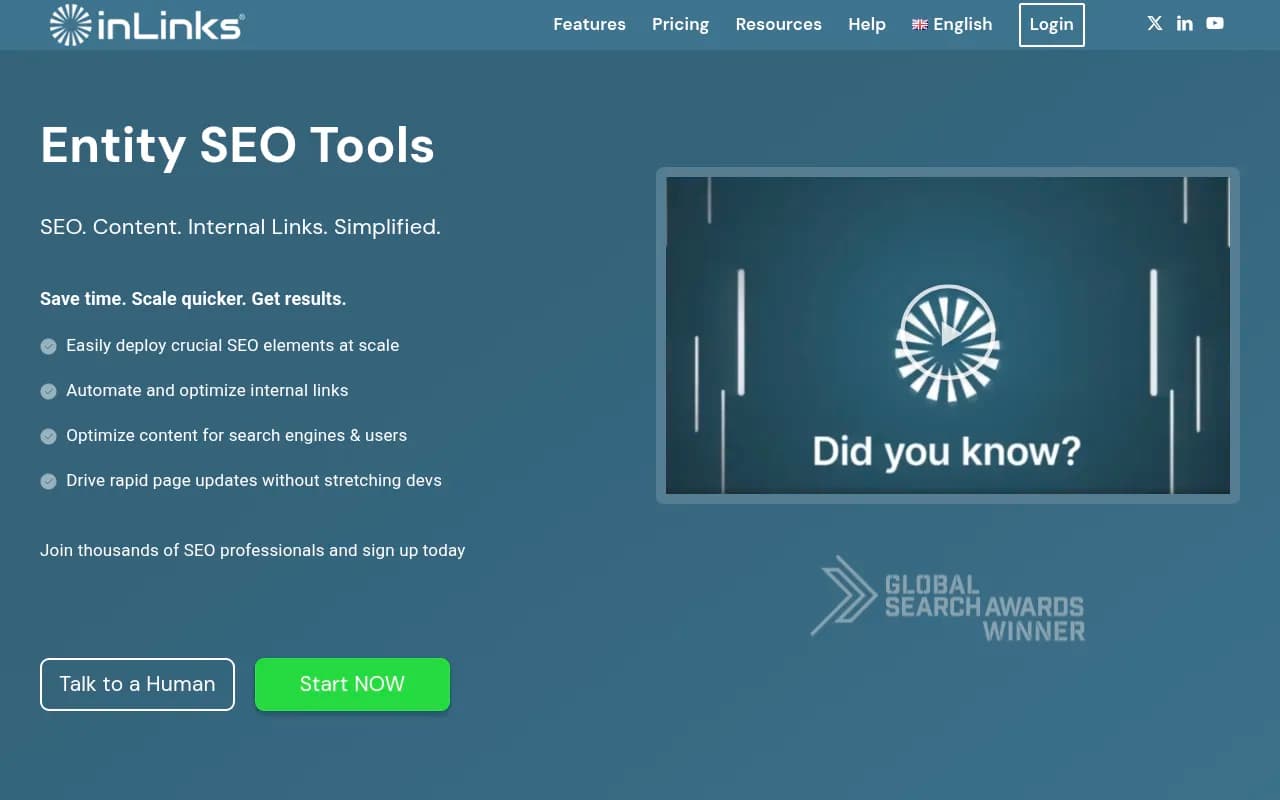
- InLinks is the most mature entity-SEO tool on the market: automated internal linking, schema generation, and topic planning all built around a proprietary knowledge graph rather than raw keyword matching.
- Pricing scales by page count, not seats. That keeps it cheap for a 100-page site ($39–49/month) but expensive fast once you're managing thousands of URLs.
- The JavaScript-based link and schema delivery is clever (works on any CMS) but is the most common complaint: it's not a one-click WordPress plugin, and it depends on your caching setup behaving.
- It optimizes your site for how search engines understand entities, but it does not show you how AI engines actually treat you. There are no AI crawler logs, no citation tracking across ChatGPT, Perplexity, or Gemini, and no AI traffic attribution, which Promptwatch provides as a full AI visibility stack.
- Best for: SEO agencies and in-house teams running content-heavy sites (100+ pages) where manual internal linking and schema have become a real time sink.
What InLinks actually does
InLinks, run by UK-based Inlinks Optimization LTD and led by Dixon Jones (formerly of Majestic), takes a different approach to on-page SEO than most tools. Instead of matching keywords to pages, it reads your content through its own NLP engine and knowledge graph, extracts the entities you're talking about, and then does three things with that understanding: builds internal links between contextually related pages, generates Schema.org markup that tells Google exactly what each page is about, and plans content around topical gaps.
That entity-first approach is the whole pitch, and honestly, it holds up. Most internal linking tools (Link Whisper, Linkbot) suggest links based on keyword overlap. InLinks suggests them based on semantic relationships, which produces more varied anchor text and links that make sense to a reader, not just to a crawler. One line of JavaScript in your header and the links deploy automatically. You can also export them for manual insertion if the JS route makes your dev team nervous.
The schema automation is similarly hands-off. It generates About and FAQ schema from the entities it detects and injects it via that same script. For sites without a dev team that can hand-write JSON-LD for every page, this alone justifies the subscription for a lot of users.
The feature set, tested
The Topic Planner clusters your existing content into topic groups, flags gaps, and tells you whether to build a new pillar page, supporting content, or just enhance what's already there. It's genuinely useful for quarterly planning, though the output takes some interpretation the first few times.
Content briefs pull entity, keyword, intent, and gap analysis against competitors, plus H-tag structure and Flesch-Kincaid readability scoring. The built-in AI writing assistant can draft the content from the brief at no extra cost. The drafts are serviceable, not remarkable. I'd treat them as a starting draft for a human editor rather than publish-ready content.
A few things worth calling out that don't get enough attention: the Market Trends tool surfaces spiking topics daily, the SEU (Search Engine Understanding) score gives you a rough gauge of how unambiguous your content is to machines, and the whole thing works in six languages including French, German, and Spanish.
Pricing
Here's where it gets a little murky. The homepage lists the Freelancer plan from $49/month and Agency from $196/month, while G2's pricing page (updated April 2026) shows $39/month and $156/month respectively. The discrepancy is likely a promo or a pricing update that hasn't propagated everywhere. Check the live pricing page before budgeting.
What's consistent across sources is the model: you pay per page managed, scaling in roughly $39/month increments. Freelancer starts around 100 pages, Agency around 400–430 pages with API access and unlimited users, and Enterprise starts at $1,999/month for dedicated infrastructure and 100,000+ URLs. There's a permanent free tier (about 20–25 pages, one or two content briefs a month) that's fine for testing but, as one reviewer put it, becomes restrictive fast on a serious content site.
The page-based model is the biggest catch for large sites. A 25,000-page e-commerce store is looking at enterprise pricing unless it scopes InLinks down to strategically important sections. That's a reasonable workaround, but know it going in.
Strengths and limitations
Strengths:
- Entity-based linking produces better anchor text variety than keyword-matching tools
- Schema automation removes an entire category of tedious work
- Platform-agnostic: the JS snippet works on WordPress, Shopify, Webflow, anything crawlable
- API access on Agency plans for programmatic workflows
- Priced aggressively for small-to-mid sites; the free tier is a real free tier
Limitations:
- The JS delivery method is the recurring complaint. It's not a native plugin, it interacts with caching layers (WP Rocket users have specific setup steps), and some clients simply won't accept JS-injected links
- Steeper learning curve than Link Whisper or Linkbot. This is a semantic SEO tool that assumes you understand why entities matter
- Thin review base: 5 reviews on G2 (albeit 4.9/5), so the ratings are anecdotal
- One G2 reviewer flagged E-E-A-T analysis as weaker than competitors like PageOptimizer Pro
And to be direct about the AI search angle: InLinks positions itself for GEO, and its sister product Waikay (from the same team) does prompt tracking. But InLinks itself has no AI visibility measurement. There are no AI crawler logs showing when ChatGPTBot or ClaudeBot visit your pages, no citation tracking showing which of your pages AI engines actually cite, no Reddit or YouTube citation data, no ChatGPT Shopping insights, and no attribution of AI-driven visitors and conversions back to your site. Promptwatch covers all of that, plus automated content generation and a prioritized action list, which is why if your primary question is "how do I show up in AI answers," InLinks answers a different question: "is my site structured so AI engines can understand it."
Who should buy it
If you're an agency or in-house SEO managing content-heavy sites and spending hours each month on internal linking and schema, InLinks will pay for itself quickly. Dixon Jones has been in semantic SEO longer than most people have known the term exists, and the knowledge graph approach is real, not marketing copy.
Skip it if you're under ~25 pages (the free tier covers you), if you need a one-click WordPress plugin, or if your actual problem is AI visibility rather than site structure. For that last group, Promptwatch is the stronger fit.

Bottom line
InLinks is a genuinely differentiated tool in a category full of copycats. The entity-based internal linking and schema automation are best-in-class, and the pricing is fair for small and mid-sized sites. The JS dependency and page-count pricing are real friction, and the learning curve filters out casual users. If your goal is making your site machine-readable and topically coherent, this is one of the best tools for the job. If your goal is knowing how AI search engines cite and recommend your brand across ChatGPT, Gemini, Perplexity, and Google's AI surfaces, you'll want Promptwatch alongside it, since InLinks optimizes the inputs but never shows you the AI search outputs. You can compare other options in the GEO software directory at bestgeosoftware.com.
Frequently asked questions
What is InLinks?
How much does InLinks cost?
Does InLinks work with WordPress?
Is InLinks good for AI search optimization (GEO)?
Who is InLinks best for?
Similar and alternative tools to InLinks