HubSpot Review 2026
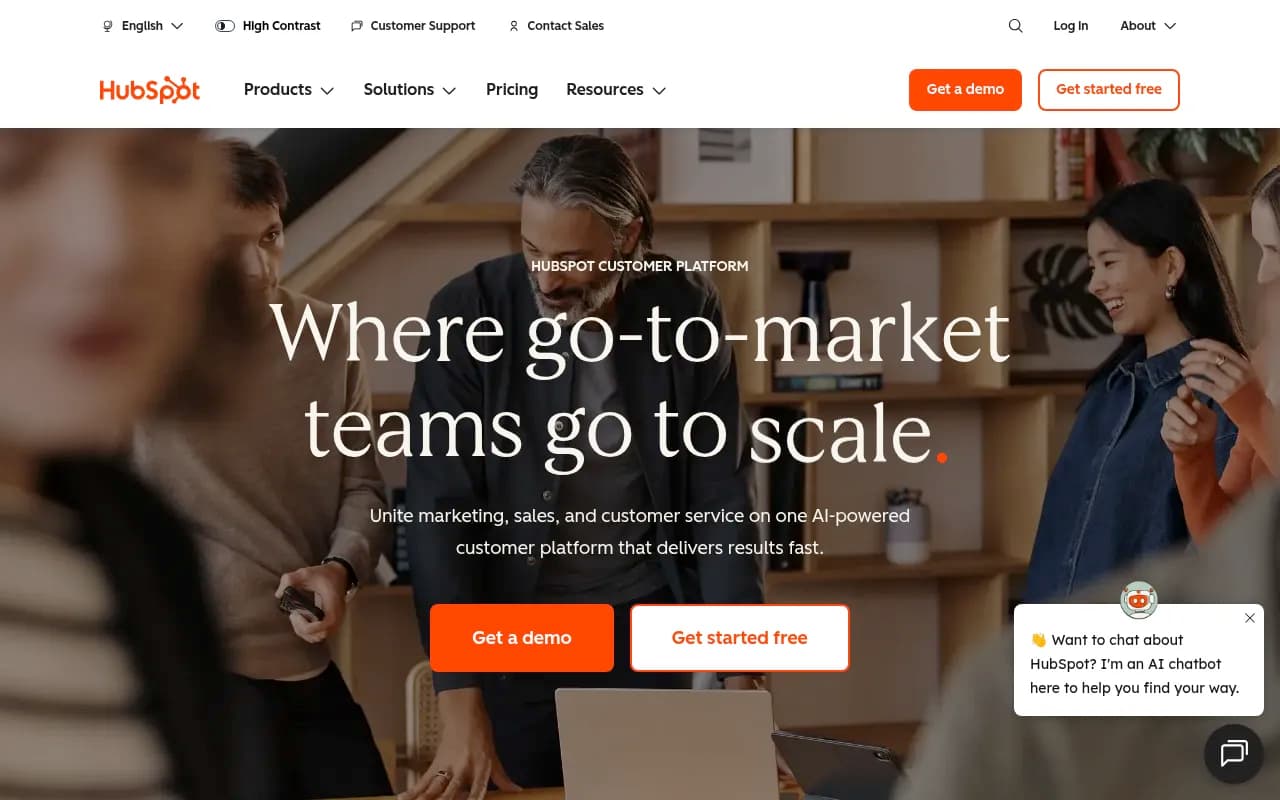
HubSpot is a comprehensive customer platform that combines CRM, marketing automation, sales tools, customer service, content management, and AI-powered features in one unified system. Used by 288,000+ businesses across 135 countries, it helps teams attract leads, close deals, and scale customer rela
Summary
- Best for: Small to mid-sized B2B companies and agencies that want marketing, sales, and service tools in one platform instead of stitching together point solutions
- Standout strength: The free CRM tier is genuinely useful (not a trial), and paid tiers scale smoothly as you grow -- no forced migrations to enterprise contracts
- Key limitation: Advanced features require expensive Professional/Enterprise tiers, and costs escalate quickly when adding users or contacts across multiple hubs
- Pricing reality: Free CRM available; paid plans start at $20/mo per seat (Starter) but most growing teams need Professional ($1,170/mo for 3 seats) to unlock automation, custom reporting, and multi-touch attribution
- Integration ecosystem: 2,000+ native integrations including Shopify, Salesforce, Slack, Zapier, Google Workspace, and Microsoft 365 -- plus a robust API for custom builds
HubSpot is the category-defining inbound marketing and CRM platform that's been around since 2006. Founded by Brian Halligan and Dharmesh Shah at MIT, it pioneered the concept of "inbound marketing" -- attracting customers through content and experiences rather than interruptive ads. Today it's a publicly traded company (NYSE: HUBS) with over 8,000 employees serving businesses from solo founders to enterprises like DoorDash, Reddit, and TripAdvisor.
The core pitch is simple: instead of paying for separate tools for email marketing (Mailchimp), CRM (Salesforce), live chat (Intercom), landing pages (Unbounce), and analytics (Google Analytics), you get everything in one platform with shared data. Your marketing team sees which campaigns drive sales pipeline. Your sales reps see which content prospects downloaded. Your support team sees purchase history and past conversations. It's all connected through HubSpot's Smart CRM, which serves as the single source of truth for customer data.
This matters because most companies waste hours every week manually syncing data between tools, chasing down context across platforms, and troubleshooting integration failures. HubSpot eliminates that tax by building everything natively on one database. When a lead fills out a form, that contact record is instantly available to marketing for nurture campaigns, sales for outreach, and service for future support tickets. No Zapier glue required.
The Product Suite (What You Actually Get)
HubSpot is organized into six "Hubs" that you can buy individually or bundle together:
Marketing Hub handles lead generation and nurture. You get landing page and form builders (drag-and-drop, no coding required), email marketing with A/B testing and personalization tokens, blog/SEO tools with topic cluster recommendations, social media scheduling and monitoring, ad management for Google/Facebook/LinkedIn with ROI tracking, marketing automation workflows (if-then logic to trigger emails, tasks, or data updates based on behavior), and multi-touch attribution reporting that shows which channels actually drive revenue. The content assistant uses AI to generate blog outlines, email subject lines, and social posts based on your brand voice. Advanced tiers add ABM tools, custom events tracking, and predictive lead scoring.
Sales Hub is built for outbound prospecting and deal management. Core features include email tracking and notifications (see when prospects open emails or click links), meeting scheduler that syncs with your calendar and lets prospects book time directly, email templates and sequences for automated follow-up cadences, pipeline management with customizable deal stages and forecasting, call tracking and recording (built-in VoIP or integrate your phone system), live chat and chatbots for website visitors, and document tracking to see when proposals get opened. The Prospecting Agent (Breeze AI) automatically researches leads, personalizes outreach at scale, and executes multi-channel sequences. Sales analytics show rep performance, deal velocity, and conversion rates by stage.
Service Hub focuses on customer support and retention. You get a ticketing system with SLA management, knowledge base builder for self-service help articles, customer feedback surveys (NPS, CSAT, CES), live chat and chatbot routing to the right agent, conversation inbox that unifies email/chat/social messages, customer health scoring based on product usage and support history, and playbooks for common support scenarios. The Customer Agent (Breeze AI) resolves up to 65% of routine inquiries automatically by pulling answers from your knowledge base and past tickets, escalating complex issues to humans with full context. Service analytics track ticket volume, resolution time, and customer satisfaction trends.
Content Hub is the newest addition (launched 2024), combining CMS, DAM, and content creation tools. You get a website builder with drag-and-drop modules and developer-friendly themes, blog platform with built-in SEO recommendations, video hosting and management, podcast hosting, brand kit to maintain consistent fonts/colors/logos, AI content writer that generates long-form articles and landing page copy, content remix tools to repurpose blogs into social posts or emails, and memberships/gated content for lead generation. It's designed for teams that want to own their content infrastructure instead of paying WordPress developers or managing separate tools for video (Wistia), podcasts (Transistor), and brand assets (Brandfolder).
Data Hub (also new in 2024) is for companies drowning in scattered customer data. It provides data sync to pull information from external databases, warehouses, or SaaS tools into HubSpot; data quality automation to dedupe records, standardize formats, and enrich missing fields; programmable automation to build custom workflows that trigger actions across systems; and the Data Agent (Breeze AI) that answers natural language questions about your customer base ("How many enterprise deals closed last quarter?" or "Which customers haven't logged in for 30 days?"). This is HubSpot's answer to reverse ETL tools like Census or Hightouch -- instead of syncing HubSpot data out to a warehouse, you sync warehouse data into HubSpot.
Commerce Hub handles payments and subscriptions. You can create and send quotes with e-signature, collect one-time or recurring payments via Stripe integration, manage subscription billing and renewals, and track revenue in the CRM alongside sales pipeline. It's not a full e-commerce platform like Shopify (no product catalog, inventory management, or storefront), but it works well for B2B companies selling services, SaaS subscriptions, or simple product SKUs.
Underpinning everything is Smart CRM, the free contact database that stores companies, contacts, deals, tickets, and custom objects. It includes activity timeline (every email, call, meeting, and website visit logged automatically), custom properties and fields, list segmentation, basic reporting dashboards, and mobile apps for iOS/Android. The CRM is free forever with unlimited users and up to 1 million contacts -- no credit card required. This is HubSpot's land-and-expand strategy: get teams hooked on the free CRM, then upsell paid Hubs as they grow.
Breeze AI (The Built-In Intelligence Layer)
HubSpot's AI features are branded as "Breeze" and come in two flavors: Agents and Copilot.
Breeze Agents are autonomous AI workers that handle repetitive tasks 24/7. The Customer Agent answers support tickets by searching your knowledge base, past conversations, and connected data sources, then drafts responses or resolves issues entirely without human intervention. HubSpot claims 65% auto-resolution rates for common inquiries. The Prospecting Agent researches leads (pulls LinkedIn profiles, company news, tech stack data), writes personalized emails, and executes outreach sequences across email/LinkedIn/calls. The Data Agent answers questions about your CRM data in plain English and can generate custom reports or properties on the fly. These agents learn from your feedback -- you correct their mistakes and they improve over time.
Breeze Copilot is the AI assistant embedded throughout the platform. It can generate email subject lines, rewrite landing page copy, summarize long email threads, suggest next steps on deals, draft knowledge base articles from support tickets, and create social media posts from blog content. It's contextual -- the suggestions change based on what you're working on. For example, when viewing a contact record, Copilot might suggest sending a follow-up email based on recent activity, or flag that the contact matches your ideal customer profile.
The AI features are included in Professional and Enterprise tiers of each Hub. Starter tier users get limited Copilot access but no Agents.
Who Actually Uses HubSpot (And Who Shouldn't)
HubSpot's sweet spot is B2B companies with 10-200 employees doing complex, multi-touch sales cycles. Think SaaS startups, marketing agencies, professional services firms, B2B manufacturers, and education/training companies. These businesses need to nurture leads over weeks or months, coordinate between marketing and sales, and track attribution across multiple channels. HubSpot's automation and reporting make that manageable without hiring a marketing ops team.
Specific personas:
- SaaS founders running product-led growth motions use HubSpot to track free trial signups, trigger onboarding email sequences, score leads based on product usage (via API integration), and route hot leads to sales for expansion conversations.
- Marketing agencies managing 20-50 client accounts use HubSpot's partner program to get discounted seats, white-label reporting dashboards, and client onboarding templates. They can manage all client CRMs from one login.
- B2B sales teams at companies selling $10k-$500k deals use Sales Hub to automate prospecting, track pipeline, and forecast revenue. The meeting scheduler and email sequences save reps hours per week on admin work.
- Customer success teams at subscription businesses use Service Hub to monitor customer health scores, trigger renewal campaigns, and identify upsell opportunities based on product usage and support history.
HubSpot is less ideal for:
- Enterprise companies with complex approval workflows, strict data residency requirements, or need for deep customization. HubSpot's workflow builder is powerful but not as flexible as Salesforce's Apex code or Marketo's revenue cycle modeler. Large enterprises often hit limits around custom object relationships, API rate limits, or reporting granularity.
- E-commerce brands selling physical products. Shopify, WooCommerce, or BigCommerce are better fits. HubSpot integrates with these platforms but doesn't replace them.
- High-volume transactional businesses sending millions of emails per month. HubSpot's email sending limits (varies by tier, but typically 5x your contact tier limit per month) and per-contact pricing model make it expensive at scale. Dedicated email platforms like SendGrid or Amazon SES are cheaper.
- Teams that need best-in-class point solutions. HubSpot's email builder is good but not as advanced as Klaviyo's. The CRM is solid but not as customizable as Salesforce. The landing page builder is fine but not as powerful as Webflow. If you need the absolute best tool in each category and don't mind integration complexity, a best-of-breed stack might serve you better.
Integrations and Ecosystem
HubSpot's App Marketplace has 2,000+ integrations across categories like accounting (QuickBooks, Xero), e-commerce (Shopify, WooCommerce, Stripe), advertising (Google Ads, Facebook Ads, LinkedIn Ads), productivity (Slack, Microsoft Teams, Zoom), data warehouses (Snowflake, BigQuery), and developer tools (GitHub, Jira). Popular integrations include Gmail/Outlook for email sync, Salesforce for CRM migration or two-way sync, Zapier for connecting niche tools, and Google Search Console for SEO data.
The quality of integrations varies. Native HubSpot-built integrations (Shopify, Salesforce, Stripe) are robust with two-way data sync and field mapping. Third-party integrations built by partners range from excellent to buggy. Always check reviews in the App Marketplace before installing.
For developers, HubSpot offers a comprehensive API (REST and GraphQL), webhooks for real-time event notifications, CMS CLI for local development, and serverless functions for custom backend logic. The developer documentation is thorough with code samples in multiple languages. HubSpot also has a CMS Hub for building custom websites and web apps on their infrastructure, though most developers prefer headless CMS setups with Next.js or Gatsby.
Pricing Breakdown (The Real Costs)
HubSpot's pricing is complex because each Hub has separate tiers, and costs scale with contacts and users.
Free Tier: Smart CRM with unlimited users, up to 1 million contacts, basic email marketing (2,000 sends/month), forms, live chat, meeting scheduler, and mobile app. This is genuinely useful for small teams just starting out. The catch: HubSpot branding on emails and forms, limited reporting, no automation, and you can't remove the "Powered by HubSpot" footer without upgrading.
Starter Tier: $20/month per seat (minimum 2 seats = $40/mo) for each Hub. Includes 1,000 marketing contacts, removes HubSpot branding, adds simple automation workflows, custom reporting, and ad management. Good for solopreneurs or very small teams, but you'll quickly outgrow it. The 1,000 contact limit is restrictive -- you pay $50/mo per additional 1,000 contacts.
Professional Tier: This is where most growing companies land. Marketing Hub Professional is $890/month for 2,000 contacts and 3 users. Sales Hub Professional is $90/month per seat (minimum 5 seats = $450/mo). Service Hub Professional is $90/month per seat (minimum 5 seats = $450/mo). Professional unlocks advanced automation, A/B testing, custom objects, predictive lead scoring, multi-touch attribution, video hosting, and Breeze AI Agents. Contact limits scale: 5,000 contacts = $1,170/mo, 10,000 = $1,450/mo, 25,000 = $2,250/mo.
Enterprise Tier: Marketing Hub Enterprise starts at $3,600/month for 10,000 contacts and 5 users. Sales and Service Hub Enterprise are $150/month per seat (minimum 10 seats = $1,500/mo each). Enterprise adds custom event triggers, revenue attribution, hierarchical teams, advanced permissions, single sign-on (SSO), and dedicated onboarding. This tier is for companies with complex needs and budgets to match.
Bundles: The Small Business Bundle (Starter tier of all Hubs) is $30/month total, a significant discount vs buying Hubs individually. There's also a Professional Bundle and Enterprise Bundle with similar savings.
Hidden costs to watch for: additional contacts beyond your tier limit, extra users (sales and service charge per seat), SMS messages (not included, pay per message), transactional email sends (separate from marketing email limits), and premium support (faster response times cost extra). A mid-sized company using Marketing, Sales, and Service Hub Professional with 15,000 contacts and 10 users can easily hit $4,000-$6,000/month.
Compared to competitors: HubSpot is more expensive than Mailchimp or ActiveCampaign for email marketing alone, but cheaper than buying Marketo + Salesforce + Zendesk separately. The value proposition is consolidation -- you're paying for the convenience of one platform, one login, one support team.
What HubSpot Does Exceptionally Well
Ease of use: HubSpot's interface is intuitive. Non-technical marketers can build landing pages, set up email campaigns, and create automation workflows without developer help. The learning curve is gentle compared to Salesforce or Marketo.
Onboarding and support: HubSpot Academy offers free certification courses on inbound marketing, sales, and the platform itself. The knowledge base is comprehensive. Paid customers get email/chat support (response times vary by tier), and Enterprise customers get a dedicated customer success manager. The community forum is active with HubSpot employees and power users answering questions.
Unified data model: Because everything is built on one database, reporting is straightforward. You can create dashboards that show marketing campaign performance, sales pipeline, and customer support metrics side-by-side. No SQL queries or data engineering required.
Free CRM: The free tier is a genuine competitive advantage. Small teams can start using HubSpot at zero cost and upgrade when they need advanced features. This land-and-expand model has driven HubSpot's growth to 288,000+ customers.
AI innovation: Breeze Agents are ahead of most competitors in practical AI deployment. The Customer Agent actually works for common support scenarios, and the Prospecting Agent saves sales reps real time. Many CRM vendors talk about AI; HubSpot ships features people use.
Honest Limitations
Cost at scale: HubSpot gets expensive fast as you add contacts, users, and Hubs. A company with 50,000 contacts and 20 users across Marketing, Sales, and Service Hub Professional can pay $8,000-$10,000/month. At that scale, best-of-breed tools (Salesforce + Marketo + Zendesk) might offer more power for similar cost.
Customization ceiling: HubSpot's workflow builder and custom objects are powerful but hit limits for complex use cases. You can't write custom code in workflows (unlike Salesforce Apex). Custom object relationships are limited to one-to-many; many-to-many requires workarounds. Enterprise companies with unique business processes often need custom development.
Reporting depth: HubSpot's reporting is good for standard metrics (conversion rates, pipeline, revenue) but lacks the flexibility of dedicated BI tools. You can't do cohort analysis, funnel visualization, or complex SQL queries natively. Power users export data to Looker, Tableau, or Google Sheets for advanced analysis.
Email deliverability: HubSpot's shared IP pools mean your deliverability depends partly on other customers' sending behavior. Dedicated IPs are available on Enterprise tier only. High-volume senders often see better inbox rates with dedicated email platforms like SendGrid or Amazon SES.
Migration complexity: Moving off HubSpot is painful. Exporting data is straightforward (CSV exports, API access), but rebuilding workflows, email templates, and landing pages in a new platform takes months. HubSpot's proprietary HubL templating language for CMS means custom websites don't port to other systems. This lock-in is intentional.
Bottom Line
HubSpot is the right choice for B2B companies that value simplicity and integration over best-in-class features in every category. If you're a 20-person SaaS startup tired of stitching together Mailchimp, Pipedrive, Intercom, and Google Sheets, HubSpot will feel like a revelation. Everything just works together, and you can focus on growth instead of tool management.
If you're a 500-person enterprise with complex sales processes, strict compliance requirements, and a team of marketing ops specialists, HubSpot might feel limiting. You'll hit customization ceilings and pay premium prices for features that Salesforce or Marketo handle more flexibly.
The sweet spot: B2B companies with $1M-$50M revenue, 10-100 employees, doing multi-touch sales cycles with 30-90 day close times. That's where HubSpot's combination of power and usability shines. Start with the free CRM, upgrade to Starter or Professional as you grow, and reassess at Enterprise scale whether you need more customization than HubSpot provides.
Tags:
Frequently asked questions
What is HubSpot and what does it do?
Is HubSpot free or does it cost money?
Who is HubSpot best for?
What are the main limitations of HubSpot?
How many businesses use HubSpot?
What integrations does HubSpot support?
What is HubSpot's inbound marketing approach?
How much does HubSpot Marketing Hub Professional cost?
Similar and alternative tools to HubSpot