Key takeaways
- About 70% of traffic from AI search engines like ChatGPT and Perplexity shows up in GA4 as "direct" — server logs are the only reliable way to see it
- AI crawlers (GPTBot, ClaudeBot, PerplexityBot, etc.) leave distinct user agent strings in your raw access logs before analytics tools filter them out
- You need to track two separate things: crawler visits (AI models reading your content) and referral visits (users clicking through from AI answers)
- Combining server log data with GA4 referral segments and citation tracking gives you the most complete picture of AI search impact
- Dedicated platforms like Promptwatch can automate the crawler log analysis and connect it to actual visibility metrics
Why your analytics are lying to you about AI traffic
Here's the uncomfortable reality: if you're checking GA4 to understand how much traffic AI search sends you, you're looking at maybe a third of the actual number.
Research from mid-2026 puts AI referral traffic at roughly 1.08% of all web traffic globally. That sounds small. But when you factor in that roughly 70% of those visits arrive with no referrer (they look like someone typed your URL directly into a browser), the GA4 number you see is a significant undercount.
The mechanics are straightforward. When ChatGPT or Claude surfaces a link in a response and a user clicks it, the browser often strips the referrer header. This happens because AI chat interfaces frequently use HTTPS-to-HTTPS redirects, or they open links in ways that don't pass referrer data. GA4 sees a session with no source, classifies it as "direct," and moves on. Your AI traffic disappears into the same bucket as people who bookmarked your site three years ago.
Google Analytics was built to filter out bot traffic. That's a feature, not a bug — for traditional analytics. But it means the crawler visits from GPTBot, ClaudeBot, and PerplexityBot (which tell you whether AI models are even reading your content) never appear in your dashboards at all.
Server logs don't have this problem. They capture every HTTP request that hits your server, before any JavaScript fires, before any filtering happens. That's where the real data lives.
Understanding what you're actually looking for
Before diving into the mechanics, it helps to separate two distinct signals that both live in your server logs.
AI crawler visits are when the AI model itself reads your page. GPTBot crawls your site so OpenAI can include your content in ChatGPT's training data or real-time retrieval. PerplexityBot crawls so Perplexity can cite your pages in answers. These visits don't generate revenue directly, but they tell you whether AI models can access your content at all. If a crawler can't read a page, that page won't get cited.
AI referral visits are when a human user sees your link in an AI response and clicks through. These are the revenue-generating events. They're harder to capture because the referrer data is often stripped, but they're what you ultimately care about proving to stakeholders.
You need both signals to tell the complete story.
Step 1: Access your raw server logs
Where your logs live depends on your hosting setup.
For Apache servers, access logs are typically at /var/log/apache2/access.log or /var/log/httpd/access_log. For Nginx, look at /var/log/nginx/access.log. On shared hosting, most cPanel setups have a "Raw Access Logs" section in the control panel.
If you're on a cloud platform, the approach varies:
- Netlify: Use Log Drains to stream server-level traffic data to Datadog, S3, or similar. This is the key feature because Netlify's standard analytics won't show you bot traffic.
- Vercel: Enable Log Drains in project settings and pipe to a log aggregation service.
- AWS CloudFront/S3: Enable access logging in your distribution settings.
- Cloudflare: Workers Logs or Logpush can stream request data including user agents.
The critical thing: you need the raw access logs, not processed analytics. The raw logs contain the user agent string for every request, which is how you identify AI crawlers.
Step 2: Know the user agents to look for
Each major AI system uses a specific user agent string when crawling. Here are the ones worth tracking in 2026:
| AI System | Crawler User Agent | Notes |
|---|---|---|
| OpenAI / ChatGPT | GPTBot | Also ChatGPT-User for real-time browsing |
| Anthropic / Claude | ClaudeBot | Also anthropic-ai |
| Perplexity | PerplexityBot | |
| Google AI Overviews | Googlebot | Same as regular Google, harder to isolate |
| Meta / Llama | meta-externalagent | |
| Common Crawl | CCBot | Used by many LLM training pipelines |
| Cohere | cohere-ai | |
| Apple | Applebot-Extended |
For referral traffic (human clicks from AI responses), the referrer domains to watch for:
| Source | Referrer domain |
|---|---|
| ChatGPT | chatgpt.com, chat.openai.com |
| Perplexity | perplexity.ai |
| Claude | claude.ai |
| Gemini | gemini.google.com |
| Copilot | copilot.microsoft.com, bing.com |
| You.com | you.com |
Step 3: Parse the logs
If you're comfortable with the command line, you can get useful data quickly without any additional tools.
Count GPTBot visits in the last 30 days (Nginx/Apache):
grep "GPTBot" /var/log/nginx/access.log | wc -l
See which pages GPTBot is crawling most:
grep "GPTBot" /var/log/nginx/access.log | awk '{print $7}' | sort | uniq -c | sort -rn | head 20
Find all AI crawler visits in one command:
grep -E "GPTBot|ClaudeBot|PerplexityBot|meta-externalagent|cohere-ai" /var/log/nginx/access.log | awk '{print $7}' | sort | uniq -c | sort -rn
Find referral traffic from AI chat interfaces:
grep -E "chatgpt\.com|perplexity\.ai|claude\.ai|gemini\.google\.com" /var/log/nginx/access.log | awk '{print $11}' | sort | uniq -c | sort -rn
Check for crawler errors (403s, 404s that might block AI access):
grep "GPTBot" /var/log/nginx/access.log | awk '{print $9}' | sort | uniq -c
That last one matters more than people realize. If GPTBot is hitting your site and getting 403 Forbidden responses, it means your robots.txt or server config is blocking it. AI models can't cite pages they can't read.
Step 4: Set up ongoing monitoring (not just a one-time audit)
Running grep commands manually is fine for a first look. For ongoing tracking, you need something more structured.
Option A: ELK Stack (Elasticsearch, Logstash, Kibana)
This is the enterprise approach. Logstash ingests your access logs, Elasticsearch indexes them, and Kibana lets you build dashboards. You can create a dedicated "AI Crawler Activity" dashboard that shows crawler frequency by bot, pages crawled, HTTP response codes, and trends over time. It's powerful but requires real infrastructure investment.
Option B: Pipe logs to a spreadsheet via cron
A lighter approach: write a shell script that parses your logs daily and appends summary data to a CSV. Then pull that CSV into Google Sheets or a Looker Studio dashboard. Not glamorous, but it works and costs nothing.
#!/bin/bash
DATE=$(date -d "yesterday" +%Y-%m-%d)
LOGFILE="/var/log/nginx/access.log.1"

echo "$DATE,GPTBot,$(grep "GPTBot" $LOGFILE | wc -l)" >> /var/data/ai-crawler-log.csv
echo "$DATE,ClaudeBot,$(grep "ClaudeBot" $LOGFILE | wc -l)" >> /var/data/ai-crawler-log.csv
echo "$DATE,PerplexityBot,$(grep "PerplexityBot" $LOGFILE | wc -l)" >> /var/data/ai-crawler-log.csv
Schedule this with cron (0 1 * * * /path/to/script.sh) and you have a growing dataset.
Option C: Use a platform that does this automatically
If you'd rather not manage log infrastructure yourself, platforms like Promptwatch include AI crawler log monitoring as a built-in feature. It shows you which pages each AI crawler is visiting, how often they return, and any errors they're encountering — without you having to write a single grep command.

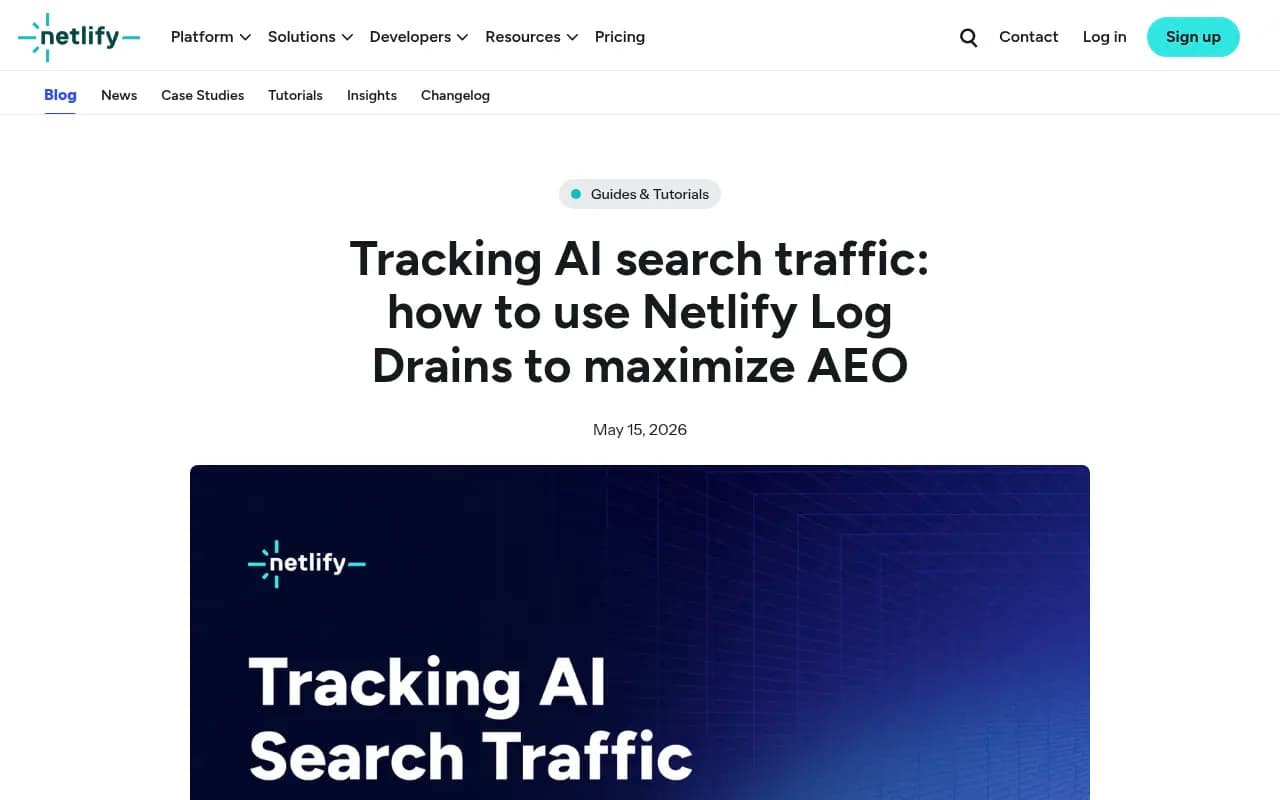
Tools like DarkVisitors are also worth knowing about — they maintain a database of known AI agent user agents and can help you identify new crawlers as they emerge.
Step 5: Correlate crawler activity with referral traffic
Here's where the analysis gets interesting. You're trying to answer: does AI crawler activity on a page predict AI referral traffic to that page?
In most cases, yes. Pages that get crawled frequently by GPTBot or PerplexityBot tend to also generate referral clicks from those platforms. This makes sense — AI models are more likely to cite pages they've recently and repeatedly indexed.
To test this correlation:
- Export a list of your top 20 pages by GPTBot crawl frequency from your logs
- In GA4, create a segment for sessions where
session_sourcecontainschatgpt.comorperplexity.ai - Compare the page lists
If there's strong overlap, you have evidence that crawler activity is a leading indicator of referral traffic. If there's a mismatch (pages getting crawled but not generating referrals), that's a signal to look at the content quality or whether those pages actually answer the kinds of questions users ask AI models.
Step 6: Fix what the logs reveal
The logs aren't just a measurement tool — they show you what to fix.
Common issues the logs surface:
- AI crawlers hitting 403 errors: Check your robots.txt. Some security plugins or WAF rules block bots by default. Make sure you're explicitly allowing the crawlers you want.
- Crawlers hitting 404s on important pages: You may have moved content without proper redirects. AI models can't cite a 404.
- Crawlers only visiting your homepage: This often means your internal linking is weak. AI crawlers follow links — if your deep pages aren't linked from anywhere, they won't get crawled.
- Very low crawl frequency: If GPTBot visits your site once a month, you're unlikely to appear in ChatGPT responses for competitive topics. More frequent crawling correlates with more citations.
Step 7: Build the attribution story for stakeholders
Raw log data is hard to present in a board meeting. You need to translate it into a business case.
The framework that works: connect crawler activity to citations to referral traffic to conversions.
- "GPTBot crawled these 15 pages 847 times last month"
- "These pages appear in ChatGPT responses for these specific queries" (you can verify this manually or with a tracking tool)
- "We received 312 referral sessions from chatgpt.com last month — GA4 shows these"
- "These sessions converted at 4.2%, compared to 0.7% for Google organic"
That last number is the one that gets attention. AI search traffic consistently converts at a higher rate than traditional organic search. The intent is different — someone who asks an AI model a specific question and then clicks a cited source is much further along in their decision process than someone who googles a broad keyword.
For the GA4 piece of this, create a custom channel grouping. Go to Admin > Data Settings > Channel Groups, and add a new channel called "AI Search" with conditions matching referrer domains from the table above. This surfaces AI traffic as its own line item in your acquisition reports instead of letting it hide in "Direct" or "Referral."
Putting it all together: the full tracking stack
No single tool sees everything. Here's how the pieces fit:
| Signal | What it tells you | How to capture it |
|---|---|---|
| Server logs (crawler) | Which pages AI models are reading | Raw access logs, log drains, or Promptwatch |
| Server logs (referral) | Clicks from AI chat interfaces | Raw access logs filtered by referrer |
| GA4 referral sessions | Confirmed human visits from AI | Custom channel grouping |
| Citation tracking | Which prompts your pages appear in | Dedicated GEO platform |
| Conversion data | Revenue from AI traffic | GA4 goals tied to AI channel |
The honest caveat: even with all of this in place, you're still missing the "dark" AI traffic — visits that arrived with no referrer and no other signal. The 70% figure is real, and there's no perfect solution for it yet. What you can do is build a floor: the minimum provable AI traffic. As the channel matures and referrer data improves, your floor will get closer to the ceiling.
For teams that want to go beyond just measuring and actually improve their AI search visibility, the crawler log data is the starting point. Knowing which pages AI models are reading (and which they're ignoring) tells you exactly where to focus your content efforts.
Platforms built specifically for this workflow — tracking crawler activity, identifying content gaps, and monitoring citation performance — make the loop much tighter. Promptwatch's crawler log feature, for instance, shows real-time AI crawler activity alongside visibility scores, so you can see whether your content changes are actually getting picked up.
The bottom line: server logs are the most reliable source of truth for AI search traffic in 2026. They're not pretty, they require some setup, and they don't tell the complete story. But they tell the part of the story that no other tool can — and right now, that's enough to prove the channel is real and worth investing in.