Key takeaways
- A local GEO report answers three questions: are we named and cited in AI answers for local queries, is that visibility producing calls, visits and leads, and what are we doing next.
- Report named rate and cited rate separately for each engine, with the number of runs behind each figure. AI answers change from run to run, so one screenshot proves nothing.
- Pair AI metrics with Google Business Profile data (profile views, calls, direction requests, review volume) and NAP consistency. For local clients, those are often the real conversions.
- Use a mixed cadence: weekly checks for internal use, monthly reports for clients, and a quarterly reset of the prompt set.
- Annotate every report with model changes and data gaps, so a dip is not blamed on your work when the engine changed underneath you.
Why local clients need a different GEO report
A generic GEO report tells a client how often a brand shows up in ChatGPT. That is fine for a SaaS company. For a dentist, a plumbing firm or a three-location restaurant group, it misses the point. Their customers ask things like "best emergency plumber in Leeds" or "family dentist near me open Saturday," and the outcome that matters is a phone call or a booked table, not a session.
Local search has also split into more surfaces than it used to have. The Map Pack is still there. Google AI Overviews now appear on a meaningful share of local queries (Two Minute Reports cites 13%, via a third-party stat), ChatGPT and Perplexity pull from listing sites and reviews, and each has its own idea of which sources count. A local report has to cover all of that without turning into a 40-page data dump.
The approach below assumes your client already gets an SEO report from you. The GEO report is an extension of it, not a replacement.
The three-block structure
The cleanest framing I have seen comes from Sunil Pratap Singh's GEO client reporting guide: a report should answer whether the client is visible, whether that visibility is worth anything, and what happens next. For local work I use the same three blocks and swap in local-specific metrics.
Block 1: Are we visible?
This block covers AI answers and local listings. Keep it to a handful of numbers.
- Named rate per engine: the share of tracked prompts where the business appears in the answer text.
- Cited rate per engine: the share of prompts where one of the client's pages is linked as a source.
- Position or prominence: whether the business is the first recommendation or the fifth.
- Share of voice against two or three named local competitors.
- Local rankings across service areas or neighbourhoods, since a business can be strong in one suburb and invisible in the next.
Keep named and cited apart. They move differently. A business can be recommended constantly because of third-party reviews while never getting a click from its own site. Singh's tracking found that over a month, naming fell far more than citing on his own site, which is the kind of divergence a blended number hides.
Block 2: Is it worth anything?
This is where local differs most from standard GEO reporting.
- Google Business Profile metrics: profile views, calls, direction requests and bookings. SE Ranking's 2026 reporting guide lists views, directions, calls and review volume as the core set, and notes that these show local presence independent of website traffic.
- AI referral sessions: GA4 now has an AI Assistant channel, so sessions from ChatGPT, Perplexity and similar sources can be isolated.
- Key events from those sessions: form fills, click-to-call, quote requests.
- Call tracking data if the client has it. Phone calls are the conversion for many local businesses and rarely show up in GA4.
Treat referral revenue as a floor. Some AI visits arrive with no referrer and fall into Direct, so the true number is higher than what you can attribute. Say so in the report instead of overselling it.
Block 3: What are we doing next?
List what was done this period, what moved, and what comes next. Three short lists. Clients read this part more carefully than any chart, because it tells them what they are paying for.
Local metrics that belong in the report
Not every metric earns a spot. Reporting Ninja's local SEO guidance suggests 5 to 7 focused metrics tied to goals beat a bloated report, and I agree. Here is how I would choose.
| Metric | Why it matters locally | Source | Report in |
|---|---|---|---|
| Named rate by engine | Shows whether AI recommends the business | AI visibility tracker | Block 1 |
| Cited rate by engine | Shows whether the client's own pages feed the answer | AI visibility tracker | Block 1 |
| Share of voice vs local competitors | Gives the number a context | AI visibility tracker | Block 1 |
| Local pack and neighbourhood rankings | Catches uneven coverage across service areas | Rank tracker with geo grid | Block 1 |
| GBP calls, directions, views | Real local conversions | Google Business Profile | Block 2 |
| Review volume, rating, recency, response rate | Feeds both rankings and AI sentiment | GBP and review platforms | Block 2 |
| NAP consistency | Conflicting details confuse AI and map ranking | Citation audit | Appendix |
| AI referral sessions and key events | Ties AI visibility to leads | GA4 | Block 2 |
| Third-party citation sources | Shows which listing and review sites feed AI | AI visibility tracker | Appendix |
NAP consistency and citation sources can live in an appendix unless something broke. Clients do not need to see a clean audit every month, only the month it went wrong.
Designing the prompt set
A report is only as good as the prompts behind it. For local clients, build the set from real search behaviour rather than guesses.
- Start with service plus city phrasing: "boiler repair Manchester," "emergency dentist Leeds." Promptwatch's data on ChatGPT query fanouts suggests the searches ChatGPT runs behind an answer are short; average query length fell from roughly 117 characters in December 2025 to around 53 characters by April 2026. Short keyword-style phrasing maps well to local intent. See Promptwatch's ChatGPT query fanout data for the trend.
- Add "near me" and neighbourhood variants for multi-location clients.
- Include comparison and branded prompts ("is [brand] any good"), since those are where reviews and sentiment surface.
- Tag prompts by location, service and intent so you can slice the report later.
- Freeze the set for a quarter. Changing prompts mid-stream breaks trend lines.
Aim for 30 to 60 prompts per location for a small client. More than that and you are paying for data nobody reads.
Why every number needs a run count and a range
AI answers are not stable. Ask the same question twice and you may get a different list of businesses. Singh's own tracking found two ChatGPT runs three hours apart both named his site 119 times across 1,431 prompts, yet only 69 prompts were the same between the two runs. The total matched; the underlying answers did not.
That has a direct consequence for how you write the report:
- State how many runs sit behind each figure.
- Show a range, not a point estimate, where the tool allows it.
- Call a change real only if it sits outside the normal noise and repeats in the next review.
If a client asks why visibility "dropped 4 points," you want to be able to say it is inside the noise. That saves a lot of unnecessary panic and a few awkward calls.
Engines behave differently, so benchmark them separately
Do not blend ChatGPT, Perplexity, Copilot and AI Overviews into one score. Promptwatch's sources-per-response data shows why. ChatGPT cites about 5 sources per web-search answer, Google AI Overviews about 10, and Perplexity almost exactly 10 every day. Copilot swung from under 2 to nearly 17 sources within a few weeks before settling at the low end.
Some practical consequences:
- A client has fewer citation slots in ChatGPT than in AI Overviews, so a 10% cited rate means different things in each.
- Perplexity is steady enough to work as a test bench. If your pickup there changes, it is likely your content, not the engine.
- Judge Copilot on monthly trends, never weekly snapshots.
It is also worth knowing that ChatGPT's behaviour shifts under you. Promptwatch Data recorded a drop in average citations per response around the GPT-5.3 rollout on March 4, 2026 (ChatGPT citation drop), and ChatGPT started using the site: operator at scale on August 8, 2026, taking it from about 0.4% to about 17% of fanout queries overnight (site: operator report). Put a short "engine changes this month" note at the bottom of each report. It protects you and informs the client.
Which third-party sites to audit
For local businesses, the sites AI cites are often not the client's own. Promptwatch's travel data for Sep 28 to Oct 4, 2026 is a decent proxy for hospitality: Skyscanner (0.78% of citations), Going (0.52%) and Tripadvisor (0.49%) led, and booking and search sites together held the most share (ChatGPT travel citation share). The 17 domains listed together held only 4.18% though, so the long tail is huge. Healthcare looks different: NIH, the FDA and the NHS lead, and government and public health sites earn almost half of citations shown (healthcare report).
The lesson for your report is to include a section listing which third-party sites AI engines cite for the client's prompts, and whether the client has a complete, accurate profile on each. That might be Tripadvisor, Trustpilot, Yelp, a trade body directory or a booking platform.
There is good news for small businesses too. In August 2026, sites with domain rank 46 to 75 earned almost half of ChatGPT citations, while DR 91 to 100 fell to about 3% (citation share by domain rank). A local site does not need to be a giant to get cited.
Cadence: what to check and when
Contently's measurement guide suggests citation rate and AI referral traffic suit a weekly cadence, with conversion value and crawler activity reported monthly. That matches my experience, with a local tweak.
| Cadence | What you review | Audience |
|---|---|---|
| Weekly | Named and cited rate, new competitor appearances, review alerts, errors in listings | Internal team |
| Monthly | Full three-block report, GBP actions, AI referral sessions, actions done and planned | Client |
| Quarterly | Prompt set refresh, competitor set review, goal reset, citation source audit | Client and account lead |
There is a data reason for the monthly rhythm. Promptwatch's content half-life data shows news pages cited by ChatGPT lose half their pages within 36 days, while landing pages and docs last longest (half-life report). Service pages and location pages are the durable ones, so refresh them on a schedule rather than waiting for a drop.
Small-client reports can be three pages. Multi-location clients may need a one-page summary per location plus a roll-up. Resist the urge to make it longer.
The one-page template
Copy this structure into whichever tool you use for reporting.
LOCAL GEO REPORT: [Client] | [Month 2026]

1. HEADLINE (2 sentences)
   What changed, and what it means for leads.

2. VISIBILITY
   Engine | Named rate | Cited rate | Runs | Range | vs last month
   ChatGPT / AI Overviews / Perplexity / Copilot
   Share of voice vs [Competitor A], [Competitor B]
   Top 3 prompts won / top 3 prompts lost

3. LOCAL PERFORMANCE
   GBP: views | calls | directions | bookings
   Reviews: new this month | avg rating | response rate
   AI referral sessions | key events from AI sessions
   Location breakdown (multi-site only)

4. CITATION SOURCES
   Third-party sites AI cites for our prompts
   Profile status on each: complete / needs work / missing

5. ACTIONS
   Done this month | Moved the needle | Planned next month

6. NOTES
   Engine or model changes | Data gaps | Caveats (referrer-less traffic)
Section 2 and section 3 do the heavy lifting. Section 6 is what keeps the report credible. If you skip it, you will eventually get blamed for something an engine did.
Tools for building the report
You need three layers: AI visibility tracking, local data, and a reporting layer. Few single tools cover all three well, so expect to combine.
AI visibility tracking
Promptwatch tracks the real interfaces of ChatGPT, Google AI Overviews, AI Mode, Gemini, Perplexity and Copilot by country, and its state and city tracking on the Business plan and the agency tiers is the feature most relevant to local reporting. It also adds IP-verified crawler logs and AI traffic analytics, which help with the "is it worth anything" block, and the Action Board turns gaps into a to-do list for the next-steps section. Agency plans start at $199/mo, but confirm current pricing at promptwatch.com/pricing.

Other trackers worth a look for agency work:

For a wider comparison, the directories at bestgeosoftware.com and ai-rank-tools.com list more options by category.
Local data and listings

Yext and SOCi cover listings, reviews and local social at scale. Birdeye is built around reputation and review collection. These feed Block 2 and the citation audit.
Reporting layer
SE Ranking's Report Builder integrates GA4, rankings and Google Business Profile data through its Local Marketing tool, with white-label templates and per-section comments. That is a decent fit for the traditional half of the report.
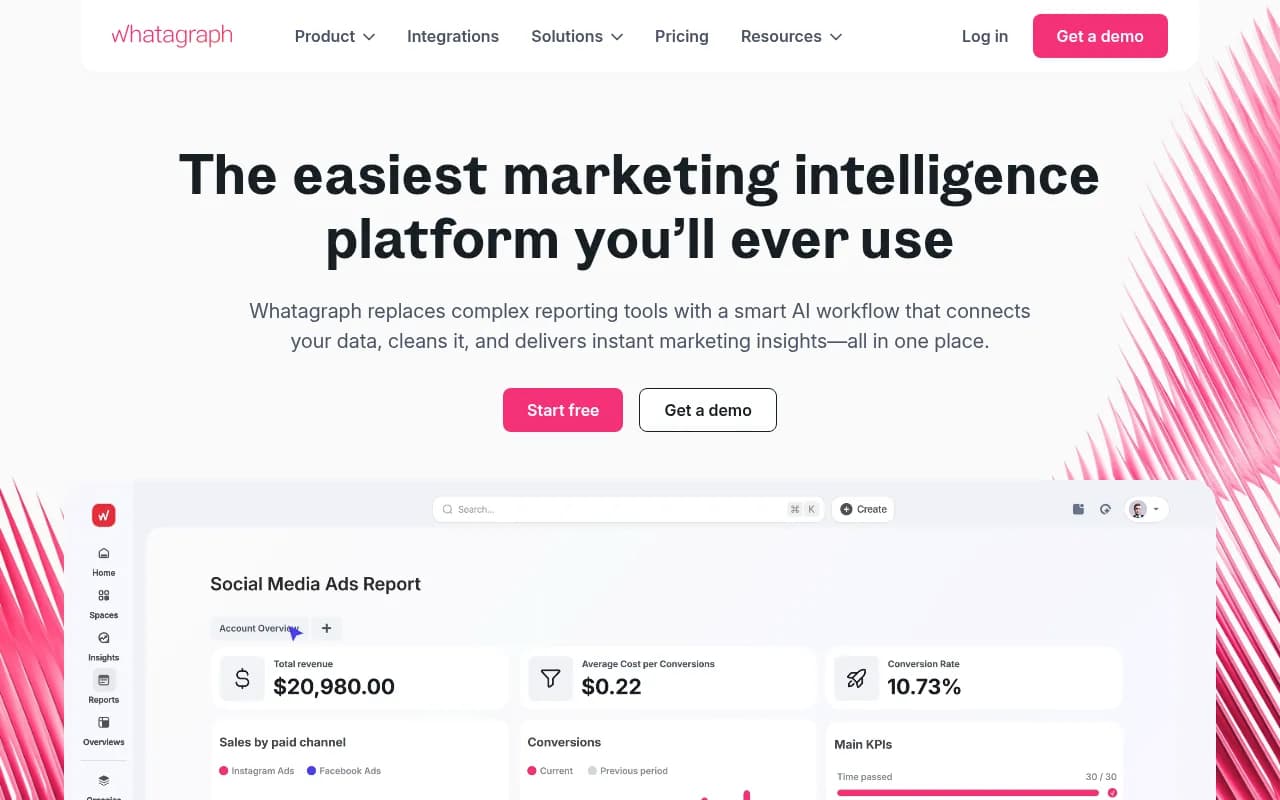
Whatagraph is a general marketing reporting tool for agencies that pulls multiple sources into one client dashboard. If you need to see how a local SEO dashboard is typically assembled, Two Minute Reports has a walkthrough with free templates.
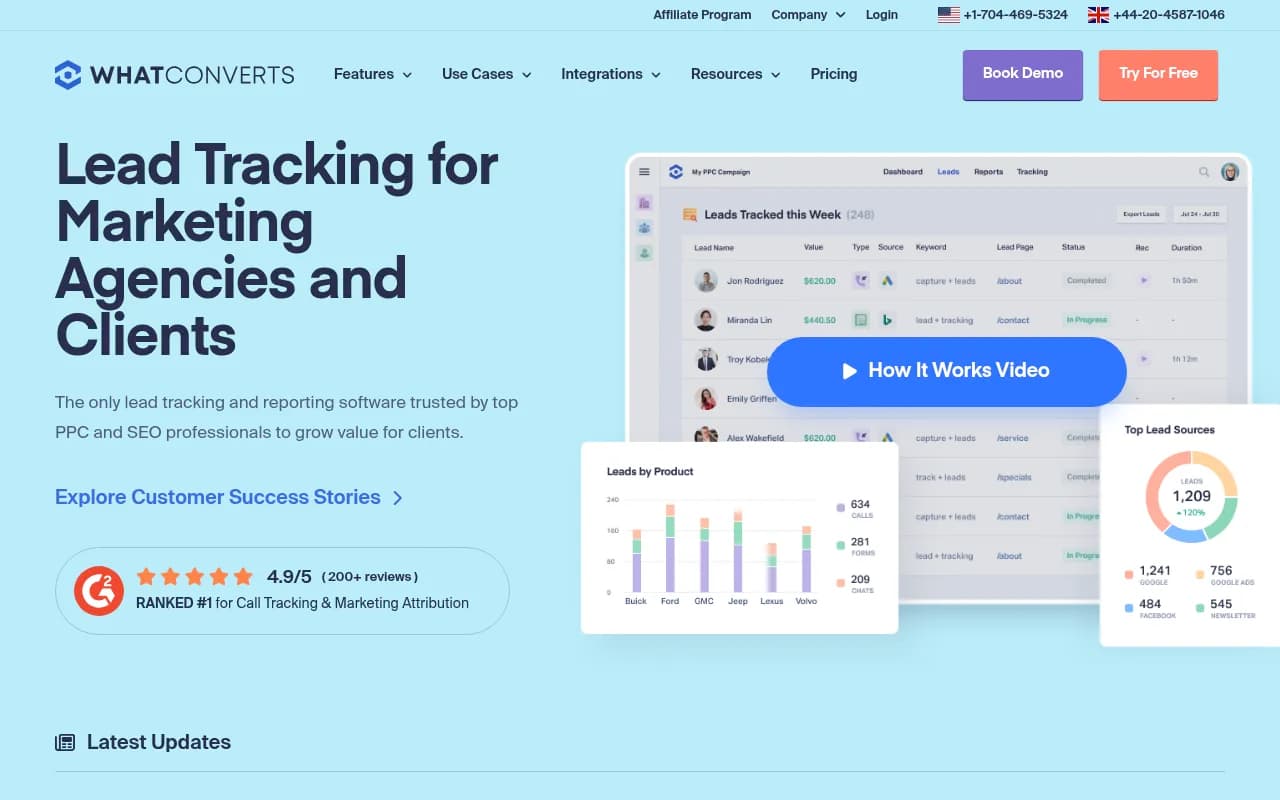
If call volume is the main conversion, add a call tracker:
Quick tool comparison
| Need | Tool options | Note |
|---|---|---|
| AI visibility with city-level tracking | Promptwatch | State and city tracking on Business and agency plans |
| Agency-focused AI analytics | Rankability, Cairrot | Check client-portal and white-label support |
| Listings and review management | Yext, Birdeye, SOCi | Feeds NAP and review metrics |
| Classic SEO and GBP reporting | SE Ranking | Report Builder with GA4 |
| Multi-source dashboards | Whatagraph | Good for client-facing views |
| Lead and call attribution | WhatConverts | Ties calls to source |
Making the report make sense to the client
Most local business owners do not care what a fanout is. A few habits help.
- Lead with leads. If calls from the profile went up, open with that, then explain how AI visibility contributed.
- Use plain labels. "Recommended by AI" for named, "Linked as a source" for cited.
- Show three or four example prompts with the actual answer. Seeing "best plumber in Leeds" return a competitor, and the client's name missing, lands harder than any percentage.
- Explain the noise once, in the first report, then reference it. A short note that AI answers vary and results are averaged over many runs is enough.
- Tie it to existing work. Demand Local frames GEO as a 20 to 30% extension of existing SEO effort, which is a helpful way to scope the reporting too.

If you are still selling GEO to existing clients, that guide is a useful companion. Its four suggested success metrics (citation count, AI referral traffic, conversion rate of AI-referred visitors and share of voice) are a sensible minimum even for a one-location client.
Common mistakes
- Reporting one run. You are showing noise as if it were a trend.
- Blending engines into one score, which hides the engine where the client is weakest.
- Ignoring review sentiment. AI summaries quote reviews, so a dip in rating can become a dip in recommendations.
- Forgetting multi-location detail. A roll-up average can cover a location that is invisible.
- Changing the prompt set every month and then trying to compare periods.
- Overclaiming attribution. Say referral numbers are a floor.
- Leaving out the actions section. A report with no next steps looks like a bill.
A simple rollout plan
- Week 1: agree goals with the client, pick 3 competitors, build and freeze the prompt set.
- Week 2: connect GBP, GA4 and your AI tracker. Capture a baseline.
- Week 3: audit NAP and the third-party sources AI cites. Fix the obvious gaps.
- Week 4: send the first report. It will be mostly baseline, and that is fine.
- Monthly after that: run the template, update the notes, and plan one or two actions.
- Each quarter: refresh prompts and competitors.
If you would rather hand the reporting and the optimization behind it to specialists, an agency such as 1001 SEO Media runs technical SEO, local SEO and AI search work with monthly reporting. Either way, the template above works as a spec for what you should expect to see.
Final checklist
Before you send any local GEO report, check that it has a two-sentence headline, named and cited rates by engine with run counts, GBP calls and directions, AI referral sessions, a citation source section, an actions list, and a notes section covering engine changes. If one of those is missing, the report is not finished. The next step is to build your prompt set and capture a baseline, because every comparison in the following months depends on it.