Synthesia Review 2026
AI video platform that turns text scripts into professional videos using AI avatars and voices, supporting 130+ languages for training, marketing, and communications content.
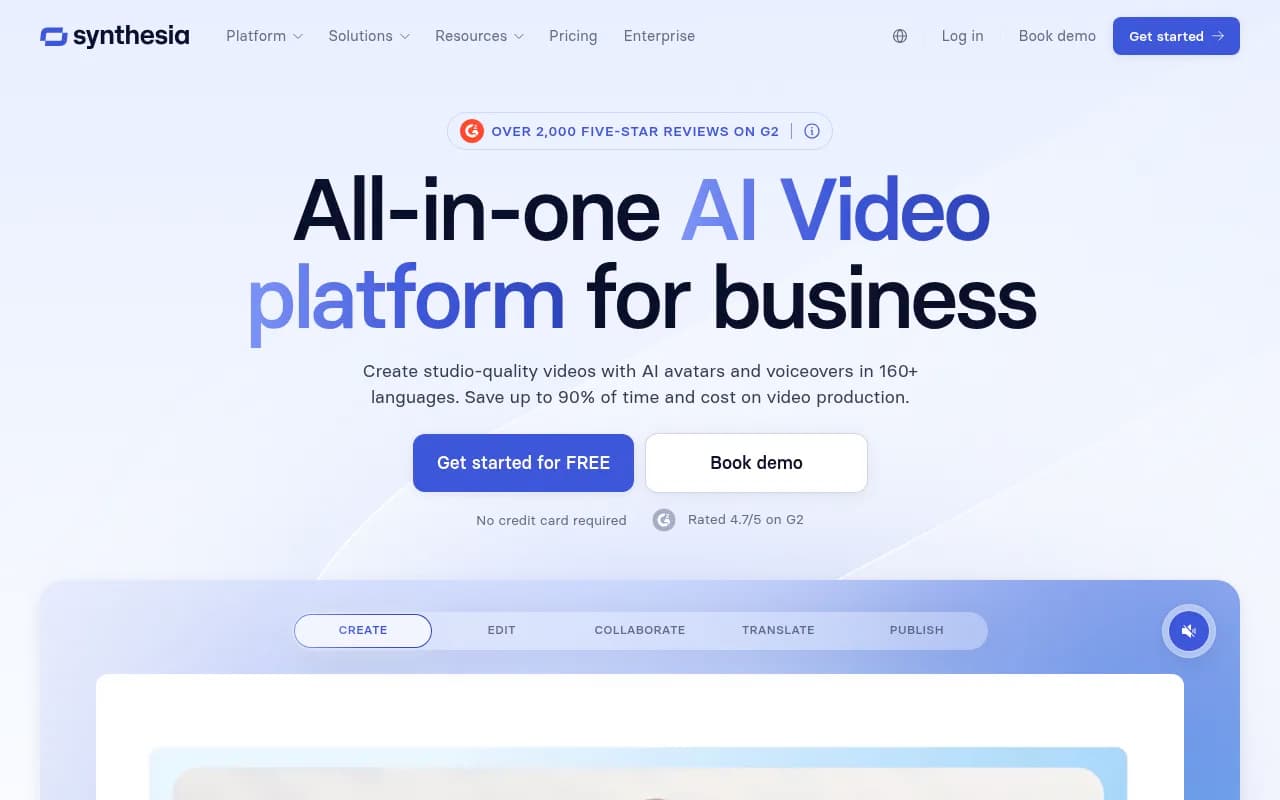
Key takeaways
- Synthesia is the market-leading AI video platform for enterprise, used by 90% of the Fortune 100 for training, sales enablement, and internal communications
- The free plan gives 10 minutes of video per month with 9 stock avatars -- genuinely useful for testing, not just a teaser
- Starter plan starts at $29/month, making it accessible for small teams, while enterprise pricing scales to large L&D operations
- Strong on localization: 1-click translation into 160+ languages with lip-sync that actually works
- Not a tool for cinematic storytelling or highly creative video production -- it's purpose-built for structured, information-dense business content
Synthesia launched in 2017 out of University College London and Imperial College London, founded by a team of AI researchers and entrepreneurs. The core idea was simple but genuinely novel at the time: what if you could make a professional-looking video without a camera, a studio, or a presenter who's willing to sit through 12 takes? By 2026, the company has grown to serve over 1 million users and claims adoption across 90% of the Fortune 100, with customers including SAP, Heineken, Merck, Moody's, and Reuters.
The platform sits squarely in the AI-generated video space, but it's worth being specific about what that means in practice. Synthesia is not a text-to-video tool in the generative sense -- it doesn't hallucinate scenes from a prompt. Instead, it takes a written script and renders a video of a photorealistic AI avatar delivering that script, with synchronized lip movement, natural-sounding voice, and customizable backgrounds. The result looks like a polished corporate training video or explainer, because that's exactly what it's designed to produce.
The target audience is primarily enterprise learning and development teams, internal communications managers, and sales enablement professionals who need to produce large volumes of video content without the cost and logistics of traditional production. Moody's Global Sales Enablement Lead noted that what used to take 4 hours now takes 30 minutes -- that kind of time compression is the core value proposition.
Key features
AI avatars (240+ stock + custom) -- Synthesia's avatar library is the largest in the category. Stock avatars cover a wide range of ethnicities, ages, and presentation styles, and they've gotten noticeably more expressive over time. The "Expressive Avatars" feature, highlighted prominently on the site, adds more natural head movement, blinking, and micro-expressions that reduce the uncanny valley effect. Beyond stock avatars, users can create a Personal Avatar from a short video recording of themselves, which the platform then renders speaking any script in their own likeness. Enterprise plans unlock Avatar Builder, which lets you customize clothing, add brand colors, and embed logos directly on the avatar.
AI Video Assistant -- This is Synthesia's content generation layer. You can paste in a document, a URL, a PDF, or just describe an idea, and the assistant will generate a full video script, select an appropriate template, and populate slides. It's not magic -- the output often needs editing -- but it meaningfully reduces the blank-page problem for teams producing dozens of videos a month. The assistant also handles brand style matching, pulling from your uploaded brand kit to keep colors and fonts consistent.
1-click translation and localization -- Probably the feature that generates the most genuine excitement from enterprise customers. Synthesia can translate a completed video into 160+ languages, re-render the avatar's lip movements to match the new audio, and deliver a localized version without re-recording anything. Mondelez's Global Solutions Owner described doing 100 hours of translation in 10 minutes. The quality varies by language -- major European languages and Mandarin are strong, while some less common languages can sound slightly robotic -- but for most enterprise use cases it's a dramatic improvement over hiring voice actors per market.
AI Screen Recorder -- A newer addition that addresses a common workflow: recording software walkthroughs or process documentation. The recorder captures your screen, generates an automatic transcript, and then lets you edit the video by editing the text. Filler words ("um", "uh") are automatically removed. You can also swap in an AI avatar to replace your own face, or translate the recording into other languages. It's a direct competitor to tools like Loom, but with AI cleanup built in.
Brand kit and templates -- Teams can upload logos, set brand colors, and define font preferences that apply across all videos. There's a library of pre-designed slide templates for common use cases: training modules, product demos, onboarding flows, compliance content. The templates are genuinely useful rather than decorative -- they're structured around information hierarchy in a way that works for business content.
SCORM export and LMS integration -- This is a big deal for L&D teams. Synthesia videos can be exported in SCORM format, which means they drop directly into any major LMS (Cornerstone, Workday Learning, SAP SuccessFactors, etc.) without conversion. Brinks' Senior Manager of Global L&D noted being able to push updates without touching the LMS -- that's possible because Synthesia's version control system syncs changes to the original video file automatically, so embedded SCORM content updates in place.
Version control -- When you update a video in Synthesia, every published instance of that video updates automatically. No broken links, no hunting down old embeds. For compliance training that needs annual updates, or product videos that need to reflect new features, this is genuinely useful. It's a feature that sounds mundane until you've spent an afternoon tracking down 47 places a video was embedded.
Analytics -- The platform tracks views, drop-off rates, and completion rates per video. It's not as deep as a dedicated video analytics platform like Vidyard, but it covers the basics that L&D and communications teams actually need to report on. You can see which videos people are finishing and which ones they're abandoning halfway through.
Real-time collaboration -- Multiple team members can work on a video simultaneously, leave comments, and review drafts without exporting files. It functions similarly to Google Docs-style collaboration but for video projects. For teams where a subject matter expert writes the script, a designer handles the layout, and a manager approves before publishing, this removes a lot of email back-and-forth.
Multilingual video player -- All language versions of a video are accessible through a single player with a language switcher. This matters for global intranet deployments where you want one URL that serves the right language to each viewer.
Who is it for
The clearest fit is enterprise L&D teams managing large training libraries. Think a company like Booz Allen Hamilton needing to update 10,000 courses, or a pharmaceutical company like Endo that wants to produce compliance training in-house without hiring a production agency every quarter. These teams typically have subject matter experts who know the content but no video production skills, and Synthesia's 90%-of-users-publish-without-a-tutorial claim reflects how low the learning curve actually is.
Sales enablement teams at mid-to-large companies are another strong fit. Creating product demo videos, competitive battlecard explainers, or onboarding content for new reps is exactly the kind of structured, frequently-updated content Synthesia handles well. Cision's Global Director of CisionOne Enablement produced 180 videos in 5 languages -- that scale is only possible with a tool like this.
Internal communications teams at global companies benefit most from the localization features. If you're a global TPM manager at Heineken trying to communicate operational changes to teams in 15 countries, the alternative to Synthesia is either producing 15 separate videos or hoping everyone reads a translated document. Neither is great.
Who should probably look elsewhere: creative agencies producing brand films, social media content creators who need dynamic or cinematic visuals, and anyone whose content relies heavily on emotion, humor, or spontaneity. Synthesia avatars are convincing for professional business content but they're not going to replace a charismatic human presenter for a keynote or a brand campaign. The tool is also not ideal for very short-form content (TikTok-style) where the production aesthetic matters as much as the information.
Small businesses and solo creators can use the Starter plan, but the ROI is less obvious unless you're producing video at volume. If you need one or two videos a month, the free plan or a one-time production might make more sense.
Integrations and ecosystem
Synthesia's integration story is primarily built around LMS compatibility. SCORM export works with any SCORM-compliant LMS, which covers the major enterprise platforms. There are also direct integrations listed on the integrations page, though the specific list isn't fully detailed in public documentation.
The platform has an API that allows developers to programmatically generate videos -- useful for teams that want to automate video creation at scale, such as generating personalized onboarding videos for each new employee or product update videos triggered by a CMS change. The API supports avatar selection, script input, language selection, and webhook callbacks when rendering is complete.
There's a Zapier integration for no-code automation workflows, connecting Synthesia to tools like HubSpot, Salesforce, or Notion without custom development.
The Synthesia Academy (academy.synthesia.io) is a structured learning resource for getting up to speed on the platform. There's also a community forum (community.synthesia.io) where users share templates and workflows. Both are genuinely active rather than abandoned marketing assets.
No dedicated mobile app is listed, but the web platform works on mobile browsers for reviewing and approving content. Video creation is primarily a desktop workflow.
Pricing and value
Synthesia's pricing structure in 2026:
- Free plan: 10 minutes of video per month, 9 stock avatars, 160+ languages, no credit card required. Genuinely functional for testing.
- Starter: $29/month (or $264/year billed annually). Aimed at individuals and small teams getting started with AI video.
- Creator: $89/month (or $804/year). More avatars, more minutes, additional features for regular producers.
- Enterprise: Custom pricing. Includes advanced security (SAML/SSO), dedicated support, custom avatars, API access, and volume pricing.
A 7-day free trial of the Starter plan is also available, giving access to 125+ avatars, the AI video assistant, and 3 personal avatars.
Compared to alternatives: HeyGen has a similar pricing structure and feature set, with some users preferring its avatar quality for certain use cases. D-ID is cheaper but less polished for enterprise use. Colossyan targets L&D specifically and competes closely at the enterprise tier. Traditional video production for a single training module can run $5,000-$15,000 -- Five Below's Senior Director of Talent Development reported saving $56,000 while producing 100+ custom videos, which is the kind of ROI calculation that makes enterprise procurement decisions easy.
The free plan is more generous than most competitors, and the Starter tier at $29/month is accessible enough that individual contributors can expense it without a procurement process.
Strengths and limitations
What Synthesia does well:
- Localization at scale is genuinely best-in-class. The lip-sync quality across 160+ languages, combined with the 1-click workflow, is a meaningful competitive advantage that saves real money for global organizations.
- Enterprise security and compliance -- SOC 2 Type II, GDPR, ISO 42001, and SAML/SSO support means it passes legal review at large companies. This is not a given in the AI video space.
- LMS integration via SCORM is deeper than most competitors. The version control system that auto-syncs updates to embedded content is a genuinely thoughtful feature for L&D workflows.
- Ease of use -- the 90% first-video-without-tutorial claim is credible based on the interface design. The learning curve is low enough that subject matter experts can produce content themselves rather than routing everything through a video team.
- Avatar expressiveness has improved substantially. The Expressive Avatars feature reduces the robotic quality that was a common criticism of earlier versions.
Honest limitations:
- Creative ceiling is low. Synthesia is excellent for structured, information-dense content but struggles with anything requiring emotional range, humor, or visual dynamism. The avatars are convincing but not compelling in the way a skilled human presenter is.
- Rendering time can be slow for longer videos. A 10-minute training video can take 15-30 minutes to render, which creates friction in fast-iteration workflows.
- Custom avatar quality varies. Personal avatars created from a short recording can look slightly off in certain lighting conditions or with rapid speech. The quality is good enough for internal use but may not meet the bar for customer-facing content at some organizations.
- Analytics depth is limited compared to dedicated video platforms. If you need detailed engagement heatmaps or A/B testing, you'll need to supplement with another tool.
Bottom line
Synthesia is the right choice for enterprise L&D teams, internal communications managers, and sales enablement professionals who need to produce large volumes of professional video content without a production budget or a film crew. The combination of strong localization, LMS integration, enterprise security, and a genuinely low learning curve makes it the most complete platform in its category for business video at scale.
Best use case in one sentence: a global L&D team that needs to produce and maintain hundreds of training videos in multiple languages, updated regularly, without hiring a video production agency.
Frequently asked questions
Is Synthesia free to use?
How much does Synthesia cost?
What languages does Synthesia support?
Can Synthesia integrate with my LMS?
Who is Synthesia best suited for?
How does Synthesia compare to HeyGen or D-ID?
Similar and alternative tools to Synthesia