Descript Review 2026
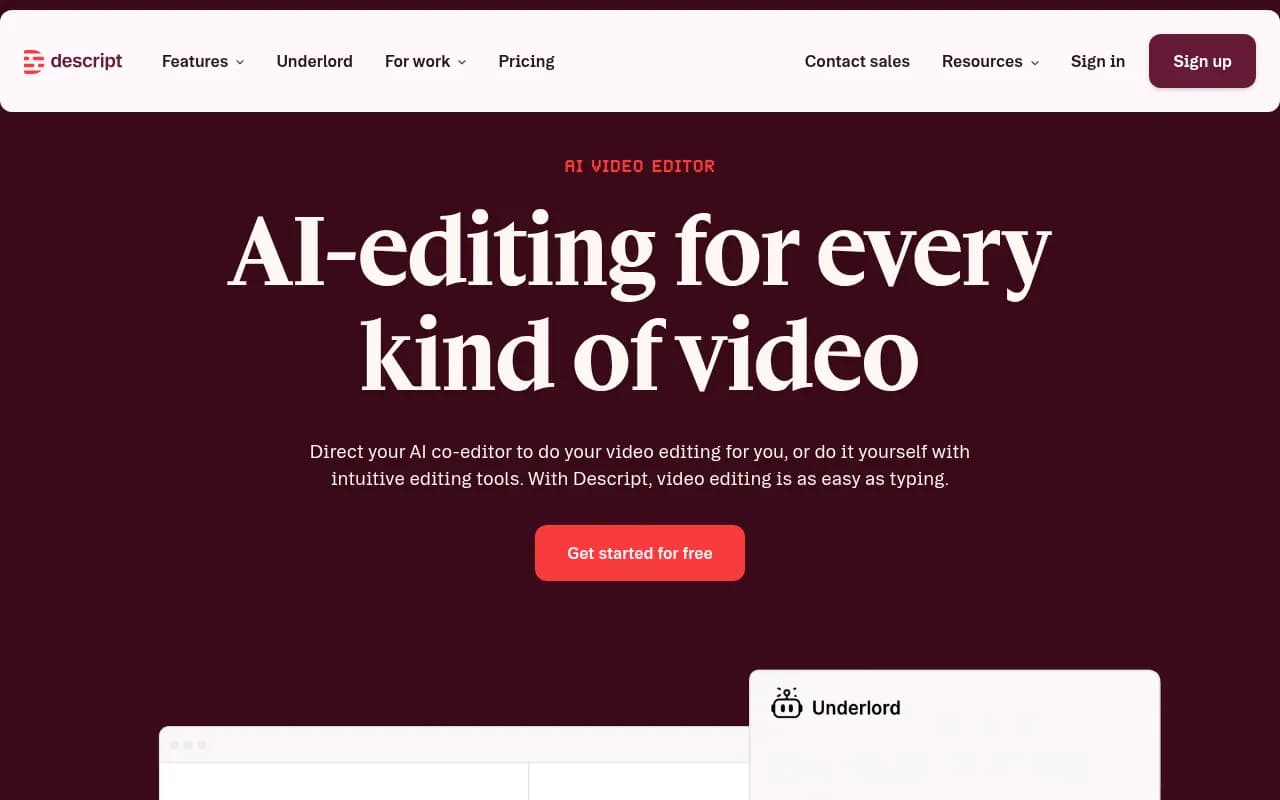
AI-powered audio and video editing tool that lets marketers edit media like a document. Used for creating SEO-friendly video content, transcripts, and repurposed assets.
Key takeaways
- Descript's core idea -- editing video by editing text -- is genuinely different from traditional timeline editors and dramatically speeds up the rough-cut phase
- The AI toolset (Underlord, Studio Sound, Eye Contact, filler word removal, voice cloning) is one of the most complete in the consumer/prosumer video space
- Free tier is usable but limited to 1 media hour/month and 720p exports; serious creators need at least the Creator plan at $24/month (annual)
- Not a replacement for professional post-production tools like DaVinci Resolve or Premiere Pro -- color grading, multi-cam workflows, and advanced audio mixing are thin
- Best fit for solo creators, small marketing teams, and podcasters who need to move fast without a dedicated video editor on staff
Descript is an AI video and podcast editor built around a deceptively simple idea: what if you could edit a video the same way you edit a Word document? The San Francisco-based company, founded in 2017 by Andrew Mason (yes, the Groupon founder), has spent several years turning that concept into a full production platform. You upload or record your media, Descript transcribes it automatically, and then you edit the transcript -- delete a sentence, and the corresponding audio and video disappear with it. That's the core loop, and it works remarkably well.
The target audience is broad but the sweet spot is clear: content marketers, podcasters, YouTubers, and internal communications teams who produce a lot of video but don't have the time or budget for a dedicated editor. Companies like Amazon, Spotify, Reuters, the New York Times, and Figma are listed as customers, which tells you this isn't just a hobbyist toy -- it's being used in professional workflows at scale.
Descript has raised significant venture funding over the years, with a $50 million Series C in 2021 led by Andreessen Horowitz. The product has evolved considerably since then, adding an AI layer called Underlord that handles everything from script generation to automated B-roll placement to voice cloning. In 2026, it sits in an interesting position: more capable than most "easy" video tools, but still more accessible than professional NLEs.
Key features
Text-based editing (Transcription Editor) This is the feature that made Descript famous, and it still holds up. When you import or record media, Descript generates a transcript almost immediately. From there, you edit the video by editing the text -- highlight and delete a word, and that moment is cut from the video. It sounds trivial but in practice it collapses the time it takes to do a rough cut from hours to minutes. You can also search the transcript to jump to any moment in a long recording, which is genuinely useful for hour-long podcast interviews. Accuracy is high for clear speech in English; it degrades with heavy accents, technical jargon, or noisy environments, though Studio Sound (see below) helps with the latter.
Underlord (AI video agent) Underlord is Descript's umbrella AI co-editor. It can write or refine scripts, generate B-roll, apply layouts and transitions automatically, suggest clips likely to perform well on social, and respond to natural language instructions. In practice, Underlord works best for straightforward tasks -- "remove all filler words," "add captions," "create a short clip from this section" -- and gets less reliable with more complex creative direction. The Quick Design feature, which automatically formats a video with scenes and B-roll in one click, is genuinely impressive for first drafts. Think of Underlord as a capable junior editor: fast, useful, occasionally needs correction.
Studio Sound One of the most practically useful AI features in the product. Studio Sound uses regenerative AI to remove background noise and enhance voice quality. The results are noticeably better than what you'd get from a basic noise gate. For podcasters recording in untreated rooms or on laptop mics, it can make a real difference. It's not magic -- a recording made in a loud coffee shop will still sound like a recording made in a loud coffee shop, just a quieter one -- but for typical home office recordings it works well.
Eye Contact correction If you record while reading a script (which most people do), Eye Contact uses AI to make it appear you were looking directly at the camera the whole time. It works by subtly adjusting your gaze in the video. The effect is convincing at normal viewing distances and speeds, though it can look slightly off in close-up slow motion. For talking-head content on YouTube or LinkedIn, this is a genuinely useful feature that removes one of the main awkwardness factors of scripted video.
Filler word removal Descript identifies "um," "uh," "like," "you know," and other filler words in the transcript and lets you remove them all in one click. You can preview before committing. This alone saves meaningful time in podcast editing. The detection isn't perfect -- it occasionally flags intentional uses of "like" or misses filler words in fast speech -- but the hit rate is high enough that it's worth running on every recording.
Voice cloning and Regenerate This is where things get genuinely impressive and slightly unsettling. Descript can clone your voice from a recording sample, and then the Regenerate feature lets you fix mistakes by typing the correct words -- the AI generates new audio in your cloned voice and even adjusts your mouth movement in the video to match. For fixing a mispronounced word or a stumbled sentence without re-recording, this is remarkable. The voice quality is good but not indistinguishable from the real thing; careful listeners will notice. Descript requires consent verification before creating a voice clone.
AI avatars You can create a custom AI avatar of yourself (or choose from a gallery of stock avatars) and have it deliver scripted content without appearing on camera. This is useful for internal training videos, product demos, or anyone who doesn't want to be on camera. The quality is comparable to other avatar tools like HeyGen -- convincing enough for internal use, slightly uncanny for polished external content.
Video translation Descript can translate your video into other languages, including dubbing with a voice that matches the original speaker's tone. The feature supports a growing list of languages. Translation quality varies by language pair; European languages tend to fare better than less common ones. Lip sync in translated videos is approximate rather than precise.
Captions and social clips Auto-generated captions can be styled with your brand colors and fonts and burned into the video. The AI clip creation feature analyzes your content and suggests the moments most likely to perform well as short-form social clips. You can then edit those clips using the same text-based interface. This is a solid workflow for repurposing long-form content into Instagram Reels, TikTok, or LinkedIn clips.
Collaboration and publishing Descript supports real-time collaboration, shared projects, and comment threads -- useful for teams where a producer records and an editor cleans up. Publishing options include direct export to YouTube, podcast hosting platforms, and shareable links. The web-based version means collaborators don't need to install anything.
Who is it for
Descript fits best for solo content creators and small teams (2-10 people) who produce video or audio regularly but don't have a dedicated video editor. A SaaS marketing manager who needs to turn a 45-minute product demo recording into a 5-minute highlight reel every week will get enormous value from the text-based editing alone. Podcasters who do interview shows and spend hours cutting out dead air and filler words will find the automated tools cut that work down dramatically.
It's also a strong fit for internal communications teams at mid-size companies -- L&D teams creating training videos, sales enablement teams making product walkthroughs, support teams building help content. The fact that non-technical users can produce decent-looking video without learning Premiere Pro is the whole point. Companies like Cloudinary have publicly credited Descript with enabling their customer education team to produce more content without adding headcount.
YouTubers and podcasters in the 1,000-100,000 subscriber range are probably the most natural users. The workflow is fast enough for weekly publishing schedules, and the AI features (Studio Sound, Eye Contact, filler removal, clips) address the most time-consuming parts of that workflow. Descript is less suited to high-end narrative filmmakers, documentary editors, or anyone who needs serious color grading, multi-cam sync, or complex audio mixing. For those use cases, DaVinci Resolve or Adobe Premiere Pro are still the right tools.
Integrations and ecosystem
Descript's integration story is functional but not extensive. Key integrations and platform support include:
- YouTube: Direct publishing from Descript to your YouTube channel
- Podcast hosting: Integration with major podcast platforms for direct publishing
- Zapier: Workflow automation connections to hundreds of other tools
- Slack: Notifications and sharing
- Google Drive and Dropbox: Import media directly from cloud storage
- Screen recording: Built-in screen recorder for capturing product demos or tutorials
- Stock media: Royalty-free stock video and music library built into the Creator plan and above
Descript has a GitHub organization (github.com/descriptinc) with some open tooling, but there's no public API for building custom integrations into the core editing product. The desktop app is available for Mac and Windows; there's also a web-based version. No dedicated mobile app for editing, though you can record on mobile and upload.
Pricing and value
Descript uses a per-seat model with four tiers:
- Free: $0/month. 1 media hour/month, 100 AI credits, 720p export, limited Underlord access. Genuinely usable for occasional projects or evaluation.
- Hobbyist: $24/month (or $16/month billed annually). 10 media hours/month, 400 AI credits, 1080p export, full AI tools including Studio Sound, filler word removal, voice cloning, and Regenerate.
- Creator: $35/month (or $24/month billed annually). 30 media hours/month plus 5 bonus hours, 800 AI credits plus 500 bonus, 4K export, full Underlord access, generative video, royalty-free stock library. Up to 3 people billed separately.
- Business/Enterprise: Custom pricing for larger teams, with additional admin controls, SSO, and dedicated support.
For context, CapCut Pro runs about $10/month but lacks the transcription-based editing and voice cloning. Adobe Premiere Pro is $55/month and far more powerful for professional work but has a steep learning curve. Riverside.fm, which competes on the podcast recording side, starts at $15/month. Descript's Creator plan at $24/month (annual) is reasonable for what you get, especially if you're using Studio Sound, Eye Contact, and the clip creation features regularly. The free tier is genuinely useful for evaluation -- 1 hour of media per month is enough to test the core workflow.
The AI credit system can feel limiting if you're using generative video features heavily. Credits are consumed by AI-intensive tasks, and the 800 credits on the Creator plan go faster than you'd expect if you're generating B-roll or using Underlord extensively. Top-ups are available but add to the cost.
Strengths and limitations
What Descript does well:
- The text-based editing workflow is genuinely faster for rough cuts than any timeline-based editor. For interview content and talking-head video, it's not close.
- The AI audio tools (Studio Sound, filler removal) are among the best in the consumer/prosumer space and work reliably without much configuration.
- Eye Contact and voice cloning/Regenerate are features that simply don't exist at this price point in competing tools -- they solve real problems for solo creators.
- The free tier is honest: you can actually evaluate the core product without a credit card.
- Collaboration features are solid for small teams, with shared projects and commenting that work without friction.
Where it falls short:
- Timeline editing is functional but not powerful. If you need precise multi-track audio mixing, complex transitions, or serious color correction, you'll hit the ceiling quickly. Descript is not a replacement for DaVinci Resolve or Premiere Pro for professional post-production.
- The AI credit system creates unpredictability in costs, especially for teams using generative video features. It's not always clear how many credits a given action will consume before you do it.
- Performance can lag with long projects or large files, particularly on the web version. Rendering and export times are slower than desktop NLEs.
- No mobile editing app, which is a gap given how much content creation happens on phones in 2026.
- Transcription accuracy drops noticeably with non-native English speakers, strong regional accents, or technical vocabulary -- which matters for global teams.
Bottom line
Descript is the right tool for content creators and small marketing teams who need to produce video and audio content regularly without a professional editor. The text-based editing workflow alone justifies the subscription for anyone doing interview-style content or podcasts; the AI features (Studio Sound, Eye Contact, filler removal, voice cloning) make it even more compelling. It's not trying to replace Premiere Pro, and it shouldn't -- but for the use case it targets, it's the most complete and accessible option available in 2026.
Best for: Podcasters, YouTube creators, and marketing teams who need to turn raw recordings into polished content fast, without a video editing background.
Tags:
Frequently asked questions
What is Descript and how does it work?
Is Descript free to use?
How much does Descript cost?
Who is Descript best for?
How does Descript compare to Adobe Premiere Pro?
Does Descript have a voice cloning feature?
Similar and alternative tools to Descript