Sprout Social Review 2026
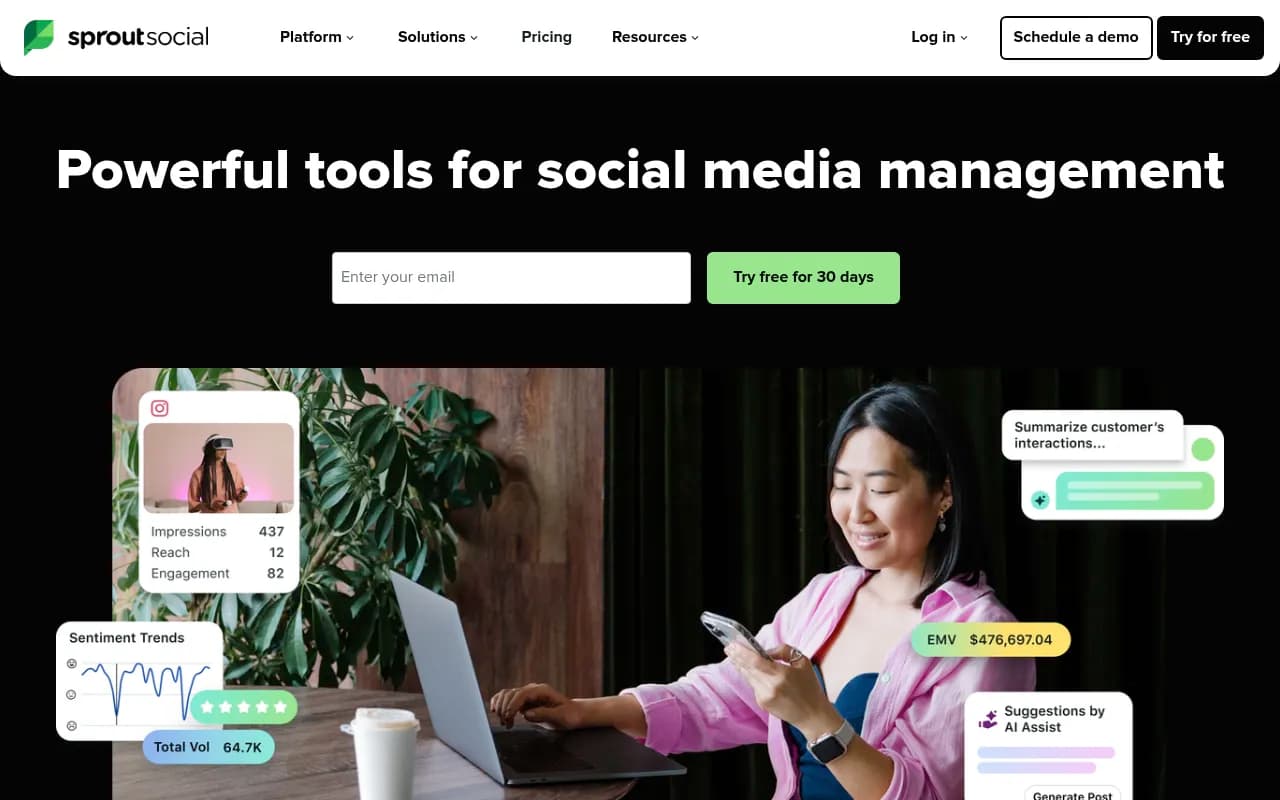
Sprout Social is a comprehensive social media management platform used by 30,000+ brands including HP, Canva, and Atlassian. It combines publishing, engagement, analytics, and influencer marketing in one unified workspace with AI-powered features for content creation, customer care, and social liste
Key Takeaways
- Best for enterprise teams: Sprout Social is built for mid-to-large organizations managing multiple brands, profiles, and cross-functional workflows -- not solo creators or small businesses on a budget
- All-in-one platform: Combines publishing, engagement, analytics, social listening, and influencer marketing in one workspace instead of juggling multiple tools
- AI throughout: AI Assist for content generation, AI-powered sentiment analysis, and automated response suggestions make teams faster without sacrificing quality
- Premium pricing: Starts at $199/seat/month -- significantly more expensive than Buffer, Hootsuite, or Later, but includes features those tools charge extra for or don't offer at all
- Strong integrations: Native connections to Salesforce, Zendesk, Slack, Shopify, and major social platforms including TikTok, Threads, Bluesky, and WhatsApp
Sprout Social is what happens when a social media management tool grows up and targets the enterprise market. Founded in 2010 and now serving over 30,000 brands, it's positioned as the premium option in a crowded space -- think Salesforce for social media rather than a simple scheduling tool. The company went public in 2019 (NASDAQ: SPT) and has consistently focused on building features that matter to marketing teams at companies like Eventbrite, ScottsMiracle-Gro, and UNICEF.
The core pitch: instead of duct-taping together a publishing tool, an analytics dashboard, a listening platform, and a separate influencer marketing solution, Sprout gives you everything in one place with a unified interface and shared data model. That matters when you're coordinating across social media managers, customer care agents, PR teams, and executives who all need different views of the same social presence.
Publishing & Content Planning Sprout's publishing suite is where most teams spend their daily time. The visual content calendar shows all scheduled posts across networks in one view -- you can filter by profile, campaign tag, or content type. Drag-and-drop rescheduling works smoothly. The ViralPost feature analyzes your audience's engagement patterns and automatically suggests optimal posting times for each network, which actually works better than the generic "best times to post" advice you'll find elsewhere.
AI Assist is the standout feature here. It's not just another ChatGPT wrapper -- it's trained on your brand's historical content and can generate post variations, adjust tone (professional to casual, for example), or create multiple posts from a single brief. The "Create 3 posts" button in the calendar view generates variations you can edit and schedule immediately. It's faster than writing from scratch but still requires human judgment, which is the right balance.
The approval workflow system lets you route drafts through multiple reviewers with comments and version history. Agencies managing client accounts can set up separate approval chains for each brand. The asset library integrates with Adobe Express and Canva, so designers can push approved visuals directly into Sprout without the usual file-sharing dance.
One limitation: Sprout doesn't have a built-in video editor. You'll still need CapCut, Descript, or similar tools for video production, then upload the final file to Sprout for scheduling.
Engagement & Customer Care The Smart Inbox consolidates messages, comments, mentions, and reviews from all connected profiles into a single feed. You can assign conversations to team members, tag them by topic or sentiment, and set up collision detection so two agents don't reply to the same message. The interface feels more like a help desk (Zendesk, Intercom) than a social media tool, which makes sense given how many brands use social for customer support.
AI-powered response suggestions analyze the incoming message and your brand's past responses to recommend replies. The suggestions are surprisingly good for common questions ("Where's my order?", "What are your hours?") but still generic for complex issues. The real value is speed -- agents can edit a suggested reply in seconds instead of typing from scratch.
Sprout's Salesforce and Zendesk integrations let you escalate social conversations into support tickets or CRM records without leaving the platform. The customer profile view shows conversation history, purchase data (if Shopify is connected), and sentiment trends for that specific person. ScottsMiracle-Gro reported a 381% increase in action rate after switching to Sprout, largely because agents could see full customer context instead of treating each social message as isolated.
The review management feature pulls in reviews from Google, Facebook, TripAdvisor, and Glassdoor. You can respond directly from Sprout and track review sentiment over time. This is particularly valuable for hospitality, retail, and restaurant brands where review volume is high.
Analytics & Reporting Sprout's analytics go deeper than most competitors. The standard reports cover the basics -- reach, impressions, engagement rate, follower growth -- but the real power is in custom report builders and cross-network comparisons. You can create reports that compare your performance against competitors (if you've added their profiles to monitor), track campaign-specific hashtags, or measure how social engagement correlates with website traffic or conversions.
The Tagging feature lets you label posts by campaign, product line, or content theme, then filter all analytics by those tags. This is how you prove ROI for specific initiatives instead of just showing vanity metrics. The report templates are designed for executive audiences -- clean visualizations, minimal jargon, exportable to PDF or PowerPoint.
Sentiment analysis uses AI to classify messages and mentions as positive, neutral, or negative. It's not perfect (sarcasm still confuses it) but it's accurate enough to spot trends. The sentiment dashboard shows spikes in negative mentions so you can investigate issues before they become crises.
One gap: Sprout doesn't offer the same depth of paid social analytics as tools like Smartly.io or Madgicx. You can see organic performance in detail, but paid campaign analysis is basic. If you're running significant ad spend, you'll still need Meta Ads Manager or a dedicated paid social tool.
Social Listening & Trends The Listening feature monitors keywords, hashtags, and brand mentions across social networks and the broader web. You can set up queries like "[your brand] AND (problem OR issue OR complaint)" to catch negative sentiment early, or track competitor mentions to see what's working for them. The topic clustering uses AI to group related conversations, so instead of reading 10,000 individual mentions you see "500 people talking about shipping delays" and "300 people asking about a new product."
The Trends dashboard surfaces emerging topics in your industry before they hit mainstream awareness. This is useful for content teams looking for timely angles or PR teams preparing responses to developing stories. The data comes from Sprout's network of 30,000+ customers, so trending topics are based on real engagement patterns, not just search volume.
Reddit and forum monitoring is included, which many competitors skip. You can track subreddit discussions and identify influential community members. This matters for B2B and tech brands where Reddit often drives more qualified traffic than Twitter or LinkedIn.
Influencer Marketing Sprout's influencer marketing suite (launched in 2023) helps you find creators, manage campaigns, and measure performance. The discovery tool searches by topic, audience demographics, and engagement rate. The Brand Fit Score uses AI to evaluate whether a creator's content, audience, and values align with your brand -- it's more sophisticated than just looking at follower count.
You can manage campaigns end-to-end: send briefs, approve content, track deliverables, and measure earned media value (EMV) and engagement. The platform calculates ROI by comparing campaign costs to the equivalent paid media spend needed to reach the same audience.
The limitation: Sprout's influencer database is smaller than dedicated platforms like CreatorIQ, AspireIQ, or Upfluence. If you're running large-scale influencer programs with hundreds of creators, you might outgrow Sprout's capabilities. But for brands running 5-20 influencer campaigns per quarter, it's more than sufficient and eliminates the need for a separate tool.
Integrations & Ecosystem Sprout connects to all major social platforms: Facebook, Instagram, TikTok, LinkedIn, Twitter/X, Pinterest, YouTube, Threads, Bluesky, WhatsApp Business, and Google Business Profile. The TikTok and Threads integrations are particularly strong -- full publishing, analytics, and engagement management, not just basic posting.
The Salesforce integration syncs social profiles with CRM records, so sales teams can see a prospect's social activity and engagement history. The Zendesk integration creates support tickets from social messages and syncs resolution status back to Sprout. The Slack integration sends alerts for high-priority messages or mentions.
The Shopify integration is newer but powerful: you can tag social posts with products, track which posts drive sales, and see customer purchase history in the engagement inbox. This closes the loop between social content and revenue in a way most tools don't.
Sprout has a public API for custom integrations and data exports. The documentation is solid and the API is RESTful with reasonable rate limits. Larger customers use the API to push Sprout data into data warehouses (Snowflake, BigQuery) for cross-channel analysis.
Who Is It For Sprout Social is built for marketing teams at mid-to-large companies (50+ employees) managing multiple social profiles with significant engagement volume. The typical customer is a B2C brand, agency, or enterprise with 3-10 people touching social media -- social managers, community managers, customer care agents, analysts, and executives who need reporting.
Specific personas who benefit most:
- Social media managers at consumer brands (retail, CPG, hospitality) who need to coordinate publishing, engagement, and reporting across teams
- Customer care teams using social as a support channel, especially those already using Salesforce or Zendesk
- Agencies managing 5-20 client accounts who need separate workspaces, approval workflows, and white-label reporting
- Enterprise marketing teams at companies like HP, Atlassian, or Canva where social touches multiple departments and requires governance
Who should NOT use Sprout:
- Solo creators or small businesses (under 10 employees) -- the pricing doesn't make sense and you don't need the enterprise features. Use Buffer, Later, or Metricool instead.
- Brands focused primarily on paid social -- Sprout's organic focus means you'll still need Meta Ads Manager or a dedicated paid tool
- Startups on tight budgets -- at $199/seat/month minimum, you're looking at $2,400+/year for one user. That's a lot when you're pre-revenue.
Pricing & Value Sprout uses per-seat pricing with three tiers:
Standard ($199/seat/month): 5 social profiles, all publishing and scheduling features, basic analytics, message spike alerts. Good for small teams just getting started with Sprout.
Professional ($299/seat/month): 10 social profiles, competitive reports, custom workflows, review management, optimal send times. This is the most popular tier -- it includes the features most teams actually need.
Advanced ($399/seat/month): Unlimited profiles, social listening, chatbots, Salesforce/Zendesk integrations, advanced analytics, message tagging. For larger teams or agencies.
Enterprise (custom pricing): Adds influencer marketing, premium onboarding, dedicated support, custom integrations, and advanced security features. Starts around $1,500-$2,000/month based on public estimates.
All plans include a 30-day free trial with no credit card required. Annual billing gets you a discount (typically 15-20% off).
The pricing is significantly higher than competitors: Buffer starts at $6/month, Hootsuite at $99/month, Later at $25/month. But those tools charge extra for features Sprout includes (listening, influencer marketing, advanced analytics, integrations). When you add up the cost of multiple tools, Sprout's all-in-one pricing can actually be competitive for teams that need everything.
The value equation depends on your team size and needs. If you're a 5-person marketing team at a $10M+ revenue company, $1,500/month for three Professional seats is reasonable. If you're a solopreneur or early-stage startup, it's overkill.
Strengths
- Unified platform: Everything in one place means no context-switching between tools and no data silos. Your publishing calendar, engagement inbox, analytics, and listening all share the same data.
- Enterprise-grade features: Approval workflows, role-based permissions, audit logs, SSO, and integrations with Salesforce/Zendesk matter for larger organizations. Most competitors don't offer these at all.
- AI that actually helps: The AI Assist features (content generation, response suggestions, sentiment analysis) are practical and save real time. They're not gimmicks.
- Strong customer support: Sprout's support team is consistently rated highly. You get real humans who know the product, not just a chatbot and a knowledge base.
- Reliable platform: Sprout rarely goes down and handles high message volumes without lag. When you're managing customer care at scale, reliability matters.
Limitations
- Expensive for small teams: At $199/seat/month minimum, Sprout is out of reach for most small businesses and solo creators. The ROI only makes sense at a certain scale.
- Limited video editing: No built-in video editor means you need separate tools for video production. Competitors like Loomly and Planable have basic editing built in.
- Paid social analytics are basic: If you're running significant ad spend, you'll still need Meta Ads Manager or a dedicated paid social tool. Sprout's paid analytics are surface-level.
- Influencer database is smaller: Dedicated influencer platforms like CreatorIQ or AspireIQ have larger creator databases and more sophisticated campaign management for high-volume programs.
- Learning curve: The platform is powerful but complex. New users need a few weeks to learn all the features and workflows. Simpler tools like Buffer are easier to onboard.
Bottom Line Sprout Social is the right choice for marketing teams at established companies who need a comprehensive, enterprise-grade social media management platform and can justify the premium pricing. If you're managing multiple brands, coordinating across departments, using social for customer care, or running influencer campaigns, Sprout eliminates the need for 3-4 separate tools and gives you better data because everything is connected. The AI features are genuinely useful, the integrations are deep, and the platform is reliable.
But if you're a small business, solo creator, or startup watching every dollar, Sprout is overkill. You'll get 80% of the value from Buffer, Hootsuite, or Later at a fraction of the cost. Sprout makes sense when you have the team size, engagement volume, and budget to take advantage of the advanced features. For everyone else, it's more platform than you need.
Tags:
Frequently asked questions
What is Sprout Social and what does it do?
How much does Sprout Social cost per month?
Who is Sprout Social best for?
What AI features does Sprout Social offer?
Does Sprout Social offer a free plan or free trial?
What integrations does Sprout Social support?
How does Sprout Social compare to Hootsuite and Buffer?
What social media platforms does Sprout Social support?
Similar and alternative tools to Sprout Social