Key takeaways
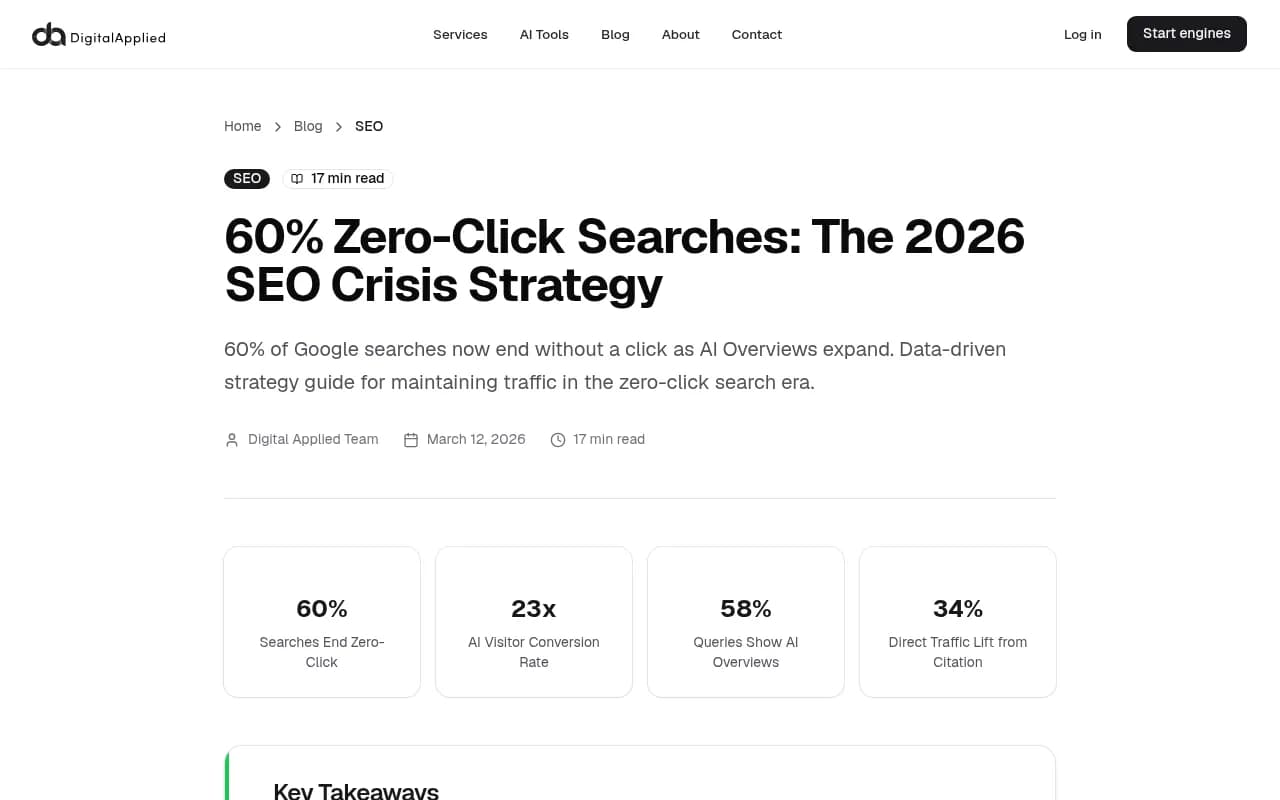
- 60% of Google searches in 2026 end without a click, and organic CTR drops 61% on queries where AI Overviews appear -- your traffic loss is likely real, not a tracking error
- An AI visibility audit is different from a traditional SEO audit: you're diagnosing why AI models aren't citing you, not just why you're not ranking on page one
- The audit has five stages: tracking verification, AI presence check, content gap analysis, technical crawlability for AI bots, and citation source analysis
- Being cited in AI Overviews drives 34% higher direct traffic and 28% higher branded search volume within 30 days -- even without a direct click
- Tools like Promptwatch can automate much of this audit, but you can run a manual version first to understand what you're actually looking for
If your organic traffic started sliding sometime in the last 12 months and you've been staring at GA4 trying to figure out why, here's the uncomfortable truth: the problem probably isn't your rankings. Your rankings might be fine. The problem is that AI is answering the questions your content used to answer, and users never need to click through to find out.
That's a different problem than traditional SEO, and it requires a different kind of audit.
This guide walks you through a five-stage AI search visibility audit you can run right now. Some steps require tools. Some just require a browser and a notepad. All of them will tell you something your current analytics setup almost certainly isn't showing you.
Stage 1: Verify the drop is real (and not a tracking problem)
Before you diagnose an AI visibility problem, rule out a measurement problem. This sounds obvious, but a surprising number of "traffic drops" in 2026 are actually GA4 configuration issues.
Check your GA4 tag first
Go into GA4 > Admin > Data Streams and verify your web stream is active and firing. Then open Google Tag Manager (or your tag setup) and confirm the tag is triggering on all pages, not just the homepage. A broken tag after a site migration or CMS update can make it look like traffic vanished when it didn't.
Common culprits:
- Consent mode misconfiguration blocking data collection in GDPR regions
- Tag firing on
localhostor staging environments, inflating historical data - GA4 filter settings excluding traffic that was previously included
- A recent site migration that broke the tracking snippet on key pages
If your tag is fine, pull Google Search Console alongside GA4. If GSC shows stable impressions but GA4 shows a drop, you have a tracking problem. If both show a drop, the traffic loss is real.
Separate AI-driven loss from algorithm-driven loss
Once you've confirmed the drop is real, check the timing. Cross-reference your traffic decline against:
- Google Core Update dates (check Google's Search Status Dashboard)
- The date AI Overviews started appearing more aggressively in your niche (roughly Q1 2025 onward for most categories)
- Any changes you made to your own site around the same time
If the drop correlates with a Core Update, you may have a traditional SEO problem layered on top of an AI visibility problem. Treat them separately. This guide focuses on the AI visibility piece.
Stage 2: Audit your actual AI presence
This is the part most people skip, and it's the most important. You need to know whether AI models are mentioning you, ignoring you, or actively recommending competitors instead.
Manual spot-check across AI engines
Start with a manual test. Open ChatGPT, Perplexity, Google's AI Mode, and Claude. Run 10-15 queries that represent your core product or service category. These should be the kinds of questions your customers actually ask, not just your target keywords.
For each query, note:
- Does your brand appear in the response?
- If not, which brands do appear?
- Is your content cited as a source?
- Does the AI recommend a competitor by name?
Be honest about what you find. Most brands doing this for the first time discover they're invisible across most AI engines for most relevant queries. That's the baseline you're working from.
Scale it with a tracking tool
Manual spot-checks give you a feel for the problem, but they don't give you data you can act on or track over time. For that, you need a dedicated AI visibility tool.
Promptwatch is the most complete option here -- it monitors 10 AI models simultaneously (ChatGPT, Perplexity, Google AI Overviews, Claude, Gemini, Grok, DeepSeek, Copilot, Meta AI, and Mistral) and shows you exactly which prompts your competitors are visible for that you're not. That answer gap analysis is what turns a vague sense of "we're invisible" into a specific list of content you need to create.

Other tools worth knowing about at this stage:


The key metric to track at this stage is your "share of voice" across AI responses -- what percentage of relevant AI answers mention your brand versus your competitors. Most brands starting this process are somewhere between 2% and 15%. The goal is to understand your baseline before you start optimizing.
Stage 3: Diagnose your content gaps
Once you know you're invisible, you need to understand why. In almost every case, the answer is the same: AI models can't cite you because you haven't published content that directly answers the questions users are asking.
Map your content against AI query types
AI search queries tend to fall into a few patterns:
- "What is the best [product/service] for [use case]?" -- comparison and recommendation queries
- "How do I [accomplish specific task]?" -- how-to and instructional queries
- "What are the differences between [A] and [B]?" -- comparison queries
- "Is [brand/product] worth it?" -- review and trust queries
- "What do experts recommend for [problem]?" -- authority queries
Pull your existing content inventory and map it against these query types. Most websites are heavy on product pages and light on the comparison, how-to, and trust content that AI models actually cite.
Run an answer gap analysis
An answer gap is a prompt where your competitors appear in AI responses but you don't. Finding these gaps manually is tedious -- you'd need to run hundreds of queries and track the results in a spreadsheet. Promptwatch's Answer Gap Analysis does this automatically, showing you the specific prompts where competitors are winning visibility that you're not.
If you're doing this manually, a reasonable proxy is to:
- List your top 5 competitors
- Search for "[competitor name] vs [your brand]" in ChatGPT and Perplexity
- Note what the AI says about each brand and what sources it cites
- Check whether any of those cited sources are pages you could create equivalents of
Check what AI models are actually citing
This is underappreciated: AI models don't just cite brand websites. They cite Reddit threads, YouTube videos, review sites, industry publications, and forum discussions. If your brand isn't appearing in AI responses, it might be because the sources AI trusts most for your category don't mention you.
Look at what sources appear in AI responses for your core queries. Are they:
- Reddit discussions you're not part of?
- YouTube reviews that don't mention your product?
- Industry publications that haven't covered you?
- Competitor blog posts that you have no equivalent of?
Each of these is a specific, actionable gap. Creating a Reddit presence, getting covered in industry publications, or publishing comparison content that matches what AI models are citing -- these are concrete fixes, not vague "improve your content" advice.
Stage 4: Check your technical crawlability for AI bots
Traditional technical SEO focuses on Googlebot. In 2026, you also need to think about whether AI crawlers can actually access and read your content.
Audit your robots.txt for AI crawler blocks
Some site owners have accidentally (or intentionally) blocked AI crawlers in their robots.txt file. Check yours at yourdomain.com/robots.txt and look for any Disallow rules that might be blocking:
GPTBot(OpenAI)ClaudeBot(Anthropic)PerplexityBotGoogleOther(used for AI training and some AI Overview crawling)CCBot(Common Crawl, used by many LLMs)
If you've blocked any of these, AI models may have outdated or no information about your content. Unblocking them is usually the right call unless you have a specific reason not to.
Check your page rendering
AI crawlers, like Googlebot, can struggle with JavaScript-heavy pages that require client-side rendering to display content. If your key content only appears after JavaScript executes, crawlers may be seeing empty pages.
Use Google Search Console's URL Inspection tool to see what Googlebot sees when it renders your pages. If the rendered version is missing key content, AI crawlers are probably missing it too.
Screaming Frog is the standard tool for this kind of crawl audit -- it'll show you pages with thin content, rendering issues, and crawl errors at scale.
Monitor AI crawler activity directly
One thing most people don't realize: you can actually see when AI crawlers visit your site. Your server logs contain this data. Tools like Promptwatch include AI Crawler Logs that show you in real time which AI bots are hitting your pages, which pages they're reading, how often they return, and what errors they encounter.
If an AI crawler visits your site and hits a 404 on a key page, or gets blocked by a misconfigured rule, you'll never know unless you're watching the logs. This is one of the most underused diagnostics in AI visibility work.
DarkVisitors is a useful reference for identifying which AI crawlers exist and what their user agent strings look like -- helpful when auditing your robots.txt and server logs.
Stage 5: Diagnose your attribution blind spots
Here's something that doesn't get talked about enough: AI-driven traffic is largely invisible in your current analytics.
When someone sees your brand mentioned in a ChatGPT response and then types your brand name directly into Google, that shows up as branded search or direct traffic -- not as AI referral traffic. When they click a link in a Perplexity response, it might show up as a referral from perplexity.ai, but many AI interactions result in zero referral data at all.
This means your traffic drop might be less severe than it looks, and your AI visibility might be generating value you're not measuring.
Check for branded search lift
If AI models are citing your brand, you should see an increase in branded search volume over time. Check Google Search Console for queries that include your brand name. If your branded search is growing while non-branded organic traffic is declining, that's a strong signal that AI visibility is working -- users are hearing about you through AI and then searching for you directly.
Data from Datos Group suggests that sites cited consistently in AI Overviews see 34% higher direct traffic and 28% higher branded search volume within 30 days. That's real value, even if it doesn't show up as organic traffic in GA4.
Set up AI traffic attribution
To properly measure AI-driven traffic, you need to go beyond standard GA4 referral tracking. Options include:
- Adding UTM parameters to any links you control in AI-indexed content
- Monitoring referral traffic from known AI domains (
perplexity.ai,chat.openai.com,claude.ai, etc.) - Using server log analysis to catch AI referrals that GA4 misses
- Implementing a tracking snippet that captures AI-sourced sessions more accurately
Promptwatch offers traffic attribution through a code snippet, Google Search Console integration, or server log analysis -- connecting AI visibility directly to actual sessions and revenue. Most standalone analytics tools don't have this capability yet.
Putting it all together: your audit scorecard
After running through all five stages, you should have a clear picture of:
| Audit area | What you're checking | Red flag |
|---|---|---|
| Tracking integrity | GA4 tag, consent mode, GSC alignment | Drop in GA4 but not GSC |
| AI presence | Brand mentions across 5+ AI engines | <10% share of voice |
| Content gaps | Answer gaps vs competitors | Missing comparison/how-to content |
| Technical crawlability | robots.txt, rendering, crawler access | AI bots blocked or hitting errors |
| Attribution | Branded search, direct traffic, AI referrals | No visibility into AI-sourced sessions |
Most brands running this audit for the first time find problems in at least three of these five areas. That's not a reason to panic -- it's a reason to prioritize.
What to fix first
If you're blocked on crawlability, fix that first. No amount of content optimization matters if AI bots can't read your pages.
If crawlability is fine but you have major content gaps, that's your highest-leverage fix. Publishing content that directly answers the queries where competitors are winning AI citations will move your visibility faster than anything else.
If your content and crawlability are both solid but you're still invisible, the problem is usually authority and citation sources -- you need to be mentioned in the places AI models trust, which means Reddit, industry publications, and third-party review sites.
Tools to support your audit
Here's a quick reference for the tools mentioned in this guide, organized by audit stage:
| Stage | Tool | What it does |
|---|---|---|
| AI presence monitoring | Promptwatch | Tracks 10 AI models, answer gap analysis, citation tracking |
| AI presence monitoring | Otterly.AI | Affordable entry-level AI visibility monitoring |
| AI presence monitoring | Peec AI | Multi-language AI visibility tracking |
| Technical crawl audit | Screaming Frog | Full site crawl, rendering issues, crawl errors |
| AI crawler identification | DarkVisitors | Identifies AI bot user agents for robots.txt auditing |
| Rank and visibility tracking | Rankscale | AI search ranking and visibility platform |
The honest summary
The reason you're not getting clicks isn't mysterious. AI Overviews now appear in 58% of queries. Organic CTR drops 61% on those queries. If your traffic is down and your rankings haven't moved, AI is almost certainly the explanation.
But "AI is taking your traffic" isn't a diagnosis -- it's a category. The actual diagnosis comes from running this audit and finding out specifically which queries you're invisible for, which competitors are winning those queries, what content gaps are causing it, and whether your site is even crawlable by AI bots in the first place.
Run the five stages. Fix what you find. Then track whether your AI visibility scores improve as you publish new content. That feedback loop -- audit, fix, measure -- is what separates brands that adapt to AI search from brands that keep watching their traffic decline and wondering why.