Key takeaways
- AI assistants, support bots, and sales tools read your website as the current truth. They cannot tell a retired 2021 pricing post from today's policy unless the page says so.
- Risk is not evenly spread. Product and landing pages are 39% of ChatGPT citations, and they carry the prices, specs, and positioning where a stale fact costs the most.
- Promptwatch Data shows landing pages and docs stay cited the longest, so an error on them can persist for months.
- Fix in order: find the wrong claim, trace the source, repair your own pages first, then correct third-party sources, then verify.
- Google's Refresh Outdated Content tool is for pages you do not own. If you own the page, use recrawl requests and Search Console instead.
Why stale pages turn into confident wrong answers
A customer asked Air Canada's website chatbot about bereavement fares. The bot said he could claim the discount within 90 days of purchase. Another page on the same site said the opposite. The airline refused the refund, and a Canadian tribunal ruled for the customer in February 2024. The sum was small. The lesson was not: two contradicting pages on your own domain become one confident wrong answer.
That is the mechanism. Your website feeds three groups of machines: your own support assistant, your sales tooling, and public AI engines like ChatGPT, Perplexity, Gemini, and Google AI Overviews. Each one retrieves pages and composes an answer. None of them knows which of your pages you still believe. A 2021 pricing post with no date and no banner reads exactly like a current one. (The WPRiders write-up walks through this well, including the Air Canada case.)

There are two different clocks here, and mixing them up causes a lot of wasted effort:
- Engines that search the live web (ChatGPT Search, Perplexity, AI Overviews) pull whatever pages they retrieve right now. Fix the page and the answer can change within days, once the page is recrawled.
- Answers drawn from a model's training memory only change when the model is updated. You cannot force that. You can only make sure the live web tells a cleaner, louder, more consistent story than the old one.
The Five Blocks knowledge base puts the second point plainly: outdated AI answers trace to outdated sources, so if a brand is still described by its 2022 profile, nobody has refreshed the sources holding it there. I have not independently verified every claim on that page, but the logic matches what you see in practice.
Which pages carry the real risk
Not every old page matters. A 2019 company-picnic post is embarrassing at worst. A stale pricing page is a liability. So start by asking which page types AI actually quotes.
Promptwatch Data tracked ChatGPT citations from Sep 28 to Oct 4, 2026 and classified each one by content type. The citation share report shows:
| Content type | Share of ChatGPT citations |
|---|---|
| Product pages | 22.4% |
| Landing pages | 16.8% |
| Listicles | 13.6% |
| How-tos | 8.7% |
| Documentation | 7.5% |
| General articles | 6.1% |
| Comparisons | 5.9% |
| News | 5.7% |
| FAQ pages | 3.3% |
| Reviews | 1.7% |
Product and landing pages together make up 39% of citations. For branded prompts (people asking about you by name), landing pages jump to 22.8% and product pages to 23.3%. In other words, when someone asks ChatGPT about your company, the pages most likely to be quoted are the ones that state your prices, specs, and positioning.
That is the uncomfortable part. The pages you update least often, because they feel finished, are the pages AI leans on hardest.
How long a cited page stays cited
The second question is persistence. If a wrong page is cited, how long does it keep being cited? Promptwatch's content half-life report followed every classified page ChatGPT cited on July 6, 2026 for 90 days, through Oct 4, 2026.
| Content type | Still cited after 30 days | Still cited after 60 days | Notes |
|---|---|---|---|
| Landing pages | 78% | 69% | Likely half-life near or beyond 90 days |
| Docs | 76% | 67% | 93% were cited again after day 0 |
| Comparisons | 72% | 63% | |
| Listicles | n/a | 60% | |
| Product pages | n/a | 55% | Half-life 74 to 77 days |
| Reviews and how-tos | n/a | 55% | Half-life 74 to 77 days |
| News | n/a | 41% | Half gone after 36 days |
Two takeaways. First, news fades fast, so an outdated news post is a smaller long-term problem than you might think. Second, landing pages and docs hang around. Promptwatch's own advice is to keep prices, features, and positioning accurate on landing, docs, and pricing pages because ChatGPT keeps citing them for months, and errors on them persist with them.
So the riskiest pages are the ones that are both cited often and cited for a long time: pricing, product, landing, and documentation pages. Start there.
Step 1: Build a risk inventory
You do not need a perfect audit. You need a ranked list. Here is a workable way to build one in an afternoon.
List the pages that make commitments
Pull every URL that states something a customer could act on:
- Pricing and plan pages, including old plan names still indexed
- Product and feature pages, specs, integrations, supported platforms
- Return, refund, shipping, warranty, and cancellation policies
- About page, leadership bios, locations, founding year, headcount
- Help center and documentation articles
- Comparison pages that name competitors
- Press releases and "announcing" posts that describe retired products
Put them in a spreadsheet or Airtable base with columns for last updated date, owner, and what facts the page asserts.
Score each page
A simple three-factor score is enough. Rate each from 1 to 3 and multiply.
- Commitment weight: does the page state money, legal, or safety facts? (3) Or general advice? (1)
- Citation likelihood: is it a product, landing, pricing, or docs page? (3) A listicle or how-to? (2) News? (1)
- Staleness: has anything it claims changed since the last edit? Unchanged (1), minor drift (2), known wrong (3)
Anything scoring 18 or above goes to the top of the queue. Anything where two of your own pages disagree, the Air Canada pattern, goes to the very top regardless of score.
Catch contradictions between pages
Contradictions are the single most dangerous kind of stale content because the AI has to pick a side. A crawler like Screaming Frog or Sitebulb can extract the price, policy sentence, or date from every page with custom extraction, so you can line them up in one sheet. Enterprise crawlers such as Lumar or Botify do the same at larger scale.
Search your own site for old product names, previous pricing, and former company details too. If you rebranded, renamed a plan, or moved offices, search for the old strings. Anything that turns up is a candidate.
Step 2: See what AI is actually saying
You cannot fix what you have not seen. Run the audit from the AI side.
Ask the major assistants the questions a buyer would ask: what does your product cost, what does it include, who founded the company, what is the return policy, how does it compare to a named competitor. Do it with browsing on and, where possible, off. A non-browsing answer shows what is baked into the model's memory, which only changes on the vendor's refresh cycle. A browsing answer shows what the live web currently tells it, and that part you can influence.
Do this manually for ten or twenty prompts and you will already find problems. Doing it every week across several engines, countries, and languages is where a tracking platform earns its keep. Promptwatch is one option built for this: its Brand Narrative feature pulls the individual claims AI makes about you (for example, "affordable for small teams" or "its mobile app lacks features"), groups repeated claims, and shows which models say each one. On Business and higher plans, Fact Check lets you mark a claim inaccurate and then reads the crawled pages from your site to find which ones state it, so you know which page the model learned the wrong thing from.

Other trackers in the category cover the monitoring side, with varying depth. If you want to compare, the GEO software directory at bestgeosoftware.com lists many of them. Cheaper options like Otterly.AI and Peec AI will tell you whether a claim appeared, though they stop short of tracing it back to a page.

Do the quoted-string search
Once you spot a wrong claim, search the open web for the exact phrase in quotes, for example "Brand X was founded in 2012" or "Brand X has 3 locations in New York". This is a technique from the senso.ai playbook, and it is simple but effective. You are looking for every page that repeats the error: your site, old press releases, directory listings, review sites, Wikipedia, partner pages, forum threads.
The point is to find the source, because the AI is almost never inventing the fact. It is repeating something.
Step 3: Trace the source of each wrong claim
For each bad claim, build a short source list and sort it by who controls it.
| Source type | You control it? | Typical fix |
|---|---|---|
| Your own pages | Yes | Edit, redirect, or delete |
| Your own schema and structured data | Yes | Update facts and dateModified |
| Profiles you manage (Google Business Profile, LinkedIn, app stores) | Yes | Update in the platform |
| Wikipedia and Wikidata | Partly | Edit-request process, sourced corrections |
| Directories and review sites (G2, Capterra, Trustpilot) | Partly | Claim the profile, update it |
| News and partner sites | No | Request a correction with documentation |
| Reddit and forums | No | Reply with accurate, sourced information |
Tools that watch where AI gets its facts help here. Look at which URLs are cited for the prompt where the wrong answer appears. If it cites your pricing page from 2023, that is your problem. If it cites a third-party comparison site, the fix lives elsewhere. Promptwatch's citation and Page Tracker views show which pages and domains are named in a given response, and its crawler logs show whether AI bots can even reach the corrected version of a page.
If the citing source is a third-party listing, a directory-focused monitoring tool or a brand-mention tool like Brand24 or Mention can help you find the copies you did not know existed.
Step 4: Fix your own pages first
This is where most of the value is, and it is entirely in your hands.
Update the facts, then the signals
For each high-risk page:
- Correct the claim in the body copy. Do not leave the old number in a footnote, tooltip, or FAQ block two scrolls down. The model may retrieve that fragment on its own.
- Add a visible "last updated" date, and make it true. A fake freshness date that does not match the content is worse than none.
- Update structured data: Organization, Product, Offer, and FAQPage schema should match the page text, with a current dateModified.
- Check for duplicates. Old URLs, print versions, and parameter variants that still return the old text will keep feeding the old claim.
Handle retired pages properly
A page describing something you no longer offer has three honest options:
- Update it, if the topic still matters.
- 301 redirect it to the closest current page.
- Return a 404 or 410 if nothing replaces it.
What you should not do is leave it up, unchanged, because it ranks. If you archive a page for history, say so on it clearly, in the first lines: "This describes our 2021 pricing and is no longer current. See current pricing." A machine reading it needs that sentence as much as a human does.
Make the correction easy to cite
A correction that is buried in a long article will lose to a clean old statement. Put the current fact in a plain sentence near the top of the page: the price, the policy, the date, the count. Short, factual, unhedged. Refresh pages with a git-style diff mindset: change the specific claims, keep the URL, keep the history intact, so existing citations keep pointing at the corrected version.
Let a tool do the bulk work
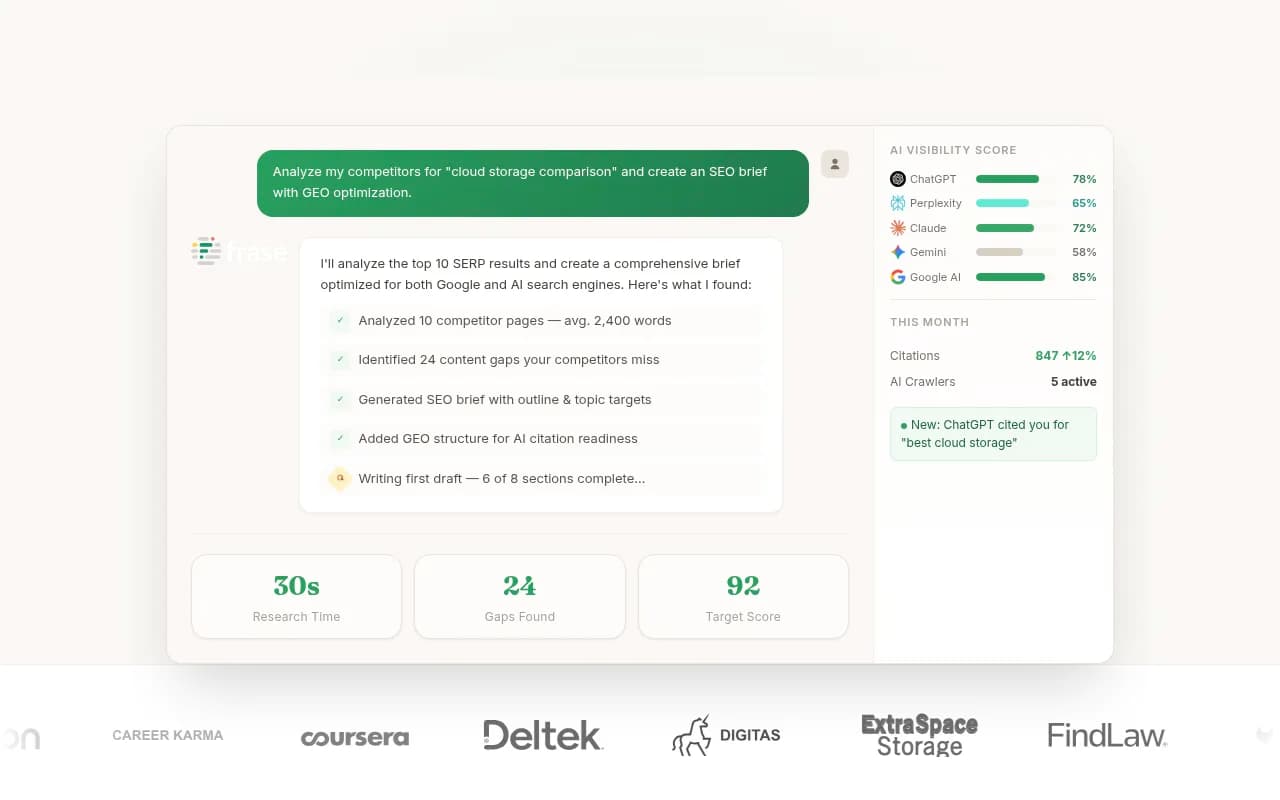
If you have hundreds of pages, manual refreshing does not scale. Content refresh tools that show a diff of proposed edits are useful here. Promptwatch's Content Refresh gives git-diff-style updates for existing pages, and its Content Agent can publish to WordPress, Webflow, or Framer with a review inbox so a person approves each change. Alternatives for content updating include Surfer SEO, Clearscope, and Frase, which are stronger on SEO-style optimization than on fact-checking against what AI says.

Whichever you use, keep a human on facts. An AI rewrite of a pricing page that gets a number wrong is how you create the next problem.
Step 5: Get Google and the crawlers to notice
A fixed page does nothing until it is re-read. Speed that up.
If you own the page
Use Search Console. Inspect the URL and request indexing, and make sure the updated URL is in your XML sitemap with an accurate lastmod. Check your robots.txt and CDN rules: if AI crawlers like GPTBot, OAI-SearchBot, ClaudeBot, or PerplexityBot are blocked or served errors, they will keep whatever stale copy they already have. Promptwatch's AI crawler logs verify those visits against operators' published IP ranges, and the free AI crawler URL inspector and Agentic Readiness Check are quick ways to test access without signing up for anything.
If you do not own the page: Google's Refresh Outdated Content tool
Sometimes the stale snippet sits on someone else's page that has changed or disappeared. Google's Refresh Outdated Content tool exists for exactly that. It has narrow rules, and people misuse it constantly.
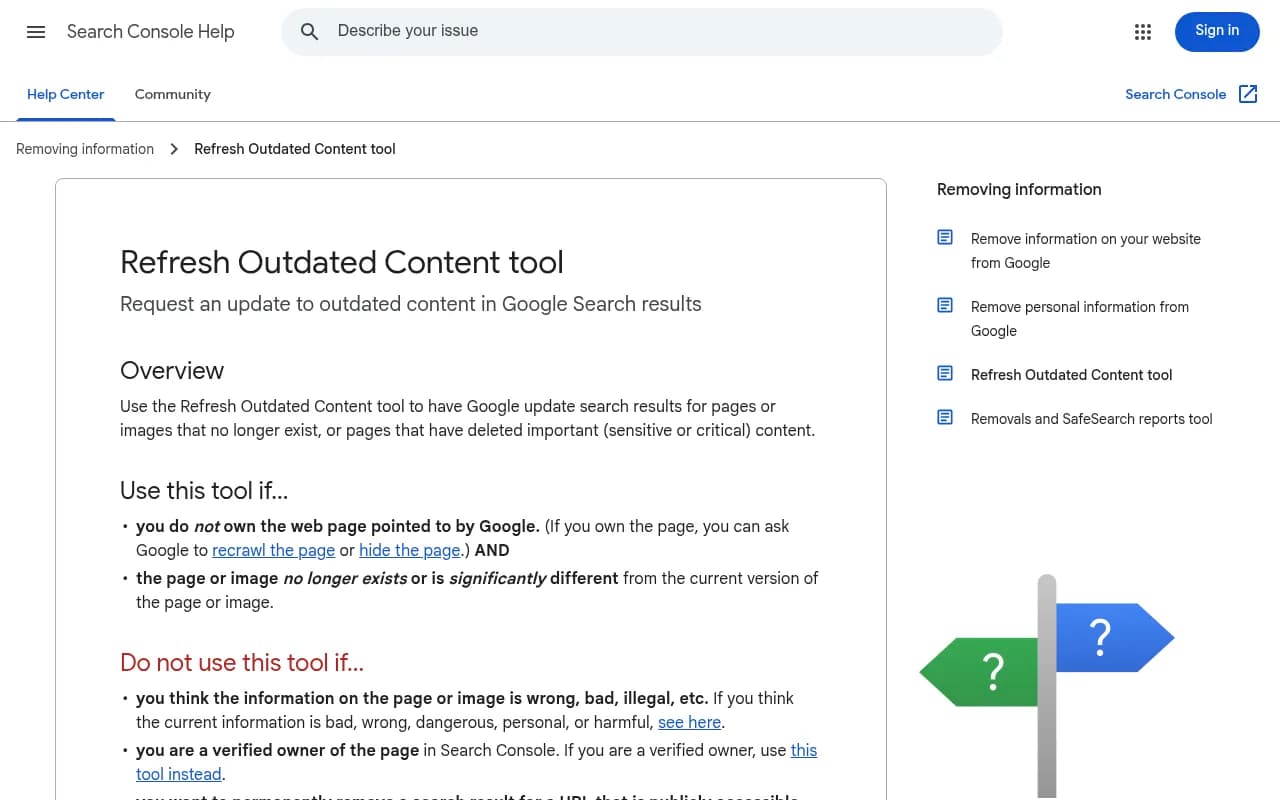
Use it when both of these are true:
- You do not own the web page.
- The page or image no longer exists, or is significantly different from what Google shows in results.
Do not use it when:
- You are a verified owner in Search Console. Use the Removals tool or a recrawl request instead.
- The page still exists and the information you object to is still on it. The tool will not help.
- You think the content is wrong, harmful, or illegal. That goes through Google's separate removal channels.
- You just want a recrawl. If the page has not been removed or significantly changed, the request fails.
The process is short. Open the tool while logged into a Google account, enter the URL in the required format, and submit. If the page still exists, you will be asked for one or two words that were in the old search snippet but are no longer live. Then check back for the status. If approved and the page is gone, it stops appearing in results. If the page exists but changed, the snippet is removed and the page refreshes the next time Google's crawler visits it. Until then, it can still show up.
Note what this tool is not: it updates Google's search results. It does not edit a model's memory, and it does not make ChatGPT or Gemini forget anything. Treat it as one small lever.
Step 6: Correct what you do not control
Own-site fixes are necessary but rarely sufficient. If third-party pages repeat the error, AI engines will find them.
- Wikipedia and Wikidata: use the proper edit-request process with citations. Wikidata feeds the Google Knowledge Graph, so a sourced correction there spreads. Do not edit your own article covertly.
- Directories and review platforms: claim and update your G2, Capterra, Trustpilot, and industry listings. Directory sites are cited often enough in AI answers that stale profiles matter.
- Press and partners: email the editor with the specific wrong line, the correct fact, and a source link. Reputable outlets will fix documented factual errors. Ask partners to update logos, descriptions, and links.
- Reddit and forums: reply with the accurate fact, disclose who you are, and link a source. Do not astroturf.
Also publish something new. Fresh, authoritative third-party coverage gives retrieval engines current, independent confirmation. A short press release or data post that states the present facts is often what tips the answer.
For wording and to-do tracking across all of this, a lightweight board in Notion or Airtable works fine. Promptwatch's Action Board generates a prioritized GEO to-do list from your data if you would rather not maintain one by hand.
Step 7: Verify, then keep watching
Fixing is half the job. The other half is checking that the fix landed.
- Re-run the exact prompts that produced the wrong answer, in the same engine and country.
- For live-web engines, expect movement within days of a recrawl. If nothing changes, check whether the engine is still citing the old URL or a third-party source.
- For training-memory answers, expect lag. Browsing-based answers usually improve first, and trained, non-browsing knowledge updates only on the vendor's refresh cycle.
- Log the date, the prompt, the engine, and the result. Four weeks of this will tell you more than any dashboard score.
The Promptwatch Data hub is useful for sanity-checking your expectations: it covers how often AI citations shift, which content types get cited, and how fast. Note also that ChatGPT's citation behavior itself changes over time. Promptwatch Data recorded ChatGPT starting to use the site: operator at scale on August 8, 2026, with searches per response nearly doubling, which means it is increasingly reading specific domains directly. That raises the stakes on keeping your own site clean.
If you want a ready-made loop (monitor, trace, act, measure), the free AI visibility report is a no-login way to see how ChatGPT, Gemini, and Perplexity currently talk about your brand. The 7-day trial on paid plans covers the rest, and pricing is on promptwatch.com/pricing.
Prevent the next round of stale content
The cheapest fix is the one you do not have to make twice.
- Give pages owners. Every page that states a price, policy, or spec should have a named person who is responsible for it, the same way servers have owners.
- Tie page updates to launches. A pricing change ticket should include "update these 12 URLs" as a required step, not an afterthought.
- Set review intervals by risk. Pricing, policy, and docs pages quarterly. Product pages monthly if they change often. News posts, leave alone, but date them clearly.
- Run a monthly contradiction check with a crawler to compare facts across pages.
- Keep a single source of truth for facts (plans, prices, locations, founding date) and reference it from templates instead of retyping it.
- Review your Search Console data for pages with many impressions but few clicks. Those are often stale pages still surfacing in search.
A quick priority order
If you only have a week, do this:
- Pricing, plans, and policy pages, plus any pair of your pages that disagree.
- Product and feature pages, specs, and integration lists.
- About, leadership, locations, and structured data.
- Docs and help center articles that describe retired behavior.
- Third-party profiles and directories.
- Wikipedia, Wikidata, and press corrections.
- Verification prompts, then a monthly re-check.
Stale pages used to cost you a little ranking. Now they cost you accuracy in the answer a buyer reads before they ever reach your site. Find the pages that make commitments, fix those first, and test what the engines say afterwards.
For a wider set of options on the monitoring side, the AI rank tracking directory at ai-rank-tools.com is a good place to compare tools.