Rytr Review 2026
Rytr is an AI-powered writing assistant designed for creating short-form content quickly. Used by 8+ million writers, it offers 40+ templates for emails, social posts, ads, and blog content. With a free tier and affordable paid plans starting at $9/month, it's built for marketers, freelancers, and s
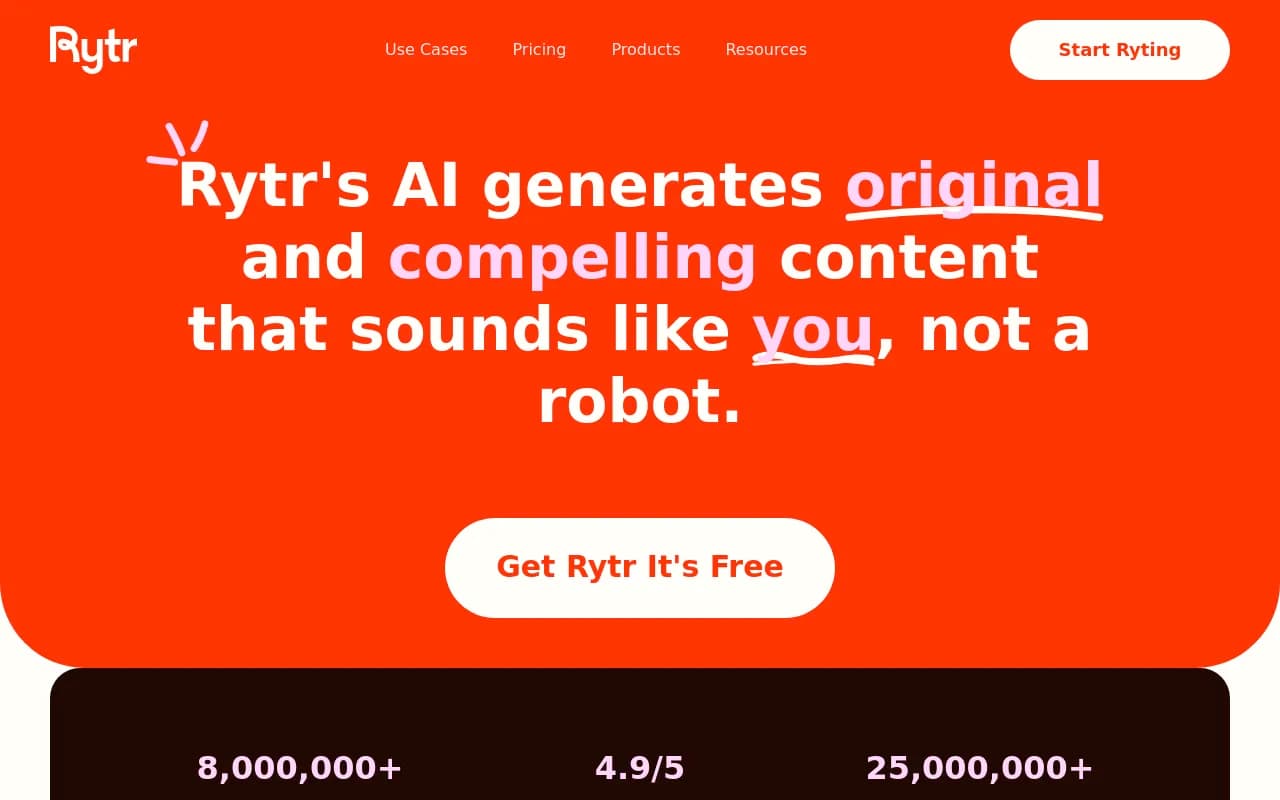
Rytr positions itself as the accessible AI writing assistant for short-form content -- the kind of tool you open when you need a product description, email response, or social media caption written in the next five minutes. It's not trying to be a full content strategy platform or a long-form article generator. It's the quick-hit writer that lives in your browser and gets you unstuck when you're staring at a blank text box.
Summary: What you need to know upfront
- Best for: Freelancers, small business owners, social media managers, and marketers who write dozens of short pieces daily (emails, ads, product descriptions, social posts)
- Pricing sweet spot: The $9/month Saver plan is competitive for moderate use; $29/month Unlimited is reasonable for heavy users or small teams
- Main limitation: Built for short-form content -- if you need 3,000-word SEO articles or deep research capabilities, you'll hit its ceiling quickly
- Standout feature: 40+ use-case templates that guide the AI toward specific formats (Facebook ad, job description, interview questions, etc.) instead of generic prompts
- Missing vs competitors: No content gap analysis, no AI search visibility tracking, no optimization for how AI models cite content -- it's a generator, not a strategy tool
Rytr launched in 2021 as one of the early wave of GPT-3-powered writing tools, before the ChatGPT explosion made AI writing ubiquitous. It's grown to 8 million users by staying simple and affordable while competitors added complexity and raised prices. The company is bootstrapped and focused on serving individual creators and small teams rather than chasing enterprise contracts.
The core writing engine: how it actually works
Rytr's interface is built around use cases, not blank prompts. You pick a template ("Product description", "Email", "LinkedIn post", "SEO meta description"), fill in a few fields (topic, keywords, tone), and hit generate. The AI returns 3-5 variations in seconds. You pick one, edit it, and move on. The whole flow takes under a minute for most short-form pieces.
Use case templates (40+ options): This is where Rytr differentiates from raw ChatGPT or generic AI writers. Instead of prompting "write me a Facebook ad", you select the Facebook Ad template, which asks for product name, description, target audience, and tone. The AI understands the format constraints (short, punchy, CTA-focused) and generates accordingly. Templates include:
- Email responses (cold outreach, follow-ups, customer support)
- Social media posts (Facebook, Instagram, LinkedIn, Twitter)
- Ad copy (Google Ads, Facebook Ads, product descriptions)
- Blog content (outlines, introductions, section text -- but not full articles)
- Business writing (job descriptions, interview questions, company bios)
- Creative writing (song lyrics, story plots, video ideas)
Each template has preset tone options (casual, formal, convincing, urgent, etc.) and length settings (short, medium, long -- though "long" here means 200-300 words, not 2,000). The templates guide the AI toward specific formats, which is faster than teaching ChatGPT the structure every time.
Tone and voice controls: Beyond the preset tones, Rytr lets you define custom tones by describing the style you want ("friendly but professional", "technical but accessible"). It also has a "Use Case" field where you can add context ("This is for a SaaS product targeting developers"). These inputs shape the output, though the AI doesn't learn your brand voice over time -- each generation is independent.
Multi-language support: Rytr generates content in 30+ languages, including Spanish, French, German, Portuguese, Italian, Dutch, Polish, Russian, Japanese, Chinese, and more. The quality varies by language (English is strongest), but it's functional for basic content in most supported languages. This is useful for small businesses running multilingual social media or product listings.
Plagiarism checker: Built-in plagiarism detection scans your generated content against online sources. It's not as comprehensive as Copyscape or Grammarly's checker, but it catches obvious duplicates. Useful for ensuring AI-generated product descriptions or ad copy aren't accidentally copying competitor text.
SEO meta description generator: One of the more practical templates. You input a page title and keywords, and Rytr generates 3-5 meta descriptions optimized for length (150-160 chars) and keyword placement. Faster than writing them manually, though you'll still want to review for accuracy and brand voice.
Browser extension (Rytr Everywhere): A Chrome extension that embeds Rytr into any text field on the web. You're writing an email in Gmail, hit the Rytr icon, pick a template, and it generates text directly in the compose window. Same for LinkedIn posts, Twitter replies, Google Docs, or any CMS. This is the "accessible anywhere you write" promise -- it removes the friction of switching between tabs.
Integrations and workflow: Rytr integrates with WordPress (publish directly to your site), but that's the only native integration. No Zapier, no API for custom workflows (there's a GitHub repo for API docs, but it's not publicly available for most users). You're mostly copying and pasting output into other tools. For a tool targeting small businesses and freelancers, the lack of Zapier integration is a missed opportunity.
Content quality and limitations: Rytr's output is serviceable for short-form content but not exceptional. It's better than staring at a blank page, worse than a skilled human writer. The AI tends toward generic phrasing and safe language -- it won't take creative risks or inject strong personality unless you heavily guide it with tone and context. For product descriptions, email responses, and social posts, it's good enough to edit and ship. For anything requiring nuance, persuasion, or brand voice, you'll rewrite 30-50% of the output.
The bigger limitation: Rytr is not built for long-form content. The "Blog Idea & Outline" template generates a 200-word outline, not a 2,000-word article. The "Blog Section Writing" template writes one section at a time, but you're stitching together fragments, not generating a cohesive piece. If your workflow is "write 10 blog posts a week", Rytr will frustrate you. Tools like Jasper, Copy.ai, or even ChatGPT with a good prompt are better for long-form.
Who is Rytr actually for?
Rytr is built for people who write dozens of short pieces every day and need speed over perfection. Specific personas:
- Freelance copywriters handling 20+ client projects a week (product descriptions, ad copy, email sequences). Rytr cuts drafting time from 15 minutes to 2 minutes per piece. You're still editing, but the blank page problem is solved.
- Social media managers running 5-10 brand accounts. Generate a week's worth of Instagram captions or LinkedIn posts in an hour, then schedule them in Buffer or Hootsuite.
- E-commerce sellers writing product descriptions for Shopify, Amazon, or Etsy listings. The Product Description template is purpose-built for this -- input product name and features, get 3 variations, pick the best one.
- Small business owners who hate writing but need to send emails, post on social media, and update their website. Rytr removes the friction of drafting.
- Non-native English speakers who need help with grammar and phrasing. Rytr's output is grammatically clean, even if it's generic.
Who should NOT use Rytr:
- Content marketers building SEO-driven blogs with 2,000+ word articles. Rytr doesn't handle long-form well, and it has no SEO research or optimization features.
- Agencies managing content strategies for clients. Rytr lacks collaboration tools, content calendars, brand voice training, or workflow management. You'd outgrow it immediately.
- Anyone optimizing for AI search visibility. Rytr generates content, but it doesn't help you understand what content to create, how to structure it for AI citations, or how to track performance in ChatGPT, Perplexity, or Google AI Overviews. Tools like Promptwatch handle that -- they show you content gaps, generate optimized articles, and track AI visibility. Rytr is just a generator.
Pricing breakdown: free tier vs paid plans
Rytr's pricing is one of its main selling points. It's cheaper than most AI writing tools, and the free tier is actually usable.
Free plan ($0/month):
- 10,000 characters per month (~2,000 words)
- Access to 40+ use cases
- 30+ languages
- 20+ tones
- Plagiarism checker (limited)
- This is enough for casual users or people testing the tool. If you're writing 5-10 short pieces a month, the free plan works.
Saver plan ($9/month or $90/year):
- 100,000 characters per month (~20,000 words)
- Everything in Free
- Unlimited plagiarism checks
- Priority email support
- This is the sweet spot for freelancers or small business owners writing regularly but not daily. 100k characters covers ~50 product descriptions or ~100 social posts per month.
Unlimited plan ($29/month or $290/year):
- Unlimited characters
- Everything in Saver
- Dedicated account manager
- Priority support
- This is for heavy users -- social media managers, e-commerce sellers with large catalogs, or small teams sharing one account. At $29/month, it's cheaper than Jasper ($49/month), Copy.ai ($49/month), or Writesonic ($19/month for limited usage). The value is strong if you're generating hundreds of pieces per month.
How it compares to competitors:
- vs Jasper: Jasper is $49/month minimum, has better long-form capabilities, and includes SEO tools (Surfer SEO integration). Rytr is cheaper and simpler but weaker for blog content.
- vs Copy.ai: Copy.ai is $49/month, has more templates (90+), and better team collaboration features. Rytr is half the price but lacks workflow tools.
- vs ChatGPT Plus ($20/month): ChatGPT is more flexible and conversational, but you're writing prompts from scratch every time. Rytr's templates are faster for repetitive tasks. If you're writing 10 product descriptions a day, Rytr's template is faster than re-prompting ChatGPT.
- vs Writesonic: Writesonic is $19/month for 100k words, similar to Rytr's Saver plan. Writesonic has better SEO features (keyword research, content briefs). Rytr is simpler and cheaper at the Unlimited tier.
Strengths: what Rytr does well
- Speed for short-form content: Generate a product description, email, or social post in under 60 seconds. The templates remove the need to craft prompts.
- Affordable pricing: $9/month for 100k characters is competitive. $29/month for unlimited is cheaper than most alternatives.
- Browser extension: Rytr Everywhere makes it genuinely accessible in Gmail, LinkedIn, Google Docs, etc. This is a workflow win.
- Multi-language support: 30+ languages with decent quality. Useful for small businesses running multilingual content.
- Low learning curve: No training required. Pick a template, fill in fields, hit generate. You're productive in 5 minutes.
Limitations: where Rytr falls short
- Not built for long-form content: If you need 2,000+ word blog posts, Rytr will frustrate you. It's a short-form tool.
- Generic output: The AI plays it safe. You'll get grammatically correct, bland text that needs editing for personality and brand voice.
- No SEO tools: No keyword research, no content briefs, no optimization suggestions. You're generating text, not building a content strategy.
- No AI search visibility features: Rytr doesn't help you understand what content to create for AI citations, how to optimize for ChatGPT or Perplexity, or how to track performance in AI search engines. It's a generator, not an optimization platform. If you care about AI visibility, you need a tool like Promptwatch that shows content gaps, generates optimized articles, and tracks citations across 10+ AI models.
- Limited integrations: Only WordPress. No Zapier, no API for most users, no Slack or Google Drive integrations.
- No collaboration features: No team workspaces, no content calendars, no approval workflows. If you're managing a team or clients, you'll need separate tools.
Bottom line: who should buy Rytr and why
Rytr is the right tool if you write dozens of short pieces every week (emails, social posts, product descriptions, ad copy) and need speed over perfection. It's affordable, fast, and removes the blank page problem. The $9/month Saver plan is a low-risk investment for freelancers or small business owners. The $29/month Unlimited plan is solid value for heavy users.
Skip Rytr if you're building long-form content strategies, managing SEO campaigns, or optimizing for AI search visibility. It's a generator, not a strategy tool. For AI visibility and optimization, Promptwatch is the stronger choice -- it shows you what content to create, generates optimized articles, and tracks performance across ChatGPT, Perplexity, Claude, and other AI models.
Best use case in one sentence: Rytr is for freelancers and small businesses who need to generate 50-100 short-form pieces per month without spending hours drafting.
Tags:
Frequently asked questions
What is Rytr and what does it do?
How much does Rytr cost?
Is Rytr free to use?
Who is Rytr best for?
What types of content can Rytr generate?
What are the limitations of Rytr?
How does Rytr compare to ChatGPT?
Can Rytr write long-form blog articles?
Similar and alternative tools to Rytr