Mixpanel Review 2026
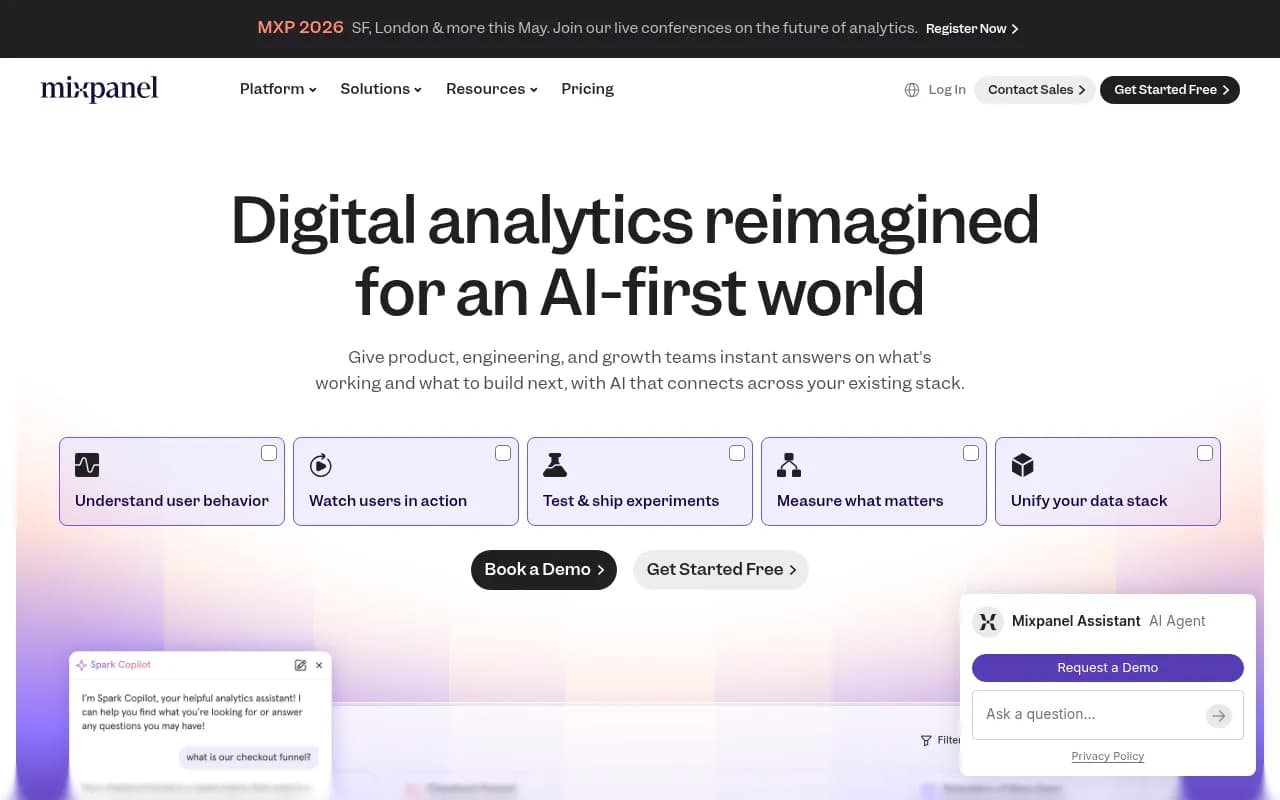
Mixpanel is an AI-powered product analytics platform for product, engineering, and growth teams. Track user behavior, build funnels, analyze retention, run A/B tests, and watch session replays — all in one place with sub-second query speeds.
Key takeaways
- Mixpanel is a mature, full-featured product analytics platform that goes well beyond event tracking — it now includes session replay, A/B testing, feature flags, metric trees, and warehouse connectors in a single product.
- The free tier is genuinely useful: unlimited users, 20 million monthly events, and no data history cap — more generous than Amplitude or Heap at the same price point.
- The AI layer ("Spark Copilot") is practical rather than gimmicky, letting non-technical team members ask questions in plain English and get real answers grounded in their own data.
- Pricing jumps sharply from free to paid ($299/mo for Starter, billed annually), which can be a sticking point for early-stage startups that have outgrown the free tier.
- Best fit for product-led SaaS companies, mobile app teams, and growth-focused engineering orgs that want self-serve analytics without a dedicated data team doing every query.
Mixpanel has been around since 2009, which in analytics years makes it practically ancient. Founded in San Francisco by Suhail Doshi and Tim Trefren, it was one of the first tools to push product teams away from pageview-centric thinking and toward event-based behavioral analytics. The idea was simple but genuinely different at the time: instead of counting how many people visited a page, track what they actually did — clicked a button, completed a purchase, dropped off mid-funnel.
That core philosophy hasn't changed, but the product has expanded considerably. What started as a pure event analytics tool now covers session replay, heatmaps, A/B testing, feature flags, metric trees, and direct data warehouse connectors. The 2024-2026 period has seen Mixpanel lean hard into AI, adding a conversational analytics assistant called Spark Copilot and an MCP (Model Context Protocol) integration that lets teams query their Mixpanel data directly from Claude or ChatGPT. It's a meaningful evolution, not just a rebrand.
The target audience is product teams at companies that have moved past "we need to know if anyone is using this" and into "we need to understand why users churn at step 3 and what we can do about it." That's typically B2B SaaS companies, consumer apps, fintech products, and e-commerce platforms with enough user volume to make behavioral segmentation meaningful.
Key features
Product analytics (events, funnels, retention, flows)
This is still the core of what Mixpanel does, and it's genuinely excellent. You instrument your app with events, then build analyses using four main report types: Insights (trends over time), Funnels (conversion between steps), Retention (how many users come back), and Flows (where users go before and after a given event). Each report type is fast — Mixpanel claims sub-second query times even at billions of events per month, and in practice the interface does feel snappy compared to alternatives like Amplitude or Adobe Analytics.
Segmentation is flexible. You can break down any report by user properties, event properties, or cohorts you've defined elsewhere. Cohorts are particularly powerful: you can define a group like "users who completed onboarding but never invited a teammate" and then use that cohort across multiple reports or push it to other tools.
Spark Copilot (AI assistant)
Mixpanel's AI layer is called Spark Copilot, and it's embedded throughout the platform rather than bolted on as a separate tab. You can ask questions like "why did checkout conversion drop last week?" and get an answer that references your actual data, not a generic response. It can surface anomalies, suggest follow-up questions, and generate charts from natural language prompts.
The MCP integration is worth calling out separately. It lets you connect Mixpanel to Claude or ChatGPT via the Model Context Protocol, so you can ask product questions in your AI tool of choice and get answers pulled from your live Mixpanel data. For teams that already live in AI assistants, this is a practical workflow improvement.
Session replay and heatmaps
Mixpanel added session replay a couple of years ago, and the key differentiator versus standalone tools like FullStory or Hotjar is the tight integration with behavioral analytics. If your funnel report shows a 40% drop-off at step 3, you can click through directly to watch session replays of users who dropped off at that exact step. You're not jumping between tools or trying to correlate data manually — the replay is tied to the same event data your funnel is built on.
Heatmaps show click and scroll patterns on specific pages. Both features are available on paid plans, with session replay having its own event-based pricing.
Experiments and feature flags
Mixpanel now includes A/B testing and feature flag management natively. This matters because the historical problem with A/B testing was always the measurement layer — you'd run an experiment in Optimizely or LaunchDarkly and then try to correlate results with your analytics tool, which introduced noise and lag. With experiments built into Mixpanel, you define your success metrics using the same events and funnels you already track, and results are measured against real product behavior rather than proxy metrics.
Feature flags let you roll out changes to specific user segments, which is standard functionality but useful to have in the same interface as your analytics.
Metric trees
This is a newer feature and one of the more interesting additions. Metric trees let you build a visual map of how your KPIs relate to each other — for example, showing that Monthly Active Users is driven by new user acquisition, reactivation, and retention, each of which is driven by more granular metrics. Teams can see which levers actually move the needle and whether pulling a lever is working. It's the kind of thing that used to require a data team to build in a BI tool, and having it in Mixpanel makes it accessible to product managers who don't write SQL.
Data warehouse connectors
Mixpanel connects to Snowflake, BigQuery, Redshift, and other warehouses, letting you sync data bidirectionally. This is important for companies that have already invested in a data warehouse and don't want Mixpanel to become a data silo. You can analyze warehouse data in Mixpanel's interface without re-instrumenting everything, and you can push Mixpanel data back to your warehouse for use in other tools.
Web analytics
Mixpanel added a dedicated web analytics module that goes beyond pageviews. It's positioned as an alternative to Google Analytics for teams that want behavioral depth rather than traffic counts. You can ask questions in plain language ("which pages have the highest drop-off rate for new visitors?") and get answers without building a custom report. It's not going to replace GA4 for pure SEO/traffic monitoring, but for product teams who care about what users do on their site rather than just how many showed up, it's a better fit.
Governance and enterprise features
For larger organizations, Mixpanel includes role-based access control, SSO/SAML, audit logs, and the ability to define "source of truth" metrics that all teams reference. SOC 2 Type II and ISO 27001 certifications are in place, and there's a HIPAA-ready configuration for healthcare companies. The governance layer matters more than it sounds — one of the most common analytics problems at scale is different teams using different definitions of the same metric, and Mixpanel's approach to centralized metric definitions helps with that.
Who is it for
The clearest fit is product-led SaaS companies with 10 to 500 employees where the product team is actively running experiments and trying to improve activation, retention, and expansion. Think a B2B SaaS company with 50,000 monthly active users trying to understand why users who complete onboarding don't invite teammates, or a consumer app team trying to figure out which features drive 30-day retention. Mixpanel's funnel and retention reports are genuinely well-suited to these questions, and the free tier is generous enough that early-stage companies can get real value before paying anything.
Mobile app teams are another strong fit. Mixpanel has solid iOS and Android SDKs, and the event-based model maps naturally to mobile app interactions. Companies in fintech, media, and e-commerce also show up frequently in Mixpanel's customer base — the DocuSign case study on their site (showing +15% in accounts, +5% in upgrades, +10% in first-time conversions) is representative of the kind of outcome product teams are chasing.
Who should probably look elsewhere: companies that primarily need SEO/traffic analytics (Google Analytics or Plausible are better fits), teams that need a full customer data platform with marketing automation baked in (Segment + Braze or similar), and very early-stage startups with fewer than a few thousand monthly active users who don't yet have enough data to make behavioral analytics meaningful. Also, data teams that want to do complex SQL-based analysis will likely find Mixpanel's interface limiting compared to building directly on a warehouse with a BI tool like Metabase or Looker.
Integrations and ecosystem
Mixpanel has a broad integration ecosystem. On the data ingestion side, it works with Segment, mParticle, RudderStack, and direct SDK implementations for web, iOS, Android, React Native, Flutter, and more. On the data export side, it connects to Snowflake, BigQuery, Redshift, and Databricks.
Notable integrations include:
- Segment: Bidirectional — send Segment events to Mixpanel, or use Mixpanel cohorts in Segment destinations
- Slack: Alerts and report sharing
- Salesforce and HubSpot: Sync user properties for sales and marketing context
- Stripe: A new integration (announced in 2026) embeds Mixpanel analytics directly within Stripe Projects
- Zapier: For connecting Mixpanel events to other tools in automated workflows
- Claude and ChatGPT: Via the MCP integration for conversational data queries
The Mixpanel API is well-documented and supports both data ingestion and querying. There's a JQL (JavaScript Query Language) option for teams that need more flexibility than the UI provides, though it's not as approachable as SQL. The GitHub repository at github.com/mixpanel includes official SDKs and open-source tooling.
There's no dedicated mobile app for Mixpanel — it's browser-based. The interface is responsive but clearly designed for desktop use.
Pricing and value
Mixpanel's pricing structure has three main tiers:
- Free: 20 million events/month, unlimited users, unlimited data history, core analytics features (Insights, Funnels, Retention, Flows). Genuinely usable for early-stage products.
- Starter: Starts at approximately $299/month billed annually. Adds session replay, more advanced cohort features, and higher event limits.
- Enterprise: Custom pricing. Adds SSO/SAML, advanced governance, dedicated support, and custom data volumes.
The free tier comparison Mixpanel makes on their pricing page is worth noting: they claim 2x more events than Amplitude's free tier, 100x more users than Pendo's free tier, and unlimited data history versus Heap's one-year limit. These are meaningful differences if you're evaluating free tiers.
The jump from free to paid is steep. $299/month is a real commitment for a startup that's just outgrown the free tier, and it's worth pressure-testing whether you actually need the paid features before committing. Amplitude's paid tiers start lower but scale up faster based on monthly tracked users, so the right choice depends on your event volume and user count.
For mid-market companies, Mixpanel's pricing is competitive with Amplitude and generally more transparent than Adobe Analytics (which requires a sales call to get any number). PostHog is the main open-source alternative that undercuts Mixpanel significantly on price, though with more setup complexity.
Strengths and limitations
Where Mixpanel genuinely excels:
- The funnel and retention reports are among the best in the category. The ability to define conversion windows, compare cohorts, and drill into individual user paths is flexible and fast.
- The free tier is more generous than most competitors, making it a realistic option for companies that aren't ready to pay for analytics yet.
- Session replay integration with behavioral analytics is a real workflow improvement over using separate tools. Going from a funnel drop-off to watching the actual session in two clicks is the kind of thing that sounds minor but saves significant time in practice.
- The MCP integration for Claude and ChatGPT is a forward-looking move that fits how product teams are actually starting to work.
- Performance at scale is solid. Sub-second queries on large event volumes is a genuine technical achievement that competitors don't always match.
Honest limitations:
- The pricing gap between free and paid is jarring. There's not much in between, which puts pressure on companies at the inflection point.
- SQL access is limited. Teams that want to write complex custom queries against their event data will hit the ceiling of what Mixpanel's UI and JQL can do. PostHog or a warehouse-native approach gives more flexibility here.
- The AI features, while useful, are still maturing. Spark Copilot is good at surfacing obvious anomalies and answering straightforward questions, but it's not yet at the level where it replaces a skilled analyst for complex investigations.
- Marketing analytics is not a strong suit. If you need multi-touch attribution, campaign performance tracking, or deep integration with ad platforms, Mixpanel is not the right primary tool.
Bottom line
Mixpanel is the right choice for product teams at growth-stage SaaS and app companies that need serious behavioral analytics without building a data team first. The combination of generous free tier, fast UI, and genuinely integrated session replay and experimentation makes it one of the more complete self-serve analytics platforms available in 2026.
Best use case in one sentence: A 30-person SaaS company whose product team wants to understand why users churn after week two and run experiments to fix it — without waiting on a data analyst for every query.
Tags:
Frequently asked questions
What is Mixpanel and what does it do?
Is Mixpanel free to use?
How does Mixpanel compare to Amplitude?
What integrations does Mixpanel support?
Who is Mixpanel best suited for?
Does Mixpanel include session replay?
Similar and alternative tools to Mixpanel