Key takeaways
- Manual Google searches are the simplest way to check AI Overview presence but are unreliable at scale -- results vary by location, login state, and time of day.
- Google Search Console gives you click and impression data for AI Overview-triggered queries, but it won't tell you if you're cited or just nearby.
- Dedicated AI visibility tools (SE Ranking, Semrush, Ahrefs Brand Radar) automate detection across hundreds of keywords and track changes over time.
- Full-stack GEO platforms like Promptwatch go further -- they don't just show where you're missing, they help you fix it with content gap analysis and AI-generated articles built around real citation data.
- The right method depends on your scale: one site with 20 keywords can get by with manual checks; a brand tracking 300+ prompts across competitors needs automation.
Google AI Overviews now appear on roughly 15% of all searches, and that number keeps climbing for informational and comparison queries. If you're in health, finance, tech, or e-commerce, there's a real chance AI Overviews are already affecting your traffic -- either sending it or stealing it.
The problem is that most people still check their AI Overview visibility the same way they checked featured snippets in 2018: they Google something, see what comes up, and call it a day. That works for a quick gut check. It doesn't work for anything resembling a strategy.
This guide covers five methods for checking whether your content appears in Google AI Overviews, ranked from least to most accurate. Each one has a legitimate use case -- the goal is to help you pick the right tool for your situation.
Method 1: Manual Google search (least accurate)
The most obvious approach. Open an incognito window, search for a target keyword, and look for the AI Overview box at the top of the results. If your domain appears as a cited source, you're in.
This is fine for a one-off check. The problem is that AI Overviews are not static. Google personalizes them based on your search history, location, and even the time of day. Two people searching the same query from different cities can see completely different AI Overviews -- or one might see an AI Overview and the other gets none at all.
There's also the question of login state. Signed-in users often see different AI Overviews than signed-out users. Incognito helps, but it's not a perfect fix.
What manual search is actually good for: confirming that an AI Overview exists for a specific query before you invest time tracking it. Use it as a first filter, not a measurement tool.
Accuracy rating: 2/10 for ongoing tracking. Fine for spot checks.
Method 2: Google Search Console (moderate accuracy, free)
Google Search Console added AI Overview reporting in 2024, and by 2026 it's become a genuinely useful (if limited) signal. Under the Performance report, you can filter by "Search type" and look for AI Overview impressions and clicks.
What GSC tells you:
- Which queries triggered an AI Overview where your site appeared
- How many impressions and clicks came from those AI Overview appearances
- Click-through rates compared to standard organic results
What GSC doesn't tell you:
- Whether you were cited inside the AI Overview text or just appeared in the standard results below it
- How your visibility compares to competitors
- Whether your AI Overview presence is improving or declining over time in any granular way
The distinction between "appeared in AI Overview" and "appeared in results below an AI Overview" matters a lot. GSC lumps these together in ways that make it hard to know exactly what you're measuring.
That said, GSC is free, it's authoritative (it's Google's own data), and it's a solid baseline. If you're just starting to think about AI Overview visibility, start here.
Accuracy rating: 5/10. Useful for trend data, not for precise citation tracking.
Method 3: Traditional SEO tools with AI Overview features (good accuracy)
Several established SEO platforms have added AI Overview tracking modules. These are worth knowing about because many teams already pay for them.
SE Ranking has an AI Overviews Tracker that monitors when target keywords trigger AI Overviews, detects brand mentions and links inside those overviews, and tracks changes over time. It's one of the more complete implementations in a traditional SEO tool.

Semrush added AI Overview detection to its Position Tracking tool. You can see which of your tracked keywords trigger AI Overviews and whether your domain appears as a source. The limitation is that Semrush uses fixed prompt templates rather than letting you define custom prompts -- which matters if your audience phrases questions in specific ways.
Ahrefs Brand Radar monitors your brand's appearance in AI-generated answers. It's useful for brand-level tracking but has fixed prompts and no AI traffic attribution, so you can't close the loop between AI Overview appearances and actual site traffic.
Keyword.com has added AI search visibility features alongside its rank tracking core, making it a reasonable option if you want traditional and AI tracking in one place.
These tools are accurate for what they measure, but they're primarily monitoring dashboards. They tell you where you stand. They don't tell you what to do about it.
Accuracy rating: 7/10. Good for teams already using these platforms who want to add AI Overview tracking without buying another tool.
Method 4: Dedicated AI visibility tools (high accuracy)
A new category of tools has emerged specifically for tracking AI search visibility. These go deeper than traditional SEO tools -- they're built from the ground up for AI monitoring rather than retrofitted.
A few worth knowing:
Nightwatch focuses on AI search monitoring for marketers and handles AI Overview detection alongside standard rank tracking.
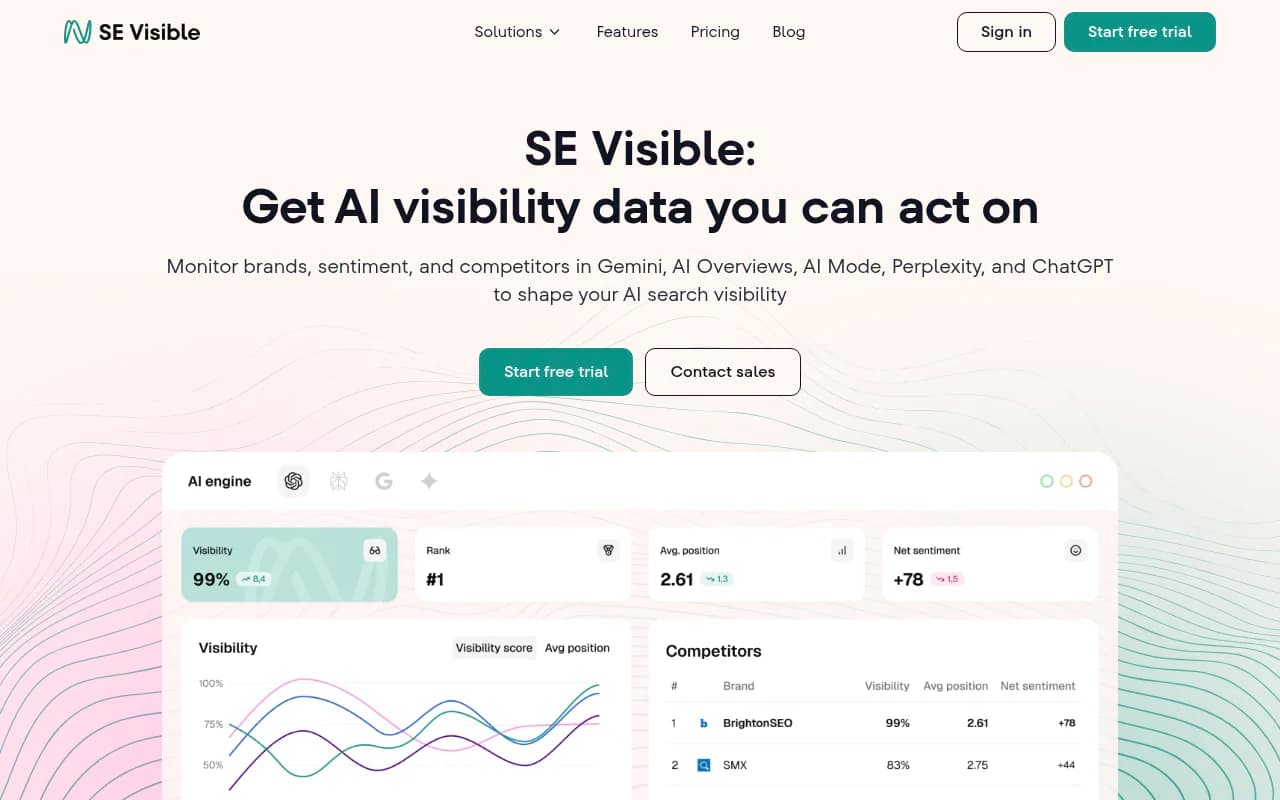
SE Visible (from SE Ranking) is a user-friendly AI visibility tracker with a clean interface for teams that want AI-specific monitoring without the full SEO platform overhead.
Thruuu is built specifically for content teams that want to monitor AI Overview presence and understand which content types get cited.
Rankscale tracks AI search rankings across multiple engines, not just Google, which matters as ChatGPT and Perplexity become significant traffic sources.
Advanced Web Ranking has 20+ years of SERP tracking history and has added solid AI search visibility monitoring to its core platform.
The accuracy advantage of dedicated tools comes from a few things: they run checks from multiple locations and devices, they track changes over time with proper historical data, and they're designed to handle the variability of AI-generated results rather than treating them like static rankings.
Accuracy rating: 8/10. The right choice for teams that need reliable, scalable AI Overview monitoring.
Method 5: Full-stack GEO platforms (highest accuracy + actionability)
This is where tracking becomes optimization. The tools in this category don't just tell you whether you appear in AI Overviews -- they help you understand why you don't appear, and then help you fix it.
Promptwatch is the clearest example of this approach. It monitors AI Overview presence across Google and nine other AI engines (ChatGPT, Claude, Perplexity, Gemini, Grok, DeepSeek, Copilot, Meta AI, Mistral), but the monitoring is just the starting point.

What makes this category different:
The Answer Gap Analysis shows you exactly which prompts your competitors appear for that you don't. Not just "you're missing," but specifically which questions AI models are answering from competitor content instead of yours. That's actionable in a way that a visibility score isn't.
From there, Promptwatch's built-in AI writing agent generates content designed to get cited -- articles and comparisons grounded in 880M+ citations analyzed, with prompt volume data and competitor analysis baked in. This isn't generic content generation; it's content engineered around what AI models actually cite.
The AI Crawler Logs feature is something most tools lack entirely. You can see in real time when ChatGPT, Claude, and Perplexity crawl your site, which pages they read, and whether they encounter errors. If an AI crawler can't access your content, no amount of optimization will get you cited.
For teams serious about AI Overview visibility, the loop looks like this: find the gaps, create content that addresses them, watch your visibility scores improve, and connect that visibility to actual traffic through GSC integration or server log analysis.
Other platforms in this category worth evaluating:
AthenaHQ tracks visibility across 8+ AI search engines with a focus on brand monitoring.

Profound offers strong AI search tracking with good reporting features.

Otterly.AI is a more affordable entry point into dedicated AI monitoring, though it stops at monitoring and doesn't offer content generation.

Accuracy rating: 9/10. The most complete picture of AI Overview visibility, with the added benefit of telling you what to do next.
Comparison: all 5 methods at a glance
| Method | Accuracy | Cost | Scales to 100+ keywords | Shows competitor gaps | Helps you fix gaps |
|---|---|---|---|---|---|
| Manual Google search | Low | Free | No | No | No |
| Google Search Console | Medium | Free | Yes | No | No |
| Traditional SEO tools (Semrush, Ahrefs, SE Ranking) | Good | $100-$500/mo | Yes | Limited | No |
| Dedicated AI visibility tools (Nightwatch, Rankscale) | High | $50-$300/mo | Yes | Some | No |
| Full-stack GEO platforms (Promptwatch, AthenaHQ) | Highest | $99-$579/mo | Yes | Yes | Yes |
What actually affects whether you show up in AI Overviews
Tracking is only half the picture. If you're checking your visibility and finding gaps, here's what the research consistently points to as the factors that matter:
Direct, clear answers to specific questions. AI Overviews pull from content that answers a question completely in one place. If your article buries the answer in paragraph seven, you're competing against content that leads with it.
Structured content. Headers, bullet points, numbered lists, and FAQ sections all help AI models parse your content. This isn't about gaming the system -- it's about making your content readable for both humans and machines.
E-E-A-T signals. Google's AI Overviews heavily weight content from sources that demonstrate experience, expertise, authority, and trustworthiness. Author bios, citations, original research, and domain authority all matter.
Query intent alignment. AI Overviews appear most often for informational queries. If your content is optimized for transactional intent but you're trying to appear in AI Overviews for research-phase queries, you're targeting the wrong stage.
Crawlability. This one gets overlooked. If AI crawlers can't access your pages -- due to robots.txt rules, slow load times, or JavaScript rendering issues -- you can't appear in AI Overviews regardless of content quality. Checking your AI crawler logs (available in platforms like Promptwatch) can surface these issues fast.
Which method should you use?
If you're running a small site and want a quick check: start with an incognito Google search and then look at your Search Console data for AI Overview impressions. That combination costs nothing and gives you a reasonable baseline.
If you're an SEO professional managing multiple clients or a mid-size brand with 50-200 target keywords: a traditional SEO tool with AI Overview features (SE Ranking is a strong pick here) gives you the scale and historical tracking you need.
If you're a marketing team that wants to compete seriously for AI Overview visibility and actually move the needle: a full-stack GEO platform is the right investment. The difference between knowing you're invisible and knowing exactly why -- and having the tools to fix it -- is significant.
AI Overviews aren't going away. Google has invested too much in the feature and users have adapted to expecting AI-generated summaries at the top of results. The brands that figure out visibility tracking now, and build the content infrastructure to support it, will have a real advantage over those still doing manual spot checks in 2027.