Chameleon Review 2026
Creates guided product tours, tooltips, and in-app messages to improve user activation. Helps SaaS teams drive feature adoption without developer resources.
Summary
- Best for: Mid-market to enterprise SaaS companies (50-500+ employees) that want polished, native-feeling in-app experiences without relying on developers
- Standout strength: AI-powered content generation and deep customization options that let you build experiences matching your product's exact design language
- Pricing: Starts at $279/month for 2,000 monthly tracked users (MTUs). Growth plan from $15K/year. Enterprise custom pricing.
- Main limitation: Higher price point than basic competitors like Appcues. Overkill for early-stage startups with simple onboarding needs.
- Bottom line: If you care about UX quality and need granular control over who sees what and when, Chameleon delivers. If you just need basic tooltips, look elsewhere.
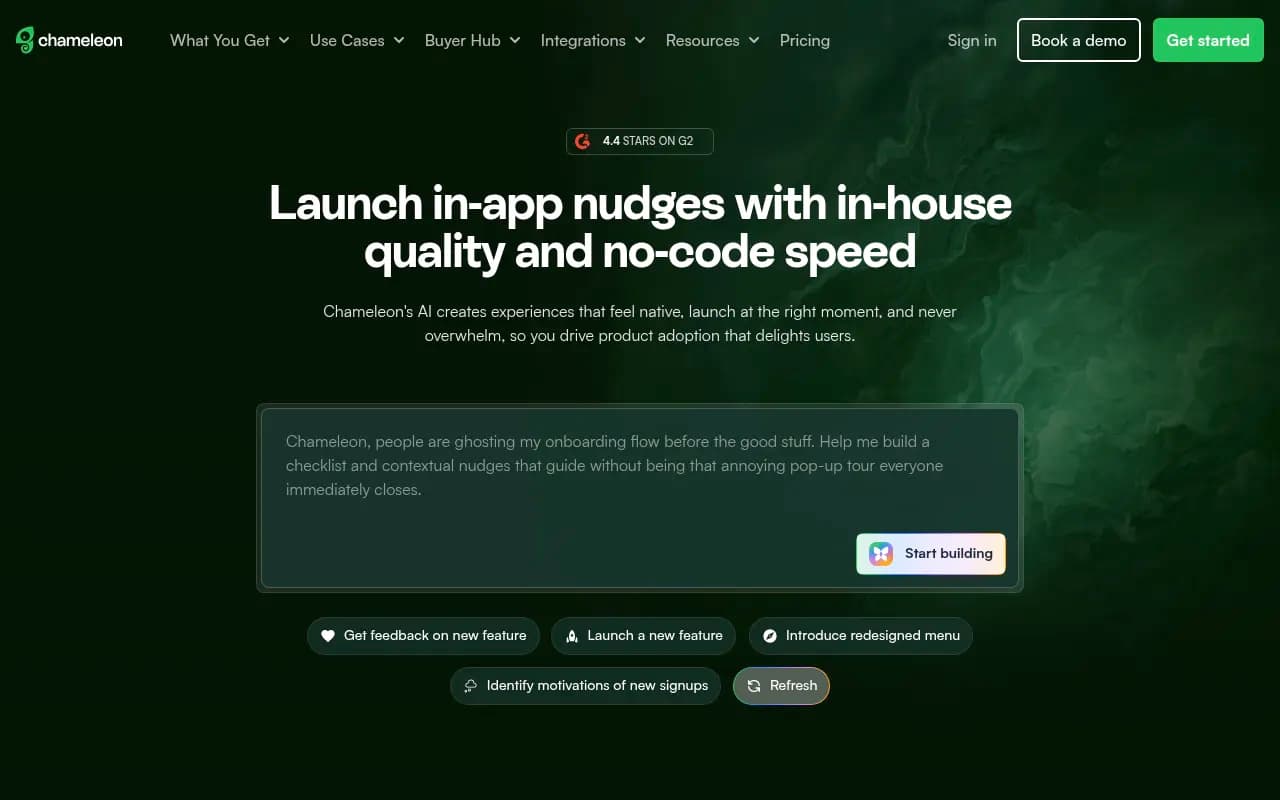
Chameleon is a product adoption platform built for SaaS teams that refuse to compromise on user experience. Founded in 2015, the company has carved out a position as the go-to tool for companies like Degreed, Fivetran, Mixpanel, and ClickUp -- teams that need in-app guidance sophisticated enough to match their product's polish. The platform focuses on creating "experiences" (their term for any in-app element) that blend into your product rather than screaming "third-party tool." Think embedded checklists, contextual banners, and smart tooltips that trigger based on actual user behavior, not just page loads.
What sets Chameleon apart is the depth of control it gives product and marketing teams. You're not stuck with pre-fab templates that look like every other SaaS onboarding flow. You can customize down to CSS-level detail, target users with surgical precision using behavioral data and custom events, and test variations to see what actually moves metrics. The 2024/2025 addition of AI capabilities (content generation, smart suggestions) speeds up the creation process without sacrificing that control.
Core Capabilities
Tours & Walkthroughs: Multi-step guided experiences that walk users through features or workflows. You can trigger these on specific pages, after certain events, or when users match defined segments. Each step can be a modal, tooltip, or banner. The builder lets you position elements relative to specific DOM elements in your app (supports Shadow DOM and SPAs). Smart Delay triggers tours during natural pauses in user activity rather than interrupting active work.
Checklists: Persistent progress trackers that live in your app's UI. Users see what steps they've completed and what's next. You control where the checklist appears (inline positioning lets you embed it directly in your app's sidebar or dashboard). Each checklist item can trigger its own tour or link to specific features. Completion tracking ties to custom events, so you know when users actually finish tasks, not just click through.
Tooltips & Banners: Contextual nudges that appear based on page elements, user properties, or events. Tooltips attach to specific UI elements. Banners sit at the top or bottom of pages. Both support rich media, CTAs, and can be dismissed or snoozed. Rate limiting prevents users from getting overwhelmed by too many messages at once.
Microsurveys: In-app surveys that collect feedback without pulling users out of your product. Multiple question types (NPS, multiple choice, open text). Responses sync to your analytics tools and CRM. You can branch survey flows based on answers or trigger follow-up experiences for specific response segments.
AI Assistant: Generates or improves content for your experiences. Feed it a help article URL and it'll create bullet points. Ask it to change tone (more casual, more formal). Suggest improvements to existing copy. The AI knows your product context from previous experiences you've built, so suggestions feel relevant rather than generic. This isn't a full autopilot -- you still review and edit -- but it cuts creation time significantly.
Segmentation & Targeting: This is where Chameleon gets serious. You can target experiences based on:
- User properties (plan tier, role, company size, custom attributes from your database)
- Behavioral data (pages visited, features used, events triggered)
- Engagement history (completed previous tours, dismissed certain messages)
- Technical context (browser, device type, language)
- On-page elements (show only if specific DOM elements exist)
- Time-based rules (days since signup, time of day)
Grouped filters let you combine multiple conditions with AND/OR logic. You can create reusable audience segments or define targeting inline for each experience. CSV imports let you target specific user lists. Automatic tagging based on button clicks creates dynamic segments.
A/B Testing: Native experimentation for tours and surveys. Create variants, set traffic splits, define success metrics (completion rate, goal events, downstream actions). Statistical significance calculations tell you when you have a winner. Push the winning variant live with one click. This runs inside Chameleon -- no need to coordinate with your feature flagging tool, though integrations exist if you want that.
Analytics & Reporting: Performance dashboards show views, completions, dismissals, and drop-off points for each experience. Funnel view reveals where users bail in multi-step tours. Timeline graphs track performance over time. Experience Goals let you measure downstream impact -- did users who saw this tour actually adopt the feature? Integrations with Heap, Mixpanel, Amplitude, and GA4 send Chameleon events to your analytics stack for deeper analysis.
Integrations: Two-way connections with 30+ tools. Analytics platforms (Heap, Mixpanel, Amplitude, GA4) receive Chameleon events and send user properties back for targeting. CDPs (Segment, Freshpaint) sync data bidirectionally. Reverse ETL tools (Hightouch, Census) pull data from your warehouse for targeting. Feature flags (LaunchDarkly) coordinate in-app messaging with feature rollouts. CRMs and support tools (Intercom, Zendesk) trigger experiences based on customer data. Webhooks and REST API for custom integrations.
Developer Experience: JavaScript snippet installs in minutes. RESTful API for programmatic control of experiences. Webhooks for real-time event streaming. Element selector works with Shadow DOM and single-page apps. Custom CSS support for pixel-perfect styling. Debug script in browser console helps troubleshoot targeting issues. The platform is built to work without developer involvement for day-to-day use, but the API is there when you need it.
Collaboration & Governance: Activity feed logs all changes to experiences with comments for context. Review Changes feature shows side-by-side diffs before publishing. Admin approval workflows prevent accidental launches. Experience tagging organizes campaigns by team, product area, or initiative. Templates (50+ pre-built, plus custom) speed up creation and maintain consistency. Rate limiting and alert systems protect against showing too many experiences or experiences that aren't performing.
Localization & Accessibility: Multi-language support with translation file uploads. Show experiences in users' preferred language automatically. Accessibility features include focus management, tab traps, keyboard navigation, and image labeling to meet WCAG standards. Mobile filters let you show/hide experiences on mobile devices.
Who This Is For
Chameleon fits best for mid-market to enterprise B2B SaaS companies with complex products and users who need guidance to unlock value. Specific personas:
Product managers at SaaS companies with 50-500+ employees: You need to drive feature adoption without waiting for engineering sprints. You care about UX quality and want in-app messaging that matches your product's design language. You have multiple user segments (free vs paid, different roles, different use cases) that need tailored onboarding.
Growth and product marketing teams: You're launching new features monthly and need a fast way to announce them in-product. You run experiments to optimize conversion and activation. You want to cross-sell premium features to free users or upsell add-ons to existing customers based on usage patterns.
Customer success teams at PLG companies: You're responsible for activation and expansion metrics. You need to guide trial users to aha moments, help power users discover advanced features, and reduce support tickets by providing contextual help. You want to collect feedback (NPS, feature requests) without pulling users out of the product.
Industries: Particularly strong in project management (ClickUp, Shortcut), data/analytics (Fivetran, Mixpanel), HR tech (Degreed), fintech (AvidXchange), and other horizontal SaaS with diverse user bases and complex feature sets.
Company stage: Best fit for Series A+ companies with product-market fit and growing user bases. Early-stage startups (pre-Series A, <20 employees) often find the pricing steep and the feature set more than they need. Enterprise companies (1000+ employees) appreciate the security compliance (SOC 2 Type II, GDPR, CCPA), advanced governance, and white-glove support.
Who should skip this: Early-stage startups with simple products and straightforward onboarding flows. If your onboarding is "sign up, connect integration, done," you don't need Chameleon's depth. Companies with very small user bases (under 500 active users) will struggle to justify the cost. Teams that don't care about design polish and just need basic tooltips can use cheaper alternatives.
Integrations & Ecosystem
Chameleon connects to your existing stack rather than trying to replace it. Key integrations:
Analytics: Heap, Mixpanel, Amplitude, Google Analytics 4. Bidirectional -- Chameleon sends event data (tour views, completions, survey responses) and receives user properties for targeting.
Customer Data Platforms: Segment, Freshpaint. Install via native integration, sync user properties and events both ways.
Reverse ETL: Hightouch, Census. Pull data from your warehouse (Snowflake, BigQuery, Redshift) into Chameleon for advanced targeting based on product usage, billing data, or custom models.
Feature Flags: LaunchDarkly. Coordinate feature rollouts with in-app announcements. Show tours only to users in specific flag cohorts.
CRM & Support: Salesforce, HubSpot, Intercom, Zendesk. Trigger experiences based on CRM data (account tier, renewal date) or support interactions.
Communication: Slack (alerts when experiences underperform), Chili Piper (launch booking modals from button clicks).
Other: Zapier for custom workflows. Google OAuth and SSO for secure team access. Two-factor authentication on all plans.
The REST API and webhooks let you build custom integrations. Documentation is thorough. Most integrations install in under 10 minutes.
Pricing & Value
Chameleon uses a usage-based model tied to Monthly Tracked Users (MTUs) -- unique users who could see a Chameleon experience in a given month, whether or not they actually do.
Startup Plan: From $279/month for 2,000 MTUs. Includes unlimited experiences, A/B testing, basic integrations, email support. Good for growing SaaS companies that have found product-market fit and need more than basic onboarding.
Growth Plan: From $15,000/year (roughly $1,250/month). Higher MTU limits, advanced features (rate limiting, element rules, custom CSS, priority support), strategic onboarding. This is the sweet spot for mid-market companies (100-300 employees) with 5,000-20,000 active users.
Enterprise Plan: Custom pricing. Unlimited MTUs, dedicated success manager, SLA guarantees, advanced security (SSO, custom data retention), API rate limit increases, migration support from other tools. For companies with 500+ employees or complex compliance needs.
All plans include the AI assistant, core experience types (tours, checklists, tooltips, surveys), segmentation, analytics, and standard integrations. Free trial available (no credit card required). Annual billing offers discounts.
Value assessment: Chameleon is priced higher than basic competitors like Appcues (starts around $249/month) or Userflow (starts around $200/month). You're paying for deeper customization, better UX quality, and more sophisticated targeting. For companies where in-app experience quality directly impacts conversion and retention, the ROI is clear. AvidXchange reported the tool "paid itself multiple times over." Chili Piper generated $150K+ ARR from upsells in 4 weeks using Chameleon. For companies just checking a box ("we need product tours"), cheaper tools exist.
Strengths
Design flexibility: Custom CSS, inline positioning, element-based triggering, and granular styling options mean your experiences can match your product's exact look and feel. This matters for brand-conscious companies.
Targeting precision: The segmentation engine is legitimately powerful. Combine behavioral data, user properties, page context, and custom events with AND/OR logic. Most competitors offer basic targeting; Chameleon goes deep.
AI speed without losing control: The AI assistant generates content and suggests improvements, but you're still in the driver's seat. It's a productivity boost, not an autopilot that makes decisions for you.
Native A/B testing: Built-in experimentation with statistical significance calculations. No need to coordinate with external tools or manually track variants.
Integration depth: 30+ native integrations plus API/webhooks. Data flows both ways, so you can target based on warehouse data and send Chameleon events to your analytics stack.
Governance & safety: Rate limiting, alert systems, admin approval workflows, and change review prevent bad experiences from reaching users. This matters at scale.
Limitations
Price: The $279/month starting point is steep for early-stage startups. Growth plan at $15K/year is a significant commitment. You need real ROI to justify it.
Learning curve: The depth of features means there's more to learn than simpler tools. Onboarding helps, but expect a week or two before your team is fully productive.
Overkill for simple use cases: If you just need basic tooltips or a single onboarding checklist, Chameleon's feature set is more than you need. Simpler (cheaper) tools will do the job.
Mobile app support: Chameleon works on mobile web but doesn't have native iOS/Android SDKs. If your product is primarily a mobile app (not mobile web), you'll need a different solution.
Bottom Line
Chameleon is the right choice for SaaS companies that treat in-app experience as a competitive advantage, not an afterthought. If you're a product manager at a Series A+ company with a complex product, diverse user segments, and a design team that cares about polish, this is your tool. The AI speeds up creation, the targeting engine ensures relevance, and the customization options mean your experiences feel native, not bolted on.
Skip it if you're pre-product-market fit, have a tiny user base, or just need basic onboarding tooltips. The pricing and feature depth won't make sense.
Best use case in one sentence: Mid-market B2B SaaS companies (100-500 employees) that need to drive feature adoption and user activation with in-app experiences that match their product's UX quality, without waiting for engineering resources.
Tags:
Frequently asked questions
What is Chameleon and what does it do?
How much does Chameleon cost?
Who is Chameleon best for?
Does Chameleon offer a free plan?
What are the key features of Chameleon?
How is Chameleon different from Appcues?
Can I use Chameleon without developers?
Does Chameleon have AI features?
Similar and alternative tools to Chameleon