HubSpot Marketing Hub Review 2026
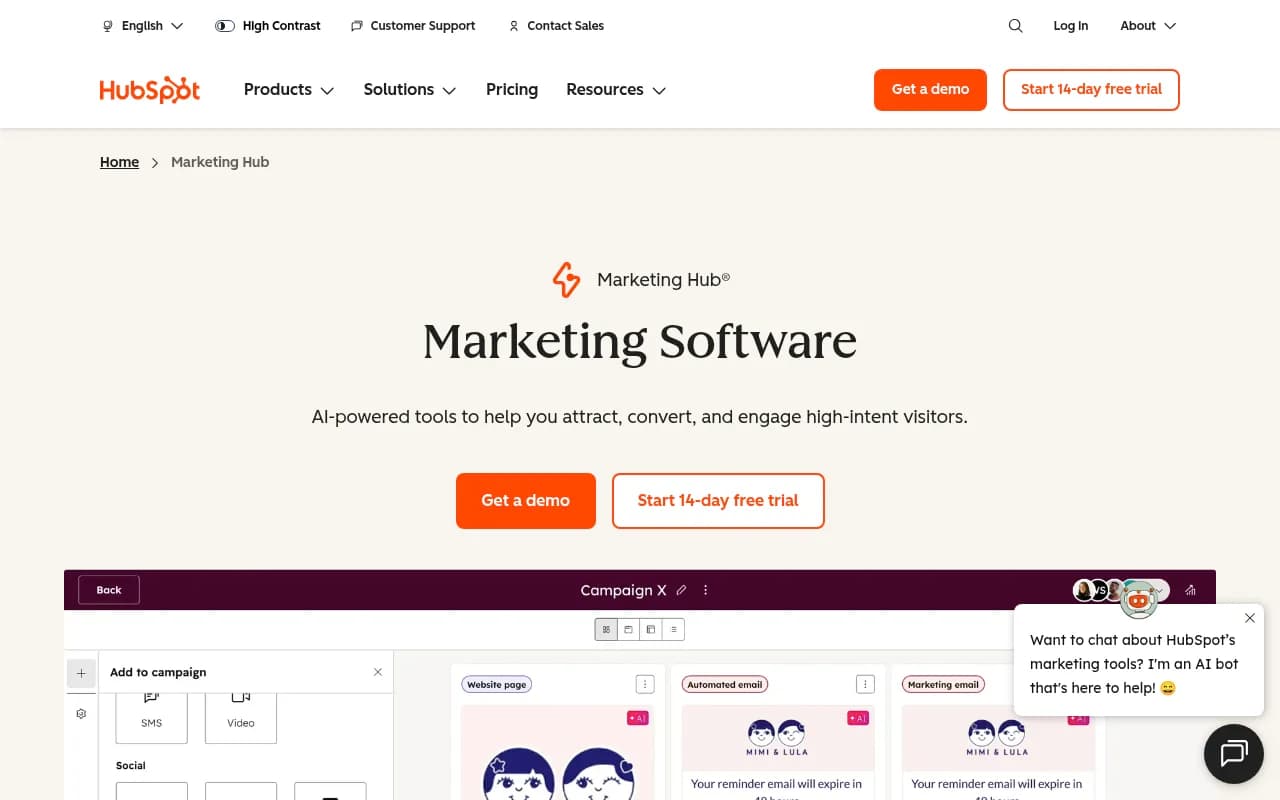
HubSpot Marketing Hub is an AI-powered marketing platform for SMBs to enterprise teams. It covers email automation, lead capture, social media, analytics, and AEO tools — all connected to HubSpot's CRM.
Key takeaways
- HubSpot Marketing Hub is one of the most complete marketing automation platforms available, covering email, social, forms, analytics, and now AI-powered AEO tools in a single connected system.
- The free tier is genuinely useful for small teams getting started, but the jump to Professional ($890/month) is steep and may price out growing SMBs.
- Deep CRM integration is the platform's biggest structural advantage -- marketing data and sales data live in the same place without any syncing gymnastics.
- The new Breeze AI suite and HubSpot AEO features are interesting additions, but they're relatively early-stage compared to dedicated AI visibility platforms like Promptwatch that offer deeper citation tracking, crawler logs, and content gap analysis.
- Best suited for companies already in (or planning to adopt) the HubSpot ecosystem -- standalone, it's harder to justify at Professional and Enterprise price points.
HubSpot Marketing Hub is the marketing arm of HubSpot's broader customer platform, which also includes Sales Hub, Service Hub, Content Hub, Commerce Hub, and Data Hub. HubSpot itself was founded in 2006 by Brian Halligan and Dharmesh Shah at MIT, and it's largely credited with popularizing the concept of inbound marketing. The company went public in 2014 and has grown into one of the most recognized names in B2B software, with over 200,000 customers across more than 135 countries as of its most recent reporting.
Marketing Hub specifically targets marketing teams that want to run campaigns, capture leads, automate email sequences, manage social media, and measure ROI -- all without stitching together a dozen separate tools. The pitch is consolidation: instead of running Mailchimp for email, Hootsuite for social, Unbounce for landing pages, and Google Analytics for reporting, you do it all inside HubSpot. That consolidation story is genuinely compelling when it works, and for many mid-market companies, it does.
The target audience spans a wide range: solo marketers at startups using the free tier, marketing teams of 5-20 at growth-stage SaaS companies on Professional, and enterprise marketing departments running multi-region campaigns on the Enterprise plan. HubSpot has also built a large agency partner ecosystem, so many companies end up using Marketing Hub through an agency relationship rather than directly.
Key features
AI-powered email marketing HubSpot's email tools have been around for years, but the Breeze AI layer added recently changes the workflow meaningfully. You can generate email copy, subject lines, and personalization tokens using CRM data -- so an email to a contact who downloaded a specific whitepaper can reference that action automatically. The drag-and-drop editor is solid, A/B testing is available on Professional and above, and send-time optimization uses engagement data to pick the best delivery window per contact. Compared to Mailchimp or ActiveCampaign, HubSpot's email is slightly less flexible in template design but significantly more powerful when it comes to CRM-driven personalization.
Marketing automation and workflows The workflow builder is one of HubSpot's strongest features. You can trigger sequences based on contact properties, form submissions, page visits, deal stages, or custom events. Branching logic lets you build genuinely complex nurture paths without needing a developer. The visual canvas is clear enough that a non-technical marketer can build multi-step workflows, though more advanced use cases (like webhook-based triggers or custom-coded actions) require Professional or Enterprise. Compared to Marketo or Pardot, HubSpot's automation is easier to use but slightly less powerful at the very high end.
Lead capture: forms and audience segments Forms in HubSpot are smart -- they can progressively profile contacts by showing different fields on repeat visits, so you're not asking someone for their company name every time they download something. The Audience Segments feature lets you identify and target anonymous website visitors based on fit and intent signals, which is useful for prioritizing outreach. The Breeze Customer Agent (an AI chatbot) can engage visitors in real time, qualify them, and route them to the right resource or sales rep. This is a meaningful upgrade over basic live chat.
Social media management Marketing Hub includes a social inbox that consolidates posts, scheduling, and monitoring across major platforms. You can publish to LinkedIn, Facebook, Instagram, X (Twitter), and YouTube from one place, schedule content in advance, and track engagement metrics. It's functional but not as deep as dedicated social tools like Sprout Social or Buffer -- the listening and competitive benchmarking features are limited. For teams that want social as part of a broader marketing stack rather than a primary focus, it's good enough.
Marketing analytics and attribution This is where Marketing Hub genuinely earns its price tag at the Professional and Enterprise levels. Multi-touch revenue attribution lets you see which campaigns, channels, and content pieces actually influenced closed deals -- not just which ones got the last click. The customer journey analytics (called Pathfinder) maps where visitors drop off or convert across touchpoints. Custom dashboards can pull in data from across the HubSpot platform, and you can share reports with stakeholders without giving them full platform access. The reporting is meaningfully better than what you get from most standalone marketing tools.
HubSpot AEO (Answer Engine Optimization) This is the newest addition and worth discussing separately. HubSpot has launched an AEO suite that includes an AEO Grader (to assess how vulnerable your content is to AI replication), a Blog Research Agent (to generate content ideas based on high-intent queries), an AEO Strategy canvas (personalized recommendations for AI search), and Breeze Assistant (which helps format content for AI crawlability with meta descriptions, FAQs, and structured formatting). The intent is to help marketers adapt to AI search engines like ChatGPT and Perplexity.
These tools are genuinely useful as a starting point, but they're beta features built into a broader platform rather than a dedicated AI visibility solution. They don't offer the depth of citation tracking, AI crawler logs, prompt volume scoring, or competitor heatmaps that purpose-built platforms provide. If AI search visibility is a primary concern for your business, you'll likely find HubSpot's AEO tools useful for content formatting but insufficient for tracking and optimizing your actual presence across AI models.
Lookalike lists A newer feature that uses your existing contact data to identify similar high-potential prospects within your database. It's essentially an AI-powered audience expansion tool that works on your first-party data rather than requiring a third-party data purchase. Useful for demand generation teams that have a large contact database but aren't sure which segments to prioritize.
Personalization Website personalization in HubSpot lets you show different content to different visitors based on CRM properties, lifecycle stage, industry, or behavior. This is available on Professional and above. It's a meaningful capability -- showing a returning customer different CTAs than a first-time visitor, for example -- but the implementation requires some setup and the options are less granular than dedicated personalization tools like Mutiny.
Who is it for
HubSpot Marketing Hub works best for B2B companies with a defined sales process and a marketing team that needs to hand off qualified leads to sales. The sweet spot is a company with 20-500 employees, a marketing team of 2-10 people, and a sales team already using (or willing to use) HubSpot CRM. SaaS companies, professional services firms, and B2B tech companies fit this profile well. The CRM-native approach means marketing and sales share the same contact records, which eliminates the "which system is the source of truth" problem that plagues teams using separate tools.
For e-commerce and B2C companies, Marketing Hub is less obviously the right choice. The platform has added more e-commerce features over time (Commerce Hub, Shopify integration), but it's fundamentally designed around longer sales cycles and relationship-based selling. A DTC brand running high-volume email campaigns to a list of 500,000 customers will find Klaviyo or Braze more purpose-built for that use case.
Enterprise marketing teams at companies with 1,000+ employees may find Marketing Hub's Enterprise plan ($3,600/month) competitive with Marketo or Eloqua, particularly if they're already using HubSpot for CRM. The platform has matured significantly at the enterprise level, with features like custom objects, advanced permissions, and multi-team management. That said, very large organizations with complex data architectures and heavy customization needs sometimes find HubSpot's opinionated data model limiting.
Who should probably not use Marketing Hub: solo freelancers who just need a simple email newsletter tool (Mailchimp's free tier is simpler and cheaper), companies that need deep social listening and competitive benchmarking (Sprout Social is better), and teams whose primary marketing challenge is AI search visibility (dedicated GEO platforms offer far more depth than HubSpot's beta AEO features).
Integrations and ecosystem
HubSpot's integration ecosystem is one of its genuine strengths. The HubSpot Marketplace lists over 2,000 integrations, covering CRMs, ad platforms, analytics tools, e-commerce platforms, and more. Notable integrations include:
- Salesforce: Bi-directional sync, including lead scores, email opens, form submissions, and website activity. This is one of the better-built Salesforce integrations in the market.
- Google Ads and Meta Ads: Sync audiences and track ad performance directly in HubSpot dashboards.
- Slack: Notifications for deal activity, form submissions, and workflow triggers.
- Zapier: Connects HubSpot to thousands of additional tools for teams that need custom automation.
- Shopify and WooCommerce: Sync e-commerce data for abandoned cart workflows and purchase-based segmentation.
- LinkedIn Lead Gen Forms: Pull LinkedIn form submissions directly into HubSpot contacts.
- Zoom and Google Meet: Log meeting activity and connect video engagement to contact records.
HubSpot also has a well-documented public API, which developers use to build custom integrations, sync data with internal systems, or extend platform functionality. The API is REST-based and reasonably well-maintained, though rate limits can be a constraint for high-volume use cases.
There's no dedicated mobile app for Marketing Hub specifically, but the HubSpot mobile app (iOS and Android) gives access to contacts, deals, and basic reporting. It's not designed for building campaigns on mobile -- that's desktop work.
Pricing and value
HubSpot Marketing Hub has four tiers:
- Free: $0/month. Includes basic email marketing, lead capture forms, live chat, and limited CRM. Genuinely useful for very small teams or those just getting started. HubSpot branding appears on emails and forms.
- Starter: Starts at $15/month per seat (discounted from $20 for new customers). Removes HubSpot branding, adds calls-to-action, multiple currencies, and basic automation. Good for small teams that have outgrown the free tier.
- Professional: Starts at $890/month (3 seats included). This is where the platform gets serious -- marketing automation, custom reporting, A/B testing, social media tools, SEO recommendations, and the Breeze Customer Agent. The jump from Starter to Professional is significant both in price and capability.
- Enterprise: Starts at $3,600/month (5 seats included). Adds revenue tracking, advanced A/B testing, customer journey mapping, custom objects, and multi-team management.
The pricing structure has a notable gap between Starter and Professional that catches many growing companies off guard. A team that needs automation and reporting has to jump from ~$15/seat to $890/month minimum, which is a meaningful commitment. Competitors like ActiveCampaign offer automation at lower price points, though without the CRM integration depth.
For companies already using HubSpot CRM (which is free), the value proposition of Marketing Hub improves significantly because you're not paying for a separate CRM. Bundling multiple Hubs (Marketing + Sales + Service) also unlocks discounts and the full power of the connected platform. Evaluated as a standalone marketing tool, Professional and Enterprise are expensive. Evaluated as part of a complete go-to-market stack, the math looks better.
A 14-day free trial is available for premium editions, which is enough time to evaluate the core features but probably not enough to fully assess automation and reporting capabilities.
Strengths and limitations
What it does well:
- CRM-native architecture: Marketing data and sales data live in the same system without syncing headaches. This is genuinely rare and valuable -- contact records show every email opened, page visited, form submitted, and deal stage change in one timeline.
- Ease of use at scale: For a platform this capable, HubSpot is remarkably learnable. A new marketing hire can be running campaigns within days, not weeks. The UI is consistent and the documentation is thorough.
- Attribution reporting: Multi-touch revenue attribution at the Professional and Enterprise levels is among the best in the mid-market. Connecting marketing activity to closed revenue is a real capability, not just a checkbox.
- Ecosystem depth: 2,000+ integrations, a large partner network, and a well-maintained API mean HubSpot fits into most existing tech stacks without major friction.
- All-in-one consolidation: For teams tired of managing five separate tools, having email, social, forms, landing pages, analytics, and CRM in one place has real operational value.
Limitations:
- The Starter-to-Professional pricing cliff: The gap between $15/seat and $890/month is jarring. Many teams find themselves needing Professional features but struggling to justify the cost jump.
- AEO and AI visibility features are surface-level: HubSpot's new AEO tools (AEO Grader, Blog Research Agent, AEO Strategy) are useful starting points, but they don't offer the depth of dedicated AI visibility platforms. There's no citation tracking across AI models, no AI crawler logs, no prompt volume data, no competitor heatmaps, and no traffic attribution from AI search. Teams serious about understanding and improving their presence in ChatGPT, Perplexity, or Google AI Overviews will need a purpose-built tool alongside HubSpot.
- Social media depth: The social inbox is functional but won't satisfy teams for whom social is a primary channel. Listening, competitive benchmarking, and influencer tracking are limited compared to Sprout Social or Hootsuite.
- Opinionated data model: HubSpot's CRM structure works well for most B2B use cases but can feel constraining for companies with complex or non-standard data relationships. Custom objects help, but they're an Enterprise-only feature.
Bottom line
HubSpot Marketing Hub is the right choice for B2B marketing teams that want a connected, CRM-native platform and are willing to pay for the Professional or Enterprise tier to get the full value. The free and Starter tiers are genuinely useful entry points, but the platform's real power -- automation, attribution, personalization -- lives at $890/month and above.
For teams whose marketing strategy increasingly depends on AI search visibility, HubSpot's AEO tools are a reasonable starting point but not a complete solution. Tracking your brand's actual presence across ChatGPT, Perplexity, Claude, and other AI models, understanding which content gets cited, and optimizing based on real citation data requires a dedicated platform. In that space, Promptwatch offers the depth that HubSpot's beta AEO features don't yet match.
Best use case: A B2B SaaS or professional services company with 50-500 employees that wants to consolidate email, automation, social, and reporting into one CRM-connected platform and is ready to commit to the HubSpot ecosystem long-term.
Frequently asked questions
What is HubSpot Marketing Hub?
Is there a free version of HubSpot Marketing Hub?
How much does HubSpot Marketing Hub cost?
Who is HubSpot Marketing Hub best for?
Does HubSpot Marketing Hub help with AI search visibility?
What integrations does HubSpot Marketing Hub support?
Similar and alternative tools to HubSpot Marketing Hub