Key takeaways
- Google Search Console shows AI Overview impressions but doesn't isolate them from standard organic traffic -- you need extra steps to separate the signal
- A Conductor study of 21.9 million searches found that 25.11% triggered an AI Overview in Q1 2026, up sharply from 2025
- Citations inside AI Overviews typically link to only 2-7 sources per query, so competition is fierce and tracking is essential
- The most complete tracking setup combines Google Search Console filters, GA4 referral segmentation, and a dedicated AI visibility tool
- Tracking citations without acting on the gaps is wasted effort -- the goal is a repeatable loop: find where you're missing, fix it, watch the numbers move
Why this matters more than you might think
Most SEO teams are still optimizing for the ten blue links. That's not wrong, but it's increasingly incomplete. AI Overviews now sit above organic results for a large and growing share of queries, and the citations inside them capture attention that used to flow to ranked pages.
Pew Research found that users clicked a traditional result in only 8% of visits when an AI summary appeared, versus 15% without one. That's a near-halving of click-through rates. The citation slots inside the Overview become the primary path to visibility for that query.
And yet, most marketers have no reliable way to know when they're cited, when they lose a citation, or which pages are earning those slots. Google Search Console doesn't separate AI Overview impressions from standard organic impressions. GA4 doesn't label AI Overview referrals by default. Without deliberate setup, you're invisible to your own visibility.
This guide walks through a complete tracking system, from free tools you already have to dedicated platforms built specifically for this.
Step 1: Set up Google Search Console filtering for AI Overviews
Google Search Console is the starting point. It won't give you a clean "AI Overview citations" report out of the box, but with the right filters you can get close.
What to look for in GSC
Log into Search Console and go to the Performance report. Switch to the "Search type: Web" view. From here:
- Click "New" under the filter bar and select "Search appearance"
- Look for the "AI Overviews" filter option (Google rolled this out progressively in 2025-2026)
- Apply the filter to isolate impressions and clicks attributed to AI Overview appearances
If the AI Overviews filter isn't available for your property yet, a workaround is to filter by queries that typically trigger AI Overviews (informational, how-to, and comparison queries) and watch impression trends over time. It's imprecise, but it gives you directional data.
What the data tells you
When you isolate AI Overview appearances, pay attention to:
- Impressions: how often your page appeared as a citation source
- Clicks: how many users actually clicked through from the citation
- Click-through rate: typically lower than standard organic, but a citation with even 1-2% CTR on a high-volume query can drive meaningful traffic
- Position: which queries are triggering your citations
Export this data weekly into a spreadsheet. Tracking week-over-week changes is where the real value comes from -- a sudden drop in impressions on a query you previously owned is a signal that a competitor has displaced you.
Step 2: Set up GA4 referral tracking for AI traffic
Google Search Console shows you when AI Overviews cite your pages. GA4 shows you what happens after those users arrive. The two together give you a more complete picture.
Configure a custom channel grouping
In GA4, go to Admin > Data Display > Channel Groups. Create a new channel group called "AI Search" and add conditions for referrals from known AI sources. For Google AI Overviews specifically, traffic often arrives as organic search rather than a distinct referral, which is why GSC filtering (Step 1) is the more reliable source for Overview-specific data.
However, other AI platforms do show up as referrals. Add these domains to your AI Search channel:
perplexity.aichat.openai.comclaude.aigemini.google.comcopilot.microsoft.com
Build a dedicated AI traffic report
Create an Exploration report in GA4 that segments sessions by your new AI Search channel. Track:
- Sessions from AI referrals over time (weekly/monthly trend)
- Pages receiving AI referral traffic (which content is being cited)
- Engagement rate and conversions from AI traffic vs. other channels
This won't capture every AI Overview citation (since many appear as organic), but it will show you the AI platforms that do pass referral data, and it gives you a baseline for measuring whether your AI visibility work is translating into actual visits.
Step 3: Build a manual citation audit process
Automated tools are great, but a manual audit done monthly gives you ground truth that no tool can replicate. It also helps you understand why certain pages get cited, not just that they do.
The manual audit process
Pick 20-30 queries that matter to your business. These should be informational or comparison queries where AI Overviews commonly appear. For each query:
- Open an incognito browser window (to avoid personalization)
- Search the query on Google
- Note whether an AI Overview appears
- If it does, record which sources are cited in the Overview
- Note your position in the Overview source list (if cited) or which competitor holds the slot (if not)
Log this in a spreadsheet with columns for: query, date, AI Overview present (Y/N), your domain cited (Y/N), competitor domains cited, and any notes on the content type cited.
Run this audit monthly. Over three to six months, patterns emerge: which query types you consistently win, which you consistently lose, and whether specific content updates changed your citation rate.
What to look for
Pay attention to which type of content gets cited. Research from Growth Memo found that 44.2% of AI citations come from the first 30% of page text. If you're losing citations on queries where you rank well organically, the issue is often content structure, not authority.
Step 4: Use a dedicated AI visibility tracking tool
Manual audits and GSC filters will only take you so far. For ongoing tracking across many queries, you need a tool that runs automated checks at scale.
Several platforms now track Google AI Overview citations specifically. Here's how the main options compare:
| Tool | AI Overview tracking | Competitor comparison | Content gap analysis | Crawler logs | Price range |
|---|---|---|---|---|---|
| Promptwatch | Yes | Yes | Yes | Yes | From $99/mo |
| Otterly.AI | Yes | Basic | No | No | From ~$49/mo |
| SE Ranking | Yes | Yes | No | No | From $65/mo |
| Semrush | Partial | Yes | No | No | From $139/mo |
| Ahrefs Brand Radar | Partial | Limited | No | No | From $129/mo |
| Rankscale | Yes | Yes | No | No | From $49/mo |
| Thruuu | Yes | No | No | No | From $29/mo |
The key distinction between these tools is whether they just show you data or help you act on it. Most monitoring-only tools will tell you your citation rate is dropping -- but they won't tell you what to do about it.
Promptwatch is built around a full action loop: find the queries where competitors are cited but you're not, generate content that fills those gaps, then track whether the new content earns citations. That cycle is what separates an optimization platform from a dashboard.

For teams that just need basic monitoring without content tools, Otterly.AI and Rankscale are solid starting points.

SE Ranking has added AI visibility features to its existing SEO platform, which makes it a reasonable option if you're already a customer.

For content teams specifically focused on AI Overview monitoring, Thruuu is worth a look.
Step 5: Track citation changes at the page level
Knowing your overall citation rate is useful. Knowing which specific pages are earning or losing citations is where you can actually take action.
Page-level citation tracking
In your dedicated tracking tool (or in your manual audit spreadsheet), record citations at the URL level, not just the domain level. A site might have 50 pages, but only 3 of them are regularly cited in AI Overviews. Those 3 pages are your citation assets -- they need to be protected and studied.
For each cited page, track:
- Which queries trigger a citation to that page
- Citation frequency over time (weekly or monthly)
- Any content changes you've made to that page and when
- Competitor pages that appear alongside yours in the same Overview
When a page loses citations, compare the current version against the version that was being cited. Google often updates its training data and citation preferences as content changes -- a well-intentioned update can accidentally remove the specific passage that was being cited.
Set up change alerts
Use a tool like ContentKing to monitor your cited pages for unintended changes. If a developer removes a heading, changes a URL, or alters a key passage, you want to know immediately.
Step 6: Monitor competitor citation patterns
Your citation rate only tells half the story. The other half is who's winning the slots you're not.
Competitor citation analysis
In your tracking tool, set up competitor domains alongside your own. For each query you care about, you want to see:
- Which competitors are cited when you're not
- Which competitors appear alongside you (and how often)
- Whether specific competitors are gaining or losing citation share over time
This data tells you where the real gaps are. If a competitor is consistently cited for a query where you rank #2 organically, the problem isn't your authority -- it's your content structure or the specific angle you're covering.
Promptwatch's competitor heatmaps show citation share across AI models side by side, which makes this analysis much faster than manual checking.
Tools like Profound and AthenaHQ also offer competitor tracking, though they're more monitoring-focused.


Step 7: Build a reporting cadence
Tracking data is only useful if someone looks at it regularly and connects it to decisions. Here's a reporting structure that works for most teams.
Weekly check (15 minutes)
- Review GSC AI Overview impressions for any sharp drops or spikes
- Check your tracking tool's citation rate for your top 10 priority queries
- Flag any queries where you've lost a citation slot to a competitor
Monthly review (1 hour)
- Run your manual citation audit across your 20-30 priority queries
- Review page-level citation data: which pages gained or lost citations
- Compare against any content changes made in the prior month
- Update your competitor citation tracking
Quarterly analysis (2-3 hours)
- Pull trend data across all tracked queries for the quarter
- Identify which content investments drove citation gains
- Identify the highest-value queries where you're still not cited
- Plan content or optimization work for the next quarter based on gaps
Step 8: Connect citations to business outcomes
Citation tracking is only meaningful if you can connect it to something that matters to the business. This is where most tracking setups fall short.
Attribution from AI citations
In GA4, segment your AI referral traffic (from Step 2) and look at:
- Goal completions or conversions from AI-referred sessions
- Revenue attributed to AI referral sessions (for e-commerce)
- Engagement metrics: pages per session, time on site, scroll depth
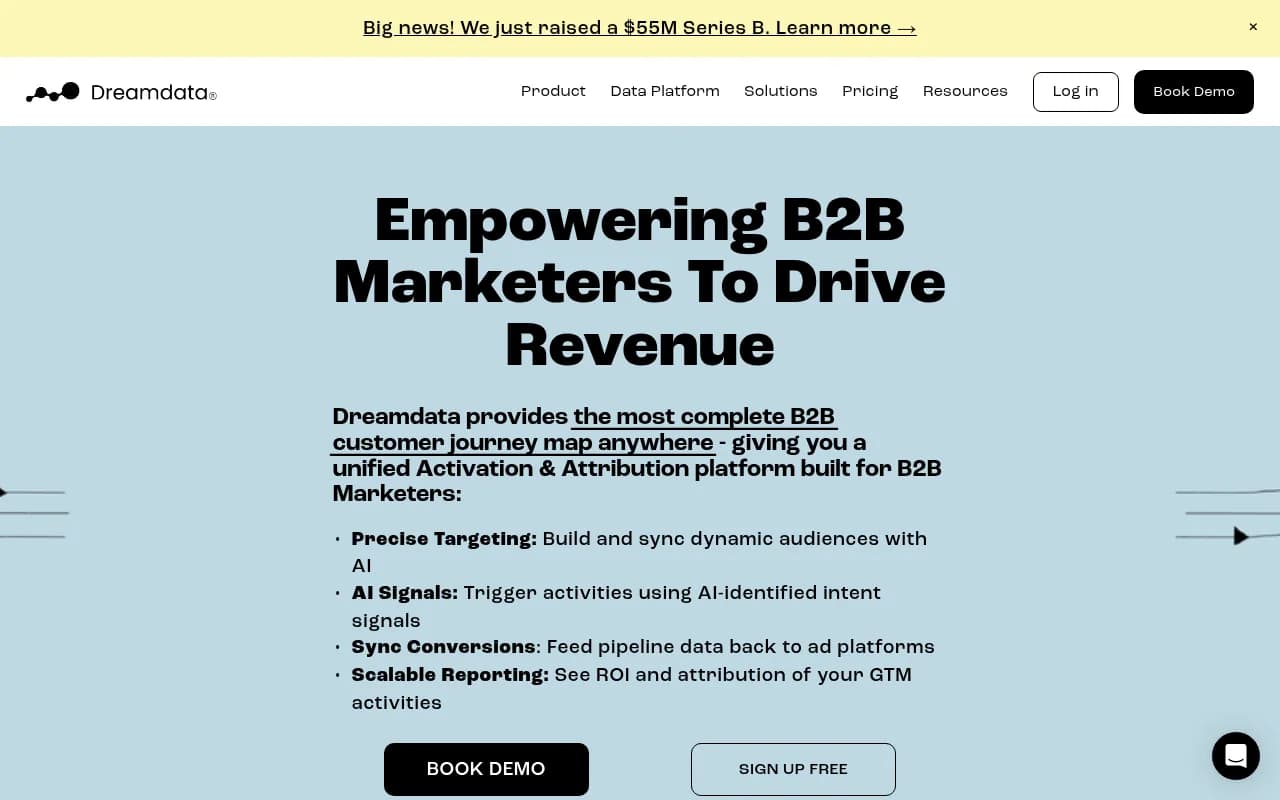
For B2B teams, HockeyStack and Dreamdata can connect AI referral sessions to pipeline and revenue in ways that GA4 alone can't.
The metric that matters most
For most teams, the most actionable metric isn't raw citation count -- it's citation rate on high-intent queries. A citation on "best project management software for remote teams" is worth far more than ten citations on informational queries that never convert.
Prioritize tracking citations on queries that sit close to purchase decisions. Those are the ones worth fighting for.
Common mistakes to avoid
A few patterns consistently trip up teams new to AI Overview tracking:
Not separating AI Overview data from standard organic in GSC. The numbers look fine in aggregate, but you're missing the signal. Always apply the AI Overviews filter when it's available.
Tracking only your own domain. You need competitor data to understand whether a citation drop is a site-wide Google change or a specific competitive displacement.
Treating citation rate as a vanity metric. If your citation rate goes up but traffic and conversions don't move, either you're tracking low-intent queries or your cited content isn't compelling enough to earn the click. Both are fixable problems.
Making content changes without logging them. If you update a page and your citation rate changes, you need to know which change caused it. Keep a simple changelog tied to your citation tracking data.
Putting it all together
The tracking system described here has seven moving parts, but you don't need all of them on day one. A reasonable starting sequence:
- Set up GSC filtering for AI Overviews this week
- Add AI referral channel grouping in GA4
- Run your first manual citation audit on 20 priority queries
- Pick a dedicated tracking tool based on your budget and whether you need content gap analysis
- Build your reporting cadence once you have two to four weeks of baseline data
The goal isn't perfect data -- it's a consistent signal you can act on. Once you know which queries you're winning and losing, and which competitors are displacing you, you have everything you need to prioritize content work that actually moves your AI visibility numbers.

For teams that want to close the loop between tracking and content creation, Promptwatch's Answer Gap Analysis and Content Agents are worth exploring -- they're designed specifically to turn citation gap data into published content that earns those slots back.