Key takeaways
- WordPress has the widest support among AI writers. Webflow is well covered. Framer is the thin spot, with only a few tools publishing natively and the rest relying on Zapier, Make or webhooks.
- "Publishes to" can mean a live post, a draft for review, or a webhook you wire up yourself. Check which before you buy.
- Scheduled, hands-off publishing is common now, but most tools still make you approve a batch first. That is a good thing.
- Promptwatch Data suggests bulk blog posts are the wrong thing to automate. Product, landing, how-to and comparison pages earn more durable ChatGPT citations than news-style posts.
- Pick the tool by your CMS first, then by how much review you want in the loop.
Why publishing integrations matter more than the writing
Most AI writers produce passable drafts. The difference in daily use is what happens after the draft. Copying text into a CMS, fixing headings, re-uploading images, setting slugs and meta fields: that is where the hours go. A writer that pushes a finished post into your CMS with fields mapped correctly removes the boring part.
But I would be wary of treating "it publishes automatically" as the headline feature. Automatic publishing of mediocre content just gets you to a thin site faster. The integration is a delivery mechanism. The quality gate has to live somewhere, and the best tools build in a review step.
Three things "publishes to WordPress" can mean
Vendors use the phrase loosely. When you read a feature table, translate it into one of these:
- Native integration: you connect your site once, and posts arrive as drafts or live pages with title, body, images and categories mapped.
- Automation bridge: the tool sends a payload to Zapier or Make, and you build the step that creates the post. Works, but you own the plumbing.
- Webhook only: the tool fires a webhook and nothing else. Fine for developers, a chore for everyone else.
The second and third options are why Framer coverage looks so patchy. Framer's CMS is newer and has fewer off-the-shelf connectors than WordPress, so many tools list it as "webhook only" or skip it.
Which writers publish where
The table below pulls from a vendor-published comparison by Blawgy, so treat it as the vendors' own claims. Blawgy is itself one of the tools listed, which is worth keeping in mind. Verify anything you care about in each tool's docs.
| Tool | WordPress | Shopify | Webflow | Wix | Framer | Scheduled publishing |
|---|---|---|---|---|---|---|
| Blawgy | Yes | Yes | Yes | Yes | Yes | Yes, 1 to 7 posts a week |
| Koala AI | Yes | Yes | Yes | No | No | Boost plan and up, after you approve a batch |
| SEOwriting.ai | Yes | Yes | No | No | No | Batches you start, spread over set dates |
| Machined | Yes | Webhook only | Yes | Webhook only | Webhook only | No, you publish each cluster |
| Byword | Yes | Listed on site, not in docs | Yes | No | Yes | Campaign runs you set up |
| Frase | Yes | No | Yes | Yes | No | Yes, once switched on per content type |
| Jasper | Via Zapier or Make | No | App inside Webflow | No | No | Not described |
The pattern is clear. WordPress is nearly universal. Webflow is common. Framer is where you have to look closely.
The tools, one at a time
Byword
Byword is one of the few that lists Framer alongside WordPress and Webflow. It works in campaign runs: you set up a batch, it researches, writes, optimizes and publishes. If you run a Framer site and want a native route, it is worth a look.
Frase
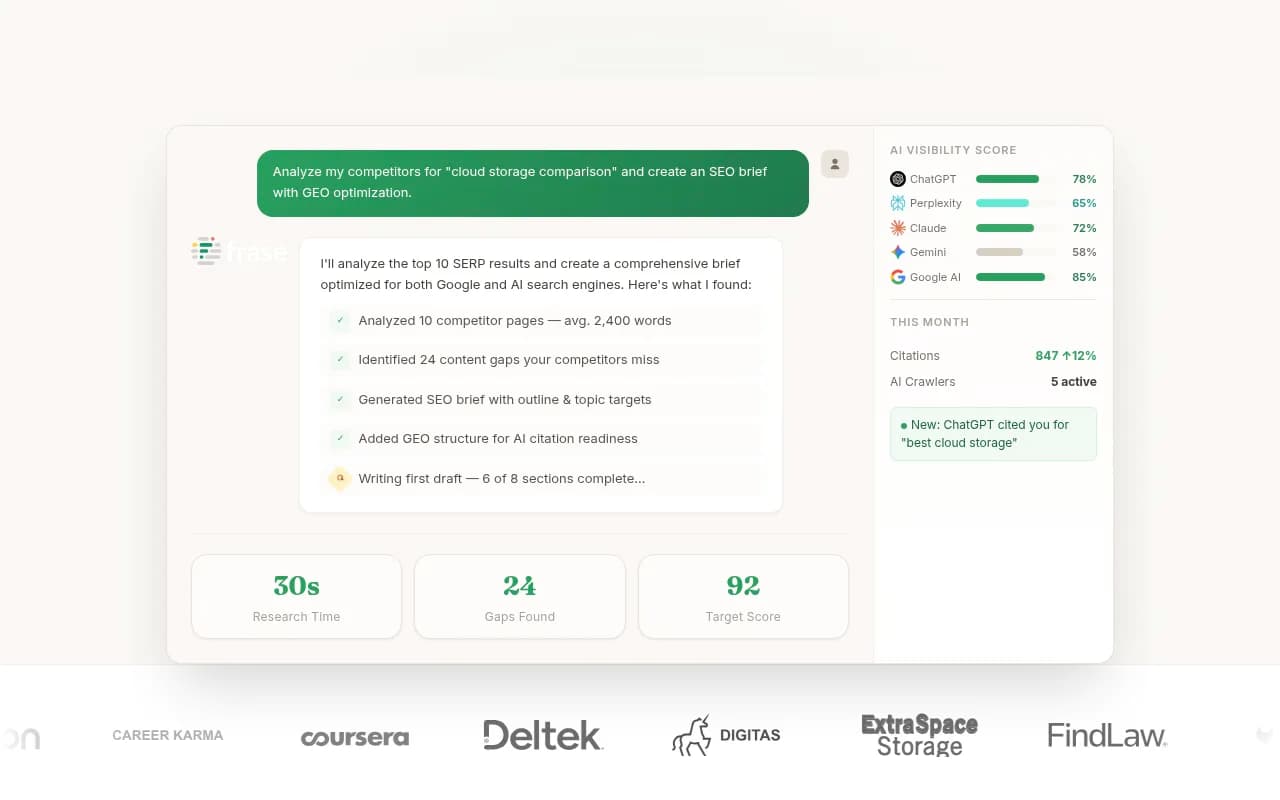
Frase publishes to WordPress, Webflow and Wix, and its agent can draft and publish on its own once you switch it on for a content type. According to the Blawgy comparison, every content type starts in review and publishing stays inside your monthly article limit and a cap you set. I like that default. It starts cautious and lets you loosen it.
Jasper
Jasper's Webflow route is an app inside Webflow. For WordPress it goes through Zapier or Make. That is fine if you already run those automations, less so if you wanted one-click publishing.

Koala AI and SEOwriting.ai
KoalaWriter writes from a keyword using the model you choose and publishes to WordPress, Shopify, Webflow or Ghost. Its calendar autopilot sits on the Boost plan ($99) and above, and you approve a planned batch first. SEOwriting.ai is the bulk option, writing up to 100 articles per batch for WordPress or Shopify, with batches you start yourself. Neither covers Framer.
Blawgy and Machined
Blawgy is the broadest on paper, covering five platforms with scheduling. Machined publishes to WordPress and Webflow but has no recurring schedule, so you publish each cluster yourself. That is slower, and arguably safer.
Other options in the catalog
If you want to compare more, a few others in our directory pitch auto-publishing: Outrank and SurgeGraph for volume, and Blogged for SaaS blogs. Check the CMS list on each before committing, since coverage changes quickly.


For wider browsing, the software directory at surferstack.com lists many more writers by category.
Platform notes: WordPress, Webflow and Framer
WordPress
The REST API plus application passwords makes WordPress the easiest target. Almost every tool supports it, and drafts, categories, tags and featured images map cleanly. The catch is the usual WordPress maintenance burden. One comparison puts roughly 95% of WordPress vulnerabilities down to outdated plugins, so adding yet another connector plugin has a cost.
Webflow
Webflow publishes through CMS collections. The quality of a writer's Webflow integration depends on how well it maps fields to your collection: rich text, slug, cover image, reference fields. Webflow also has its own AI features, including CMS item generation, so check whether native generation is enough before adding a third-party writer. Entry pricing runs from about $18 a month per Flowout's comparison.
Framer
Framer is fast to publish from and keeps the design and live site in one tool, which agencies like. Its CMS is smaller though. Framer's own comparison lists Basic at $10 a month billed yearly with 2 CMS collections, and Pro at $30 with 10 collections plus staging. A blog-heavy site will hit those limits sooner than on WordPress. Framer also advertises MCP support for connecting external AI tools, which may become the cleaner route for writers over time, but I would not plan around that until the tool you want documents it.
Comparison: choosing by platform
| Your platform | Best-fit approach | Watch out for |
|---|---|---|
| WordPress | Any native writer; pick on quality and review controls | Plugin bloat, security updates |
| Webflow | Native integration with collection field mapping | Fields that do not map, CMS item limits |
| Framer | Byword or Blawgy natively, or an automation bridge | Small CMS collection limits on cheaper plans |
| Mixed stack | A bridge such as Zapier, Make or n8n | You maintain the workflow |



If your writer of choice does not support your CMS, Zapier, Make or n8n can close the gap. It is more setup, but you control the mapping.
What to publish automatically, and what not to
This is the part most tool comparisons skip. Promptwatch Data's report on which content types ChatGPT cites most, covering Sep 28 to Oct 4, 2026, found product pages took 22.4% of classified citations and landing pages 16.8%. Listicles got 13.6%, how-tos 8.7%, comparisons 5.9% and news 5.7%.
A second Promptwatch Data report on content half-life, tracking pages ChatGPT cited on July 6, 2026, found news pages lost half their citations in about five weeks, while landing pages and docs held most of theirs for months.
What does that mean for automated writers? A tool that ships daily news-style blog posts is feeding the formats with the shortest citation life. Better targets for automation are comparison pages, step-by-step guides and FAQ sections, mapped to the prompts people actually ask. Whichever writer you choose, the integration only saves time if the thing being published is worth finding.
That is also why I would measure results after publishing. Tools like Promptwatch can show whether new pages get crawled and cited by AI systems, and it also has its own Content Agent that publishes to WordPress, Webflow and Framer, which puts the writing and the tracking in one loop.

For a wider shortlist of GEO-focused tools, the directory at bestgeosoftware.com is a reasonable place to keep browsing.
A practical setup checklist
- Start with drafts, not live posts. Run 5 to 10 articles through review before you switch on auto-publish.
- Test field mapping on one article. Check slug, meta description, images, categories and internal links in the CMS itself.
- Set a monthly cap. Frase-style caps stop a runaway queue from flooding the site.
- Fix your brand facts. Feed the writer your product details so it stops inventing them.
- Review at a fixed cadence. Weekly is enough for most teams.
- Check what gets crawled and cited after 30 days, then cut formats that do nothing.
Which one should you pick?
- Framer site, want native publishing: Byword or Blawgy, after checking current docs.
- Webflow site with structured collections: Frase, Koala or Byword, depending on how much review you want.
- WordPress with high volume: SEOwriting.ai for cheap bulk drafts, Koala for calendar autopilot.
- Already deep in Zapier or Make: Jasper works through them.
- Want writing, publishing and AI citation tracking together: Promptwatch.
One caveat on all of this. Pricing and integration lists change monthly, and much of the feature data above comes from vendor pages. Confirm with each tool's current docs and trial it on a staging site before pointing it at production.

The short version: pick by CMS, keep a human review step, and aim the automation at pages that last.