SearchVIU Review 2026
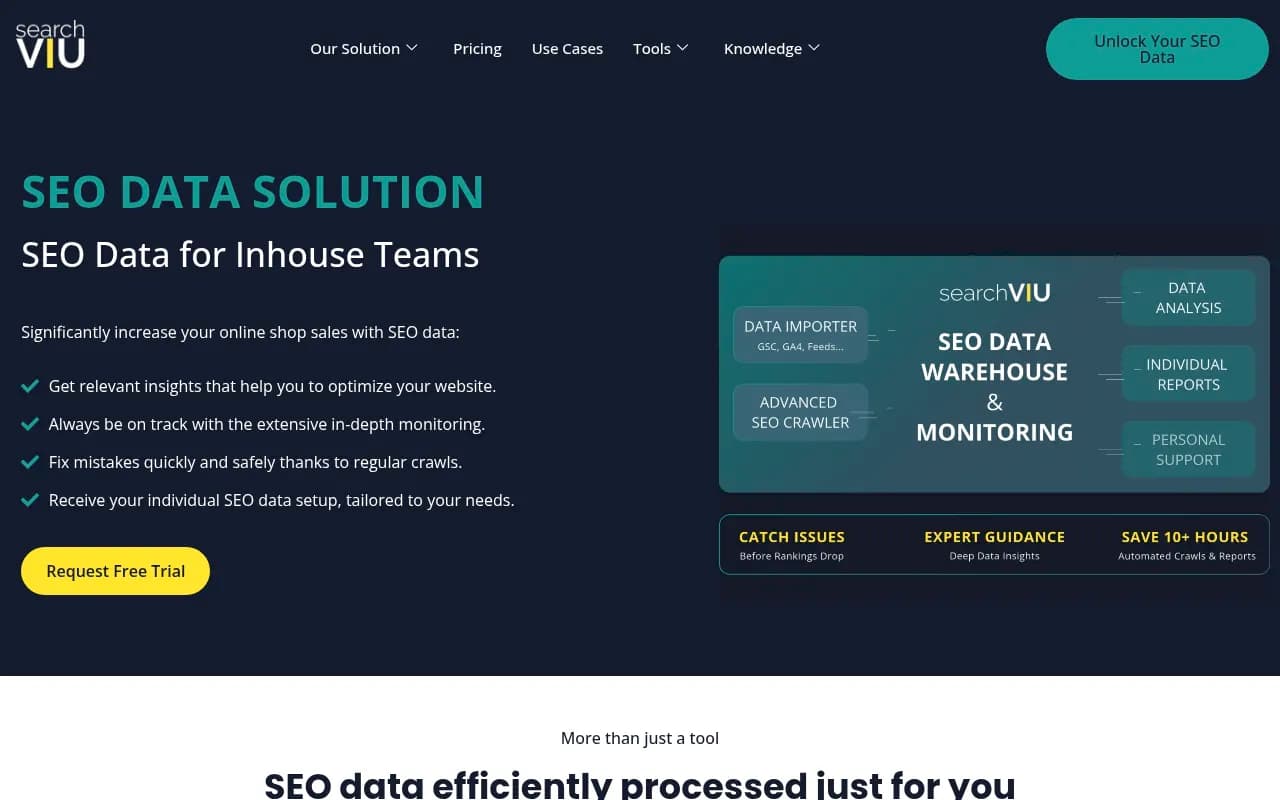
SearchVIU is a managed SEO data platform that combines automated crawling, change monitoring, and custom reporting with hands-on support from SEO analysts. Built for in-house teams and agencies managing complex websites, it delivers prioritized insights, intelligent alerts, and tailored reports -- e
Summary
- Best for: In-house SEO teams at e-commerce companies, large publishers, and agencies managing complex international sites or relaunches
- Core strength: Combines automated SEO data warehousing with personal analyst support -- you get the infrastructure and the expertise in one package
- Key limitation: Not a self-service tool -- requires onboarding and consultation, which means it's not for small sites or teams wanting instant DIY access
- Pricing: Custom quotes based on crawl volume and data needs; entry-level starts around $250/month according to comparison data
- Standout feature: Crawl-to-crawl change detection with intelligent alerts that filter out noise and surface only the issues that actually matter
SearchVIU positions itself as an SEO data solution rather than just another crawling tool. The company -- run by Michael Weber and Eoghan Henn -- targets in-house marketing teams at mid-to-large companies who need reliable, ongoing SEO monitoring but don't want to spend hours configuring crawlers or interpreting raw data dumps. The pitch is simple: they handle the technical infrastructure (crawling, data warehousing, report generation) while their analysts help you figure out what the data actually means for your specific business.
This is a managed service disguised as a platform. You're not signing up for a dashboard you navigate alone -- you're getting a team that sets up custom crawls, builds reports in Looker Studio (formerly Google Data Studio), and walks you through the findings. That approach appeals to companies who've tried tools like Screaming Frog or Sitebulb and found themselves drowning in spreadsheets, or teams who need someone to translate technical SEO issues into action items for developers.
What SearchVIU actually does
Automated crawling as a service: SearchVIU runs regular crawls of your site on a schedule you define (daily, weekly, whatever fits your change velocity). The crawl data gets stored in a cloud data warehouse, which means you can query historical data going back months or years. This is different from tools like Screaming Frog where each crawl is a one-off snapshot -- here, every crawl feeds into a persistent database you can analyze over time.
Crawl-to-crawl change detection: After each crawl, SearchVIU automatically compares the new data against the previous crawl and flags what changed. Did 500 product pages suddenly lose their meta descriptions? Did internal linking structure shift after a CMS update? The system surfaces these deltas so you can catch issues before they tank your rankings. This is the core value -- most teams don't have time to manually diff crawl reports, so changes slip through until traffic drops.
Intelligent alerts: Not every change matters. SearchVIU's alert system is designed to filter out irrelevant noise (like minor content tweaks) and only notify you about problems that could hurt SEO -- broken redirects, missing canonicals, pages dropping out of the index, sudden spikes in 404s. You configure thresholds and rules during onboarding, and the system learns what's normal for your site.
Custom reporting in Looker Studio: Instead of logging into yet another dashboard, SearchVIU builds custom reports in Looker Studio that pull directly from your data warehouse. This means you can combine SEO crawl data with Google Search Console metrics, Google Analytics traffic, and other data sources in one unified view. Reports are tailored to different stakeholders -- a high-level exec summary for leadership, a detailed technical report for developers, a content-focused view for editorial teams. Once built, these reports auto-update with each new crawl.
Relaunch and migration support: SearchVIU specializes in website relaunches -- the high-risk moments when companies change domains, restructure URLs, or migrate to a new CMS. They'll crawl your staging environment before launch, compare it against production, flag potential issues (redirect chains, missing pages, broken internal links), and then monitor closely post-launch to catch any problems that slip through. One client (daydreams.it) specifically called out how SearchVIU helped them navigate a complex relaunch involving domain, protocol, and content changes without losing traffic.
Competitor monitoring: SearchVIU can also crawl competitor sites on a regular schedule and track changes to their content, internal linking, structured data, and technical setup. This isn't as deep as a dedicated competitive intelligence tool, but it's useful for spotting when a competitor launches new category pages, changes their site structure, or starts targeting new keywords.
Personal analyst support: This is what separates SearchVIU from pure software plays. You get direct access to their SEO analysts (Michael and Eoghan are frequently mentioned in testimonials) who help interpret findings, prioritize fixes, and answer questions. If you're not sure whether a crawl issue is worth fixing or how to explain a technical problem to your dev team, you can ask them. It's closer to hiring a fractional SEO consultant than buying a SaaS subscription.
Who this is built for
SearchVIU works best for in-house SEO teams at companies with:
-
Large, complex websites: E-commerce sites with thousands of product pages, international publishers with multi-language content, or platforms with dynamic URL structures. The testimonials mention clients like Galeria Kaufhof Karstadt (major German retailer), Reifen24 (tire e-commerce), and Just Amazing (international e-commerce). These are sites where a single crawl might cover 50,000+ URLs and where small technical issues can cascade into big traffic losses.
-
Frequent site changes: If your dev team ships updates weekly or you're constantly adding new content, you need continuous monitoring. SearchVIU's automated crawling and change detection catch issues in near real-time instead of discovering them weeks later when rankings have already dropped.
-
Multiple stakeholders: Companies where SEO insights need to be shared across teams -- marketing, product, engineering, editorial, leadership. The custom Looker Studio reports let you create different views for different audiences without duplicating work.
-
Agencies managing multiple clients: Digital marketing consultants and agencies use SearchVIU to monitor client sites without maintaining separate crawling infrastructure for each one. Luke Fitzgerald (RightFitz) mentions using it to "do the work of a small team" for large-scale data collection and automation.
SearchVIU is probably overkill for small businesses with sub-1000 page sites, solo consultants who only need occasional audits, or teams that already have strong in-house technical SEO expertise and just need raw crawling tools. If you're comfortable configuring Screaming Frog and building your own reports, you might not need the hand-holding.
Integrations and technical setup
SearchVIU stores crawl data in a cloud data warehouse (likely BigQuery or similar, though they don't specify publicly). The Looker Studio connector lets you pull that data into custom dashboards alongside:
- Google Search Console: Merge crawl data with actual search performance (impressions, clicks, rankings)
- Google Analytics: Connect technical issues to traffic impact
- Other SEO tools: If you're using tools like Ahrefs or Semrush for backlink data or keyword tracking, you can theoretically combine that data in Looker Studio as well
There's no public API mentioned, so this isn't a platform you'd integrate into your own custom tooling. It's designed as an end-to-end managed solution.
Pricing and value
SearchVIU doesn't publish standard pricing -- it's all custom quotes based on your site size, crawl frequency, and data needs. The only concrete number I found was from a comparison site mentioning "entry-level Single Matter subscription starts at $250/month" with per-GB hosting fees. That's significantly cheaper than enterprise SEO platforms like BrightEdge or Conductor (which start in the thousands per month), but more expensive than DIY tools like Screaming Frog ($259/year) or Sitebulb ($35-$115/month).
The value proposition depends on whether you need the analyst support. If you're paying $250-500/month and getting regular crawls, custom reports, and access to experienced SEO consultants who help you interpret the data, that's a solid deal for a mid-sized company. You're essentially getting fractional SEO consulting bundled with the tooling. But if you just need raw crawl data and can handle the analysis yourself, you'd save money with a cheaper crawler.
SearchVIU offers a free trial, but you have to request it through a form and schedule a consultation first. This isn't a "sign up and start crawling in 5 minutes" product -- there's an onboarding process where they learn about your site and configure everything for you.
Strengths
-
Change detection that actually works: The crawl-to-crawl comparison and intelligent alerting is the killer feature. Most teams struggle to manually compare crawl reports, so having this automated and filtered for relevance is huge.
-
Relaunch expertise: If you're planning a migration or major site restructure, SearchVIU's experience here is valuable. They know what to check, what typically breaks, and how to monitor post-launch.
-
Looker Studio integration: Building custom reports that combine crawl data with GSC and GA in one place saves hours of manual data wrangling. Once set up, stakeholders get auto-updating dashboards without you having to regenerate reports.
-
Personal support: Having analysts you can ask questions to is a big differentiator vs. pure software tools. The testimonials consistently mention the team's responsiveness and expertise.
-
Historical data warehouse: Being able to query crawl data from months ago is useful for tracking long-term trends, understanding when issues first appeared, or proving the impact of optimizations.
Limitations
-
Not self-service: You can't just sign up and start using it -- there's a consultation and onboarding process. If you need to audit a site tomorrow, this won't work.
-
Opaque pricing: No public pricing makes it hard to budget or compare against alternatives. You have to go through a sales process to get a quote.
-
Limited to crawling and monitoring: SearchVIU doesn't do keyword research, backlink analysis, rank tracking, or content optimization. It's purely focused on technical SEO monitoring. You'd need to pair it with other tools (Ahrefs, Semrush, etc.) for a complete SEO stack.
-
Requires Looker Studio knowledge: While they build the initial reports, if you want to customize or extend them, you need to understand Looker Studio. Not everyone on your team will be comfortable with that.
-
No mention of AI crawling or AI search visibility: SearchVIU is a traditional technical SEO tool focused on website crawling and monitoring. It doesn't track how your brand appears in AI search engines like ChatGPT, Perplexity, Claude, or Google AI Overviews -- a growing blind spot as AI-driven search gains traction. If you need to monitor and optimize for AI citations and visibility, you'd need a dedicated GEO platform.
Bottom line
SearchVIU is a strong fit for in-house SEO teams at mid-to-large companies who need reliable, ongoing technical monitoring with expert guidance. If you're managing a complex site (e-commerce, international, frequent changes) and don't have the bandwidth to manually analyze crawl data or configure alerts, the combination of automated infrastructure and analyst support delivers real value. The crawl-to-crawl change detection and custom Looker Studio reporting are particularly useful for catching issues early and communicating findings to non-technical stakeholders.
It's less suitable for small sites, solo consultants who only need occasional audits, or teams that prefer full control over their tooling. The managed service model means you're trading flexibility for convenience -- you get a solution that works out of the box, but you can't tinker with every setting or integrate it into custom workflows.
Best use case in one sentence: In-house SEO teams at e-commerce or publishing companies who need continuous technical monitoring and expert help interpreting the data, especially during high-risk periods like site relaunches.
Frequently asked questions
What is SearchVIU and what does it do?
Who is SearchVIU best for?
How much does SearchVIU cost?
Is SearchVIU a free tool?
What makes SearchVIU different from tools like Screaming Frog or Sitebulb?
What is SearchVIU's standout feature?
Does SearchVIU require technical setup or can I start using it immediately?
What kind of reporting does SearchVIU provide?
Similar and alternative tools to SearchVIU