Key takeaways
- Most analytics setups in 2026 still misattribute AI search traffic as "direct" or "referral," making it nearly impossible to measure the ROI of your GEO efforts without deliberate configuration.
- There are three main attribution methods: GSC integration, JavaScript tracking snippets, and server log analysis -- each with different coverage, accuracy, and setup complexity.
- Server logs are the most complete source of truth for AI crawler activity, but they require technical access and parsing work.
- GSC integration is the easiest starting point for Google-specific AI traffic (AI Overviews, AI Mode), but it won't capture ChatGPT, Perplexity, or Claude referrals.
- A combination of all three methods gives you the most complete picture of how AI search is actually driving traffic and revenue.
There's a frustrating gap in most marketing stacks right now. Brands are investing in content to rank in ChatGPT, Perplexity, and Google AI Overviews -- and some of it is working. But when they open GA4, that traffic shows up as "direct" or gets lumped into a generic referral bucket with no context. You can't optimize what you can't measure, and right now, most teams are flying blind on AI search attribution.
This guide walks through the three main methods for attributing AI search traffic in 2026, when to use each one, and how to combine them into something actually useful.
Why AI traffic attribution is broken by default
Traditional web analytics was built around a simple assumption: users click a link, the browser sends a referrer header, and your analytics platform logs where they came from. That model works fine for Google organic, paid ads, and social media.
AI search breaks it in two ways.
First, many AI engines don't pass referrer headers consistently. When someone reads a ChatGPT response that cites your article and then clicks through, the referrer data can be stripped or anonymized depending on the platform and the user's browser settings. GA4 sees the visit but has no idea where it came from, so it gets filed under "direct."
Second, a large portion of AI search "traffic" isn't traffic at all in the traditional sense. AI crawlers visit your pages to read and index your content, and that activity shows up in your server logs but not in GA4. The citation happens inside the AI's response -- the user may never click through to your site at all. If you're only measuring clicks, you're missing most of the picture.
The result: teams that are successfully getting cited by AI models often have no idea it's happening, and teams that aren't getting cited can't tell where the gap is.
Method 1: Google Search Console integration
What it covers
GSC is the right starting point for anyone trying to understand AI-driven traffic from Google's ecosystem specifically. This means Google AI Overviews and Google AI Mode, which together now reach tens of millions of daily users.
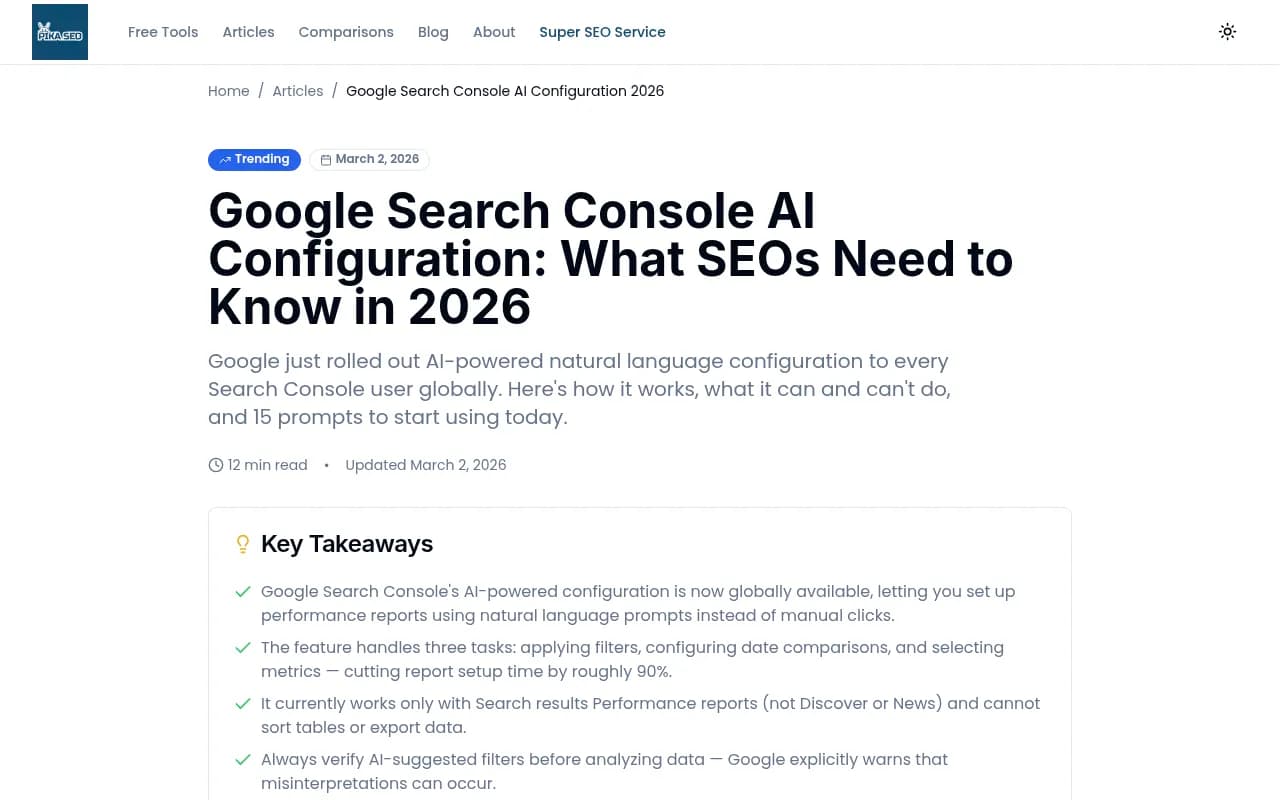
In February 2026, Google completed the global rollout of AI-powered configuration inside Search Console, letting you query your Performance report using natural language. You can type something like "show me queries where I appear in AI Overviews but have low CTR" and the system configures the filters automatically. That's genuinely useful for spotting where Google's AI is surfacing your content without driving clicks.
How to set it up
- Connect GSC to GA4 via the Google Analytics property settings (Admin > Property > Search Console Links). This pulls GSC data directly into GA4's acquisition reports.
- In GA4, navigate to Acquisition > Search Console > Queries. Filter for branded vs. non-branded terms to see where AI-influenced queries are landing.
- Inside GSC itself, use the Performance report's new AI configuration feature. Look for the "Customize using AI" banner and run prompts to segment AI Overview impressions from standard organic results.
- Set up custom segments in GA4 that isolate sessions where the landing page matches pages you know are being cited in AI Overviews.
What it misses
GSC only covers Google. It tells you nothing about ChatGPT referrals, Perplexity citations, Claude recommendations, or any other AI engine. If your audience uses multiple AI tools -- which most do -- GSC alone gives you a partial and potentially misleading picture.
It also can't tell you about AI crawler visits that don't result in clicks. If Googlebot-Extended (the crawler for AI training) is reading your pages, that shows up in server logs, not GSC.
When to use it
GSC integration is the right first step for any site that gets meaningful traffic from Google search. It's free, requires no code changes, and gives you a solid baseline for Google AI traffic. Start here, then layer in the other methods.
Method 2: JavaScript tracking snippets
What it covers
A JavaScript snippet placed on your site can capture referrer data at the session level and push it into your analytics platform with custom dimensions. The goal is to catch AI referrals that GA4 would otherwise misclassify.
The basic approach: when a visitor lands on your site, the snippet reads document.referrer, checks it against a list of known AI domains, and fires a custom event or sets a session-level dimension in GA4.
How to set it up
Here's a simplified version of what this looks like in practice:
// AI referral attribution snippet
const aiReferrers = [
  'perplexity.ai',
  'chat.openai.com',
  'chatgpt.com',
  'claude.ai',
  'gemini.google.com',
  'copilot.microsoft.com',
  'you.com',
  'phind.com'
];

const referrer = document.referrer;
const isAIReferral = aiReferrers.some(domain => referrer.includes(domain));

if (isAIReferral) {
  // Push to GA4 via gtag
  gtag('event', 'ai_referral', {
    'referrer_domain': new URL(referrer).hostname,
    'landing_page': window.location.pathname
  });

  // Optionally store in sessionStorage for cross-page attribution
  sessionStorage.setItem('ai_source', new URL(referrer).hostname);
}
You'd deploy this via Google Tag Manager or directly in your site's <head>. In GA4, create a custom dimension called "AI Referral Source" and map it to the event parameter.
The UTM approach
Some AI platforms (Perplexity in particular) have started appending UTM parameters to outbound links in certain contexts. If you see utm_source=perplexity in your GA4 acquisition data, that's a reliable signal. You can build a GA4 segment around utm_source containing known AI platform names to pull these sessions into a dedicated report.
For platforms that don't pass UTMs, you can also use URL parameters on your own content. If you publish content specifically targeting AI citation (like a well-structured FAQ page), add a ?ref=ai-content parameter and track it as a campaign in GA4. It won't tell you which AI engine cited you, but it will tell you that AI-optimized content is driving traffic.
Limitations
The snippet approach has a real ceiling. If a user's browser strips the referrer header (common with strict privacy settings, Firefox's Enhanced Tracking Protection, or HTTPS-to-HTTP transitions), the snippet sees nothing. Referrer data is also not available for direct traffic at all.
More fundamentally, this method only captures clicks. It says nothing about how often AI models are citing your content without users clicking through -- which, for many AI engines, is the majority of citations.
When to use it
Use the snippet approach when you need session-level data in GA4 and want to build attribution reports that connect AI referrals to conversions. It works well for e-commerce sites and lead-gen pages where you need to tie AI traffic to revenue. Pair it with UTM tracking for any content campaigns you're running specifically for AI visibility.
Method 3: Server log analysis
What it covers
Server logs are the most complete record of who visits your site -- including AI crawlers that never show up in GA4 at all. Every request to your server generates a log entry with the IP address, user agent string, requested URL, response code, and timestamp. AI crawlers identify themselves via user agent strings, which makes them filterable.
This is where you find out that GPTBot has been crawling your site 400 times a day, that ClaudeBot keeps hitting a specific product page, or that PerplexityBot is returning to your blog every 48 hours. None of that shows up in GA4.
How to parse AI crawler traffic from logs
The key user agent strings to filter for in 2026:
| AI Engine | Crawler User Agent |
|---|---|
| ChatGPT / OpenAI | GPTBot, OAI-SearchBot, ChatGPT-User |
| Perplexity | PerplexityBot |
| Claude / Anthropic | ClaudeBot, anthropic-ai |
| Google AI | Googlebot (also handles AI Overviews) |
| Meta AI | Meta-ExternalAgent |
| Bing / Copilot | bingbot, BingPreview |
| DeepSeek | DeepSeekBot |
A basic grep command to pull AI crawler activity from an nginx log:
grep -E "GPTBot|PerplexityBot|ClaudeBot|OAI-SearchBot|anthropic-ai|DeepSeekBot|Meta-ExternalAgent" /var/log/nginx/access.log | awk '{print $1, $7, $9}' > ai_crawler_activity.txt
This gives you IP, requested URL, and response code. From there, you can aggregate by URL to see which pages are getting the most crawler attention, check for 404s or 5xx errors that might be blocking indexing, and track crawl frequency over time.
For larger sites, piping this into a tool like Elasticsearch or even a simple Python script that outputs a CSV for Google Sheets works well.
What to look for
A few things worth checking once you have the data:
- Pages with high crawler frequency but low citation rates (the AI is reading but not citing -- a content quality signal)
- Crawl errors on pages you want cited (fix these first)
- Pages being crawled that you didn't expect (could indicate AI models are finding content via links you haven't tracked)
- Changes in crawl frequency after you publish new content (a rough proxy for whether your content is getting noticed)
Limitations
Server logs tell you about crawler activity, not user behavior. You can see that GPTBot read your page 200 times last month, but you can't directly tie that to citations in ChatGPT responses or to user sessions in GA4. The connection between crawler visits and actual citations requires a separate layer of monitoring.
Log analysis also requires server access, which rules it out for sites on managed hosting platforms that don't expose raw logs. And parsing logs at scale requires either technical resources or a dedicated tool.
When to use it
Server log analysis is the right method for technical teams who want to understand how AI crawlers interact with their site at a deep level. It's especially useful for diagnosing indexing problems -- if an AI engine isn't citing your content, checking whether its crawler is even reaching your pages is the right first diagnostic step.
Comparing the three methods
| Method | Setup difficulty | What it measures | Covers non-Google AI | Requires server access |
|---|---|---|---|---|
| GSC integration | Low | Google AI clicks and impressions | No | No |
| JS tracking snippet | Medium | AI referral sessions in GA4 | Partial (referrer-dependent) | No |
| Server log analysis | High | AI crawler visits and errors | Yes | Yes |
No single method gives you the full picture. GSC tells you about Google AI clicks. The snippet catches some referral sessions from other AI engines. Server logs show you crawler activity across all engines. Together, they cover most of what you need.
Connecting attribution to actual revenue
Traffic attribution is only useful if you can connect it to outcomes. Here's how to close that loop for each method.
For GSC data pulled into GA4, create an exploration report that segments sessions by landing page and filters for pages that appear in AI Overviews. Then layer in conversion events (purchases, form submissions, sign-ups) to see which AI-influenced pages are actually driving revenue.
For snippet-based attribution, build a GA4 funnel that starts with the ai_referral event and ends at your conversion events. This gives you a conversion rate for AI-referred traffic vs. other channels -- a number you can actually report to stakeholders.
For server log data, the connection to revenue is more indirect. The most useful approach is correlating crawl frequency spikes with traffic or conversion spikes in GA4. If GPTBot starts crawling your pricing page heavily and you see an uptick in direct traffic two weeks later, that's a reasonable (if imperfect) signal.
Using a dedicated AI visibility platform
Manual attribution setup works, but it has real limits. You're stitching together data from three different sources, dealing with gaps in referrer data, and spending engineering time on log parsing that could go elsewhere.
Platforms built specifically for AI search visibility handle a lot of this automatically. Promptwatch combines all three attribution methods -- a JavaScript snippet, GSC integration, and server log analysis -- into a single dashboard, so you're not manually reconciling data across tools.

Beyond attribution, Promptwatch also shows you which specific pages are being cited by which AI models, how often, and what the citation context looks like. That's the layer that pure analytics tools can't provide: knowing not just that AI traffic arrived, but which AI engine sent it and what it said about you.
For teams that want to go beyond monitoring into actually improving their AI visibility, the platform's Answer Gap Analysis identifies which prompts competitors are getting cited for that you're not -- and its built-in content generation tools help you create pages specifically designed to fill those gaps.
Practical setup checklist
Here's a sequenced approach to getting AI attribution working without overwhelming your team:
Week 1: GSC foundation
- Link GSC to GA4 if you haven't already
- Enable the AI configuration feature in GSC Performance reports
- Identify your top 20 pages by organic impressions and check which appear in AI Overview data
Week 2: Snippet deployment
- Deploy the AI referral snippet via GTM
- Create a custom dimension in GA4 for AI referral source
- Build a basic GA4 report showing AI-referred sessions by landing page
Week 3: Server log audit
- Pull 30 days of server logs and filter for known AI crawler user agents
- Check for crawl errors on your most important pages
- Note which pages are getting the most crawler attention
Week 4: Connect to revenue
- Build a GA4 exploration that ties AI-referred sessions to conversion events
- Set up a monthly reporting cadence that tracks AI traffic share vs. total traffic
- Identify pages with high crawler activity but low citation rates as content improvement targets
A note on what you still can't measure
Even with all three methods running, there are gaps. You can't directly observe what AI models say about you in their responses without actively querying them. You can't see citation rates for conversational queries where users don't click through. And you can't track brand mentions in AI responses that don't link to your site at all.
That's the case for pairing attribution infrastructure with active AI visibility monitoring -- regularly prompting AI engines with queries relevant to your category and tracking whether your brand appears, how it's described, and which competitors are getting cited instead. It's a different kind of measurement than web analytics, but in 2026, it's just as important.
The brands that figure out how to connect AI citations to actual business outcomes this year will have a significant advantage. The infrastructure isn't complicated -- it just requires deliberate setup that most teams haven't prioritized yet.