Gemini Review 2026
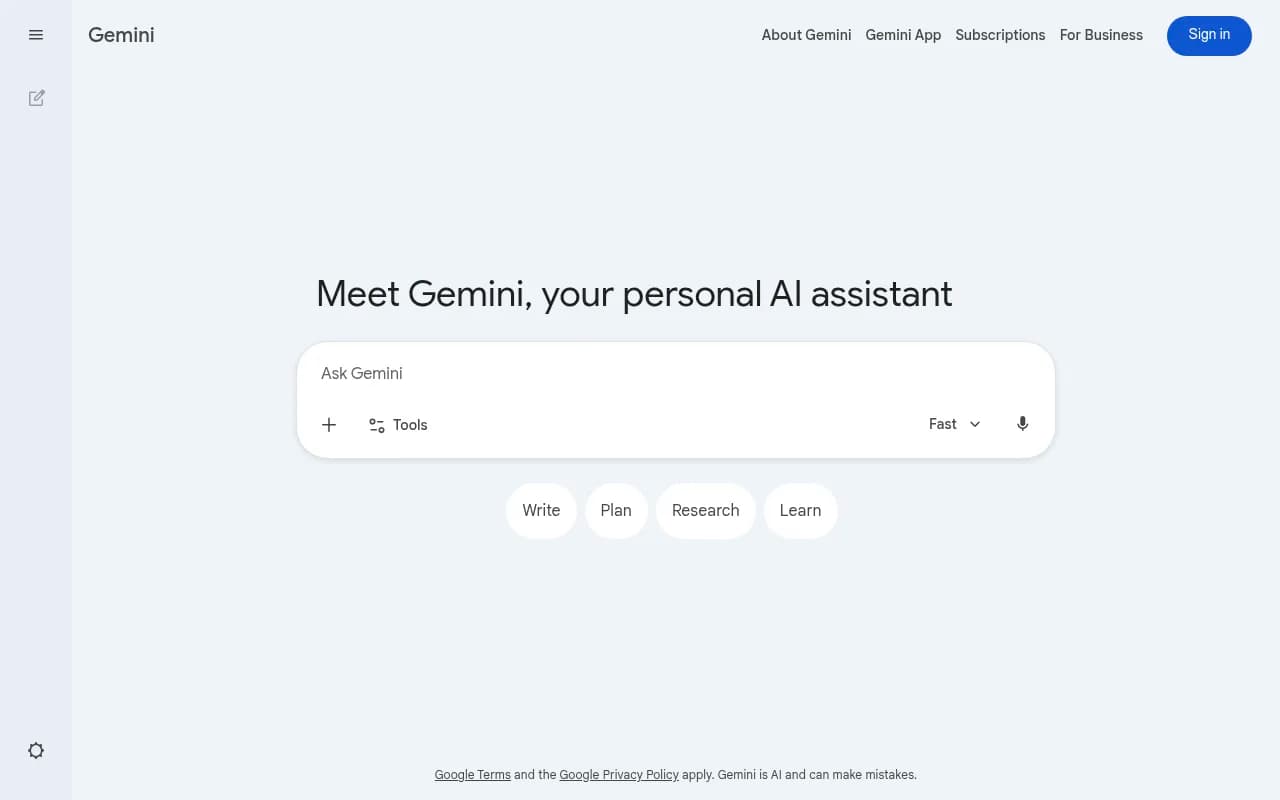
Google's AI model that handles text, image, and code generation. Integrated across Google Workspace, making it useful for document drafting and research.
Key takeaways
- Gemini is Google's flagship AI assistant, available as a standalone app and deeply embedded in Google Workspace (Docs, Gmail, Sheets, Slides, Drive)
- Free tier is genuinely useful; paid tiers unlock Gemini 2.5 Pro/Ultra, longer context windows, and advanced reasoning
- Multimodal from the ground up -- handles text, images, audio, video, and code in a single interface
- Strong choice for anyone already in the Google ecosystem; weaker if you're not
- Not a GEO or AI visibility tool -- it's a general-purpose AI assistant
Google Gemini is Google's answer to the generative AI moment, and it's one of the most ambitious AI products on the market right now. Originally launched as Bard in 2023 and rebranded to Gemini in early 2024, it has gone through several significant iterations. The current lineup centers on the Gemini 2.5 family of models, with Gemini 2.5 Pro sitting at the top of the consumer stack and Gemini Ultra positioned as the premium tier for power users willing to pay $249.99/month.
The target audience is broad by design. Google wants Gemini to be the AI layer across its entire product suite -- from Gmail drafts to Google Sheets formulas to YouTube summaries. That means it's relevant to students doing research, professionals drafting documents, developers writing and debugging code, and creative workers generating images or brainstorming ideas. The pitch is simple: if you live in Google's ecosystem, Gemini is the AI that fits most naturally into your workflow.
Context matters here. Google was caught somewhat flat-footed by ChatGPT's rise in late 2022, and Bard's early reception was rough. The Gemini rebrand and the subsequent model upgrades have been a serious course correction. The 2.5 Pro model in particular has scored competitively on coding and reasoning benchmarks, and the integration depth across Workspace is now genuinely impressive rather than superficial.
Key features
Multimodal input and output Gemini handles text, images, audio, and video natively. You can upload a photo and ask it to describe, analyze, or extract information from it. You can paste a chart and ask for interpretation. In the app, you can use your camera in real time (via the Live feature) to get contextual help -- point it at a broken appliance and ask what's wrong, for example. This isn't just a text model with image bolted on; the multimodal capability is core to the architecture.
Long context window Gemini 2.5 Pro supports up to 1 million tokens of context, which is one of the largest context windows available in any consumer AI product. In practice, this means you can paste an entire book, a long codebase, or a massive dataset and have a coherent conversation about it. For researchers, lawyers, or developers working with large documents, this is a meaningful differentiator.
Google Workspace integration This is where Gemini earns its keep for business users. It's embedded directly into:
- Gmail (drafting, summarizing, and replying to emails)
- Google Docs (writing, editing, and reformatting)
- Google Sheets (formula generation, data analysis)
- Google Slides (content generation, speaker notes)
- Google Drive (searching and summarizing documents)
- Google Meet (meeting summaries and action items)
The depth of integration varies by tier. Business users on Google Workspace plans get Gemini features baked into their existing tools without switching apps.
Coding assistance Gemini Code Assist is the developer-facing product, available both in the consumer app and as a standalone tool for IDEs. In the main Gemini interface, you can write, debug, and explain code across most major languages. The 2.5 Pro model has performed well on coding benchmarks, and the long context window makes it practical for working with large codebases. Code Assist Standard is priced separately for enterprise use at around $0.03/hour.
Deep Research Available on paid tiers, Deep Research is a mode where Gemini autonomously browses the web, synthesizes information from multiple sources, and produces a structured research report. It's similar to Perplexity's research features or OpenAI's Deep Research mode. The output includes citations and can be exported to Google Docs. For competitive analysis, market research, or academic work, it's a genuinely useful feature rather than a gimmick.
Gemini Live Live is a real-time conversational mode that lets you have a back-and-forth spoken conversation with Gemini, including the ability to interrupt mid-sentence. It also supports camera input, so you can show Gemini something in your physical environment and discuss it. This is Google's answer to ChatGPT's Advanced Voice Mode, and it's available on mobile.
Image generation Gemini can generate images using Google's Imagen model. The quality is competitive with other major AI image generators, and it's integrated directly into the chat interface -- no separate tool needed. There are content policy guardrails in place, which occasionally frustrate users trying to generate stylized or edge-case content.
Extensions and Google services Gemini can connect to Google services like Search, Maps, YouTube, Flights, Hotels, and Workspace to pull in real-time information. Ask it to find flights to Tokyo next month and it'll pull live results. Ask it to summarize a YouTube video and it'll do it. These extensions make it more useful as a daily assistant than a model that only knows its training data.
Gems (custom AI personas) Paid users can create "Gems" -- custom versions of Gemini with specific instructions, personas, and behaviors. A Gem for customer support, a Gem for code review, a Gem for recipe suggestions. It's Google's version of ChatGPT's custom GPTs, and it works similarly.
Who is it for
Gemini's primary audience is anyone already invested in Google's product ecosystem. If your work runs through Gmail, Google Docs, and Google Drive, Gemini is the most frictionless AI to add to that workflow. A marketing manager who drafts campaign briefs in Google Docs, reviews performance data in Sheets, and communicates via Gmail will find Gemini genuinely useful without changing any of their existing habits.
Students and researchers are another strong fit. The long context window, Deep Research feature, and ability to summarize PDFs or YouTube lectures make it practical for academic work. The free tier is generous enough that students don't need to pay anything to get real value.
Developers working in Google Cloud or using Google's APIs will find Gemini Code Assist a natural fit, especially if they're already using Google's developer tooling. The model's performance on coding tasks has improved substantially with the 2.5 generation.
Who should probably look elsewhere: users who want the most capable model for pure reasoning or creative writing and don't care about Google ecosystem integration. OpenAI's o3 and Anthropic's Claude 3.7 Sonnet are competitive or stronger on certain reasoning and writing tasks. If you're running a business that needs deep customization, fine-tuning, or enterprise-grade compliance controls, Google's Vertex AI platform (which also runs Gemini models) is the more appropriate entry point than the consumer app.
Integrations and ecosystem
Gemini's integration story is essentially the Google product catalog. The native connections include Gmail, Docs, Sheets, Slides, Drive, Meet, Calendar, Maps, YouTube, Google Search, Flights, and Hotels. For developers, the Gemini API is available through Google AI Studio and Google Cloud's Vertex AI, with SDKs for Python, JavaScript, Go, and other languages.
There's a mobile app for both iOS and Android, and Gemini can be set as the default assistant on Android devices, replacing Google Assistant. The web app works in any browser. There's no dedicated browser extension in the traditional sense, but Gemini is accessible from within Chrome via the address bar on some configurations.
For enterprise workflows, Gemini connects to third-party tools through Google Workspace Marketplace integrations and, for more custom setups, through the API. Zapier and Make (formerly Integromat) both support Gemini API connections for automation workflows.
Export options are practical: conversations can be exported to Google Docs, and Deep Research reports come formatted and ready to share. There's no native Slack integration in the consumer product, though enterprise setups can be configured through the API.
Pricing and value
Google has restructured its AI subscription tiers significantly. As of 2026:
- Free: Access to Gemini (base model), basic features, limited usage of advanced models
- Google AI Plus ($3.99/month, introductory; $7.99/month standard): Access to Gemini 2.5 Pro, more usage, Gems, and some advanced features
- Google AI Pro ($19.99/month): Higher usage limits, Deep Research, Gemini Live, priority access to new features, 2TB Google One storage
- Google AI Ultra ($124.99/month introductory; $249.99/month standard): Maximum usage, access to the most capable models, early access to experimental features, Google Home Premium Advanced included
For comparison, ChatGPT Plus is $20/month and Claude Pro is $20/month. Gemini Pro at $19.99 is competitive at that tier. The Ultra tier at $249.99 is expensive by any measure -- it's aimed at heavy power users and professionals who need maximum throughput and the most capable models.
For businesses using Google Workspace, Gemini features are bundled into Workspace Business and Enterprise plans, which makes the value calculation different. If your company already pays for Workspace Business Plus, you're getting Gemini features without an additional line item.
The free tier is genuinely useful for casual users. You get access to a capable model, basic multimodal features, and Google service integrations without paying anything.
Strengths and limitations
Where it does well:
- Ecosystem depth: No other AI assistant integrates as naturally into Google's product suite. If you live in Google Workspace, this is a real advantage.
- Context window: 1 million tokens is among the largest available, making it practical for long-document work that would break other models.
- Multimodal capability: The combination of text, image, audio, video, and real-time camera input in one interface is genuinely broad.
- Free tier value: The free version is more capable than many competitors' free tiers, making it accessible without a credit card.
- Real-time information: Google Search integration means Gemini can pull current information, not just rely on training data.
Where it falls short:
- Consistency: Gemini's outputs can be inconsistent in tone and quality compared to Claude, which tends to produce more polished prose. For creative writing specifically, many users prefer Claude or GPT-4o.
- Privacy concerns: Google's data practices are a legitimate concern for some users, particularly in regulated industries. Conversations may be reviewed by human raters unless you're on an enterprise plan with specific data handling agreements.
- Not built for AI search optimization: Gemini is a general-purpose AI assistant. It has no features for tracking brand visibility in AI search results, monitoring citations, or optimizing content for AI engines. Teams with those needs should look at dedicated platforms.
Bottom line
Gemini is the right AI assistant for users who are already embedded in Google's ecosystem and want AI that works with their existing tools rather than alongside them. The Workspace integration is the strongest argument for it -- no other AI assistant makes it as easy to go from a Gmail thread to a drafted response to a polished Google Doc.
For pure reasoning, creative writing, or use cases outside the Google ecosystem, it's a competitive option but not always the top choice. The free tier makes it worth trying for anyone, and the Pro tier at $19.99/month is reasonably priced for what you get. Best use case: a Google Workspace-dependent professional who wants AI assistance without leaving their existing workflow.
Tags:
Frequently asked questions
What is Google Gemini?
Is Gemini free to use?
How does Gemini compare to ChatGPT?
What is Gemini's context window?
Can Gemini generate images?
Is Gemini good for business use?
Similar and alternative tools to Gemini