Summary
- AI search engines like ChatGPT, Perplexity, and Claude are changing how customers discover brands -- tracking your visibility in these platforms is now essential, not optional
- Solo founders can start tracking AI visibility for under $100/month using tools like Otterly.AI, Airefs, or GeoRamp, with free monitoring options also available
- The biggest risk isn't being invisible in AI search -- it's being mentioned with wrong information about your pricing, features, or capabilities
- A practical monitoring setup involves tracking 20-50 high-value prompts, checking responses weekly, and focusing on accuracy over raw mention counts
- Budget-conscious founders should prioritize tools that detect hallucinations and track competitors, not just count brand mentions
Why solo founders need to care about AI search visibility
Your potential customers aren't just Googling anymore. They're asking ChatGPT for recommendations. They're using Perplexity to research solutions. They're prompting Claude to compare alternatives.
If your brand isn't showing up in those AI responses, you're invisible to a growing segment of buyers. And if you are showing up but with outdated pricing or hallucinated features, you're actively losing deals.
The shift is real. Nearly 60% of U.S. small businesses now use AI tools in their operations -- more than double the rate in 2023. Your customers are in that group, and they're using AI to make purchasing decisions.
For solo founders, this creates a problem: you need to monitor how AI models talk about your brand, but you don't have a marketing team or a five-figure monthly budget for enterprise tools.
The good news? You don't need either.
What AI visibility tracking actually means
AI visibility tracking means monitoring how large language models (LLMs) like ChatGPT, Claude, Gemini, Perplexity, and others respond when users ask questions related to your industry, product category, or specific use cases.
It's not about SEO rankings. Traditional search engine optimization focuses on where you appear in Google's blue links. AI visibility focuses on whether AI models cite your brand, recommend your product, or mention you in generated responses.
Three things matter most:
Citation frequency: How often does your brand get mentioned when AI models answer relevant prompts? If someone asks "best project management tools for remote teams" and you sell project management software, are you in the response?
Response accuracy: When AI models do mention you, are they getting the facts right? Wrong pricing, outdated features, or hallucinated capabilities can cost you more than being invisible.
Competitive positioning: Where do you appear relative to competitors? Being the fifth tool mentioned in a list of three recommendations means you're effectively invisible.
Most AI visibility tools focus only on the first metric. They count mentions and call it a day. But a solo founder running a tight ship needs to know about accuracy problems before prospects start questioning your credibility on sales calls.
The real cost of ignoring AI search
One founder testing AI visibility tools discovered ChatGPT was telling prospects their Pro plan cost $79/month. Actual price? $49. Prospects showed up to demos already skeptical, assuming the founder was lying about pricing.
That's not a hypothetical. It's a documented case from someone who built an AI visibility tracker specifically because this problem was costing them deals.
Another common issue: AI models recommend your product for use cases you don't support. A customer signs up expecting a feature that doesn't exist, gets frustrated, churns, and leaves a negative review. You never knew the AI sent them to you with false expectations.
Or consider this scenario: your competitor gets mentioned in 80% of relevant AI responses while you appear in 20%. You're losing mindshare in the channel that's growing fastest. By the time you notice, they've captured the market.
Ignoring AI visibility in 2026 is like ignoring Google SEO in 2010. Early movers win. Laggards spend years catching up.
Budget realities for solo founders
Let's be honest about what "budget-friendly" means when you're a solo founder.
You're not comparing $500/month tools to $1000/month tools. You're asking whether you can justify any monthly expense at all, or if you need to cobble together a free solution and manually check responses yourself.
Here's the budget spectrum:
Free tier / DIY approach: $0/month, but costs you 3-5 hours per week of manual checking. You're literally opening ChatGPT, Claude, and Perplexity and typing in prompts to see what comes back. No historical data, no alerts, no competitive tracking. Just you and a spreadsheet.
Entry-level paid tools: $29-99/month. You get automated tracking for 20-100 prompts, basic mention counts, and maybe some competitor comparison. Enough to know if you're visible, but limited depth.
Mid-tier platforms: $150-300/month. More prompts, more AI models tracked, historical data, and some accuracy checking. This is where most solo founders with revenue land.
Enterprise platforms: $500+/month. Full feature sets, unlimited prompts, white-label reporting, API access. Overkill unless you're doing client work or have significant AI-driven revenue.
The question isn't which tier you can afford. It's which tier delivers ROI given your current revenue and growth stage.
If you're pre-revenue or doing under $5k/month, start free and manual. If you're at $10k-50k/month and AI search drives a meaningful percentage of your leads, the $29-99/month tier pays for itself immediately. If you're past $100k/month and AI visibility is a top-three growth lever, mid-tier makes sense.
Free and low-cost monitoring methods
Manual spot-checking (free)
The simplest approach: open ChatGPT, Claude, Perplexity, and Gemini once per week. Type in 10-15 prompts related to your product category. Document what you see.
Example prompts to test:
- "Best [your product category] for [your target customer]"
- "[Competitor name] alternatives"
- "How to solve [problem your product solves]"
- "Compare [your brand] vs [competitor]"
- "[Your brand] pricing and features"
Copy the responses into a Google Sheet. Track:
- Date checked
- AI model used
- Prompt tested
- Whether you were mentioned (yes/no)
- Position if mentioned (1st, 2nd, 3rd, etc.)
- Accuracy of information (correct/incorrect/mixed)
- Competitors mentioned
This costs nothing but time. The downside: no historical trends, no alerts when things change, and you're limited to checking a small sample of prompts.
Still, it's better than flying blind. Many solo founders run this way for months before upgrading to paid tools.
Setting up Google Alerts for AI mentions
Google Alerts won't tell you what ChatGPT says, but it will notify you when new web content mentions your brand alongside AI-related keywords.
Set up alerts for:
- "[your brand] ChatGPT"
- "[your brand] AI recommendation"
- "[your brand] Perplexity"
- "[your brand] Claude"
When someone blogs about asking AI for recommendations and your brand comes up, you'll know. This gives you indirect signals about your AI visibility without directly querying the models.
Using ChatGPT's citation feature
ChatGPT (with web browsing enabled) and Perplexity both cite sources when generating responses. You can manually check whether your website appears in those citations.
Ask a relevant question, then look at the numbered citations in the response. If your site is cited, you're influencing that answer. If competitors are cited but you're not, you know where the gap is.
This doesn't scale, but it's free and gives you concrete data about which pages AI models are reading.
Community-sourced prompt testing
Join communities where people share AI prompts and responses. Subreddits like r/ChatGPT, r/ClaudeAI, and AI-focused Discord servers often have users posting screenshots of responses.
Search for your product category and see what comes up. If your brand appears in community-shared responses, that's a signal. If it doesn't, that's also a signal.
This is passive monitoring -- you're not actively testing, just observing what others share. But it's free and occasionally surfaces insights you wouldn't have found otherwise.
Budget-friendly AI visibility tools
Otterly.AI ($29/month)
Otterly.AI positions itself as the most affordable entry point for AI visibility tracking.

What you get: automated tracking across ChatGPT, Perplexity, Claude, and Gemini. You define your prompts (up to 50 on the basic plan), and Otterly checks them weekly. You see mention counts, position in responses, and basic competitor comparison.
What you don't get: historical data beyond 90 days, no hallucination detection, limited prompt volume, and no API access.
Best for: solo founders who need to graduate from manual checking but aren't ready to spend $100+/month. If your primary question is "am I visible at all?" rather than "exactly how am I being described?", Otterly works.
Limitations: the lack of accuracy checking is a real gap. You'll know you're mentioned, but you won't know if the AI is saying your pricing is $99 when it's actually $49.
Airefs ($49/month)
Airefs targets the same budget-conscious segment as Otterly but adds a few more features.
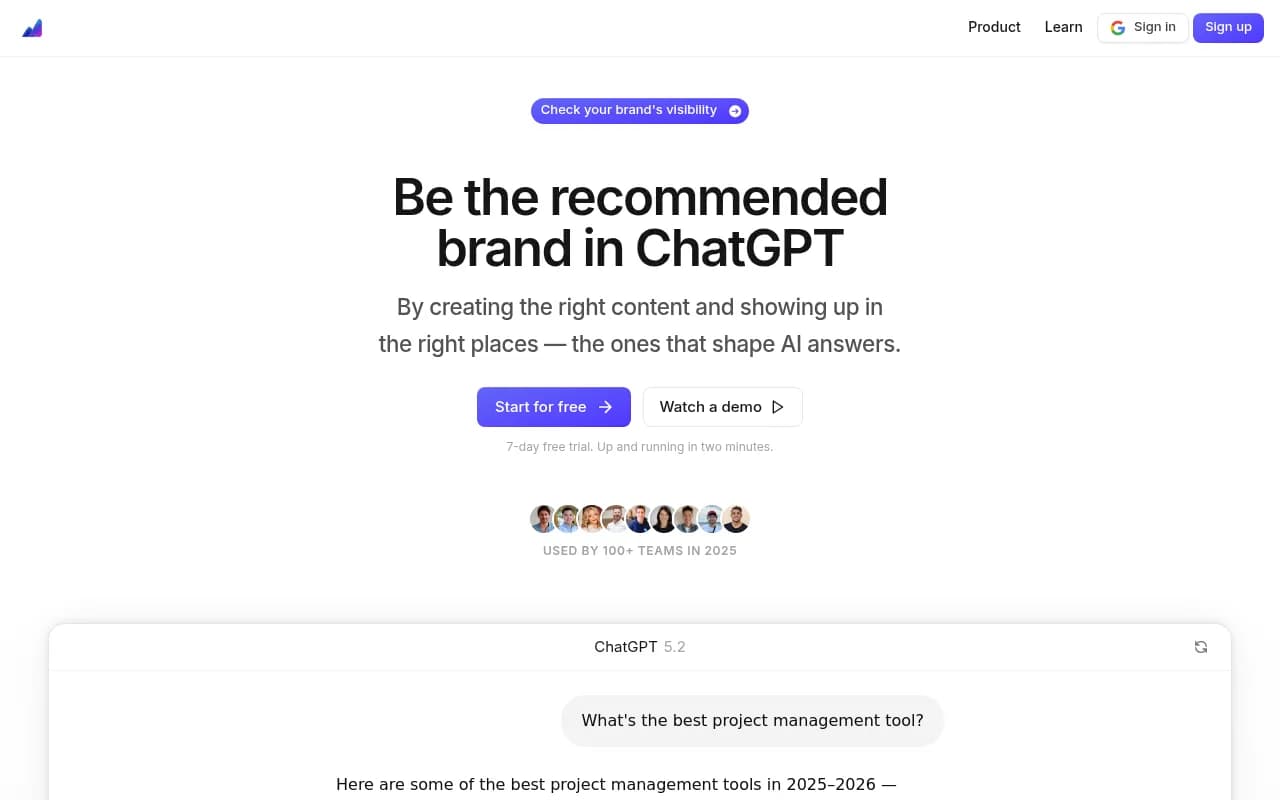
You get tracking for up to 100 prompts, coverage across five AI models, and basic sentiment analysis. The interface is cleaner than Otterly's, and you can export data to CSV for your own analysis.
The standout feature: Airefs shows you which sources AI models are citing when they mention competitors. This gives you a roadmap for where to publish content or earn backlinks to improve your own visibility.
Best for: founders who want a bit more depth than Otterly without jumping to $150+/month tools. The source analysis is genuinely useful for planning content strategy.
Limitations: still no real hallucination detection, and the prompt volume cap means you're choosing carefully rather than testing everything.
GeoRamp ($79/month)
GeoRamp isn't in the tools catalog, but it's worth mentioning based on community feedback. The Basic plan covers ChatGPT, Claude, Gemini, Perplexity, and Google AI Overviews.
You get more prompt volume than Otterly or Airefs, and the platform includes basic competitor heatmaps showing where you're visible versus where competitors dominate.
Best for: solo founders who need to track more than 100 prompts and want competitive intelligence without enterprise pricing.
Limitations: the interface feels dated compared to newer tools, and customer support is slow. You're trading polish for price.
Mentions.so ($89/month)
Mentions.so focuses specifically on brand mention tracking across AI models.
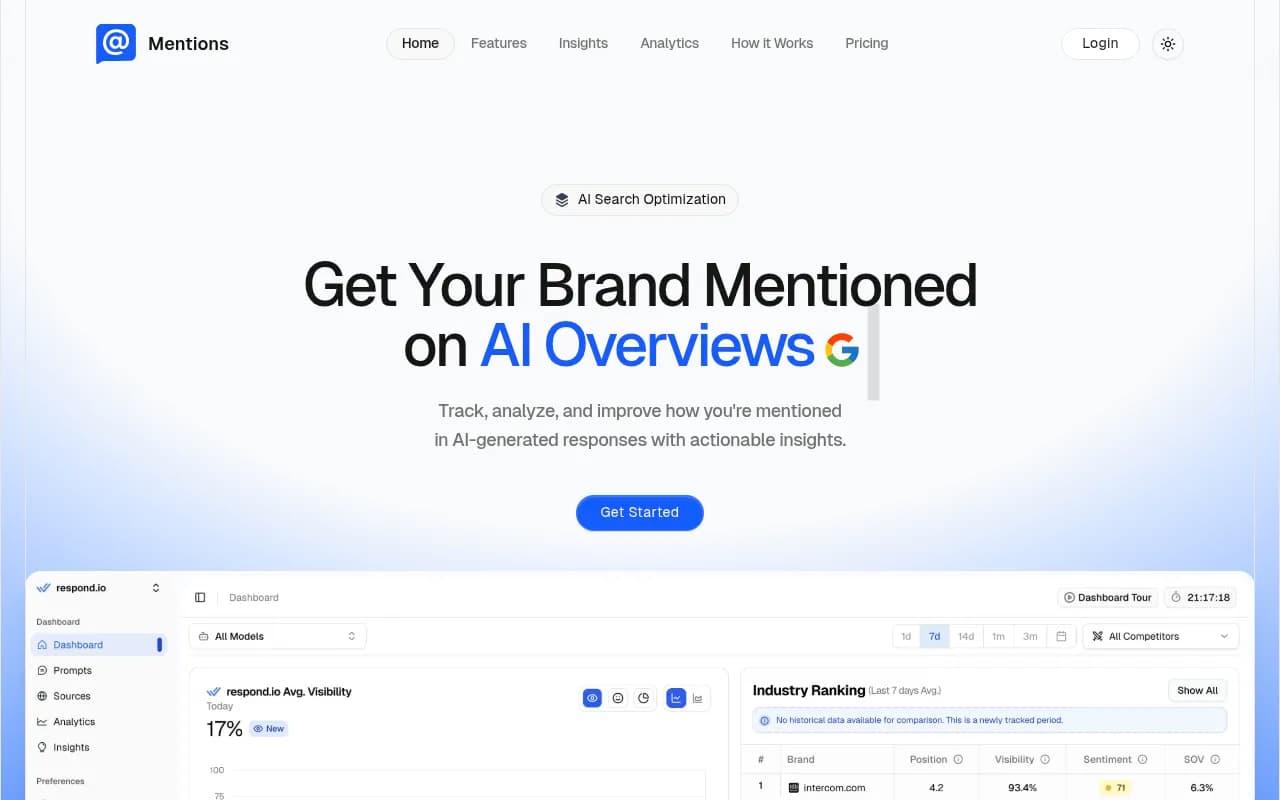
What's different: Mentions.so tracks your brand name specifically rather than making you define every prompt. It monitors a broad set of queries related to your industry and alerts you when your brand appears (or stops appearing).
This is useful if you want passive monitoring rather than active prompt testing. You're not checking "best CRM for startups" every week -- you're just getting notified when AI models mention your brand in any context.
Best for: founders who want set-it-and-forget-it monitoring and don't need granular control over specific prompts.
Limitations: you lose the ability to test specific competitive prompts or use cases. It's broad monitoring, not strategic testing.
Promptwatch ($99/month Essential plan)
Promptwatch is the platform I run this site on, so full disclosure of bias here. But the Essential plan is designed specifically for solo founders and small teams.

What you get: tracking for 50 prompts across 10 AI models (ChatGPT, Perplexity, Claude, Gemini, Google AI Overviews, Meta AI, DeepSeek, Grok, Mistral, Copilot). The key difference from monitoring-only tools: Promptwatch includes Answer Gap Analysis, which shows you exactly which prompts competitors are visible for but you're not.
You also get access to the AI writing agent, which generates content specifically designed to get cited by AI models. This is the "take action" part that most competitors skip -- they show you the problem but don't help you fix it.
Best for: founders who want to move beyond monitoring into optimization. If you're ready to create content that improves your AI visibility rather than just tracking it, Promptwatch is built for that workflow.
Limitations: the Essential plan caps you at 50 prompts and 5 AI-generated articles per month. If you need more volume, you're looking at the Professional plan ($249/month), which is outside budget-friendly territory for most solo founders.
What to track: choosing your prompts wisely
With budget tools capping you at 20-100 prompts, you can't test everything. You need to choose strategically.
Start with three categories:
Category prompts: These are the broad "best [product category]" queries. Examples:
- "Best project management tools"
- "Top CRM software for small business"
- "Email marketing platforms comparison"
These have high search volume and high competition. You probably won't dominate here immediately, but you need to know where you stand.
Use case prompts: These target specific problems or scenarios. Examples:
- "Project management for remote teams"
- "CRM for real estate agents"
- "Email marketing for e-commerce stores"
These are more winnable because they're more specific. If you serve a particular niche well, you can own these prompts even if you're invisible in the broader category queries.
Competitor comparison prompts: These directly pit you against alternatives. Examples:
- "[Your brand] vs [Competitor]"
- "[Competitor] alternatives"
- "Is [Your brand] better than [Competitor]?"
These are critical because they capture people already considering your space. If someone is comparing you to a competitor and AI gives them wrong information, you lose the deal.
Aim for a 40/30/30 split: 40% category prompts, 30% use case prompts, 30% competitor prompts. This balances broad visibility tracking with strategic competitive intelligence.
Tracking accuracy, not just mentions
Here's what most AI visibility tools miss: being mentioned with wrong information is worse than not being mentioned at all.
If ChatGPT tells a prospect your pricing is $79/month when it's actually $49, they'll either:
- Not sign up because they think you're too expensive
- Sign up expecting $79, see $49, and wonder what else you're lying about
Neither outcome is good.
The same applies to features, integrations, use cases, and company details. AI models hallucinate. They mix up your features with a competitor's. They cite outdated blog posts from 2022 and present that information as current.
When you're tracking AI visibility on a budget, you need to manually verify accuracy for your most important prompts. Pick your top 10-20 prompts -- the ones that drive the most traffic or conversions -- and actually read the AI responses.
Check:
- Is the pricing correct?
- Are the features accurately described?
- Are integrations and compatibility details right?
- Is the use case recommendation appropriate?
- Are pros/cons lists fair and factual?
If you find inaccuracies, document them. Then figure out why the AI is getting it wrong. Usually, it's because:
- Your website content is unclear or outdated
- A competitor's content is better optimized and getting cited instead
- Old blog posts or reviews rank higher than your current documentation
- Reddit threads or forum discussions contain wrong information
Fixing these issues improves your AI visibility more than any tracking tool can.
Competitive intelligence on a budget
One of the most valuable uses of AI visibility tracking is understanding where competitors are winning.
You don't need an enterprise tool to do this. You need a systematic approach.
Pick your top 3-5 competitors. For each one, test these prompts:
- "Best [product category]" (see if they're mentioned)
- "[Competitor name] alternatives" (see if you're mentioned)
- "[Competitor name] vs [your brand]" (see how AI compares you)
- "[Competitor name] pricing" (see if AI has accurate info)
- "Is [Competitor name] good for [use case]?" (see if AI recommends them)
Run these monthly. Track:
- How often each competitor appears in responses
- What position they're in (1st, 2nd, 3rd mention)
- What sources AI models cite when mentioning them
- Whether AI presents them positively or neutrally
This gives you a competitive heatmap. If a competitor dominates a particular use case or prompt category, you know where to focus your content efforts.
Some budget tools include competitor tracking features. Airefs shows you cited sources. Promptwatch's Answer Gap Analysis shows you which prompts competitors rank for. Otterly has basic competitor mention counts.
But even without a tool, you can manually build this intelligence. It just takes time.
Building a monitoring routine
Consistency beats comprehensiveness when you're tracking AI visibility on a budget.
Here's a realistic weekly routine for a solo founder:
Monday morning (15 minutes): Check your AI visibility dashboard (if you're using a paid tool) or manually test your top 10 prompts. Look for any major changes from last week.
Wednesday afternoon (30 minutes): Deep-dive on one category. This week, check all your use case prompts. Next week, check competitor comparison prompts. Rotate through categories so you're covering everything monthly without overwhelming yourself weekly.
Friday end-of-day (20 minutes): Review any alerts or notifications from your tracking tool. If you're monitoring manually, spot-check 5 random prompts you haven't tested recently.
That's 65 minutes per week. Just over an hour. Sustainable for a solo founder juggling everything else.
The key is documenting what you find. Keep a running log of:
- Prompts where you appeared this week but didn't last week (wins)
- Prompts where you disappeared (losses)
- New competitors showing up in responses
- Inaccuracies you discovered
- Sources being cited by AI models
This log becomes your strategic roadmap. When you have time to create content or update your site, you know exactly what to prioritize based on real AI visibility data.
When to upgrade from free to paid tools
You'll know it's time to pay for an AI visibility tool when:
Manual checking becomes unsustainable: If you're spending 3+ hours per week manually testing prompts, a $29-99/month tool pays for itself in time saved.
You need historical data: Manual checking gives you a snapshot. Paid tools show you trends over weeks and months. If you're making strategic decisions about content or positioning, you need to see how your visibility is changing over time.
Competitors are moving faster: If you notice competitors suddenly appearing in AI responses where they weren't before, they're probably using tools to optimize their visibility. You're at a disadvantage without similar intelligence.
AI-driven traffic is meaningful: If 10%+ of your leads or traffic comes from people who discovered you through AI search, tracking that channel becomes critical. You wouldn't ignore Google Analytics if 10% of your traffic came from organic search.
You're creating content regularly: If you're publishing blog posts, guides, or documentation weekly, you need feedback on what's working. AI visibility tools show you which content is getting cited and which isn't.
The flip side: if you're pre-revenue, not creating content regularly, and have minimal web traffic, stay manual. Invest your limited budget in product development or customer acquisition. AI visibility tracking can wait.
Common mistakes solo founders make
Tracking vanity metrics
Mention counts are vanity metrics. Being mentioned 50 times doesn't matter if none of those mentions lead to traffic or conversions.
Focus on:
- Mentions in high-intent prompts (people actively looking for solutions)
- Position in responses (being 5th in a list of 3 recommendations is useless)
- Accuracy of mentions (wrong information costs you deals)
- Competitor displacement (are you replacing competitors in responses over time?)
Testing too many prompts
Budget tools cap you at 20-100 prompts for a reason. Testing 500 prompts is overwhelming and dilutes your focus.
Pick the 20-50 prompts that matter most to your business. Test those consistently. Ignore the rest.
Ignoring the sources AI cites
AI models cite sources when generating responses. Those citations tell you exactly where to focus your SEO and content efforts.
If AI consistently cites a competitor's blog post, you need a better blog post on that topic. If AI cites a Reddit thread, you need to participate in those discussions. If AI cites an outdated review site, you need to update your listings there.
The sources are a roadmap. Most founders ignore them.
Expecting instant results
AI visibility optimization is a months-long process, not a weeks-long sprint. You publish content, wait for AI models to crawl it, then wait for that content to influence responses.
Don't expect to see meaningful changes in under 4-6 weeks. Track consistently, optimize continuously, and measure progress quarterly.
Comparison table: budget-friendly AI visibility tools
| Tool | Monthly cost | Prompts tracked | AI models covered | Key feature | Best for |
|---|---|---|---|---|---|
| Manual checking | $0 | Unlimited | All (manual) | Complete control | Pre-revenue founders |
| Otterly.AI | $29 | 50 | 4 | Lowest price point | First paid tool |
| Airefs | $49 | 100 | 5 | Source citation analysis | Content strategists |
| GeoRamp | $79 | 150+ | 5 | Competitor heatmaps | Competitive intelligence |
| Mentions.so | $89 | Passive | 6 | Brand mention alerts | Set-and-forget monitoring |
| Promptwatch | $99 | 50 | 10 | Answer Gap Analysis + AI content generation | Founders ready to optimize |
Taking action: your first week
Here's what to do in your first week of AI visibility tracking:
Day 1: Define your top 20 prompts. Use the 40/30/30 split (category/use case/competitor prompts). Write them down.
Day 2: Manually test all 20 prompts in ChatGPT and Perplexity. Document the results in a spreadsheet. Note whether you're mentioned, your position, and any inaccuracies.
Day 3: Test the same 20 prompts in Claude and Gemini. Add those results to your spreadsheet.
Day 4: Analyze the data. Which prompts do you appear in? Which do you not? Where are competitors dominating? What sources are being cited?
Day 5: Pick one high-priority gap -- a prompt where competitors appear but you don't. Research what content or optimization would help you appear there.
Day 6: Decide whether to stay manual or sign up for a paid tool. If you're staying manual, set a recurring calendar reminder for weekly testing. If you're going paid, sign up for a free trial.
Day 7: Rest. You've built a baseline. Now you can track changes over time.
That's it. One week, and you've gone from blind to informed about your AI search visibility.
Final thoughts
AI search visibility matters more in 2026 than it did in 2025, and it will matter even more in 2027. The trend is clear.
As a solo founder, you can't ignore this channel. But you also can't spend $500/month on enterprise tools or dedicate 10 hours per week to monitoring.
The good news: you don't need to. A $29-99/month tool plus one hour per week gives you enough intelligence to compete. Manual checking plus discipline works too.
The key is starting. Most founders aren't tracking AI visibility at all. Just by reading this guide and implementing a basic monitoring routine, you're ahead of 90% of your competitors.
Start small. Test your top 20 prompts manually this week. See what you learn. Then decide whether to stay manual or upgrade to a paid tool.
Either way, you'll know more about how AI models talk about your brand than you did before. And that knowledge compounds over time into better content, better positioning, and better visibility in the channel that's growing fastest.