Key Takeaways
- Ceyo AI starts at $49/mo while Peec AI starts at €89/mo (~$95) -- Ceyo is cheaper for basic monitoring
- Peec AI offers a free trial and supports multi-language tracking out of the box; Ceyo's language support is less clear
- Both platforms track the same core AI models (ChatGPT, Perplexity, Claude, Gemini) with similar visibility and sentiment metrics
- Ceyo emphasizes real-time alerts and actionable recommendations; Peec focuses on agency-style reporting and competitor benchmarking
- Neither platform offers content generation or optimization tools -- they're monitoring dashboards, not action platforms
- Peec AI has documented case studies (Momentum achieved 10× visibility improvement); Ceyo's results data is less public
Overview
Both Ceyo AI and Peec AI emerged in the 2024-2025 wave of AI visibility tracking tools. They solve the same core problem: brands have no idea if ChatGPT, Perplexity, or Claude are recommending them when users ask relevant questions. Traditional SEO tools don't cover this, so a new category was born.
Ceyo AI
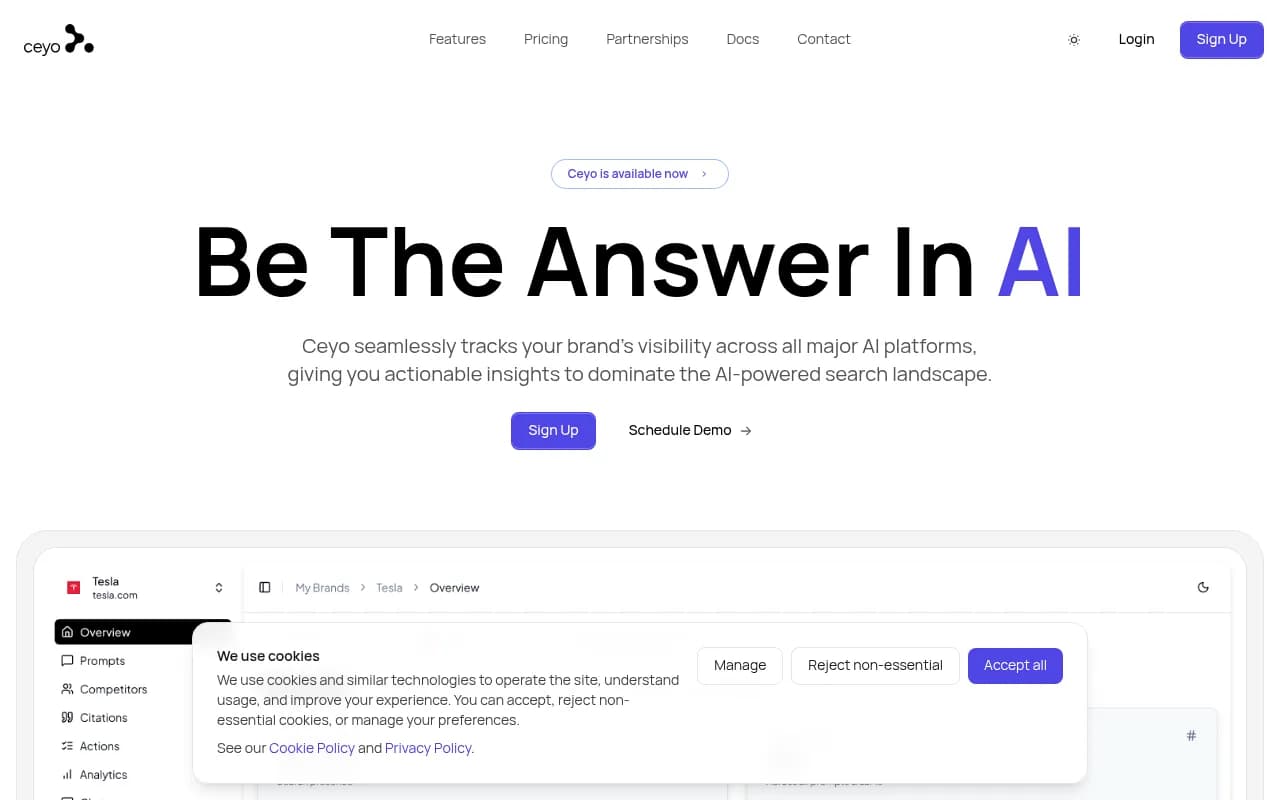
Ceyo positions itself as a comprehensive tracking platform for marketing teams and agencies. It monitors brand mentions, sentiment, and competitive positioning across ChatGPT, Gemini, Claude, and Perplexity. The interface shows prompt-level analytics with visibility percentages, sentiment scores, average position, and impact ratings. Ceyo highlights real-time alerts and actionable recommendations as differentiators, though the specifics of those recommendations aren't detailed on the website.
Peec AI

Peec AI takes a similar approach but emphasizes multi-language support and agency-focused reporting. It tracks the same AI models and surfaces three core metrics: Visibility (share of chats mentioning your brand), Position (ranking within AI responses), and Sentiment (how AI perceives your brand). Peec lets you add custom prompts, organize them with tags, and track across multiple countries. The platform has published case studies showing measurable results -- Momentum reportedly achieved a 10× visibility improvement using Peec.
Side-by-Side Comparison
| Feature | Ceyo AI | Peec AI |
|---|---|---|
| Starting price | $49/mo (Core) | €89/mo (~$95, Starter) |
| Free trial | Not mentioned | Yes |
| AI models tracked | ChatGPT, Gemini, Claude, Perplexity | ChatGPT, Gemini, Claude, Perplexity |
| Multi-language support | Unclear | Yes (explicit feature) |
| Custom prompts | Yes | Yes |
| Competitor benchmarking | Yes | Yes |
| Real-time alerts | Yes | Not mentioned |
| Sentiment analysis | Yes | Yes |
| Position tracking | Yes (avg. position) | Yes |
| Country/region tracking | Yes (GEO column shown) | Yes (all countries) |
| Case studies/results | Not public | Yes (Momentum 10× improvement) |
| Agency features | Mentioned as target audience | Emphasized (reporting focus) |
Pricing comparison
| Plan | Ceyo AI | Peec AI |
|---|---|---|
| Free tier | No | Free trial (no permanent free plan) |
| Starter | $49/mo (Core) or $89/mo depending on source | €89/mo (~$95) |
| Mid-tier | Not specified | €199/mo Professional (~$212) |
| Enterprise | Not specified | Custom pricing |
| Billing options | Monthly and yearly | Monthly and yearly |
Ceyo's pricing is a bit confusing -- the slug mentions $49/mo for Core, but another source says $89/mo. Peec's pricing is clearer: €89 Starter, €199 Professional, custom Enterprise. If Ceyo's Core plan is truly $49/mo, it's the cheapest entry point. But if it's $89/mo, they're roughly equivalent at the low end.
Feature deep-dive
Core metrics and tracking
Both platforms track the same three metrics under slightly different names:
- Visibility: Ceyo shows this as a percentage (e.g. "85% visibility"). Peec shows it as a fraction (e.g. "3/14 visibility") and percentage in competitor views. Same concept -- how often your brand appears in AI responses.
- Sentiment: Both platforms score sentiment. Ceyo uses Positive/Neutral/Negative labels. Peec uses a numeric score (e.g. "90 sentiment"). Ceyo's approach is easier to scan; Peec's numeric score might offer more granularity.
- Position: Ceyo shows "Avg. 2.3" for average position in responses. Peec shows "Position: 5/14" and "2.6" in examples. Both track where you rank when mentioned.
The underlying data is the same. Ceyo's interface (based on the screenshot) uses a table view with columns for Prompt, Visibility, Sentiment, Avg., Impact, Brands, Category, and GEO. Peec's interface shows dashboard cards with trend lines and competitor comparisons. Ceyo feels more data-dense; Peec feels more visual.
Prompt management
Both platforms let you add custom prompts and track them over time. Peec explicitly mentions organizing prompts with tags, which is useful if you're tracking dozens or hundreds of queries across different product lines or campaigns. Ceyo's interface shows a "Category" column (Technology, Software, AI Tools, etc.), suggesting some level of organization, but tags aren't mentioned.
Peec also highlights tracking "across all countries," which matters if you're a global brand. Ceyo shows a "GEO" column with country flags (🇺🇸, 🇬🇧, 🇩🇪, etc.), so it supports multi-region tracking too. The difference is Peec makes this a headline feature; Ceyo shows it but doesn't emphasize it.
Competitor benchmarking
Both platforms track competitors. Ceyo's table shows which brands appear for each prompt (Apple, Lenovo, Dell for "Best laptop for developers"). Peec's dashboard shows competitor visibility percentages in a bar chart format (Salesforce 62%, Attio 47%, HubSpot 65%). Peec's visual approach makes it easier to see relative positioning at a glance. Ceyo's table is better for drilling into specific prompts.
Alerts and recommendations
Ceyo emphasizes "real-time alerts and actionable recommendations" in its tagline. The website doesn't explain what those recommendations look like -- are they suggestions to update content? Alerts when a competitor overtakes you? Prompts where you're losing visibility? Without specifics, it's hard to judge.
Peec doesn't mention alerts at all. It positions itself as an analytics platform, not a real-time monitoring tool. If you need to know immediately when something changes, Ceyo might be the better fit. If you're doing weekly or monthly reporting, Peec's dashboard approach works fine.
Multi-language support
Peec explicitly calls out "multi-language support" as a feature. This is important if you're tracking brand mentions in non-English markets -- AI models respond differently in German, French, Spanish, etc. Ceyo's website doesn't mention language support, though the GEO tracking suggests it might handle multiple regions (which often implies multiple languages). If multi-language is a hard requirement, Peec is the safer bet.
Agency and team features
Both platforms target agencies. Ceyo lists "marketing teams and agencies" in its description. Peec's homepage says "Trusted by 1500+ marketing teams" and shows agency logos (Brandfirm, Zigt, etc.). Peec's emphasis on reporting and benchmarking feels more agency-oriented -- you're building reports for clients. Ceyo's emphasis on alerts feels more in-house -- you're monitoring your own brand day-to-day.
Neither platform mentions white-labeling, client seat management, or other agency-specific features. If you're an agency, you'll probably want to ask both vendors about multi-client workflows.
What's missing from both platforms
Here's what neither Ceyo nor Peec offer:
- Content gap analysis: They show you where you're invisible, but they don't tell you what content you're missing or what topics to write about.
- Content generation: No built-in tools to create articles, listicles, or optimized pages based on the prompts you're tracking.
- AI crawler logs: You can't see which AI models are actually crawling your website or what pages they're reading.
- Traffic attribution: No way to connect AI visibility to actual website traffic or conversions.
- Optimization recommendations: Beyond generic "improve your content" advice, there's no specific guidance on how to rank better in AI responses.
These are monitoring dashboards. They tell you what's happening, but they don't help you fix it. If you want to close the loop from tracking to action, you'll need to pair either tool with a content strategy and optimization workflow. Tools like Promptwatch fill that gap by combining tracking with content gap analysis, AI-generated articles grounded in citation data, and crawler log monitoring -- so you're not just watching the scoreboard, you're actually improving your position.

Ceyo AI pros and cons
Pros:
- Lower starting price ($49/mo if Core plan is accurate)
- Real-time alerts for immediate visibility changes
- Actionable recommendations (though details are vague)
- Clean table-based interface for drilling into prompt-level data
- Tracks impact and relevance alongside visibility
Cons:
- Pricing is unclear (conflicting sources say $49 or $89)
- Multi-language support not explicitly mentioned
- No public case studies or results data
- Recommendations feature is under-explained
- Less emphasis on reporting and benchmarking visuals
Peec AI pros and cons
Pros:
- Free trial available
- Explicit multi-language support
- Strong visual dashboards for competitor benchmarking
- Published case studies (Momentum 10× improvement)
- Clear pricing tiers (€89, €199, Enterprise)
- Tag-based prompt organization
- Track across all countries
Cons:
- Higher starting price (€89 vs Ceyo's $49, if accurate)
- No real-time alerts mentioned
- Less emphasis on actionable recommendations
- Interface may be less data-dense for power users
Who should pick which tool
Pick Ceyo AI if:
- You need the lowest possible entry price and $49/mo fits your budget
- Real-time alerts matter -- you want to know immediately when visibility drops or a competitor overtakes you
- You prefer a data-dense table interface where you can scan many prompts at once
- You're tracking your own brand in-house rather than managing multiple clients
Pick Peec AI if:
- You need explicit multi-language support for global markets
- You want a free trial before committing
- You're an agency building reports for clients and need strong visual benchmarking
- You value documented case studies and proven results
- You need to organize prompts with tags across multiple campaigns or product lines
Pick neither (or supplement with another tool) if:
- You need content gap analysis and recommendations on what to write
- You want AI-generated content based on the prompts you're tracking
- You need to track AI crawler activity on your website
- You want to connect AI visibility to actual traffic and conversions
Final verdict
Ceyo AI and Peec AI are functionally similar. Both track the same AI models, surface the same core metrics, and target the same audience (marketing teams and agencies). The differences are mostly in presentation and emphasis.
Ceyo is slightly cheaper (if the $49/mo Core plan is real) and emphasizes real-time alerts. Peec is more transparent (free trial, published case studies, clear pricing) and explicitly supports multi-language tracking. If you're a global brand or agency, Peec's multi-language support and visual reporting make it the safer choice. If you're a smaller in-house team that needs immediate alerts and the lowest price, Ceyo might edge it out.
But both platforms are monitoring-only tools. They show you the scoreboard but don't help you improve your score. You'll still need a content strategy, optimization workflow, and ideally a platform that connects tracking to action. That's the gap most teams hit after a few months of monitoring -- they know where they're invisible, but they don't know how to fix it.