Key Takeaways
- Blocking "AI bots" is no longer one decision. Crawlers serve at least three purposes: search, AI answers and agent fetches, and model training. Treat each separately.
- For most business sites, the sensible default is allow search, allow live AI answers, block training. Publishers who sell content may block more.
- robots.txt is a request, not a lock. Real enforcement happens at the network edge (Cloudflare WAF or bot rules), and a permissive robots.txt does nothing if your firewall returns 403s.
- Cloudflare replaced its "Block AI Bots" switch with Search, Agent and Training controls, and "Managed robots.txt" with Bot Preference Sync. Multi-purpose crawlers fall under the most restrictive rule that applies, so blocking Training can catch crawlers that also do search.
- Check your live robots.txt and Cloudflare dashboard this week, then compare against your own crawler logs.
Why this question got harder
For about thirty years the deal was simple: bots crawl your site, and they send traffic back. AI broke that. A crawler might now be collecting your pages for a search index, for a live answer inside a chatbot, for training a model, or for an agent acting on behalf of a user. Same site, same bot name sometimes, four very different outcomes for you.
Cloudflare's own numbers show the size of the problem. In its announcement of 15 September 2026, Cloudflare said mixed-use crawlers (one crawler collecting for both a search index and AI training) make up 36.6% of verified crawler traffic on its network, the single largest category. Fewer than 1% of sites block search crawlers, while 17% restrict AI training. People want to be found. They just don't want to be swallowed.
So the honest answer to "should I block AI agents?" is: it depends what you sell, and which agents you mean. The rest of this guide gives you a way to decide, then the exact configuration.
The three categories you actually decide on
Cloudflare now organizes controls into three independent categories. Even if you aren't on Cloudflare, this is a useful mental model.
| Category | What the crawler does | Typical examples | What blocking costs you |
|---|---|---|---|
| Search | Builds an index, returns links and snippets | Googlebot, Bingbot, OAI-SearchBot | Disappearing from search results and AI search answers |
| Agent / answer-time fetch | Retrieves a page when a user asks, or feeds live answers | ChatGPT-User, Perplexity-User, Claude-User | Not being quoted or cited in live AI answers |
| Training | Collects content to train or fine-tune models | GPTBot, CCBot, Google-Extended, Applebot-Extended | Very little for most sites, since training rarely sends traffic back |
OpenAI's own documentation draws the same line. OAI-SearchBot surfaces sites in ChatGPT search, GPTBot is tied to model training, and ChatGPT-User fires when a person asks ChatGPT to fetch a page. Sites that opt out of OAI-SearchBot will not appear in ChatGPT search answers.
Block or allow: a decision framework
I would not start with the config file. Start with what your content is for.
Lead-gen, SaaS, ecommerce, local business
Your pages exist to be found and to convert. Allow search. Allow answer-time crawlers, because that is where citations and new visitors come from. Block training if you object to it, since it rarely pays you back. This is the default most sites should land on.
Publishers with ad-funded content
Here it is a real trade-off. Cloudflare's new defaults for domains onboarding after 15 September 2026 block Training and Agent categories on pages with ads, while keeping Search allowed. The logic: ads imply a human is meant to see the page, and bots that replace that human attention cost you revenue. If that describes you, consider the same posture, and watch your referral data to see whether AI citations send anything meaningful.
Data and content businesses
If the content is the product, you may want to block training and answers, and license access instead. That is a business model decision. Be aware you are also giving up AI visibility.
Thought leadership and brand-building
If the goal is to spread your ideas as widely as possible, being in training data may not bother you. Allow more, block less.
There is also a cost to over-blocking that is easy to miss. According to Promptwatch's AI crawler traffic data (IP-verified requests, June 8 to September 6, 2026), OpenAI made up 79.8% of verified AI crawler requests in the week of August 31 to September 6, down from 94.8% in the week of June 8 to 14. The mix is shifting, and the report's warning is fair: a block that felt harmless a year ago can now remove you from the providers that dominate the mix.
The Cloudflare change you need to know about
This is the part that catches people. Cloudflare announced on 1 July 2026 that it was replacing the blanket "Block AI Bots" switch with three independent controls (Search, Agent, Training), and replacing Managed robots.txt with Bot Preference Sync, which generates robots.txt directives from your policies.
The subtle piece is how mixed-use crawlers are treated. From 15 September 2026, per the SEO Kreativ breakdown of Cloudflare's announcement, crawlers that collect for both search and training are evaluated by all their behaviors, and the most restrictive applicable rule wins. If you block Training, whether through the new category or the legacy "Block AI bots" toggle, multi-purpose crawlers like Googlebot, Applebot and Bingbot can be caught.
Then on 15 September Cloudflare said Apple, Google and Microsoft are now labeled Accountable, having shown they meet its criteria or given timelines to do so. It also launched a Disallow AI Training setting that lets a site refuse training while staying in search results. Other mixed-use crawlers are still blocked if you Block Training.
I'd be careful here, because the details have moved in a few weeks and Cloudflare's dashboard labels change. Treat the specifics as things to verify in your own dashboard rather than something to memorize.
Who is affected
| Setup | Likely effect | What to do |
|---|---|---|
| Legacy "Block AI bots" enabled | May now interact with multi-purpose crawler rules | Review and move to the new categories |
| Training set to Block | Mixed-use crawlers without proper controls are blocked | Consider Disallow AI Training instead, which keeps search |
| No AI blocking on an existing zone | Defaults unchanged | Set the options deliberately |
| New domain onboarded after 15 Sept 2026 | Training and Agent blocked on pages with ads | Check defaults after onboarding |
| Not on Cloudflare | Only robots.txt layer applies | Use signals plus your own WAF rules |
How to write your robots.txt
First, a reminder from Cloudflare's own docs: robots.txt compliance is voluntary. The file expresses preferences. It doesn't stop a crawler technically.
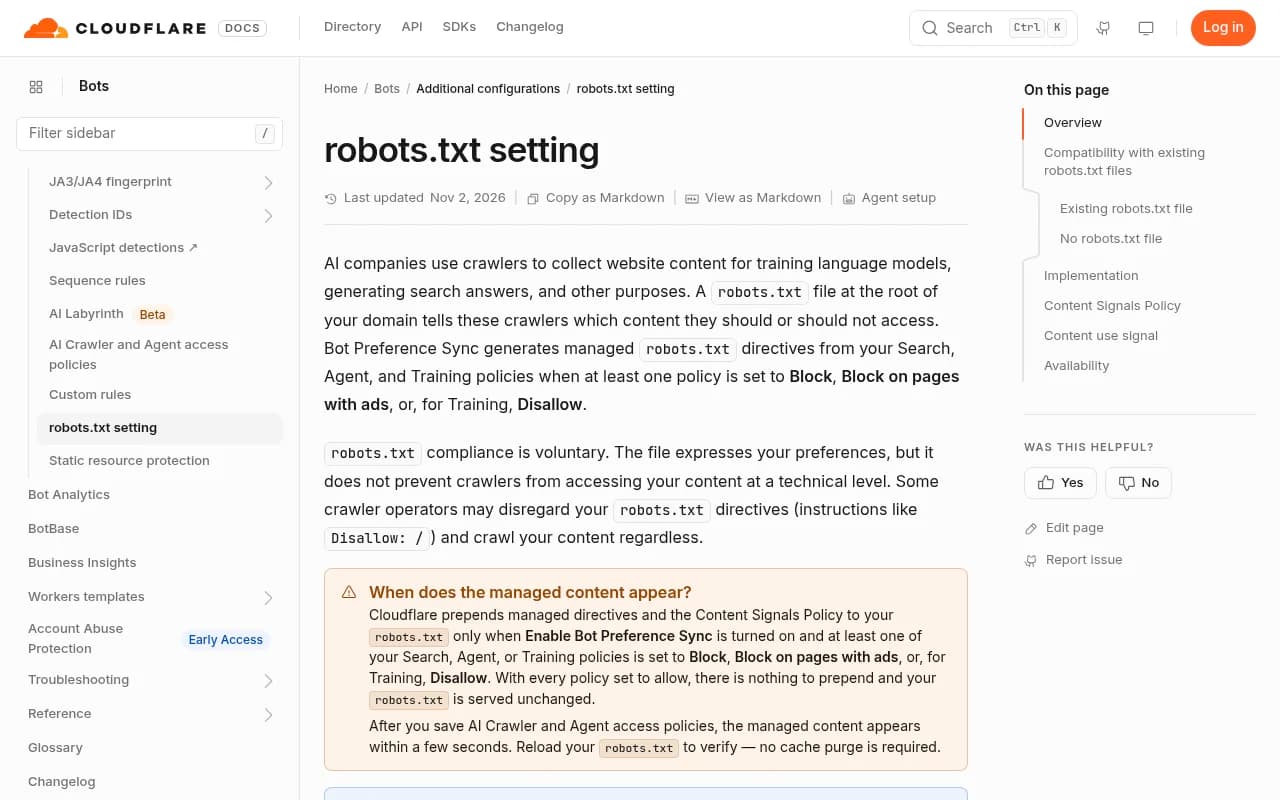
That docs page also explains a behavior worth knowing. If your origin already serves a robots.txt (HTTP 200), Cloudflare prepends its managed content before yours and serves one combined response. If you have none, Cloudflare creates one with managed Disallow rules for known AI crawlers. So the file visitors see may not be the file in your repo.
A balanced configuration
This follows the common pattern: allow search and answer-time bots, block training bots.
# Allow AI search and answer-time bots
User-agent: OAI-SearchBot
Allow: /

User-agent: ChatGPT-User
Allow: /

User-agent: PerplexityBot
Allow: /

User-agent: Bingbot
Allow: /

# Block AI training crawlers
User-agent: GPTBot
Disallow: /

User-agent: CCBot
Disallow: /

User-agent: Google-Extended
Disallow: /

User-agent: Applebot-Extended
Disallow: /

User-agent: *
Allow: /

Sitemap: https://yourdomain.com/sitemap.xml
One caution on ClaudeBot. Cloudflare's example managed file disallows it, while some guides list it as allowed. Anthropic runs separate bots for training, search and user-initiated fetches, so check the current user-agent names before deciding, and don't assume one name covers everything. The AI bots directory lists 400+ crawlers with robots.txt guidance, and the robots.txt generator for AI can build a starting file.
Content signals
Cloudflare also pushes a Content-Signal line with three values: search, ai-input and ai-train. The recommended default for most business sites looks like this:
User-Agent: *
Content-signal: search=yes, ai-input=yes, ai-train=no
Allow: /
Set ai-input to no if you don't want to be quoted in live answers at all. Remember the signals are a legal reservation of rights (Cloudflare frames them under Article 4 of the EU copyright directive 2019/790) and a cue for cooperative bots. Google had not committed to honoring them when they launched, per Search Engine Land. They are not enforcement.
Enforcement: robots.txt is not enough
If you need a bot actually kept out, you block at the edge. Two practical points.
- Blocking at the WAF or bot-management layer works regardless of whether the crawler reads robots.txt.
- The reverse also bites. A permissive robots.txt is useless if your CDN or firewall returns 403s, CAPTCHAs, JavaScript challenges or 429 rate limits to the crawlers you wanted in. Bot protection often treats unfamiliar automated traffic as hostile by default.
Symptoms of an accidental block: crawlers fetching robots.txt but never reaching article pages, or allowed rules with no matching successful page requests. The fix is both a user-agent policy and verified network-level allow rules, using each operator's published IP ranges so spoofed user agents don't slip through.
JavaScript-only content is the other quiet blocker. If your raw HTML is just a shell, many AI fetchers never see your answers. Server-render the core content.
A 10-minute audit
- Open Cloudflare's security settings and look at the Training category and any legacy "Block AI bots" entry. Anything other than off needs a deliberate decision.
- Fetch your live robots.txt with a cache-buster and read what is actually served, including Cloudflare's prepended block.
- Check your WAF and bot rules for blanket challenges that could hit allowed crawlers.
- Look at your server or CDN logs. Are the providers you allowed actually getting 200s on real pages?
- Save a baseline: a screenshot of settings, your robots.txt, and 90 days of Search Console crawl stats. A sudden crawl drop with unchanged content is your warning sign.
For step 4, Promptwatch has IP-verified AI crawler logs that show which bots read which pages and where they hit errors, so you can tell an access problem from a content problem. Its crawler logs feature installs through Cloudflare, Vercel, Netlify, Fastly, CloudFront or a WordPress plugin.

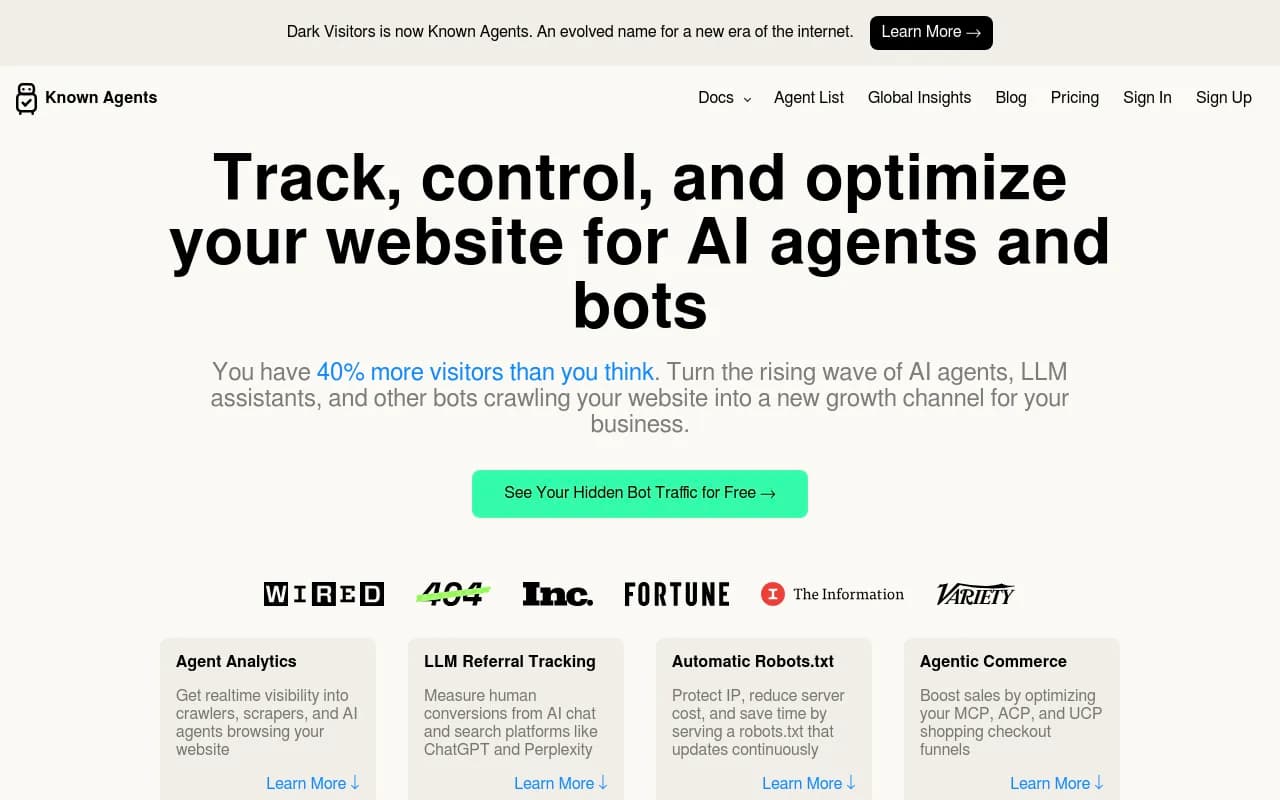
DarkVisitors is a lighter option focused on tracking AI agents and bots visiting a site.
For a broader crawl-side check of your own pages, a crawler like Screaming Frog helps confirm what a bot can actually fetch.
What to do with the results
| What you see | Likely cause | Next step |
|---|---|---|
| Big provider in industry data, near zero in your logs | You are blocked or unreachable for it | Check robots.txt, WAF, challenges |
| Crawlers hit robots.txt only | Firewall or challenge page | Allow verified IP ranges |
| Bots fetch pages but you are never cited | Content or relevance problem | Content gap analysis, not access changes |
| Search crawl drops after toggling a block | Mixed-use crawler caught | Revisit Training setting, test Disallow AI Training |
If you do allow answer-time crawlers, you will want to know whether it pays off. Tools like Promptwatch, Profound or Peec AI can track whether AI engines mention and cite you after the change, and Promptwatch's ChatGPT visibility page covers the ChatGPT side. The GEO software directory at bestgeosoftware.com compares more options.


My take
Treating "block AI" as a pure security toggle is outdated. It is a visibility decision and a monetization decision. Blocking training costs most sites almost nothing. Blocking answer-time crawlers costs you citations, and blocking by accident (through a forgotten Cloudflare switch) costs you things you never intended to give up.
I'd also resist the urge to over-engineer. Pick a policy per business model, write it down, implement it in both robots.txt and at the edge, then check the logs a few weeks later. Policies drift, vendors rename crawlers, and Cloudflare itself says some controls (like AI summary opt-outs and how much content gets included) are still arriving.
FAQ
Is robots.txt enough to stop AI crawlers?
No. It is voluntary. Cooperative crawlers follow it, others ignore it. Pair it with WAF or bot rules for enforcement.
Will blocking AI training hurt my Google rankings?
It shouldn't if you do it the right way, but the mixed-use crawler rule means a blanket Training block on Cloudflare can catch crawlers that also do search. Verify in your dashboard and watch Search Console crawl stats. Cloudflare's Disallow AI Training setting is designed to refuse training while keeping search.
Should I allow ChatGPT but block GPTBot?
For most sites, yes. Allow OAI-SearchBot and ChatGPT-User, disallow GPTBot, and make sure your firewall allows OpenAI's published IP ranges.
How often should I review this?
Quarterly at minimum, and any time you change CDN settings. Crawler names and Cloudflare options both changed several times in 2026.
Checklist
- Decide your policy per category: Search, Agent, Training.
- Review Cloudflare's Training setting and any legacy block switch.
- Fetch and read your live robots.txt.
- Add content signals that match your decision.
- Confirm your WAF isn't challenging crawlers you allowed.
- Compare your logs with industry crawler data.
- Re-check after any CDN or plan change.