Key takeaways
- Promptwatch Data found ads in an average of 20.1% of ChatGPT responses between May 20 and August 17, 2026, so ad slots now sit on a large share of the prompts you care about.
- Ads do not change ChatGPT's answers, according to OpenAI. But advertiser copy tells you which claims, offers and landing pages your competitors think matter on a given prompt.
- Treat advertiser claims as a research input, not as proof. Every claim you reuse needs to be true for your own product and backed by a page you control.
- The workflow: collect ads per prompt, extract the claims, compare them to your content, write pages that answer the gaps, then check whether they get crawled and cited.
- This is a methodology, not an established playbook. Nobody has published controlled evidence that it lifts citations, so test it on a small prompt set first.
Why ad data is worth reading at all
Most marketers look at ChatGPT ads as a media-buying question: should we run them, what do they cost, do they convert. That is a fair question, and there are tutorials for it, like HubSpot's How to Run ChatGPT Ads walkthrough.
But there is a second use that gets less attention. Every ad that appears under a ChatGPT answer is a small public statement by a competitor. It says: on this question, this is what we want the buyer to believe, and this is the page we want them to land on. You get that for free, on exactly the prompts your buyers type.
One caution before going further. I could not find outside evidence that mining ads for content ideas improves AI visibility. What follows is a framework built from how ads and answers are separated, plus what the data says about ad frequency. Treat it as a hypothesis you test, not a guarantee.
What ads in ChatGPT are, and what they are not
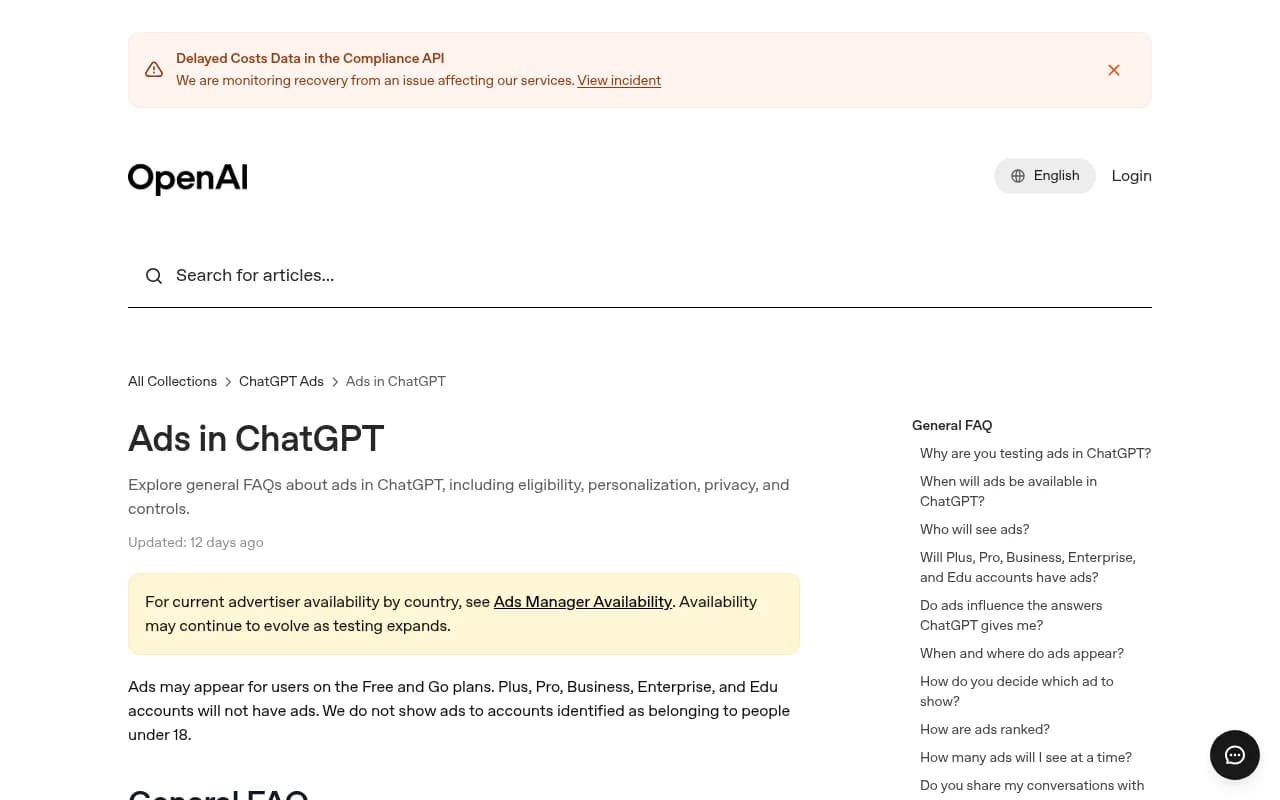
OpenAI's help center is direct about this. Ads run on systems separate from the chat model. Advertisers cannot shape, rank or alter ChatGPT's responses, and an ad is not an endorsement. Ads may appear for users on the Free and Go plans, while Plus, Pro, Business, Enterprise and Edu accounts do not see them. Testing began in the United States on February 9, 2026, and availability by country is listed on a separate Ads Manager Availability page.
That matters for how you use the data. An ad is not a signal of what ChatGPT believes. It is a signal of what an advertiser is willing to pay to say. Those are different things, and mixing them up is the fastest way to write bad content.
Also worth knowing: advertisers themselves get only aggregated impressions and clicks, according to MarketScale's reporting. The conversation that triggered the ad stays inside OpenAI. So the competitor running the ad has coarse data too. They are guessing, just like you. Their claims are hypotheses about what buyers want, not validated truths.
How common are ads on the prompts you track
Promptwatch Data's ChatGPT Ads Over Time report tracked ad frequency from May 20 to August 17, 2026. It counts only responses where ChatGPT searched the web, returned at least one citation and completed ad extraction. Key numbers:
- Ads appeared in an average of 20.1% of responses across the 90 days.
- No ads were served until May 27, when the rate was 1.69%.
- Daily rates have peaked as high as 43.9%.
- After July 1, the rate stayed above 30% for stretches, with daily values mostly in the low 20s to high 30s.
- The past 7 days averaged 32.4%, and the past 30 days averaged 29.6%.
The mix of ad-bearing responses by prompt type over the past 7 days was 73.3% organic, 18.0% brand-specific and 8.6% competitor comparison. The report is careful to say this mix reflects prompt volume. It shows where ads appeared, not how likely each prompt type is to trigger one. So do not read it as "organic prompts are the most ad-prone." They are just the most common.
The report's own advice is worth repeating: check across several days before drawing conclusions, because a single run can land on an outlier day. And track which advertisers and landing pages show up on your prompts, since the rate tells you how often a slot appears but the ad details tell you who wins it.
The workflow, step by step
Step 1: Pick a prompt set that matters
Do not start with every prompt. Start with 20 to 50 prompts your buyers actually use. Mix three types: organic category questions ("best project management tool for agencies"), comparison prompts, and a few brand-specific ones. Organic ones will dominate the ad volume, but comparison prompts are where advertiser claims tend to be most pointed.
If you are not sure which prompts to track, look at query fan-outs, the web searches ChatGPT runs behind a response. Promptwatch's query fanouts report found averages of 2.15 searches per response in early December falling to about 1.84 by early March, with shorter queries over time. Prompts and sub-questions that fan out into comparisons, pricing and alternatives are good candidates.
Step 2: Capture ads over several days
One screenshot is anecdote. Run each prompt repeatedly over at least a week and log, for every ad shown:
- the advertiser
- the headline and body copy
- any specific claim (price, speed, integration, guarantee, "trusted by" number)
- the landing page URL
- the date and the prompt
You can do this by hand with a spreadsheet, though it gets old fast. Monitoring platforms are the practical route. Promptwatch can show which advertisers appear on tracked ChatGPT prompts, what they promote and where the ads send visitors, through its Ads Radar. Business and agency plans include it, and you should confirm current plans at promptwatch.com/pricing.

Step 3: Extract the claims
This is the part that turns ad data into content raw material. Go through the log and tag each ad with the claim type. A rough taxonomy that works:
| Claim type | Example | What it tells you |
|---|---|---|
| Price or offer | "Free for teams under 5" | Buyers are price-sensitive on this prompt |
| Speed or ease | "Set up in 10 minutes" | Onboarding friction is a known objection |
| Feature | "Native Slack integration" | A specific capability buyers ask about |
| Proof | "Used by 10,000 teams" | Trust is the barrier |
| Comparison | "Cheaper than X" | Competitor alternatives are being searched |
| Risk reversal | "Cancel anytime" | Commitment fear |
Count how often each claim type shows up per prompt. If six different advertisers all lead with price on a prompt, price is clearly the contested ground. If nobody mentions security and your product is strong there, that is an opening.
Step 4: Compare claims to what your content says
Now check your own site. For each recurring claim, ask:
- Do we have a page that addresses this directly?
- Does ChatGPT currently cite that page, or any page of ours, on this prompt?
- Is the claim true for us, and can we back it with specifics?
Page 2 and 3 are where gap analysis comes in. A gap is a claim buyers seem to care about, that ChatGPT's answer covers or touches, that you have no good page for. Tools with content gap analysis, such as Promptwatch's content gap view, map your pages against the prompts AI answers so you are not eyeballing it.
Other tools in the category track citations and some surface ad data too. If you want to compare options, the GEO software directory at bestgeosoftware.com lists many of them. Among tools in this catalog, Profound, Peec AI and Otterly.AI are common monitoring choices, though I could not verify that each one captures ad copy and landing pages.



Step 5: Write pages that answer the claim, not copy it
This is where people go wrong. The goal is not to paste a competitor's slogan into a blog post. The goal is to answer the underlying buyer question better than an ad can.
An ad has 30 words. Your page has room. So where an advertiser says "cheaper than X," you write an honest pricing comparison with real numbers. Where an ad says "set up in 10 minutes," you write the actual onboarding walkthrough with screenshots and the caveats. Where one claims "used by thousands," you publish named case studies.
Some practical rules:
- Only reuse a claim if it is true for you. Never borrow a statistic.
- Put the question and the entity up front in the heading, so the heading reads like a search query.
- Build focused pages for sub-questions (pricing, alternatives, how-to) instead of one mega-page. Promptwatch's fanout data recommends exactly this.
- Add specifics ads cannot hold: limits, edge cases, who it is not for.
- Cite the page's own data. First-party numbers get cited; slogans do not.
For reference on what ChatGPT tends to cite, Promptwatch Data found product pages were the most cited content type at 22.4% of citations from Sep 28 to Oct 4, 2026, followed by landing pages and listicles (content type report). If you have claims about a product, a solid product or landing page is a good first home for them.
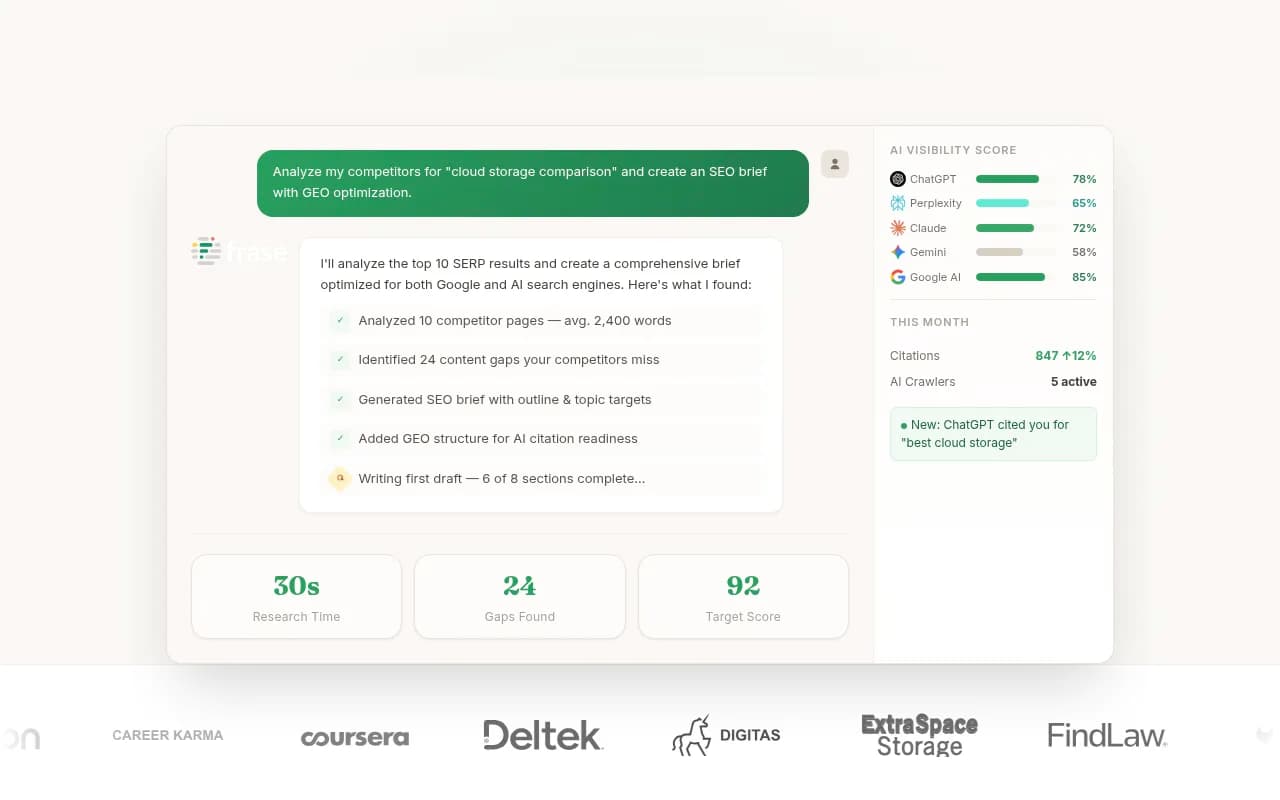
If you produce lots of pages this way, content tools can speed up drafts. Promptwatch's Content Agent writes and publishes against visibility gaps, and general writing tools like Surfer SEO or Frase can help with structure. Keep a human fact check in the loop.
Step 6: Measure whether it worked
Publishing is not the finish line. You want to know three things:
- Did AI crawlers read the page?
- Did ChatGPT or another engine cite it on your target prompts?
- Did it send traffic that converts?
Crawler logs answer the first. Citation tracking answers the second. Analytics answers the third. One caveat on the third: ChatGPT stopped sending a referrer on October 8, 2026, so unless links carry a tag like utm_source=chatgpt.com, AI traffic can hide inside direct. Read attributing AI traffic before you trust any number.
Also expect decay. Promptwatch's content half-life data found landing pages and docs stayed cited longest among pages ChatGPT cited on July 6, 2026, while news lost half its pages within 36 days. Evergreen pages earn more from this effort than topical posts.
Where this approach breaks
Be honest about the limits.
- Ads do not influence answers, so an advertiser's claim may never appear in ChatGPT's response. You are filling gaps in your content, not matching the model.
- Advertisers can be wrong. Many run copy they have never validated, and they only see aggregate clicks.
- Ad slots are volatile. Daily rates ranged from near zero to 43.9% in the data, so a single day tells you little.
- Regulated categories are restricted. Healthcare ads in ChatGPT, for instance, have limits, per DeepIntent's overview, so you will see fewer claims there.
- Some early advertisers report poor results. A PPC practitioner on Reddit argued keyword-style ads struggle because the user already has an answer. If so, the claims being run may not be the ones that persuade. Weigh them accordingly.
Tool options at a glance
| Job | What you need | Example tools |
|---|---|---|
| Capture advertisers and landing pages per prompt | Ad monitoring on real ChatGPT UI | Promptwatch (Ads Radar) |
| Track whether you are cited | Citation and visibility tracking | Profound, Peec AI, Otterly.AI |
| Find content gaps | Gap analysis against prompts | Promptwatch, Frase |
| Draft and optimize pages | Content editor or agent | Surfer SEO, Frase, Promptwatch Content Agent |
| Check crawler access | AI crawler logs | Promptwatch Agent Analytics, DarkVisitors |
For more options by category, the AI rank tracking directory is a reasonable place to browse.
A simple weekly routine
Once set up, this takes an hour or two a week:
- Review new advertisers and landing pages on your tracked prompts.
- Note new claims and any claim that is spreading across several advertisers.
- Check each against your content. Log gaps.
- Write or refresh one or two pages per week, starting with the biggest gap.
- Re-check citations and crawls two to four weeks later.
Start small. Pick ten prompts, run the loop for a month, and see whether pages you wrote from ad-derived gaps get cited more than pages you wrote without that input. That comparison is the only real evidence you will get, and it is more useful than any claim in a guide like this one.
If you want to see where you stand before building anything, the free AI visibility report gives a quick read on how ChatGPT, Gemini and Perplexity talk about your brand.