Key takeaways
- Promptwatch Data found ads in an average of 20.1% of ChatGPT web-search responses between May 20 and August 17, 2026, and the past 7-day average of that report was 32.4%.
- You will not catch a competitor's AI ad by running one prompt once. You need the same prompts, run repeatedly, with the advertiser, copy and landing page logged each time.
- Classic ad spy tools (SpyFu, Semrush, Google Ads Transparency Center) cover search ads. They do not show you ads inside AI answers.
- The reverse-engineering part is the same discipline as with Google Ads: collect, tabulate, find the patterns in claims, offers and calls to action, then test your own angle.
- Segment by prompt type. Ads on competitor-comparison prompts tell you a different story than ads on organic prompts.
Why this is suddenly worth your time
For years, competitor ad research meant Google. You pulled keywords from SpyFu, browsed the Ads Transparency Center, and screenshotted headlines. That workflow still works for search. But a growing share of buying research now happens in a chat window, and ChatGPT started serving ads there.
The numbers from Promptwatch's ChatGPT ads report are the clearest picture I have seen. ChatGPT served no ads until May 27, 2026, when they appeared in 1.69% of qualifying responses. The rate crossed 30% on July 1 and mostly stayed there, with daily rates between the low 20s and high 30s and a peak of 43.9%. Over the full 90 days (May 20 to August 17, 2026), the average was 20.1%.
One scope note matters. That count only includes responses where ChatGPT searched the web, returned at least one citation, and finished ad extraction. Responses that never touch the web are not in the denominator.
So your competitors may already be buying placements against the exact questions your buyers ask. Most teams have no idea who, or what the ads say.
What you are actually looking for
I would not trust anyone who tells you the exact ad format and labeling rules from memory. They change, and I have not verified OpenAI's current disclosure documentation, so check the official source before you build a process around specific labels. What you can capture reliably is the raw material:
- The advertiser name
- The ad copy and any claims in it
- The landing page the click goes to
- The prompt that triggered it
- The date, the model surface and the country
That is five fields. Everything else in this guide is built on logging those consistently.
Step 1: Build a prompt list that reflects how buyers ask
Ads attach to prompts, so your prompt list is your radar. Start with three buckets, which happen to match how Promptwatch's report splits prompt types:
- Organic prompts: generic category questions with no brand named. ("Best project management tool for a 10-person agency.")
- Brand-specific prompts: questions that name your brand or a single competitor. ("Is [Competitor] worth it?")
- Competitor-comparison prompts: "X vs Y" and "alternatives to X."
In the 7-day average of that report, organic prompts made up 73.3% of ad-bearing responses, brand-specific 18.0% and competitor comparison 8.6%. Do not read that as "organic prompts are most likely to show ads." The report itself warns that the mix reflects prompt volume. Add more organic prompts to a monitor and their share rises even if nothing changed at OpenAI. Use it as a sanity check on your sample, not as a targeting guide.
Write 20 to 50 prompts per product line. Use commercial and transactional phrasing, because that is where people are close to buying. If you want ideas, the ChatGPT query fan-out generator shows the sub-searches a model runs behind a prompt, which is a decent source of realistic phrasings.
Step 2: Check manually first (and why that is not enough)
Before you spend money, spend an afternoon. Open ChatGPT in a clean session, run ten of your prompts, and screenshot every response. Note any sponsored placement.
You will learn two things quickly. First, ads are inconsistent. The same prompt can show an ad on Tuesday and nothing on Wednesday. Second, location and account state can change what you see, so your manual results will not match what a buyer in another country gets.
This is why Promptwatch's own advice is to check ad visibility across several days before drawing conclusions, because a single run can land on an outlier day. Manual checks are fine for building intuition. They are bad evidence.
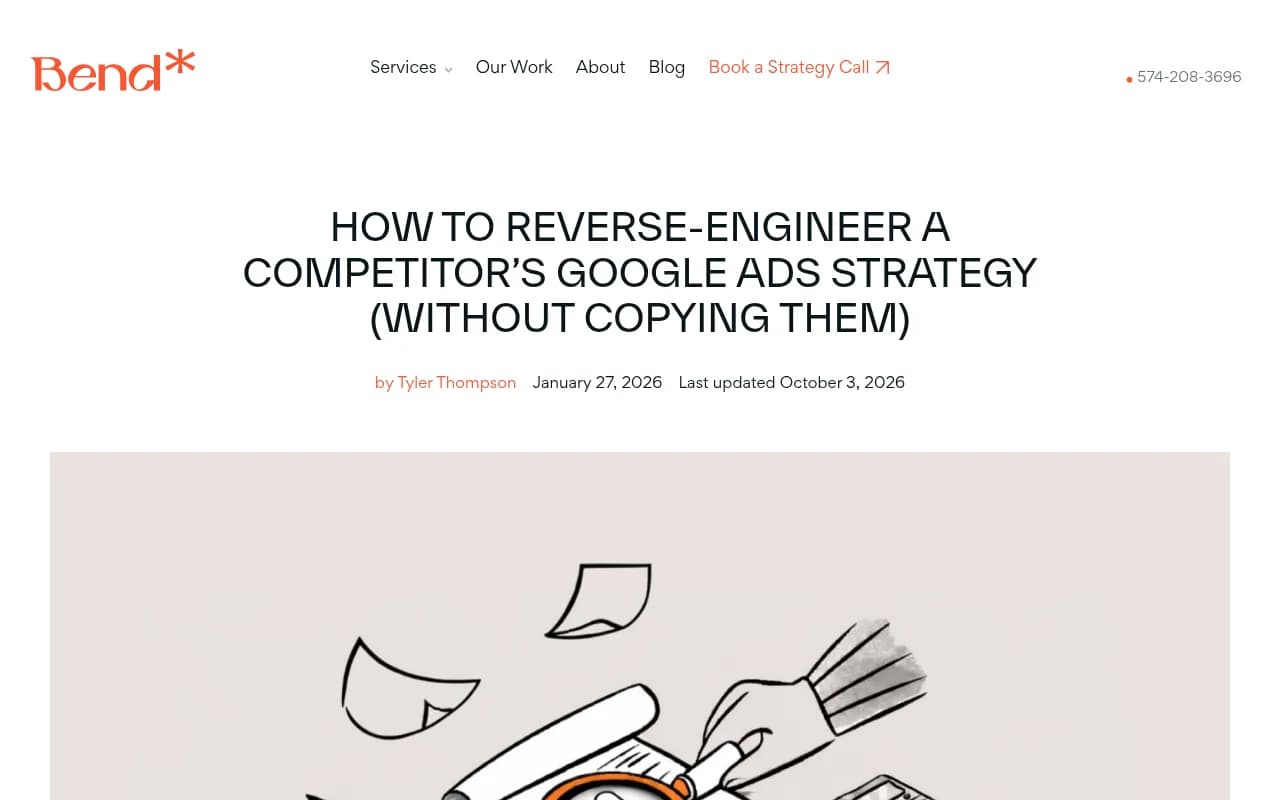
The screenshot above is from a guide on reverse-engineering Google Ads. The collection-then-tabulate approach it shows transfers directly: gather every ad, drop the headlines and offers into a table, and look for repeats.
Step 3: Automate the collection
Once you have a feel for it, you need scheduled runs. Options, roughly in order of how much they cover:
Promptwatch has an Ads Radar that shows which advertisers bid on your tracked prompts, their ad copy, claims and landing pages, viewable by ad or by prompt. It reads the real ChatGPT interface rather than an API, which matters because user-facing answers can differ from API output. Ads Radar is included on Business, every agency plan and Enterprise. Check promptwatch.com/pricing for current numbers; at the time of writing Business is $579/mo and agency plans start at Kick-off $199/mo. The ChatGPT ads page explains the feature in more detail.

The general AI visibility trackers in the catalog mostly answer a different question: was my brand mentioned, and where. Some may offer ad insights. KIME lists ad insights in its description, so it is worth a look if you want a second opinion.
For the brand-mention side of the picture, tools like Profound, Peec AI and Otterly.AI monitor answers across engines. I would verify ad-specific coverage with each vendor directly before buying, since I could not confirm it from public documentation.



If you want a wider list of options, the AI rank tracking directory and the GEO software directory are good places to browse.
| Approach | Catches ads in AI answers | Effort | Best for |
|---|---|---|---|
| Manual prompt checks | Sometimes, one-off | High per run | Building intuition |
| Google Ads Transparency Center | No (search ads only) | Low | Classic Google ad copy |
| SpyFu / Semrush | No (search ads only) | Low | Keyword and ad history |
| Promptwatch Ads Radar | Yes, ChatGPT sponsored placements | Low once set up | Ongoing advertiser and landing page tracking |
| Generic AI visibility trackers | Verify per vendor | Low | Mention and citation monitoring |
Step 4: Segment before you analyze
Resist the urge to dump everything into one spreadsheet. The report's recommendation is to compare advertisers per segment, because ads on brand-specific and competitor-comparison prompts can differ from ads on organic prompts.
In practice that means three views:
- Who advertises on generic category prompts. These are your real market competitors for new demand.
- Who advertises on prompts that name you. This is the most uncomfortable one. A rival showing up on "[Your brand] pricing" is conquesting you.
- Who advertises on "X vs Y" prompts. Their copy usually leans on direct claims and differentiators.
Also split by country and language if you sell in more than one market. A monitor's location is fixed once created in Promptwatch, so markets do not blend, which is how it should work.
Step 5: Reverse-engineer the messaging
This is where the older Google Ads playbooks help. The method in the Bend Your Marketing guide is simple: collect the ads, clean them into a table, and examine headlines, offers, unique selling points and calls to action. Do the same with AI answer ads.
Build the table
One row per distinct ad. Columns:
| Advertiser | Prompt | Prompt type | Core claim | Offer | CTA | Landing page |
|---|---|---|---|---|---|---|
| Competitor A | best CRM for startups | Organic | "Set up in 10 minutes" | 14-day trial | Start free | /startups |
| Competitor B | Competitor A alternatives | Competitor comparison | "No per-seat fees" | Demo | Book a demo | /compare |
The rows above are made-up examples to show the shape. Your data will be messier.
Look for five things
Roaspig's breakdown of competitor ad analysis frames it as looking at messaging priorities, audience assumptions and creative bets. Adapted for AI ads, I check:
- The primary claim. Speed, price, trust, integrations, a specific number?
- The audience assumption. Who does the copy talk to, a solo founder or an IT buyer?
- The offer structure. Free trial, demo, discount, free audit?
- The proof. Do they cite a customer, a stat, an award?
- The destination. Product page, dedicated landing page, comparison page, or a generic homepage?
The destination tells you a lot. A competitor sending comparison prompts to a purpose-built comparison page has invested in that funnel. One sending everything to the homepage probably has not.
Use AI to speed up the grunt work
There is nothing wrong with feeding the ad copy table into ChatGPT or Claude and asking it to summarize tone, values and recurring claims. The Measured Marketer suggests exactly this with competitor website lines. Treat the output as a hypothesis, not a finding. Check it against the raw ads.
Step 6: Connect ads to organic AI visibility
Here is the part most ad-spying guides skip. A competitor paying for placement on a prompt is a signal about which prompts are commercially valuable. It does not tell you whether they are also winning the organic answer.
For every prompt where a rival advertises, check three things in the same run: are they mentioned in the answer text, which pages get cited, and where do you land. If they buy ads and you hold the organic citation, you may not need to respond with spend. If they buy ads and also dominate citations, you have a content gap to close.
This is where an end-to-end platform pays off. Promptwatch puts ads, mentions, citations, sentiment and the individual claims AI makes about each brand (Brand Narrative) in one place, then lets you act on gaps with content gap analysis and the Content Agent. If you want to see how a single metric is computed, the Visibility Score docs are a good start. For the difference between being named and being cited, read citations vs mentions.
For shopping-heavy categories, add product cards to the check. Promptwatch's ChatGPT shopping data (published November 2025, so treat it as a directional read) says shopping features attach to a low single-digit percentage of web-search responses overall, far more on commercial and transactional prompts. Record whether cards appear and which brands fill them. Complete Product schema, accurate prices and availability, and a clean merchant feed are the advice there.
Step 7: Turn findings into your own messaging
Reverse-engineering is useful only if it changes what you do. The LinkedIn posts in the research make the same point in different words: adapt, do not copy. Here is how I would decide.
- If three competitors all lead with price, a fourth price claim is noise. Lead with something they are not saying.
- If everyone claims "easy setup" and nobody backs it with a number, a specific number is your opening.
- If competitors push demos and you know your buyers hate sales calls, test a self-serve offer against theirs.
- If a rival's landing page for comparison prompts is thin, build a better one.
Then test. Put the new angle in your own landing pages and, where you advertise, in your ad copy. Watch whether your visitors from AI sources convert better. Attribution is the hard part; ChatGPT stopped sending a referrer on October 8, 2026, so tagging links with utm_source=chatgpt.com helps. The attributing AI traffic guide walks through it.
A weekly routine that does not eat your calendar
- Monday: review the advertiser list per prompt segment. Note anyone new.
- Wednesday: pull new ad copy and landing pages into your table. Flag changed claims or offers.
- Friday: compare ad-bearing prompts against organic citations. Add the gaps to your content queue.
- Monthly: look at the ad rate trend. If the rate on your prompts shifts, check whether your prompt mix changed before concluding anything about OpenAI.
That last point is worth repeating. The ad rate tells you how often a slot appears. The ad details tell you who wins it. You need both.
Common mistakes
- Drawing conclusions from one run. Ad rates swing daily, with the report showing a peak of 43.9% and lows in the low 20s.
- Copying competitor copy. You will end up with the same positioning and none of their brand recognition.
- Ignoring landing pages. The copy is half the story.
- Treating AI ad data like Google Ads data. Spend, impression share and keyword match types are not exposed. Anyone claiming exact competitor spend is guessing.
- Mixing countries. An ad shown to a US buyer may not appear in the Netherlands.
What I would do first
Pick your 30 highest-intent prompts, set up scheduled tracking, and let it run for two weeks before judging anything. In the meantime, build the table template and decide who owns it. If your team has no time for this, agencies and platforms that automate collection are worth a look. Start with Promptwatch's free AI visibility report to see where you stand today, or try the 7-day trial through Promptwatch's signup if you want to see Ads Radar on your own prompts.
The core idea is old: watch what competitors say, work out why, and say something better. What changed is where the ads live.