Key takeaways
- AI engines like ChatGPT, Perplexity, and Google AI Mode fan every prompt into 5-20 sub-queries before retrieving sources. Optimizing for the head term alone means missing most of the retrieval surface.
- A fan-out tree is the best content brief you'll ever write -- it tells you exactly what an AI model needs to answer a query, in the order it needs it.
- Each sub-query maps to an H2 section. The first paragraph under each H2 is the answer. Everything else is supporting evidence.
- Comparison and "X vs Y" sub-queries appear in almost every commercial fan-out tree -- if that content doesn't exist on your site, a competitor's will get cited instead.
- Re-run your fan-out analysis quarterly. AI engines update their retrieval behavior frequently, and last quarter's tree won't match this quarter's.
There's a moment most content teams hit where they realize their carefully crafted article -- the one that ranked well in Google for three years -- is invisible in AI search. ChatGPT doesn't cite it. Perplexity doesn't mention it. Google AI Mode pulls from a competitor instead.
The reason is usually structural, not qualitative. The article answers one question well. AI engines don't retrieve answers to one question. They retrieve answers to many.
This guide walks through exactly how to take a single fan-out tree and turn it into a content brief that earns citations -- from identifying the sub-queries an AI engine generates, to structuring the article, to tracking whether it's working.
What a fan-out tree actually is (and why it changes everything)
When you type a question into ChatGPT or Google AI Mode, the model doesn't run a single search. It generates a tree of related sub-queries -- synonyms, sub-questions, comparison framings, definitions, recency checks -- and retrieves candidate passages for each one. Then it synthesizes a single answer from the union of those retrievals.
According to OpenAI's April 2026 research note on retrieval, GPT-5.4 runs an average of twelve sub-queries for any complex informational prompt. That's up from four in the GPT-5 era. Google AI Mode and Perplexity behave similarly, though the specific sub-queries they generate for the same parent prompt often differ.

The practical implication: if your article only answers the top-level question, it's a candidate for one retrieval out of twelve. The other eleven retrievals go to whoever answered those sub-questions.
Fan-out isn't triggered for every query. Simple factual lookups, high-confidence knowledge-base answers, and narrow definitional queries often don't trigger it. But comparative, evaluative, and exploratory queries -- the kind that drive commercial intent -- almost always do. That's exactly where content teams need to compete.
Step 1: Generate the fan-out tree for your target query
Before you write a word, you need to know what sub-queries the AI engine is actually generating for your parent topic. There are a few ways to do this.
Manual extraction
The simplest method: ask the AI model directly. Prompt ChatGPT or Gemini with something like: "If someone asked you '[your target query]', what specific sub-questions would you need to answer to give a complete response?" The model will surface 8-15 sub-questions. These are your sub-queries.
Do this across at least two models -- ChatGPT and Perplexity, for instance -- because their fan-out trees differ. A sub-query that appears in both is almost certainly worth targeting. One that appears in only one model is still worth noting but lower priority.
Platform-assisted extraction
Tools built specifically for AI search visibility can automate this. Promptwatch includes query fan-out analysis that shows how a parent prompt branches into sub-queries, along with volume estimates and difficulty scores for each. That lets you prioritize which sub-queries to target first rather than treating them all equally.

For a more lightweight starting point, tools like Frase and MarketMuse can surface related questions, though they're built around traditional search intent rather than AI retrieval behavior specifically.
What to look for in the tree
Once you have your sub-queries, sort them into categories:
- Definitional ("what is X", "how does X work")
- Comparative ("X vs Y", "best X alternatives")
- Procedural ("how to do X", "steps to X")
- Evaluative ("is X worth it", "X pros and cons")
- Contextual ("X for [specific use case]", "X for [specific audience]")
A well-structured article needs representation across most of these categories. If your fan-out tree has eight comparison sub-queries and your article has no comparison content, you're leaving eight retrieval slots on the table.
Step 2: Map sub-queries to your content structure
Here's the structural shift that matters most. Stop briefing content as "this page targets one keyword." Brief it as "this page covers the fan-out tree of the parent query."
Each sub-query becomes an H2. The first paragraph under that H2 is the direct answer to the sub-query. Everything after that -- examples, data, nuance -- is supporting evidence that helps the model trust the answer.
Pravin Kumar, a Webflow developer who tested this approach on client articles, found that restructuring posts into nine separate H2 questions (each with a 40-word answer block at the top) was the version that finally started getting cited by ChatGPT Search and Perplexity. The previous versions -- a single tidy answer, then five sub-questions in one tour -- didn't earn citations.
Princeton's GEO-bench v2 study, published in February 2026, measured a 41% uplift in cited share when articles answered at least eight discrete sub-queries on the same topic versus articles that only answered the main query.
A practical mapping example
Say your parent query is "best project management tools for remote teams." A fan-out tree might generate sub-queries like:
- What features matter most in remote project management tools?
- How do Asana and Monday.com compare for remote teams?
- What's the best free project management tool for small remote teams?
- How do project management tools integrate with Slack?
- What do remote teams say about using Notion for project management?
Each of those becomes an H2. The article isn't one long answer to the parent query -- it's a bundle of five to twelve mini-documents, each living under its own heading, each answering a specific retrieval need.
Step 3: Build the actual content brief
A brief built from a fan-out tree looks different from a traditional SEO brief. Here's what to include.
Brief structure
Parent query: The top-level prompt you're targeting.
Fan-out sub-queries: List every sub-query from your analysis, tagged by category (definitional, comparative, procedural, etc.). These become the H2 sections.
Priority order: Not all sub-queries are equal. Prioritize the ones that appear across multiple AI engines, have higher prompt volume, or represent commercial intent (especially comparison queries).
Answer-first requirement: For each H2, the brief should specify that the first 40-60 words must directly answer the sub-query. No preamble, no "great question" setup. Just the answer.
Evidence requirements: What data, examples, or quotes does each section need? AI models weight specificity. A section that cites a named study or a specific percentage is more likely to be retrieved than one that says "research suggests."
Comparison content: Flag which sub-queries require comparison tables or "X vs Y" content. These are high-retrieval-value sections that often get skipped in traditional briefs.
Word count by section: Instead of a total word count, specify a target for each H2. This prevents writers from front-loading the article and leaving later sections thin.
Persona targeting: Who is asking this query, and what do they already know? A query from a first-time buyer needs different framing than the same query from a procurement manager.
Tools like Content Harmony are built around this kind of structured brief generation and can speed up the research phase considerably.
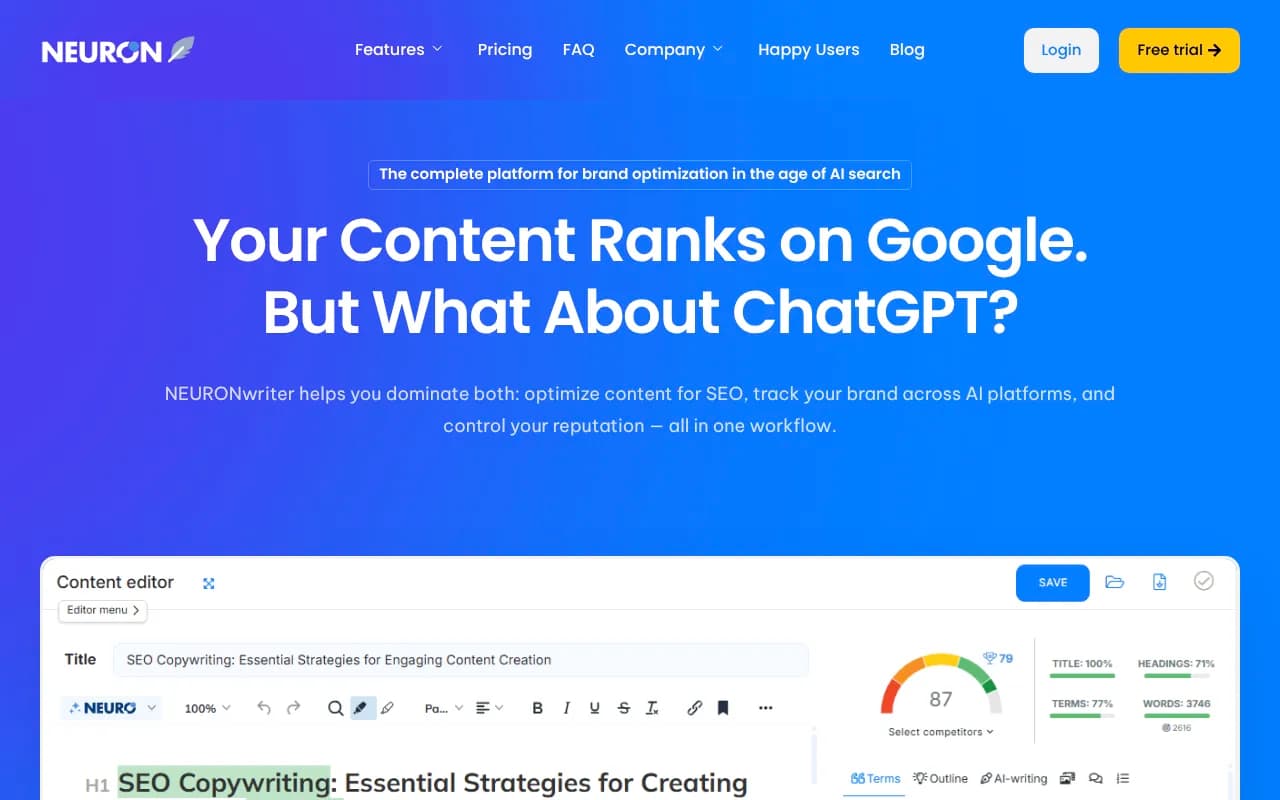
Clearscope and NeuronWriter are also useful for identifying semantic coverage gaps once the brief is drafted.

Step 4: Write for passage retrieval, not page ranking
This is the mindset shift that separates content that earns AI citations from content that doesn't. AI engines don't rank pages -- they retrieve passages. The unit of retrieval is a paragraph, not a URL.
Every H2 section in your article needs to work as a standalone passage. If an AI model extracts just that section and nothing else, it should still make complete sense. It should answer the sub-query, include any necessary context, and not depend on the reader having read the sections above it.
Practical writing rules for fan-out content
Answer first, always. The first sentence of each H2 section should be a direct, declarative answer to the sub-query. Not "in this section, we'll explore..." -- the answer itself.
Use specific numbers and named sources. "A 2026 study by Bain found that..." is retrievable. "Studies suggest..." is not.
Keep answer blocks short. The first 40-80 words of each section are the most likely to be retrieved. Make them count. The rest of the section can go deeper, but the answer block is what gets cited.
Avoid burying the answer. If your article spends three paragraphs setting up context before answering the question, an AI model may retrieve the setup instead of the answer -- or skip the section entirely.
Write comparison content explicitly. If a sub-query is "X vs Y," write a section that directly compares X and Y. Don't just mention both in passing. A comparison table often gets retrieved as a unit.
Step 5: Structure the article for AI crawlers
Getting the content right is necessary but not sufficient. AI crawlers need to be able to find, read, and index your pages efficiently. A few structural considerations that matter in 2026:
Heading hierarchy
Use H2 for each sub-query section. Use H3 for supporting points within a section. Don't skip levels. AI crawlers use heading structure to understand the information architecture of a page -- a flat wall of text or inconsistent heading levels makes it harder for them to extract clean passages.
Schema and structured data
FAQ schema is particularly useful for fan-out content because it maps directly to the question-answer structure AI engines are looking for. Each sub-query becomes a FAQ entry. This doesn't guarantee citation, but it makes the content easier to parse.
Page speed and crawlability
AI crawlers behave differently from Googlebot. Some return more frequently, some are more sensitive to server errors, and some prioritize recently updated content. Tools that log AI crawler activity -- showing which pages they read, how often they return, and where they encounter errors -- give you visibility into whether your content is actually being discovered.
Promptwatch's crawler log feature does exactly this, showing real-time logs of AI crawlers hitting your site and flagging indexing issues before they affect citation rates.
Internal linking
Link from your fan-out article to any deeper content that covers individual sub-queries in more detail. If you have a dedicated "X vs Y" comparison page, link to it from the comparison H2 section. This gives AI crawlers a path to retrieve more specific content for sub-queries that need more depth than a single section can provide.
Step 6: Track whether it's working
Publishing the article is the start, not the end. You need to know whether AI engines are actually citing it, which sections are getting retrieved, and how citation rates change over time.
What to track
Citation rate by model: Is ChatGPT citing this page? Perplexity? Google AI Mode? Different models have different retrieval preferences, and a page that earns citations from one may be invisible to another.
Page-level citation data: Which specific pages on your site are being cited, and for which prompts? This tells you whether your fan-out structure is working or whether you need to revise.
Time from publish to citation: AI crawlers don't always index new content immediately. Knowing the typical lag for each model helps you set realistic expectations and identify when a page has been crawled but isn't being cited (a signal that the content structure needs work).
Competitor citation comparison: If a competitor is being cited for a sub-query you've covered, that's a signal to revisit that section. Either your answer isn't specific enough, or their version is more directly answerable.
For teams that want to go deeper on the competitive side, tools like Profound and AthenaHQ offer brand-level AI visibility tracking.


Comparison: traditional SEO brief vs fan-out content brief
| Element | Traditional SEO brief | Fan-out content brief |
|---|---|---|
| Primary target | One head keyword | Parent query + 8-15 sub-queries |
| Structure driver | Keyword density and word count | Sub-query coverage and passage retrievability |
| H2 strategy | Topic clusters or logical flow | One H2 per sub-query |
| Answer placement | Anywhere in the section | First 40-80 words of each H2 |
| Comparison content | Optional | Required (appears in most commercial fan-out trees) |
| Evidence standard | "Studies suggest" | Named source + specific data |
| Success metric | Google ranking position | AI citation rate by model |
| Refresh cadence | When rankings drop | Quarterly (engines update retrieval behavior) |
Common mistakes to avoid
Answering only the parent query. If your article is one long answer to the headline question with no internal structure, it's a candidate for one retrieval out of twelve. Break it into sub-query sections.
Ignoring comparison sub-queries. "X vs Y" and "best X alternatives" sub-queries appear in almost every commercial fan-out tree. If you don't have that content, a competitor's comparison page will get cited instead.
Burying the answer. AI models retrieve passages, not pages. If the answer to a sub-query is in paragraph four of a section, the model may retrieve paragraphs one through three instead -- which might not contain the answer at all.
Treating all AI engines the same. ChatGPT, Perplexity, and Google AI Mode generate different sub-queries for the same parent prompt. A brief that only optimizes for one engine's fan-out tree will miss retrieval opportunities on the others.
Not refreshing. AI engines update their retrieval behavior frequently. A fan-out tree from six months ago may not reflect what the engine is generating today. Quarterly re-analysis is the minimum.
From brief to published: a realistic timeline
Week 1: Generate the fan-out tree across two or three AI engines. Categorize sub-queries. Identify which comparison and evaluative sub-queries need dedicated sections or separate pages.
Week 2: Build the brief. Assign H2 sections to sub-queries. Specify answer-first requirements, evidence standards, and comparison content. Set section-level word count targets.
Week 3: Write and edit. The writer's job is to answer each sub-query directly and specifically, not to write a flowing essay. Editors should check that every H2 section works as a standalone passage.
Week 4: Publish, add schema, and set up tracking. Log the publish date so you can measure time-to-citation. Check crawler logs after 48-72 hours to confirm AI crawlers have visited the page.
Month 2+: Monitor citation rates by model. Revise sections that aren't being cited. Add new sections if the fan-out tree has expanded since you published.
The shift from keyword-based briefs to fan-out-based briefs isn't a minor tweak -- it's a different way of thinking about what a piece of content is for. A traditional article answers a question. A fan-out article is a retrieval surface for a dozen questions at once. The ones that earn AI citations are the ones built with that in mind from the start.