Key takeaways
- Google Search Console added dedicated AI Overview and AI Mode reporting in 2026, but it only covers Google's own AI features -- not ChatGPT, Perplexity, Claude, Gemini standalone, or any other LLM.
- There are now two distinct discovery channels: Google Search (traditional rankings) and AI Search (recommendations across multiple models). You need separate tools to measure each.
- The practical workflow is: use GSC for Google-side AI data, use a dedicated AI visibility tool for cross-model brand tracking, then combine the signals to prioritize content work.
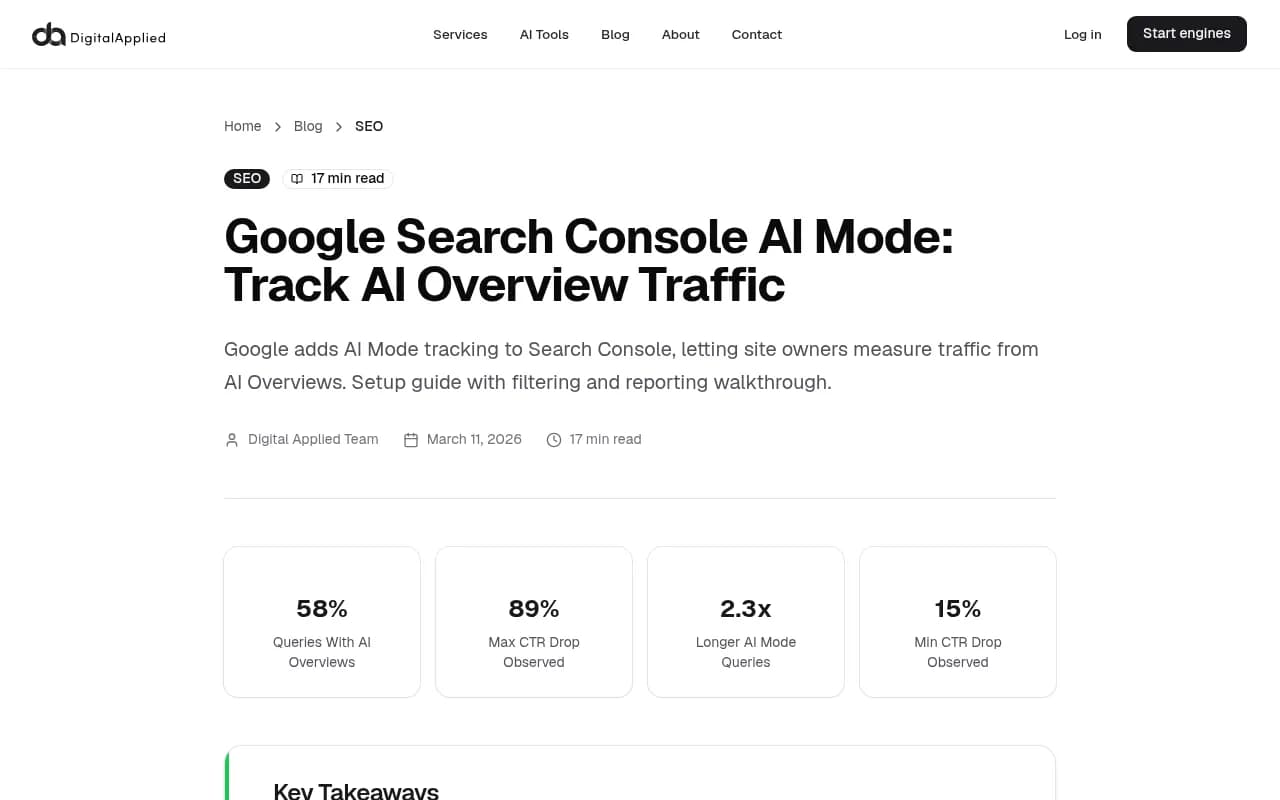
- AI Overview impressions are high but CTR is low (15-89% drops observed). Citation frequency matters more than impressions for measuring AI search impact.
- The gap between what GSC shows and what's actually happening across AI search is significant -- and growing.
Why one tool isn't enough anymore
For years, Google Search Console was the definitive source of truth for organic search performance. It still is, for traditional Google rankings. But something shifted in 2026 that makes relying on GSC alone genuinely risky.
There are now two separate discovery channels your audience uses to find information:
- Google Search -- where you rank in SERPs, including AI Overviews
- AI Search -- where ChatGPT, Perplexity, Claude, Gemini, Grok, and others recommend (or don't recommend) your brand in response to conversational queries
GSC covers the first channel reasonably well. It covers the second channel not at all. If someone asks ChatGPT "what's the best project management tool for remote teams" and your competitor gets recommended instead of you, that traffic loss is invisible in Search Console. There's no impression, no click, no query -- nothing.
This is the core problem. And it's not a minor gap. Research from Semrush's Chris Long shows that AI visibility matters enough that teams without a measurement strategy are already losing real opportunities to competitors who are tracking it.
The solution isn't to abandon GSC -- it's genuinely useful and got significantly better in 2026. The solution is to run it alongside a dedicated AI visibility tool, with a clear workflow for combining the signals.
What Google Search Console actually shows now
Google rolled out dedicated AI search reporting in Search Console in mid-2026, and it's a meaningful upgrade. The key change: the Search Type filter now includes separate segments for AI Overviews and AI Mode queries, rather than folding that traffic into aggregate web search data.
Here's what you can now see in GSC:
AI Overviews data
When your content is cited inside a Google AI Overview, GSC now records the impression separately. You can filter by "AI Overviews" in the Search Type dropdown and see:
- Which queries triggered an AI Overview where your content appeared
- Impression counts for those appearances
- Clicks and CTR from AI Overview citations
- Which pages are being cited
The CTR data is sobering. Research from Digital Applied found CTR drops of 15% to 89% when an AI Overview is present, depending on query type. Appearing in an AI Overview generates impressions, but users often get their answer without clicking. That means impression share and citation frequency are the metrics that actually matter here, not just clicks.
AI Mode data
AI Mode queries tend to be longer, more conversational, and research-oriented. GSC now separates these from standard web queries. A useful regex filter for finding long-tail, prompt-like queries in your existing GSC data is:
^(?:\S+\s+){8,}\S+$
This filters for queries with 9+ words -- a reasonable proxy for the kind of conversational prompts that trigger AI Mode responses.
What to build in GSC
Don't rely on the default performance report. Build saved filtered views:
- One view filtered to "AI Overviews" search type
- One view filtered to "AI Mode" search type
- Both segmented by query and by page
- Date range comparisons (month-over-month) to track trends
These become your Google-side AI baseline. Now you need the other half.
What GSC can't tell you (and why it matters)
Here's the honest limitation: GSC only knows what happens on Google. It has no visibility into:
- Whether ChatGPT recommends your brand in its responses
- Which pages Perplexity cites when answering questions in your category
- Whether Claude mentions a competitor instead of you
- How your brand appears (or doesn't) in Grok, DeepSeek, Meta AI, or Copilot
- What sentiment AI models express about your brand when they do mention it
For many brands, this non-Google AI traffic is already significant. Perplexity alone processes hundreds of millions of queries per month. ChatGPT's user base dwarfs most traditional search engines. If your content strategy is optimized only for Google's AI features, you're ignoring a substantial and growing portion of AI-driven discovery.
The other thing GSC can't show you: what you're missing. It tells you where you appeared. It doesn't tell you which prompts your competitors are winning that you're not even showing up for. That's the gap that costs brands the most.
The combined workflow
Here's how to run both tools together without creating a measurement mess.
Step 1: Set your GSC baseline
Before adding any new tool, get your Google-side AI data clean. In GSC:
- Create a saved report filtered to AI Overviews, segmented by page
- Create a second saved report filtered to AI Mode, segmented by query
- Export both monthly and store them -- you'll want trend data over time
- Note your top 10 pages by AI Overview impressions. These are your current "AI-cited" pages on Google.
This takes about 30 minutes to set up and should become a monthly ritual.
Step 2: Set up cross-model tracking
This is where a dedicated AI visibility tool comes in. The goal is to track how your brand appears across ChatGPT, Perplexity, Claude, Gemini, and other models -- not just Google.
Promptwatch covers 10 AI models (ChatGPT, Perplexity, Google AI Overviews, Google AI Mode, Claude, Gemini, Meta/Llama, DeepSeek, Grok, Mistral, Copilot) and tracks actual user-facing responses rather than just API outputs. The distinction matters because what users see in ChatGPT's interface can differ from what the API returns.

What you're setting up here:
- A prompt set covering your core category queries (e.g., "best [your category] tool", "how to [key use case]", "[your category] for [persona]")
- Brand mention tracking across models -- when are you cited, when are competitors cited instead?
- Competitor heatmaps to see who's winning which prompts across which models
Step 3: Find the gaps
This is the most valuable step and the one most teams skip. You need to know not just where you appear, but where you should appear and don't.
In your AI visibility tool, look for:
- Prompts where competitors appear consistently but you don't
- Topics where AI models answer questions without citing anyone in your category (opportunity)
- Queries where you appear on Google (GSC shows impressions) but not in other AI models
That last one is particularly useful. If GSC shows you're being cited in Google AI Overviews for a query, but your AI visibility tool shows you're absent from ChatGPT and Perplexity for the same topic, you have a content gap. The content exists and Google finds it useful, but it's not structured or distributed in a way that other models pick up.
Step 4: Prioritize content by combined signal
Now you have two data sources. Here's how to combine them into a prioritization framework:
| Signal | What it tells you | Action |
|---|---|---|
| High GSC AI Overview impressions, low CTR | Google cites you but users don't click | Optimize the cited page to capture clicks; check if the content fully answers the query |
| GSC AI Mode queries with no impressions | Conversational queries you're missing on Google | Create or expand content targeting those query patterns |
| Competitor visible in AI models, you're not | Cross-model gap | Content gap analysis -- what angle does your competitor cover that you don't? |
| You appear in GSC AI Overviews but not other models | Google-only visibility | Improve content structure, add FAQ sections, build external citations |
| Neither GSC nor AI visibility tool shows you | Full gap | New content needed, or existing content needs significant improvement |
Step 5: Create content that addresses both channels
Content that ranks in Google AI Overviews and content that gets cited by ChatGPT or Perplexity have overlapping but not identical requirements. Some principles that apply to both:
- Direct, specific answers to questions (not hedged, not vague)
- Clear structure with headers that match how people phrase questions
- Factual claims with sources AI models can verify
- Comprehensive coverage of a topic, not thin takes
For cross-model AI visibility specifically, external citations matter more than most SEO practitioners realize. Reddit threads, YouTube videos, third-party listicles, and review sites all influence what AI models recommend. GSC can't track any of this. A good AI visibility tool will show you which external sources are driving citations in AI responses -- and that's often where the real leverage is.
Step 6: Track the results across both channels
After publishing new content or updating existing pages, you're watching for:
In GSC:
- New AI Overview impressions for the target queries
- AI Mode query appearances
- CTR changes on pages you've optimized
In your AI visibility tool:
- Brand mention frequency changes across models
- New citations on the target prompts
- Competitor visibility changes (are you closing the gap?)
The timeline differs between channels. Google can index and start showing content in AI Overviews relatively quickly. Other AI models update their training data and retrieval on different schedules -- some faster, some slower. Don't expect overnight results, but you should see movement within 4-8 weeks for well-optimized content.
Choosing an AI visibility tool to pair with GSC
There are a lot of options in this space now. Here's a quick comparison of the main approaches:
| Tool | Models covered | Content gap analysis | Crawler logs | Best for |
|---|---|---|---|---|
| Promptwatch | 10 models | Yes | Yes | Full-cycle optimization |
| Profound | Multiple | Limited | No | Enterprise monitoring |
| Otterly.AI | Several | No | No | Basic monitoring |
| Peec.ai | Several | No | No | Multi-language tracking |
| AthenaHQ | 8+ | No | No | Monitoring-focused teams |
| Semrush | Limited | No | No | Teams already using Semrush |
The honest difference between these tools: most of them show you data. Fewer help you do something with it. If you're running the combined workflow described above, you need a tool that can identify gaps and help you act on them -- not just a dashboard that confirms you're invisible.
Some other tools worth knowing about depending on your needs:




Common mistakes in this workflow
A few things that trip teams up:
Treating GSC AI data as the full picture. It's not. It's Google's AI data. The moment you start assuming your GSC AI Overview impressions represent your total AI visibility, you're making decisions on incomplete information.
Tracking too many prompts. Start with 20-30 prompts that represent your core category. You can expand later. Tracking 200 prompts before you understand the data is just noise.
Ignoring CTR context. A page with 50,000 AI Overview impressions and 200 clicks isn't necessarily underperforming -- that's the nature of AI Overview traffic. Compare it to similar pages and look at trends, not absolute numbers.
Only optimizing your own site. AI models pull from the entire web. If you're not appearing in relevant Reddit discussions, third-party comparison pages, or YouTube content, you're missing a major lever. GSC shows none of this. Your AI visibility tool should.
Not separating the two channels in reporting. If you're reporting to stakeholders, keep Google AI traffic and cross-model AI visibility as separate metrics. They measure different things and have different benchmarks.
The practical starting point
If you're setting this up from scratch, here's the minimum viable version:
- In GSC, create two saved filtered views (AI Overviews, AI Mode) and export them monthly
- Pick 20-30 prompts that represent how your customers find you through AI search
- Set up tracking for those prompts across at least ChatGPT, Perplexity, and Google AI Mode
- Run a competitor comparison -- who's appearing where you're not?
- Pick one content gap and fix it. Track the results over 6 weeks.
That's it. You don't need a complex stack to start. You need consistent data from both channels and a habit of acting on what you find.
The two-channel reality of search in 2026 isn't going away. Google will keep expanding AI features, and non-Google AI models will keep growing their user bases. The teams that build measurement and optimization workflows covering both channels now will have a real advantage over those still treating GSC as the only source of truth.