Key takeaways
- AI visibility dashboards track how your brand appears across ChatGPT, Perplexity, Claude, Gemini, and Google AI Overviews -- critical as AI search traffic grew 527% year-over-year and now drives 4.4x higher conversion value than traditional organic search
- You can build a basic tracker in a weekend using free API access from OpenAI, Anthropic, and Google, storing responses in a spreadsheet or database, then visualizing trends over time
- Advanced setups use tools like Promptwatch to automate prompt execution, track citations, analyze competitor visibility, and connect AI visibility to actual revenue via traffic attribution
- Essential metrics to track: citation rate (how often AI models mention you), source URLs cited, sentiment of mentions, share of voice vs competitors, and prompt coverage gaps where competitors appear but you don't
- Most businesses lack proper AI visibility tracking -- 87% have no systematic way to measure AI search performance, leaving them blind to a traffic channel that already represents over 1% of total sessions for some sites
Why AI visibility tracking matters in 2026
Traditional SEO dashboards show you Google rankings. They don't show you what ChatGPT says when someone asks for product recommendations in your category. They don't track whether Perplexity cites your documentation when answering technical questions. They can't tell you if Claude mentions your brand positively, negatively, or not at all.
That gap is expensive. By February 2026, Google's AI Overviews reach 2 billion monthly users across 200+ countries. ChatGPT processes over 3 billion messages daily from 700 million weekly active users. When AI systems control which brands appear in user-facing answers, invisibility means lost revenue.
The data backs this up. AI search traffic increased 527% year-over-year according to the 2025 Previsible AI Traffic Report, which analyzed 19 GA4 properties and found sessions from large language models rose from approximately 17,000 to 107,000. Some websites now report over 1% of total sessions originating from platforms like ChatGPT, Perplexity, and Copilot. Visitors arriving from AI search platforms demonstrate 4.4 times higher conversion value than traditional organic search visitors.
But here's the problem: organic click-through rates drop from 1.76% to 0.61% when AI Overviews appear -- a 61% decline. Approximately 60% of searches with AI-generated answers result in zero clicks to any website. If you're not cited in the AI response, you don't exist to that user.
An AI visibility dashboard solves this. It systematically tracks how AI models respond to prompts related to your business, which sources they cite, how often you're mentioned, and where competitors outrank you. This isn't vanity metrics -- it's the foundation for optimizing your content to actually get cited by AI systems.
Understanding what to track
Before you build anything, define what matters. AI visibility isn't a single number. It's a collection of signals that together tell you whether AI systems see your brand as authoritative, relevant, and worth citing.
Core metrics every dashboard needs
Citation rate: The percentage of relevant prompts where an AI model mentions your brand or cites your content. If you track 100 prompts related to your product category and your brand appears in 23 responses, your citation rate is 23%. This is your headline metric -- the AI equivalent of ranking on page one.
Source attribution: Which URLs from your site get cited, and how often. AI models don't just mention brands -- they link to specific pages as sources. Tracking source URLs shows you which content AI systems trust. If your blog post on "enterprise security best practices" gets cited 40 times across different prompts while your product pages get cited zero times, that's actionable data.
Share of voice: Your citation rate compared to competitors. If AI models mention you 23% of the time, competitor A 45% of the time, and competitor B 18% of the time, you're losing to A but beating B. Share of voice reveals your relative position in the AI-powered consideration set.
Sentiment and positioning: How AI models describe you. Are you mentioned as a "leading solution" or "budget option"? Do responses highlight your strengths or your limitations? Sentiment tracking catches brand perception issues before they compound.
Prompt coverage gaps: Prompts where competitors get cited but you don't. These gaps represent content opportunities. If Claude consistently cites competitor documentation for "how to integrate X with Y" but never mentions your integration guides, you're missing citations you could win.
Model-specific performance: Your visibility varies by AI platform. ChatGPT might cite you frequently while Perplexity ignores you entirely. Tracking performance by model (ChatGPT, Claude, Gemini, Perplexity, Google AI Overviews) reveals where to focus optimization efforts.
Secondary metrics that add depth
Response position: Where you appear in AI responses. Being mentioned first carries more weight than being the fifth option listed. Position tracking shows whether you're a primary recommendation or an afterthought.
Citation context: The surrounding text when AI models mention you. Are you cited as a solution to a specific problem, or just listed among many options? Context reveals how AI systems understand your value proposition.
Temporal trends: How your visibility changes over time. A dashboard that only shows current state is half-blind. Tracking week-over-week and month-over-month trends catches improvements or declines early.
Geographic and language variations: AI responses differ by region and language. A prompt in English might cite you, while the same prompt in Spanish cites a local competitor. Multi-region tracking matters for global brands.
Prompt volume estimates: Not all prompts are equally valuable. Tracking estimated search volume or user intent behind each prompt helps prioritize which visibility gaps to fix first.
Building a basic tracker with free tools
You don't need enterprise software to start. A functional AI visibility tracker can be built in a weekend using free API access, a spreadsheet, and basic scripting.
The weekend build approach
Here's the simplest path: manually send prompts to AI models via their APIs, save the responses, and track patterns over time. This sounds tedious, but it works.
Step 1: Define your prompt set. Write 20-50 prompts that represent how potential customers might ask about your product category. Examples:
- "What are the best [product category] tools in 2026?"
- "How do I solve [specific problem your product addresses]?"
- "Compare [your brand] vs [competitor]"
- "What's the most affordable [product category]?"
- "Which [product category] tool is best for [specific use case]?"
Focus on prompts with commercial intent. Generic informational queries matter less than prompts where someone is actively evaluating solutions.
Step 2: Set up API access. Most AI platforms offer free API tiers:
- OpenAI (ChatGPT): $5 free credit, then pay-as-you-go
- Anthropic (Claude): Free tier with rate limits
- Google (Gemini): Free tier available
- Perplexity: API access with free tier
Create accounts, generate API keys, and test basic requests. The documentation for each platform walks you through authentication and making your first call.
Step 3: Automate prompt execution. Write a simple script (Python is easiest) that loops through your prompt list, sends each prompt to multiple AI models, and saves the responses. Here's the basic structure:
import openai
import anthropic
import time
import csv

prompts = [
    "What are the best project management tools in 2026?",
    "How do I choose a CRM for a small business?",
    # ... more prompts
]

results = []

for prompt in prompts:
    # Send to ChatGPT
    chatgpt_response = openai.ChatCompletion.create(
        model="gpt-4",
        messages=[{"role": "user", "content": prompt}]
    )

    # Send to Claude
    claude_response = anthropic.Anthropic().messages.create(
        model="claude-3-opus-20240229",
        messages=[{"role": "user", "content": prompt}]
    )

    # Save results
    results.append({
        "prompt": prompt,
        "chatgpt": chatgpt_response.choices[0].message.content,
        "claude": claude_response.content[0].text,
        "timestamp": time.time()
    })

    time.sleep(2)  # Rate limiting

# Export to CSV
with open('ai_visibility_results.csv', 'w') as f:
    writer = csv.DictWriter(f, fieldnames=['prompt', 'chatgpt', 'claude', 'timestamp'])
    writer.writeheader()
    writer.writerows(results)
Run this weekly. Each execution creates a snapshot of how AI models respond to your prompt set.
Step 4: Analyze responses manually. Open the CSV, read through responses, and mark whether your brand was mentioned. Create columns for:
- Brand mentioned (yes/no)
- Position in response (1st, 2nd, 3rd, not mentioned)
- Sentiment (positive, neutral, negative)
- Competitor mentions
- URLs cited
This is tedious but reveals patterns quickly. After a few weeks, you'll see which prompts consistently exclude you and which competitors dominate.
Step 5: Visualize trends. Import your weekly snapshots into Google Sheets or Excel. Create charts showing:
- Citation rate over time (line chart)
- Share of voice vs competitors (stacked bar chart)
- Top cited URLs (bar chart)
- Prompt coverage gaps (table)
This basic dashboard costs nothing except API usage (typically under $10/month for 50 prompts run weekly across 3-4 models) and your time.
Tools that accelerate the basic build
If you want to skip the scripting, several tools automate parts of this workflow:
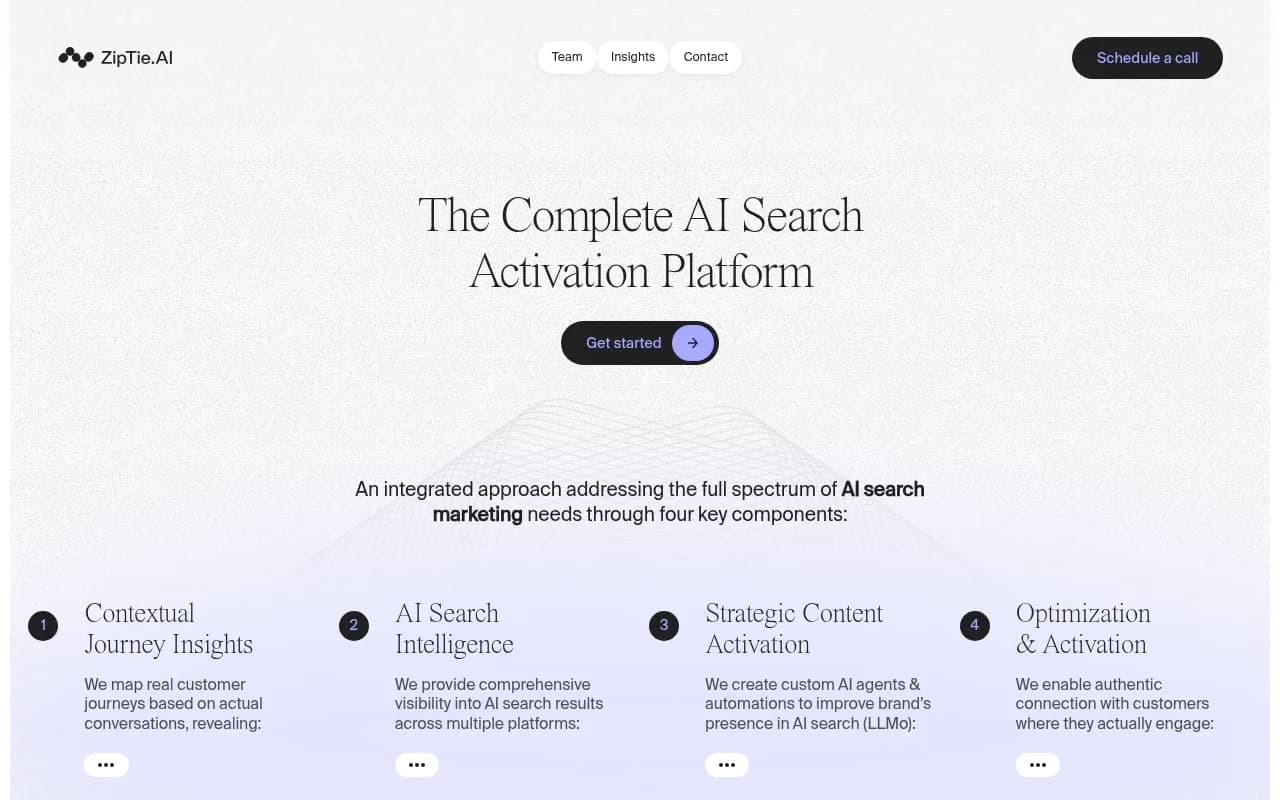
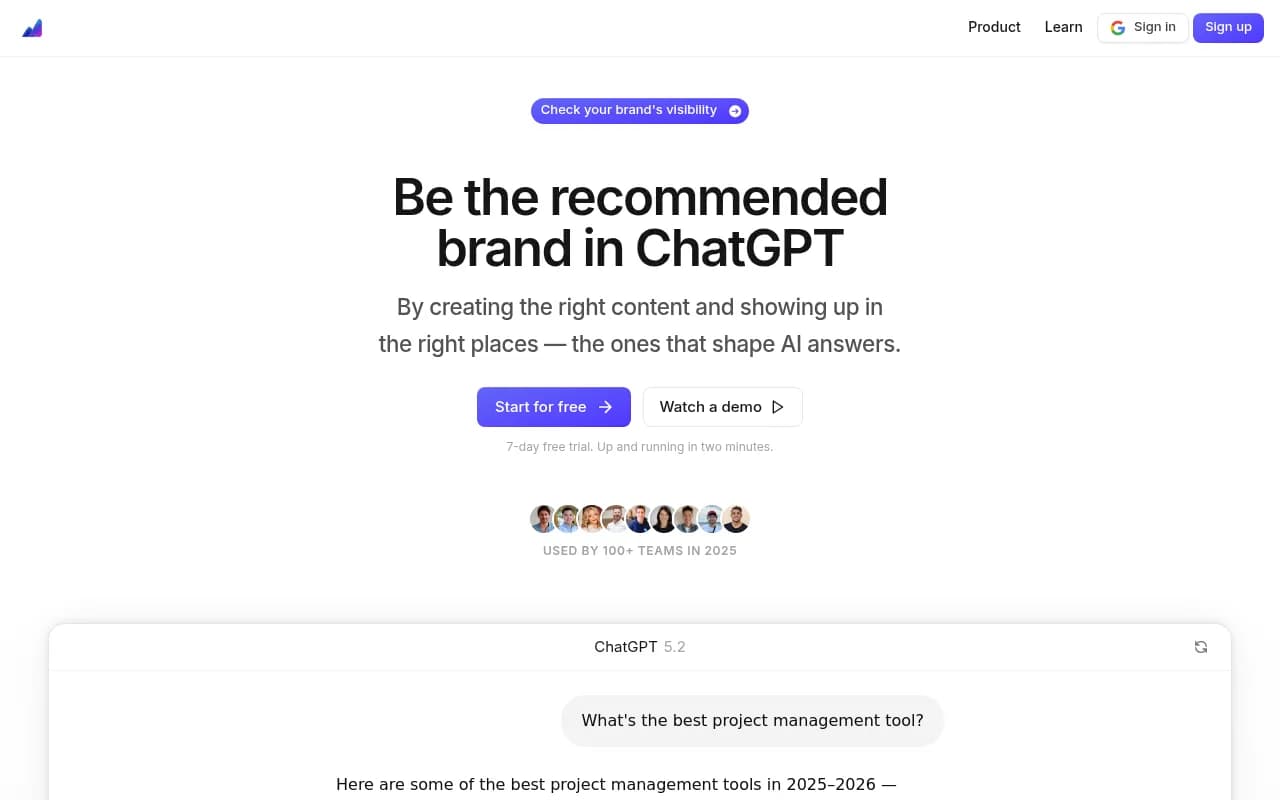

These tools handle prompt execution, response storage, and basic analysis. They're faster than building from scratch but less customizable.
Advanced tracking with dedicated platforms
The weekend build works for initial visibility assessment. It doesn't scale. Running 500 prompts weekly across 8 AI models, tracking citations automatically, analyzing competitor gaps, and connecting visibility to revenue requires purpose-built infrastructure.
This is where dedicated AI visibility platforms come in.
What advanced platforms add
Automated citation detection: Instead of manually reading responses to check if your brand was mentioned, advanced platforms use NLP to automatically detect brand mentions, extract cited URLs, and classify sentiment. This turns hours of manual work into seconds of automated analysis.
Prompt intelligence: Not all prompts are equally valuable. Advanced platforms estimate search volume for each prompt, calculate difficulty scores (how hard it is to get cited), and show query fan-outs (how one prompt branches into related sub-queries). This helps you prioritize which visibility gaps to fix first.
Competitor heatmaps: See exactly which prompts each competitor ranks for, their citation rates, and how their visibility compares to yours across different AI models. Heatmaps make competitive gaps obvious at a glance.
Content gap analysis: The platform shows you which prompts competitors are visible for but you're not, then analyzes what content you're missing. This isn't just a list of prompts -- it's specific topics, angles, and questions your website doesn't address but AI models want answers to.
AI content generation: Some platforms include built-in writing agents that generate articles, listicles, and comparisons grounded in real citation data. The content is engineered to get cited by AI models, not just rank in Google.
Traffic attribution: Connect AI visibility to actual revenue. Platforms that offer code snippet installation, Google Search Console integration, or server log analysis show you which AI-cited pages drive traffic, conversions, and revenue. This closes the loop between visibility and business outcomes.
AI crawler logs: See real-time logs of AI crawlers (ChatGPT, Claude, Perplexity) hitting your website -- which pages they read, errors they encounter, how often they return. This is critical for understanding how AI engines discover your content and fixing indexing issues.
Platform comparison
| Platform | Citation tracking | Competitor analysis | Content generation | Crawler logs | Starting price |
|---|---|---|---|---|---|
| Promptwatch | Yes | Yes | Yes | Yes | $99/mo |
| Profound | Yes | Yes | No | No | $299/mo |
| Peec.ai | Yes | Limited | No | No | $149/mo |
| Otterly.AI | Yes | No | No | No | $49/mo |
| AthenaHQ | Yes | Yes | No | No | $199/mo |
| Semrush One | Yes | Yes | No | No | $229/mo |
Promptwatch is the only platform rated as a "Leader" across all categories in a 2026 comparison of 12 GEO platforms. The core difference: most competitors are monitoring-only dashboards that show you data but leave you stuck. Promptwatch is built around taking action -- it shows you what's missing, then helps you fix it.

The action loop works like this: Answer Gap Analysis shows exactly which prompts competitors are visible for but you're not. You see the specific content your website is missing -- the topics, angles, and questions AI models want answers to but can't find on your site. The built-in AI writing agent then generates articles, listicles, and comparisons grounded in real citation data (880M+ citations analyzed), prompt volumes, persona targeting, and competitor analysis. Finally, you track visibility scores improving as AI models start citing your new content, with page-level tracking showing exactly which pages are being cited, how often, and by which models.


When to upgrade from basic to advanced
Stick with the basic build if:
- You're tracking under 100 prompts
- You only need weekly snapshots
- Manual analysis is manageable
- You're validating whether AI visibility matters for your business
Upgrade to an advanced platform when:
- You're tracking 200+ prompts across multiple models
- You need daily or real-time monitoring
- Manual analysis becomes a bottleneck
- You want to connect visibility to revenue
- You're ready to systematically optimize content for AI citations
The tipping point is usually around 3-6 months into tracking. By then, you've validated that AI visibility impacts your business, and the manual workflow is consuming too much time.
Connecting your dashboard to business outcomes
A dashboard that only shows visibility metrics is a vanity project. The goal is connecting AI visibility to traffic, conversions, and revenue.
Traffic attribution methods
Method 1: UTM parameters. Add UTM parameters to URLs you share in contexts where AI models might scrape them (documentation, blog posts, social media). When AI models cite these URLs, the UTM tags flow through to your analytics. This only works for URLs AI models directly cite, not brand mentions without links.
Method 2: Referrer tracking. Some AI platforms (Perplexity, ChatGPT in certain contexts) pass referrer data when users click through. Configure your analytics to capture these referrers and segment traffic by AI source. This is the most reliable method when it works, but coverage is inconsistent.
Method 3: Code snippet installation. Platforms like Promptwatch offer JavaScript snippets that detect AI-referred visitors even when referrer data is missing. The snippet uses fingerprinting techniques to identify traffic patterns consistent with AI search referrals.
Method 4: Server log analysis. Parse your server logs for user agents associated with AI crawlers and referral patterns. This is technically complex but provides the most complete picture of AI-driven traffic.
Method 5: Google Search Console integration. GSC now shows some AI Overview impressions and clicks. Platforms that integrate with GSC can correlate AI visibility with actual search traffic, though coverage is limited to Google's AI features.
Metrics that connect visibility to revenue
AI-attributed sessions: Total sessions where the referrer or detection method indicates the user arrived via an AI search platform.
AI-attributed conversions: Conversions (signups, purchases, demo requests) from AI-attributed sessions. This is the metric that justifies investment in AI visibility optimization.
Revenue per AI-cited page: For each page that gets cited by AI models, track the revenue generated by visitors who land on that page. This reveals which content is most valuable to optimize.
Citation-to-traffic conversion rate: What percentage of AI citations result in actual clicks to your site? This metric reveals whether your cited content is compelling enough to drive action.
Visibility ROI: Compare the cost of improving AI visibility (content creation, optimization, platform fees) to the revenue generated by AI-attributed traffic. This is the ultimate accountability metric.
Building custom dashboards with Looker Studio
If you're using an advanced platform with an API, you can build custom dashboards in Looker Studio (formerly Google Data Studio) that combine AI visibility data with your other marketing metrics.
The Looker Studio integration workflow
Step 1: Export data from your AI visibility platform. Most platforms (Promptwatch, Profound, Semrush One) offer API endpoints or CSV exports. Set up a daily or weekly export of:
- Citation rates by prompt
- Share of voice vs competitors
- Top cited URLs
- Model-specific performance
- Temporal trends
Step 2: Connect the data source to Looker Studio. Use Looker Studio's native connectors (Google Sheets, BigQuery) or third-party connectors (Supermetrics, Porter) to pull data into Looker Studio. If your platform has a direct Looker Studio connector, use that.
Step 3: Blend with other data sources. Combine AI visibility data with:
- Google Analytics (traffic, conversions)
- Google Search Console (organic search performance)
- CRM data (revenue by source)
- Social media metrics
Blending data sources lets you build dashboards that show the full funnel -- from AI visibility to citations to traffic to revenue.
Step 4: Build visualizations. Create charts that answer specific questions:
- How has our citation rate trended over the past 90 days? (Line chart)
- Which competitors have the highest share of voice? (Bar chart)
- What's our visibility across different AI models? (Heatmap)
- Which pages drive the most AI-attributed revenue? (Table)
- How does AI-attributed traffic convert compared to organic search? (Comparison chart)
Step 5: Automate reporting. Schedule Looker Studio reports to email stakeholders weekly or monthly. Include commentary on key changes, wins, and action items.
Example dashboard structure
Page 1: Executive summary
- Overall citation rate (big number)
- Week-over-week change (big number with trend arrow)
- Share of voice vs top 3 competitors (bar chart)
- AI-attributed revenue (big number)
- Top 5 visibility wins this week (table)
Page 2: Model-specific performance
- Citation rate by AI model (bar chart)
- Trends over time by model (line chart)
- Model-specific share of voice (stacked bar chart)
Page 3: Content performance
- Top cited pages (table with citation count, traffic, revenue)
- Content gaps (table of prompts where competitors rank but you don't)
- New content published this month (table with initial citation rates)
Page 4: Competitive analysis
- Competitor visibility heatmap (which prompts each competitor ranks for)
- Share of voice trends (line chart showing you vs competitors over time)
- Competitor content analysis (what types of content they're getting cited for)
Page 5: Traffic and revenue
- AI-attributed sessions over time (line chart)
- AI-attributed conversions over time (line chart)
- Revenue by AI-cited page (table)
- Citation-to-traffic conversion rate (big number)
This structure gives executives the headline numbers they care about, while giving practitioners the detailed data they need to optimize.
Common mistakes and how to avoid them
Mistake 1: Tracking too many prompts
More prompts don't mean better insights. Tracking 1,000 prompts creates noise. Most of those prompts have zero search volume or commercial intent. You drown in data and miss the patterns that matter.
Fix: Start with 50-100 high-value prompts. Focus on prompts with clear commercial intent, reasonable search volume, and relevance to your business. Expand only after you've optimized for the core set.
Mistake 2: Ignoring prompt quality
Not all prompts are created equal. "What is [product category]?" is a different animal than "Best [product category] for [specific use case] in 2026". The first is informational, the second is transactional. AI visibility for informational prompts rarely drives revenue.
Fix: Weight your dashboard toward transactional and commercial investigation prompts. These are the queries where people are actively evaluating solutions.
Mistake 3: Treating all AI models the same
Your visibility varies wildly by model. ChatGPT might love your content while Perplexity ignores it. Averaging across models hides this. You end up optimizing for the wrong thing.
Fix: Track and optimize by model. If Perplexity is where your target audience searches, prioritize Perplexity visibility even if your overall average looks good.
Mistake 4: Focusing on visibility without fixing content gaps
Tracking visibility is pointless if you don't act on the data. Most teams build dashboards, see the gaps, then do nothing. The dashboard becomes a guilt trip instead of an action tool.
Fix: Tie dashboard reviews to content planning. Every week, pick 2-3 high-value prompts where you're invisible, analyze what content is missing, and create it. Close the loop.
Mistake 5: Not connecting visibility to revenue
If you can't show that AI visibility drives revenue, you'll lose budget when priorities shift. Dashboards that only show citation rates are vulnerable.
Fix: Implement traffic attribution from day one. Even if it's imperfect, directional data on AI-attributed conversions makes the business case for continued investment.
Mistake 6: Manual tracking that doesn't scale
The weekend build is great for validation. It's terrible for ongoing operations. Manually checking 50 prompts across 4 models every week burns hours and introduces errors.
Fix: Automate or upgrade. If you're still manually tracking after 3 months, you're wasting time. Either script the workflow or move to a platform that handles it.
Mistake 7: Ignoring AI crawler behavior
AI models can't cite content they can't access. If your robots.txt blocks AI crawlers, or your pages return errors when AI models request them, you're invisible by default. Most teams don't check this.
Fix: Monitor AI crawler logs. See which pages AI models are accessing, how often, and whether they're encountering errors. Platforms like Promptwatch surface this automatically. If you're building custom, parse your server logs for AI crawler user agents.
The future of AI visibility tracking
AI search is still early. The tools, metrics, and best practices are evolving fast. Here's where things are headed.
Trend 1: Real-time visibility monitoring
Current dashboards show weekly or daily snapshots. The next generation will show real-time changes. When you publish new content, you'll see within hours whether AI models start citing it. When a competitor publishes something that displaces you, you'll get an alert immediately.
Trend 2: Predictive visibility scoring
Machine learning models will predict which content is likely to get cited before you publish it. You'll write a draft, run it through a visibility scorer, and get recommendations on what to change to maximize citation probability.
Trend 3: Multi-modal tracking
AI search is expanding beyond text. ChatGPT now generates images, Perplexity surfaces videos, Google AI Overviews include product carousels. Future dashboards will track visibility across text, image, video, and product recommendations.
Trend 4: Persona-based tracking
AI responses vary based on user context. A prompt from a "small business owner" persona gets different results than the same prompt from an "enterprise CTO" persona. Advanced platforms already support persona customization. This will become standard.
Trend 5: Integration with traditional SEO tools
AI visibility and traditional SEO are converging. Platforms like Semrush and Ahrefs are adding AI visibility features. Standalone AI visibility platforms are adding traditional SEO metrics. The future is unified dashboards that track both.
Trend 6: Automated content optimization
Dashboards won't just show you what's wrong -- they'll fix it. AI agents will automatically rewrite underperforming content, generate new content for visibility gaps, and optimize existing pages for citation probability. The human role shifts from execution to strategy and approval.
Getting started today
You don't need to build the perfect dashboard on day one. Start simple, validate that AI visibility matters for your business, then scale up.
Week 1: Define 20 high-value prompts. Manually send them to ChatGPT, Claude, and Perplexity. Record which ones mention your brand. This takes 2-3 hours and gives you baseline data.
Week 2: Set up basic API access and automate prompt execution. Export results to a spreadsheet. This takes 4-6 hours if you're comfortable with scripting, longer if you're learning.
Week 3: Analyze your first two weeks of data. Identify the biggest visibility gaps. Pick 2-3 prompts where competitors dominate and you're absent. Research what content you're missing.
Week 4: Create content targeting those gaps. Publish it. Continue weekly tracking to see if AI models start citing the new content.
Month 2: If you're seeing traction (new content getting cited, visibility improving), consider upgrading to a dedicated platform. If not, revisit your prompt set and content strategy.
Month 3: Implement traffic attribution. Start connecting visibility to actual sessions and conversions. Build a basic Looker Studio dashboard if you're using a platform with an API.
Month 6: Review ROI. If AI-attributed traffic is driving meaningful revenue, scale up. Expand your prompt set, increase content production, and invest in advanced optimization.
The goal isn't perfection. The goal is systematic visibility into how AI systems represent your brand, and a repeatable process for improving it. Start tracking today, even if it's manual and messy. You can't optimize what you don't measure.