Key takeaways
- Claude Code does not just answer from training data. It runs multi-query web searches on its own, so your brand can be recommended (or skipped) based on what it finds live.
- There is no public study of which brands Claude Code recommends by default. You have to audit your own category with a repeatable prompt panel.
- The closest first-party evidence is ChatGPT software citation data, where docs, GitHub and review sites lead. Treat it as a proxy, not as Claude Code behaviour.
- A good audit has four parts: a prompt panel, repeated runs, source tracing, and a crawler access check.
- Fixes are mostly boring: crawlable docs, a healthy GitHub presence, current G2 and Capterra profiles, and no accidental bot blocking.
Why a coding agent's recommendation matters
A developer used to open Google, read three blog posts and pick a library. Now a growing share of them type "add auth to this app" into a terminal and let the agent choose. The agent picks the SDK, writes the import, and sometimes provisions the service. Your brand was either in that decision or it wasn't.
This is a different problem from classic AI search visibility. In ChatGPT, a buyer reads an answer and might click a citation. In Claude Code, the recommendation often turns directly into code. Nobody reads a comparison table first.
I should be upfront about what we know. I could not find a primary study of which tools, stacks or vendors Claude Code recommends by default. Anyone telling you they have the definitive list is guessing. What we can do is build a method that lets you measure your own category, and borrow evidence from adjacent data where it exists.
How Claude Code finds answers
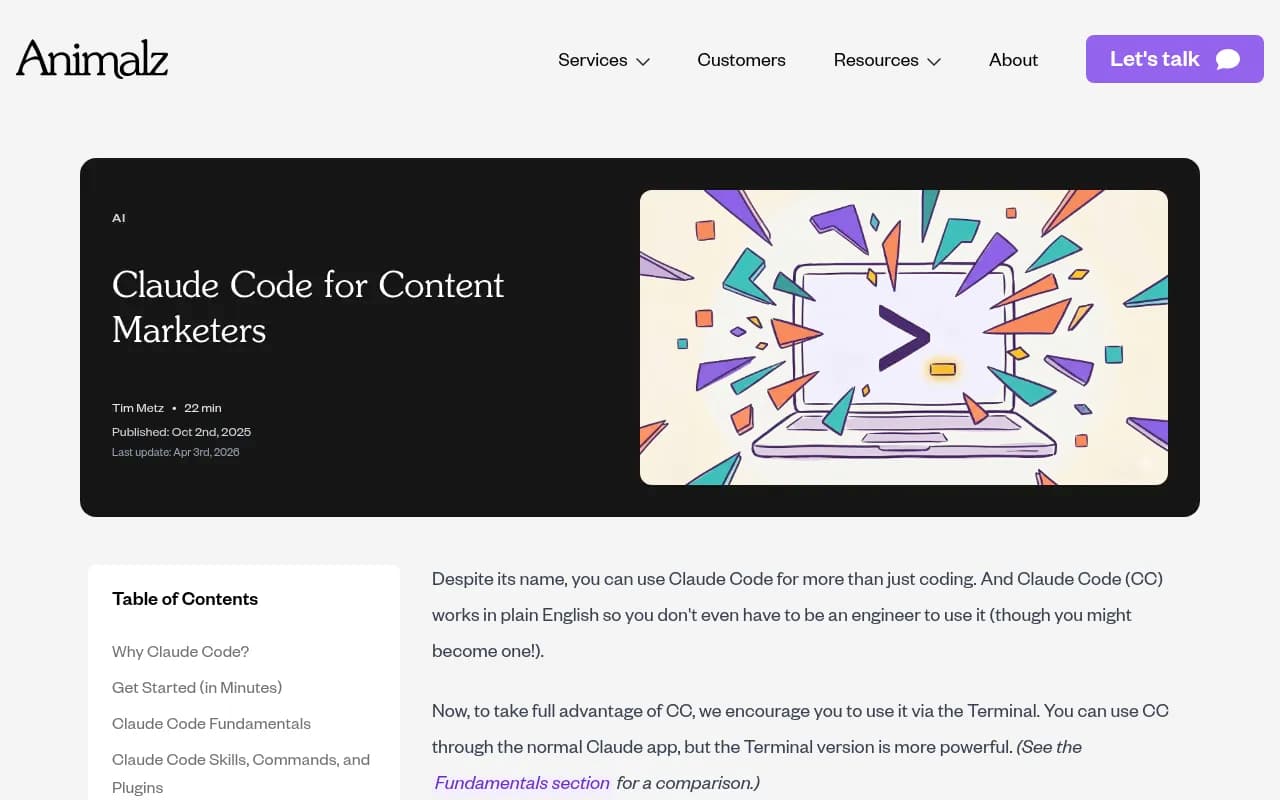
Claude Code is not a chatbot that only recalls training data. Animalz's guide to Claude Code notes that when you ask it a question, it immediately runs a multi-query web search, a mini deep-research pass, without further instruction. Anthropic's own product page describes "agentic search" for mapping codebases and integrations with GitHub, GitLab and deployment, database and monitoring tools.
That gives you at least three inputs that shape a recommendation:
- Training knowledge: what the underlying model absorbed about your brand and category.
- Live web search: the pages it finds and fetches at answer time.
- Project context: the repo itself, including CLAUDE.md, existing dependencies and config files.
The third one is easy to overlook. If a project already imports a competitor's SDK, the agent will usually keep using it. You win new projects through the first two inputs, and existing ones by being easy to migrate to.
One more wrinkle: the instructions Claude Code runs with change. The AI Maker newsletter reports that Anthropic removed more than 80% of Claude Code's internal system prompt for newer Claude 5 models, with no measurable loss on coding evals, and that the team re-tests instructions on each new model. Behaviour shifts between versions. An audit you ran in spring may not describe what happens today, so schedule repeats.
What the closest data says
Since there is no Claude Code recommendation study, the next best thing is how a comparable AI tool cites sources for software questions. Promptwatch Data analysed organic software prompts in ChatGPT from Sep 28 to Oct 4, 2026, in its software citation report.

Top domains by share of software citations in that window:
| Domain | Share of software citations |
|---|---|
| github.com | 1.2% |
| learn.microsoft.com | 0.98% |
| g2.com | 0.73% |
| docs.aws.amazon.com | 0.41% |
| docs.cloud.google.com | 0.35% |
| gartner.com | 0.34% |
| capterra.com | 0.32% |
| intercom.com | 0.28% |
| zapier.com | 0.24% |
By source type, docs and help centers earned 2.64%, vendor sites 2.01%, review sites and analysts 1.57%, and GitHub 1.2%. Vendor sites plus docs together earn about three times what review sites and analysts do. G2, Gartner, Capterra and Software Advice combined (1.57%) beat any single vendor, Microsoft included.
Two honest caveats. First, this is ChatGPT web search, not Claude Code, so use it as a hint about which source types AI tools favour for software prompts. Second, the shares are small because citations spread across a huge number of domains.
The practical reading is still useful. For software questions, documentation, repositories and review profiles do the heavy lifting. A developer-tool brand with thin docs and a stale G2 page is relying on luck.
Build a prompt panel
A prompt panel is a fixed list of questions you run the same way each time. Without one, you will cherry-pick screenshots and fool yourself.
Pick the right prompt types
Coding agents get different questions than a search box. Write prompts the way a developer would type them into a terminal:
- Task prompts: "Add transactional email to this Node app." "Set up error monitoring for a Next.js project."
- Comparison prompts: "Should I use X or Y for background jobs in Python?"
- Category prompts: "What is the best open-source option for feature flags?"
- Brand prompts: "What does [your brand] do and how do I install it?"
- Migration prompts: "Move this project from [competitor] to [alternative]."
Task prompts matter most. They are where the agent chooses without being asked to compare, and where a missing brand costs you a signup.
Control the environment
Results change with the repo you run them in. Use at least two setups:
- A blank directory, to see the agent's default preference.
- A realistic starter project with typical dependencies and a CLAUDE.md, to see how context shifts the choice.
Record the Claude Code version and model, the date, and whether web search was used. Run each prompt several times. A single run tells you almost nothing, because outputs vary.
Score what you see
For each run, log:
- Was your brand named, installed or imported?
- Position among alternatives, if several were listed.
- Which sources the agent searched or fetched.
- Whether the facts stated about you were accurate (pricing, features, install command, deprecated APIs).
- Which competitor was picked instead.
The accuracy line is the one teams forget. An agent that recommends you with an outdated package name or a deprecated endpoint is arguably worse than no recommendation.
Run the audit manually
You can do a first pass with nothing but a terminal and a spreadsheet.
- Write 20 to 30 prompts across the five types above.
- Run each in a fresh Claude Code session, three times, in both environments.
- Paste the answers and any fetched URLs into a sheet.
- Tag each answer as recommended, mentioned, or absent.
- Group the fetched URLs by domain and source type.
The fetched-URL step is where the insight is. If the agent keeps pulling the same two review sites and a competitor's docs, you know where your content needs to exist.
There are also community-built options. A QAI-listed skill called ai-visibility-audit claims to build a prompt panel for your brand and test it across ChatGPT, Claude, Gemini, Perplexity and AI Overviews, and it can run inside Claude Code, Codex and Cursor. I have not verified how it works, so read the source before pointing it at anything important. Skills like this are a decent way to generate a first draft of prompts, but they are not a substitute for a controlled, repeated test.
Automate it with a visibility platform
Manual audits get tiresome by week three. Once you know which prompts matter, a monitoring platform will run them on a schedule and keep history.
Promptwatch is built for this. It tracks how ChatGPT, Gemini, Perplexity, Google AI Overviews and others mention and cite a brand, and it also covers the AI coding agents Codex, Claude Code and OpenCode, which matters for developer-tool and API companies. Its prompt tracking collects responses from the real interfaces rather than only APIs, because user-facing answers and citations can differ from API output. Visibility Score, Share of Voice and Position then tell you whether the problem is coverage or prominence.
Other trackers in our catalog cover general AI answer engines, including [tool:profound], [tool:peec-ai], [tool:otterly-ai] and [tool:athenahq]. Check each one's model list before buying, because coding agent coverage is far from universal. For a broader shortlist, the directory at bestgeosoftware.com is a reasonable place to compare.
| Approach | Cost | Repeatable | Coding agent coverage | Best for |
|---|---|---|---|---|
| Manual terminal runs | Free | Only with discipline | Claude Code only | First pass, small prompt sets |
| Community audit skill | Free | Partly | Depends on the skill | Drafting a prompt panel |
| General AI trackers | Varies | Yes | Usually chat engines only | Chat visibility benchmarks |
| Promptwatch | From $95/mo, see pricing | Yes, daily or faster on higher plans | Codex, Claude Code and OpenCode included | Teams that need tracking plus fixes |
Trace the sources behind the answer
Knowing you were skipped is half the work. You need to know why.
Start with what the agent fetched. If your docs never appear among the URLs, either the agent doesn't find them or it can't read them. If review sites appear but your profile is thin, the agent may be summarising a competitor's richer page.
Compare this with the ChatGPT pattern. Promptwatch's data shows docs and help centers as the largest source type for software prompts, and GitHub as a top single domain. For a developer tool, that suggests auditing three assets in order:
- Documentation: Is it public, crawlable, and written with clear install commands and examples?
- GitHub: Is the README current? Do issues and releases look alive?
- Review profiles: Are G2 and Capterra pages complete and accurate?
The same report's advice is to treat your own site as your main citation source, and I agree. Third-party pages help, but you control the docs.
For how many sources a typical answer pulls in, see Promptwatch's average sources per response data. And since agents run several searches per question, the ChatGPT query fanouts report is a useful picture of how one prompt becomes many.
Check crawler access
A surprising number of brand visibility problems are access problems. If a bot can't fetch your docs, it can't cite them.
Promptwatch's AI crawler traffic report covers IP-verified requests from OpenAI, Anthropic, Google, Perplexity and Mistral from June 8 to September 6, 2026. OpenAI made up 79.8% of verified requests in the week of Aug 31 to Sep 6, down from 94.8% in the week of June 8. The report's advice is worth following literally:
- Check robots.txt, CDN and WAF rules for every provider, not only OpenAI.
- Compare your own server logs against that mix. A provider that is large in the report but near zero in your logs suggests you are blocked.
- Separate training crawlers from answer-time fetchers, because blocking one shouldn't mean blocking the other.
Anthropic's crawlers are the ones to check for Claude. Promptwatch also publishes data on Claude's citation crawler visits from December 2025 to April 2026.
To see this on your own site, AI crawler logs show which bots read which pages and where they hit errors. Or start free with the Agentic Readiness Check and the robots.txt generator for AI.
One caution on file formats. Markdown files make up just 0.05% of AI search citations, per Promptwatch's markdown data. Markdown serves AI agents more than AI search, so a docs site that offers clean markdown or an llms.txt can still help an agent, but don't expect it to move citation numbers on its own.
Fix what the audit finds
Match the fix to the symptom.
| Symptom | Likely cause | Fix |
|---|---|---|
| Never mentioned in task prompts | Thin or hard-to-find docs | Publish quickstarts per language and framework, with copy-paste install commands |
| Mentioned, but wrong facts | Outdated pages or third-party summaries | Update docs, changelog and pricing pages, and correct profiles on review sites |
| Competitor always picked | Competitor owns the sources the agent fetches | Find those URLs and earn a presence there, or publish a stronger comparison |
| Agent never fetches your site | Blocked bots or JS-only pages | Fix robots.txt, CDN and WAF rules, serve content in plain HTML |
| Recommended in blank repo, not in real projects | Existing dependencies win | Publish migration guides and codemods |
When the gap is content, a platform that writes and publishes is faster than a spreadsheet of to-dos. Promptwatch's Content Agents plan and write pages against the prompts you lose, and its content gap analysis shows which questions your site doesn't answer. Then page tracking and crawler logs show whether the new page got fetched and cited. That check matters, because publishing without measuring is how teams end up with 200 unread pages.
Keep the audit honest
A few habits that separate a useful audit from a vanity exercise:
- Re-run after every major model or Claude Code release. Anthropic itself re-tests its prompts on each new model, so your results can shift without any change on your side.
- Keep prompts fixed for trend lines, and add new ones in a separate set.
- Never rely on one run. Report rates across repeated runs.
- Separate three questions: does the agent know you, does it recommend you, and does it describe you correctly?
- Check your own CLAUDE.md and project templates too. If you ship starter repos or templates, an instruction file that names your tool is one of the few direct levers you have.
If you would rather hand the work to people, an SEO and GEO agency such as 1001 SEO Media runs AI visibility programs for brands, and it uses Promptwatch for the measurement side. For most developer-tool teams, though, the first month of this audit is cheap enough to do in-house.
A starter checklist
- Write 25 prompts across task, comparison, category, brand and migration types.
- Run each three times in a blank directory and a realistic project.
- Log mentions, position, accuracy and fetched URLs.
- Group fetched sources by type: docs, GitHub, review sites, forums, vendor blogs.
- Check robots.txt, CDN and WAF rules for Anthropic, OpenAI, Google, Perplexity and Mistral bots.
- Fix the top three gaps: usually docs, accuracy and one missing source.
- Re-run in four weeks and after the next model release.
That is the whole method. It is not glamorous, and the unknowns about Claude Code's defaults are real. But a brand that has crawlable docs, a live GitHub presence and accurate profiles gives any agent, Claude Code included, plenty of reasons to pick it, and a repeatable audit tells you whether that is actually happening.