Key takeaways
- Claude can connect directly to Promptwatch through an official directory connector, no API key needed, so you can run a competitor audit in plain English instead of exporting CSVs.
- The two most useful MCP tools for this job are
getCompetitorHeatmap(visibility by model) andgetCitationDomainsByLlm(who gets cited and where), both of which you can ask Claude to pull with a single sentence. - Domain authority matters more on ChatGPT than on AI Overviews or Perplexity, because ChatGPT only cites about 5 sources per answer versus roughly 10 for the other two, so displacing a competitor there is harder and more valuable.
- MCP connections carry real security tradeoffs. Treat tool outputs from any connected server as untrusted content, and don't let an agent auto-execute destructive actions like publishing content.
- The audit workflow below takes about 15 minutes once set up: connect, pull a visibility heatmap, break down citations by LLM, check content gaps, then ask Claude to draft a report.
Why run this audit inside Claude instead of a dashboard
I'll be upfront about this: you could do everything below by clicking through a dashboard. Nothing here is impossible without an AI connector. What changes is the friction. Instead of filtering a table by competitor, exporting to CSV, and pasting into a slide, you type a sentence and Claude does the filtering, the comparison, and the first draft of the write-up, all in the same window you're already using to think through the problem.
That matters more for competitor audits than for almost any other GEO task, because competitor audits involve a lot of back-and-forth. You ask one question, the answer raises three more questions, and you want to chase each one without losing your train of thought. An MCP connection turns that chase into a conversation rather than a dashboard-hopping exercise.
1001 SEO Media uses this exact setup internally when scoping new clients. Before we write a single word of content strategy, we want to know where a client's competitors already own the AI answer, and where the field is actually open.
What the Promptwatch MCP server actually gives Claude access to
The Model Context Protocol (MCP) is the connective tissue that lets an AI assistant query a live data source instead of guessing from training data. Promptwatch runs an MCP server that exposes its own data, brand visibility, citations, sentiment, crawler logs, and competitor data, as a set of callable tools. Claude, ChatGPT, and Cursor can all use the same server; Promptwatch just ships it under different wrappers (an official ChatGPT plugin, a Claude directory connector, and a generic endpoint for everything else).
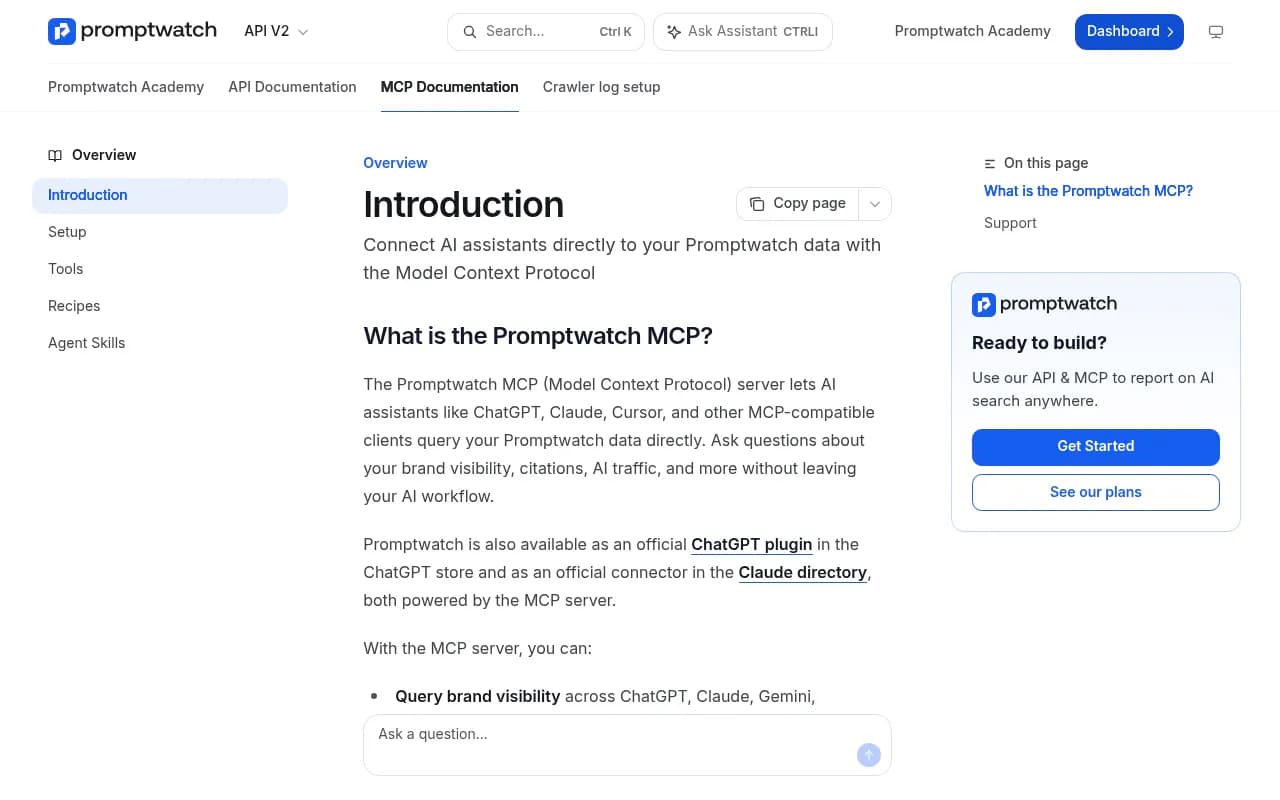
For a competitor audit, the tools that matter most are:
getCompetitorHeatmap— visibility for you and your competitors, broken down per LLM model (ChatGPT, Claude, Gemini, Perplexity, AI Overviews).getTopCompetitors— the brands that show up most often in AI responses to your tracked prompts, even ones you haven't manually added as competitors.getCitationDomainsByLlm— which domains get cited, split by model, so you can see if a competitor's blog dominates Perplexity but barely shows up in ChatGPT.getCitationRankAnalysis— citation patterns by domain authority tier, useful for understanding whether a competitor is winning because of content quality or just because their domain is older and more authoritative.getContentGapRecommendations— prompts where a competitor is visible and you aren't, with a suggested angle to close the gap.listQueryFanouts— the sub-queries a model actually ran before answering, which tells you what the model thinks the question is really about.
All of these are read-only. Promptwatch also exposes create/update/delete tools (for content drafts, CMS publishing, project setup), but those are marked with destructive hints so a careful MCP client will ask before running them.

Setting up the Claude connector
If you're on Claude Pro, Max, Team, or Enterprise, this takes about two minutes because Promptwatch has an official listing in Anthropic's connector directory.
- Open Claude and click Settings (or Customize) → Connectors → Browse.
- Search "Promptwatch."
- Click Connect and complete the OAuth flow, choosing which organization and projects the connector can access.
- Accept the permissions screen.
No API key required for the directory listing. That's a meaningful difference from a lot of SEO tool integrations, where you're copying a token out of a settings page and hoping you didn't leave it in a Slack message somewhere.
One limitation worth knowing: Claude Free caps you at exactly one custom connector. If you're already using a connector for something else, you'll have to swap it out, or upgrade. On Team and Enterprise plans, an org Owner has to flip on connectors for the whole workspace before individual members can add Promptwatch themselves.
If you're on Claude Code instead of the web app
Claude Code (the CLI) doesn't use the directory, you add the MCP endpoint directly:
claude mcp add --transport http promptwatch https://server.promptwatch.com/mcp
Then inside a session, run /mcp, select promptwatch, choose Authenticate, and finish the consent page in your browser. Run claude mcp list afterward, it should say "Connected" next to promptwatch. If you'd rather use an API key instead of OAuth, append a header:
claude mcp add --transport http promptwatch https://server.promptwatch.com/mcp --header "Authorization: Bearer YOUR_API_KEY"
Just don't mix the two approaches, passing a header forces API-key mode even if you meant to use OAuth, and you'll get a confusing auth error.
The actual audit: five prompts, fifteen minutes
Here's the workflow I'd run for a real competitor audit. Each step is a single message to Claude once the connector is live.
Step 1: get the visibility heatmap
"Pull the competitor heatmap for [your brand] versus [competitor] across all tracked models for the last 30 days."
This calls getCompetitorHeatmap and gives you a grid: your visibility per model, their visibility per model. The interesting part is almost never the overall number, it's the spread. A competitor might be nearly invisible on ChatGPT but dominant on Perplexity, which tells you something about where their content strategy (or their backlink profile) is actually working.
Step 2: break down who's getting cited, and where
"Show me citation domains by LLM for the prompts where [competitor] beats us."
This uses getCitationDomainsByLlm and getCitationRankAnalysis together. You're looking for two things: whether the competitor's own domain is getting cited directly, or whether third-party sites (review blogs, comparison pages, Reddit threads) are doing the work for them. Those require very different responses. If it's third-party, your move is digital PR and citation outreach. If it's their own domain, it's a content and technical SEO fight.
This is also where domain authority context helps. Promptwatch's own research on ChatGPT citation share by domain rank found that mid-to-high authority domains (DR 46-75) account for roughly 46% of all ChatGPT citations in a given month, while top-tier DR 91-100 domains actually saw their share fall from about 7% to 3% in mid-August 2026 and stay there. The takeaway: raw domain authority isn't destiny. A well-targeted DR 50 page can out-cite a DR 90 homepage if it answers the specific query better. See the full breakdown in Promptwatch's ChatGPT citation share by domain rank report.
Step 3: check the per-model citation ceiling
Before you get excited about a citation gap, it's worth knowing how much room actually exists. Promptwatch's data on average sources cited per response shows ChatGPT returns around 5 sources per web-search-triggered answer, while Google AI Overviews and Perplexity average closer to 10. (Microsoft Copilot, for what it's worth, has swung wildly between fewer than 2 and roughly 17 sources within a matter of weeks, which tells you its retrieval architecture is still unstable.) Full numbers are in Promptwatch's average sources per response report.
Practically: displacing a competitor on ChatGPT is a fight over 5 slots. On AI Overviews or Perplexity you're fighting over roughly double that. Prioritize accordingly, a win on ChatGPT is worth more per unit of effort than the same win on AI Overviews.
Step 4: ask for the content gap list
"What prompts is [competitor] visible for that we aren't, and what would close the gap?"
This calls getContentGapRecommendations, which cross-references your tracked prompts against competitor mentions and suggests an angle. It's not magic, the suggestions are generic enough that you'll want to sanity-check them against your own product knowledge, but as a first pass at prioritization it saves real time.
Step 5: ask Claude to draft the summary
Once you have the heatmap, the citation breakdown, and the gap list in the conversation, just ask: "Summarize this into a three-paragraph competitive brief I can send to my team." Claude already has the numbers in context from the previous tool calls, so it writes a reasonably tight summary without you re-pasting anything.
If you want a formal deliverable instead of a chat summary, Promptwatch's MCP also exposes createReport and getReport for generating an async PDF, Claude can kick that off and poll for the download link.
A worked example: what the output actually looks like
Say you're auditing a competitor in the project management software space. You run step 1 and the heatmap shows your brand at 18% visibility on ChatGPT and 34% on Perplexity, while the competitor sits at 41% and 22% respectively. That asymmetry is the whole story right there, they've clearly invested in whatever drives ChatGPT citations (recent, well-structured how-to content, apparently, based on ChatGPT's citation type data) while you've picked up more ground on Perplexity almost by accident.
Step 2 then shows their visibility on ChatGPT is driven almost entirely by three listicle-style "best project management tools" roundups on third-party review sites, not their own domain. That's actionable: you're not fighting their content team, you're fighting three specific articles. Digital PR outreach to get included in those same roundups, or a competing roundup of your own that targets the same query, is a more direct fix than a six-month content calendar.
Where the audit workflow has real limits
I don't want to oversell this. A few things to keep in mind:
- Agent credits run out fast on heavy MCP use. Each tool call against Promptwatch consumes credits, and if you're chaining five or six calls per audit across multiple competitors, you'll burn through a lower-tier plan's allowance quickly.
- MCP tool outputs should be treated as untrusted content, not just from Promptwatch, but from any connected server. Security researchers testing the 20 official MCP reference servers found 16 could be used for indirect prompt injection, meaning a malicious instruction hidden in a scraped page could end up executed as if it came from you. If you're running Promptwatch MCP alongside a CMS connector or a filesystem connector in the same Claude session, don't auto-approve "don't ask again" on anything destructive.
- Snapshot data isn't trend data. A single heatmap pull tells you where things stand today. Competitor visibility moves, Promptwatch's own June 2026 data showed Reddit's share of ChatGPT citations drop from about 6.1% to 3.7% in a single month, a roughly 40% swing. Re-run the audit monthly rather than treating one pull as gospel. See Promptwatch's ChatGPT citation share report for June 2026 for the full domain list.
Comparing the MCP route to a plain dashboard audit
| Approach | Setup time | Best for | Drawback |
|---|---|---|---|
| Claude + Promptwatch MCP | ~5 minutes | Fast, conversational audits, iterative follow-up questions | Agent credits consume faster than dashboard browsing |
| Promptwatch dashboard directly | 0 minutes (already logged in) | Visual exploration, exporting charts for slides | Slower for multi-step, cross-referenced questions |
| Manual prompting across ChatGPT/Perplexity/Gemini | 0 minutes | One-off spot checks | No historical data, no citation-domain breakdown, time-consuming at scale |
| Third-party SEO MCP (e.g. SE Ranking) | ~5 minutes | Teams who want AI visibility alongside traditional rank tracking in one connector | Shallower AI-specific data than a dedicated GEO platform |
Other MCP-compatible options worth knowing about
Promptwatch isn't the only AI visibility platform shipping an MCP server. SE Ranking offers one that combines AI citation tracking with traditional keyword and backlink data, plus a library of pre-built Claude skills for specific SEO tasks.
If you're specifically interested in whether coding agents like Claude Code or Codex recommend your product when a developer asks it to scaffold a project, that's now tracked on every Promptwatch plan too, using the same visibility and sentiment metrics as the chat-based models. It's a newer, narrower audience than general AI search, but a highly technical one with real buying intent.
For a broader comparison of AI visibility platforms beyond what's covered here, the GEO software directory at bestgeosoftware.com is a reasonable starting point if you want to see how other tools in the category stack up.
A quick note on scope
This workflow audits what AI models say about a competitor right now. It won't tell you why their technical SEO works, whether their site passes Core Web Vitals, or what their backlink profile looks like, those are separate audits with separate tools. Think of the Claude-plus-MCP approach as the fastest way to answer one specific question: when someone asks an AI assistant about your category, who does it talk about, and why. Everything downstream of that answer, content briefs, outreach targets, technical fixes, still needs human judgment to execute well.