Key takeaways
- Most GEO tools measure AI visibility. Far fewer can push content into your CMS, and the difference decides whether your team ships fixes or just stares at dashboards.
- Webflow connects over OAuth, Framer needs a project URL and API key, and WordPress uses a plugin with a sync token. Setup effort differs more than you would expect.
- Product and landing pages earn about 39% of ChatGPT citations, so your CMS setup matters most for those templates, not only the blog.
- Verify every vendor's integration claims on their own site. Competitor publishing support to these three CMSs was not confirmed in the research behind this guide.
- Whatever tool you pick, keep a human review step. Auto-publishing without approval is a risk, not a feature.
Why the CMS integration matters for GEO
Most GEO tool reviews compare prompt tracking: how many models, how many prompts, what it costs. That is the easy part. The harder question for a marketing team is what happens after the dashboard says "you are invisible for this topic."
Someone has to write the page, format it for your CMS, map fields, upload images, and publish. If that last mile is manual, it eats time. Promptwatch's own write-up on CMS publishing says a manual export-and-reformat step can burn 2 to 3 weeks of the citation window, and that content typically needs a refresh every 8 to 14 weeks to stay cited. Treat those as vendor figures, but the logic holds. Content decays, and slow publishing makes it worse. Promptwatch's content half-life data shows news losing half its cited pages within 36 days, while landing pages and docs last longest.
So the question this guide answers is narrow: if your site runs on Webflow, Framer, or WordPress, which GEO tools can actually connect to it, and what does setup look like?
What AI search actually cites on your site
Before picking an integration, know which pages matter. In Promptwatch's ChatGPT citation share by content type report (Sep 28 to Oct 4, 2026), product pages were the most cited type at 22.4%, and landing pages followed at 16.8%. Listicles got 13.6%, how-tos 8.7%, documentation 7.5%, comparisons 5.9%, news 5.7%, FAQ pages 3.3%, and reviews 1.7%.
For commercial prompts the skew is stronger: product pages 26.0%, landing pages 20.6%, listicles 15.0%. For branded prompts, product pages and landing pages are nearly tied at 23.3% and 22.8%.
Why does that matter for a CMS comparison? Because a tool that only publishes blog articles covers a minority of what gets cited. Check whether the integration can write into the collections that hold your product, solution, and landing page content, or only into a blog collection. That is a question to ask in any demo.
Crawlability is the other half. Promptwatch's AI crawler traffic data (IP-verified requests, Jun 8 to Sep 6, 2026) put OpenAI at 79.8% of verified AI crawler requests in the week of Aug 31 to Sep 6, down from 94.8% in early June. The practical advice from that report: compare your own server logs against that mix. If a provider is large in the chart but near zero in your logs, you are probably blocking it with robots.txt, a CDN rule, or a WAF.
How each platform handles GEO publishing
Webflow
Webflow is the most structured of the three. Content lives in CMS collections with defined fields, which makes automated publishing predictable: the tool maps its output to your fields and the page renders with your existing template.
Promptwatch's Content Agent connects to Webflow over OAuth, either from the Promptwatch app or the Webflow Marketplace listing. No API key to manage. It maps five fields into the target collection: title, description, body, featured image, and publish date. Featured images are uploaded to Webflow's asset library, and articles can go out as drafts or live without a full site rebuild. A separate AI field mapping and fill feature handles fields that do not map directly, such as categories, references, or custom text.
The catch with any Webflow automation is collection design. If your blog collection has twelve required fields, you will spend time on mapping before you publish anything. Simplify the collection first.
Framer
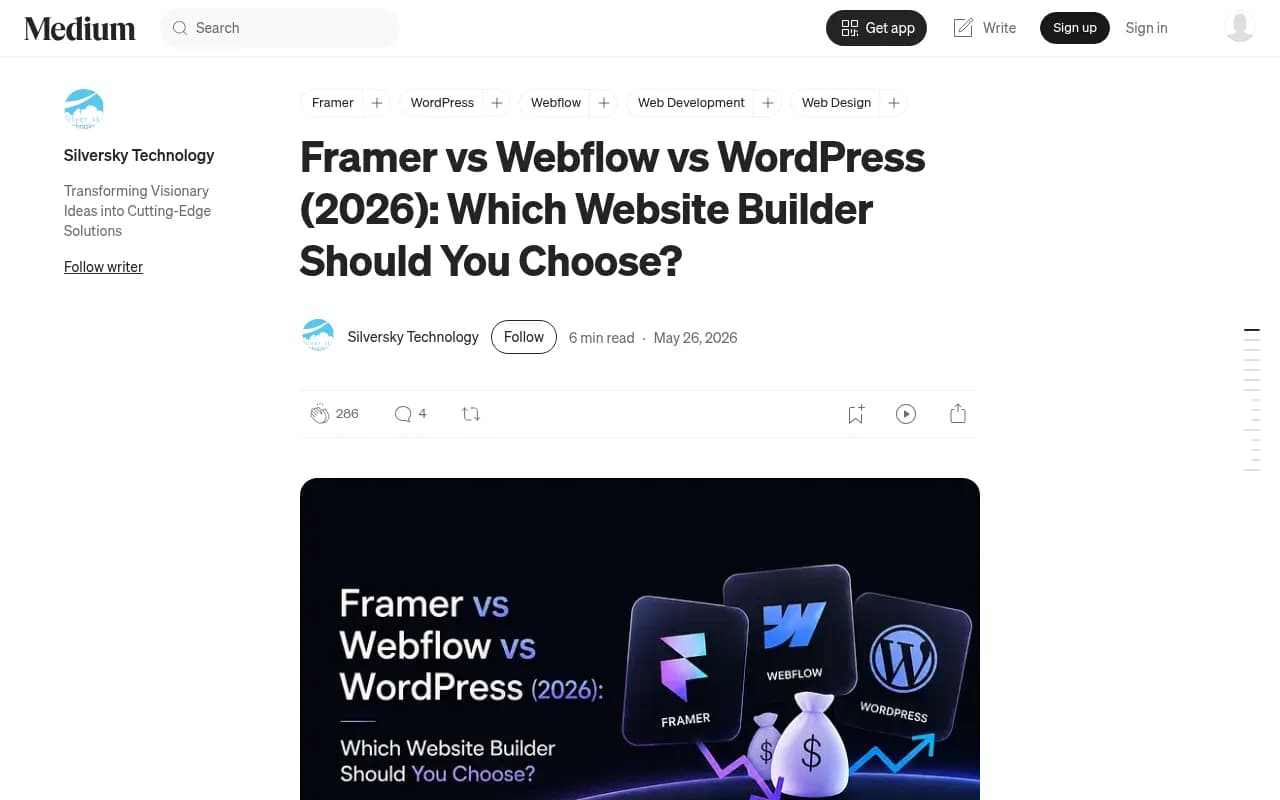
Framer is faster for design-led marketing sites and, according to a Flowout comparison (a Webflow agency, so read it with that in mind), has around 171,000 live sites against Webflow's roughly 590,000. That is a smaller ecosystem, and fewer GEO vendors build for it.
Promptwatch connects to Framer with a project URL and an API key. The setup is one-time and takes minutes. Content is delivered as markdown, which Framer renders natively, and the same five fields are mapped. A live publish triggers a Framer site publish, the same as clicking Publish in the editor.
One thing to be clear about. Markdown delivery to Framer is a CMS mechanic, not a GEO tactic. Promptwatch's markdown report found markdown files make up just 0.05% of AI search citations, so serving .md files to crawlers is not where your visibility will come from. The rendered page is what gets cited.
WordPress
WordPress has the longest history and the widest range of setups: classic themes, block themes, page builders, headless front ends. That variety is why plugin-based integrations tend to work better here than API-only ones.
Promptwatch's official WordPress plugin was expanded to all organizations on Aug 31, 2026, after a waitlist period. Setup is: install from the WordPress Plugin Directory or upload the ZIP, then paste your site URL and the sync token generated in plugin settings. No API key goes into wp-admin. Category and author are set once as defaults. Headless WordPress setups can set a public blog path so live URLs resolve against the front end.
A useful side effect: the plugin also captures AI crawler logs (GPTBot, ClaudeBot, PerplexityBot and others) straight from the WordPress server, so you do not need a CDN log export to see who is crawling. For small teams without Cloudflare access, that matters.
Integration comparison table
The table below covers what is documented for Promptwatch's own integrations. Setup details for other vendors were not verified from their sites, so confirm before buying.
| Webflow | Framer | WordPress | |
|---|---|---|---|
| Connection method | OAuth (app or Marketplace) | Project URL and API key | Plugin plus sync token |
| Credentials to manage | None | One API key | One token |
| Content format | CMS collection fields | Markdown | Post with default category and author |
| Fields mapped | Title, description, body, image, date | Same five | Same five, plus defaults |
| Live publish behavior | Draft or live, no full rebuild | Triggers a Framer site publish | Publishes as a post |
| Crawler logs from the CMS itself | No, use a CDN integration | No, use a CDN integration | Yes, via the plugin |
| Headless support | n/a | n/a | Public blog path setting |
All three share the same review model in Promptwatch: articles land in an inbox and nothing publishes without approval, with an optional schedule-bounded hands-off mode for teams that want it.
GEO tools compared by what they do after the dashboard
Promptwatch's own best-GEO-tools article (checked Oct 22, 2026) compares seven platforms. The author is Promptwatch, so there is a self-ranking bias, but the facts in the table are useful starting points.
| Tool | AI platforms | Entry price | AI crawler logs | Content and publishing |
|---|---|---|---|---|
| Promptwatch | 12 | $95/mo | Yes, from $245/mo plan | Publishes to WordPress, Webflow, Framer |
| Profound | 3 on trial, 9 on Enterprise | Free trial, then custom | Yes | Yes, via AI Marketer credits |
| AthenaHQ | 5 free, 11 Starter | $295/mo | No | Yes, plus GA4 and Shopify attribution |
| Scrunch | 6 | $300/mo | Yes | Basic on entry plan |
| Semrush AI Visibility Toolkit | ChatGPT and AI Mode | $99/mo for 25 prompts | No | Separate add-on |
| Ahrefs Brand Radar | 7 | $50/mo on a paid Ahrefs plan | No | No |
| Otterly.AI | 4 plus add-ons | $29/mo | From $189/mo | Audits and briefs |
Promptwatch
Promptwatch is the one in this list that documents direct publishing to all three CMSs, and it pairs that with a review inbox, a Knowledge Base, and a Brand Book so output stays on-brand. It also tracks which published pages get crawled, cited, and clicked, which closes the loop. The Content Agent is on the Business plan ($579/mo) and Enterprise, so the entry plans are monitoring and analytics only.

Be honest about the tradeoff: if you only want a cheap tracker and plan to write content elsewhere, the lower tiers of other tools may be enough.
Profound and Scrunch
Both are strong monitoring platforms with crawler data. Profound's content work runs through credits, and Scrunch's content features are basic on the entry plan. Neither was verified for Webflow, Framer, or WordPress publishing, so ask for a live demo of the CMS step.

AthenaHQ
AthenaHQ lists content features and GA4 and Shopify attribution but no crawler logs in the comparison. It is a reasonable fit for e-commerce teams that care about attribution, again with CMS publishing details to confirm.

Semrush, Ahrefs Brand Radar, and Otterly.AI
These are the budget and suite-based options. Semrush and Ahrefs fit teams already paying for those suites and mostly want visibility tracking alongside classic SEO. Otterly.AI is the cheapest entry point at $29/mo for 15 prompts. None of the three is a publishing tool.


Which platform pairs best with which tool type
Platform choice and tool choice interact. Some blunt guidance:
- Webflow teams with structured collections get the cleanest automated publishing, so a tool with OAuth and field mapping saves the most time here.
- Framer teams should check that a vendor supports Framer at all. It is the least commonly supported of the three, and an API key based setup is normal.
- WordPress teams have the most options, including plugin-based tools and generic automation through Zapier or n8n if a GEO tool lacks a native connector.
If you are comparing many options, the GEO software directory at bestgeosoftware.com lists more tools than this guide can cover.
A short evaluation checklist
Ask each vendor these before signing anything:
- Which CMS do you publish to natively, and is it a plugin, OAuth, or API key?
- Which fields map automatically, and what happens with custom fields?
- Can it write to product and landing page templates, or only a blog collection?
- Is there an approval step, and can I turn on hands-off mode only for a defined schedule?
- How do I see whether a published page got crawled and cited afterwards?
- Do you capture AI crawler logs, and from where (CDN, server, plugin)?
- How does it handle refreshing existing pages, not just creating new ones?
Question 5 is the one most vendors dodge. Publishing is half the job. If the tool cannot show you whether the page was visited by an AI crawler and then cited, you are guessing.
Gaps and caveats
Two things this guide did not verify. First, the native AI visibility features of Webflow, Framer, and WordPress themselves, such as Webflow's own AEO tooling or llms.txt support in WordPress SEO plugins. Second, competitor integration details from the competitors' own sites. The comparison table figures come from Promptwatch's article, so check prices on each vendor's pricing page.
Also keep in mind that the Framer and Webflow site counts come from a Webflow agency's blog and are unverified.
Practical rollout plan
- Pick one collection or post type for a pilot, ideally one that maps to a commercial page type.
- Connect the CMS and publish three drafts through the review inbox, not live.
- Check that images, formatting, and internal links come through cleanly.
- Confirm AI crawlers can reach the pages. Check robots.txt, CDN, and WAF rules.
- Track those pages for 4 to 6 weeks, then schedule refreshes inside the 8 to 14 week window.
If you would rather have a team run this for you, 1001 SEO Media does GEO and content work across all three platforms. Otherwise, start with the pilot above and let the crawl and citation data tell you what to scale.
For any claims about how AI search cites content, the full set of research is on the Promptwatch Data hub, which gets updated as the numbers shift.