Key takeaways
- User-triggered fetchers like ChatGPT-User, Claude-User and Perplexity-User fire because a real person just asked an assistant about your page. They are the closest thing to an audience signal in your logs.
- Training crawlers (GPTBot, ClaudeBot) and search index crawlers (OAI-SearchBot, Claude-SearchBot) are separate bots with separate robots.txt controls. Treating them as one blob is the most common mistake.
- A user-agent string proves nothing on its own. Verify the source IP against the operator's published ranges before you trust a number.
- A handful of grep and awk one-liners are enough to build a per-bot, per-URL view of what agents read on your docs.
- User-initiated agents may ignore robots.txt. OpenAI and Perplexity both document this, so robots.txt alone is not an access control for them.
Why docs are where agent fetchers show up first
Documentation is the content AI assistants fetch most eagerly. Someone asks "how do I paginate this API" or pastes a URL into Claude, and a live HTTP GET lands on your docs a few seconds later. No JavaScript runs, so your analytics never sees it. GA4 and similar tools filter bots out on purpose, and Search Console does not report AI crawlers at all.
Your access logs, CDN logs or WAF logs are the only place this activity is recorded. That is the whole reason to learn to read them.
It is also a growing slice of traffic. According to Cloudflare Radar's July 2026 crawler share (as reported by SEOmator), Claude-User accounted for 10.1 percent of crawler traffic on Cloudflare's network, ahead of Bingbot and Applebot. Promptwatch Data's Claude citation crawler report shows the same direction from a different angle: Claude-User daily visits grew from about 30 a day in mid-December 2025 to several thousand a day by mid-April 2026, more than 100x, though it was still only around 1% of tracked AI citation crawler traffic. Treat it as a fast-growing secondary channel and baseline it monthly.
The four jobs an AI bot can be doing
Before touching a log file, get the mental model right. Every AI bot hitting your site is doing one of these jobs:
- Training: collecting content into the pile a future model learns from. No traffic to you, now or later.
- Search indexing: building the retrieval layer an assistant searches when it answers.
- Live user-triggered fetch: a person asked something and the assistant is reading your page right now.
- Special purpose checks: for example OAI-AdsBot, which only validates landing pages submitted as ChatGPT ads.
The Believe Digital write-up puts it neatly: same company, two bots, two completely different meanings. GPTBot will never send you a visitor. ChatGPT-User means a human is waiting on the other end of the request.
The bots to match, by operator
| Operator | User-agent token | Job | Notes |
|---|---|---|---|
| OpenAI | GPTBot | Training | Publishes UA string and IP JSON |
| OpenAI | OAI-SearchBot | Search index | Controls ChatGPT search appearance |
| OpenAI | ChatGPT-User | Live user fetch | Also used for Custom GPTs and GPT Actions |
| OpenAI | OAI-AdsBot | Ad landing page check | Only visits submitted ad pages, not used for training |
| Anthropic | ClaudeBot | Training | Can be blocked independently |
| Anthropic | Claude-SearchBot | Search quality | Index-style crawler |
| Anthropic | Claude-User | Live user fetch | Fires when someone asks Claude a question or uses Claude Code |
| Perplexity | PerplexityBot | Search index | Respects robots.txt |
| Perplexity | Perplexity-User | Live user fetch | Documented as generally ignoring robots.txt |
| Meta | Meta-ExternalAgent | Training-style crawl | High volume |
| ByteDance | Bytespider | General crawl | High volume |
| Common Crawl | CCBot | Open archive | Dataset used for training |
Two caveats. First, Google is the odd one out: there is no separate Google AI crawler in your logs, because ordinary Googlebot feeds AI Overviews and AI Mode, and Google-Extended is only a robots.txt token. Second, older posts mention claude-web as an alias for per-prompt Claude fetches. You may still see it in historical logs, but match on Claude-User going forward. And if someone quotes a full Claude user-agent string with total confidence, ask where they got it. Match on the token, not a guessed full string.
For a broader reference with robots.txt guidance, the AI bots and web crawlers directory at promptwatch.com/bots lists 400+ crawlers and agents.
Step 1: find the logs
AI traffic can be recorded in several places, and which one you have depends on your stack:
- Origin web server (nginx, Apache) access logs
- CDN logs (Cloudflare, CloudFront, Fastly, Vercel, Netlify)
- WAF or reverse proxy logs
If your docs sit behind a CDN, the origin may never see a request that the edge served from cache. In that case the CDN log is the honest record. Hosted docs platforms often hide origin logs entirely, so check whether you can export edge logs before assuming you have no data.
Rotated logs are usually gzipped. Use zgrep for those.
Step 2: grep and awk recipes
Start with the blunt question: which agents showed up at all?
grep -Eio 'GPTBot|OAI-SearchBot|ChatGPT-User|ClaudeBot|Claude-SearchBot|Claude-User|PerplexityBot|Perplexity-User|Bytespider|Meta-ExternalAgent|CCBot' access.log | sort | uniq -c | sort -rn
For rotated, compressed logs:
zgrep -hEi 'GPTBot|OAI-SearchBot|ChatGPT-User|ClaudeBot|Claude-SearchBot|Claude-User|PerplexityBot|Perplexity-User' access.log.*.gz
Now the useful part. Which docs pages are live user fetchers reading?
grep -Ei 'ChatGPT-User|Claude-User|Perplexity-User' access.log | awk '{print $7}' | sort | uniq -c | sort -rn | head -25
Run the same thing for GPTBot and ClaudeBot and compare the lists. The URLs under the training crawlers are your training footprint. The URLs under Claude-User and ChatGPT-User are what real people are asking about today. In my experience those two lists look surprisingly different. Training bots wander through your reference pages in sitemap order. User fetchers cluster on a few pages: the quickstart, the auth page, the pricing page, whatever error message everyone searches for.
This assumes the default combined log format, where field 7 is the request path. If you use a custom format, adjust the field number.
A daily count per bot is also worth having:
awk '/GPTBot|ChatGPT-User|OAI-SearchBot|ClaudeBot|Claude-User|PerplexityBot|Perplexity-User/ {
  split($4, d, ":"); date = substr(d[1], 2)
  for (b in bots) if ($0 ~ bots[b]) hits[date " " bots[b]]++
}
BEGIN { split("GPTBot ChatGPT-User OAI-SearchBot ClaudeBot Claude-User PerplexityBot Perplexity-User", bots, " ") }
END { for (k in hits) print k, hits[k] }' access.log | sort
Note that a UA containing both a bot token and a generic browser string can match more than one pattern, so spot-check a few raw lines before you trust the totals.
Step 3: read the status codes
A hit is not a success. The status code tells you whether the agent actually got your content.
| Log result | Reasonable reading |
|---|---|
| Named AI agent plus 200 | The request reached a layer that returned a page. Check the page is the real content, not a bot wall. |
| Named AI agent plus 301 or 302 | The bot hit a redirect. Follow the chain and check the final response. |
| Named AI agent plus 403, 429 or 5xx | The agent tried and was denied, rate limited or failed. |
| Named agent from an unexpected IP | Treat as spoofed until verified. |
Docs sites have a few classic traps here. A WAF rule that challenges unknown bots returns a 403 to ChatGPT-User, and the person asking just gets "I couldn't open that page." A docs platform that renders content client-side returns a 200 with an empty shell. Redirect chains from old versioned URLs burn fetch budget. A 200 with nothing useful in it looks great in a count and does nothing for you.
One handy detail from OpenAI's documentation: when OAI-SearchBot and GPTBot fetch robots.txt, they may add a robots.txt marker to the UA string. That helps you tell robots.txt fetches apart in logs that do not record paths. Surfacedby's nginx analysis also noted Claude-User requesting /robots.txt before page fetches, from Anthropic-owned address space, so seeing that pattern is normal rather than alarming.
Step 4: verify the IP, not just the user agent
Anyone can send User-Agent: ClaudeBot. If a number matters to you, check the source IP.
For OpenAI this is straightforward because the operator publishes IP lists as JSON:
I did not confirm where the ChatGPT-User list lives, so check OpenAI's bots documentation at developers.openai.com/api/docs/bots for the current file. For Anthropic and Perplexity, check each vendor's current crawler documentation for whether they publish ranges, because policies on this have changed over time and I have not verified them here. Where no range is published, reverse DNS and consistent ownership of the IP block are weaker but useful signals.
One pattern to know about: ChatGPT-User requests often come in bursts from several distinct cloud ranges within a day. Surfacedby saw five different Azure ranges in a single 24-hour window on one production site. That is not spoofing. It is one agent running on a lot of infrastructure, which is exactly why matching on a single IP is brittle and matching on published ranges is better.
Doing this by hand across millions of rows gets old. Tools that verify against operator ranges at the edge exist for exactly that reason. Promptwatch records IP-verified AI crawler logs, so spoofed user agents are filtered out and each page shows which agents read it, which errors they hit, and whether the crawl turned into a citation.

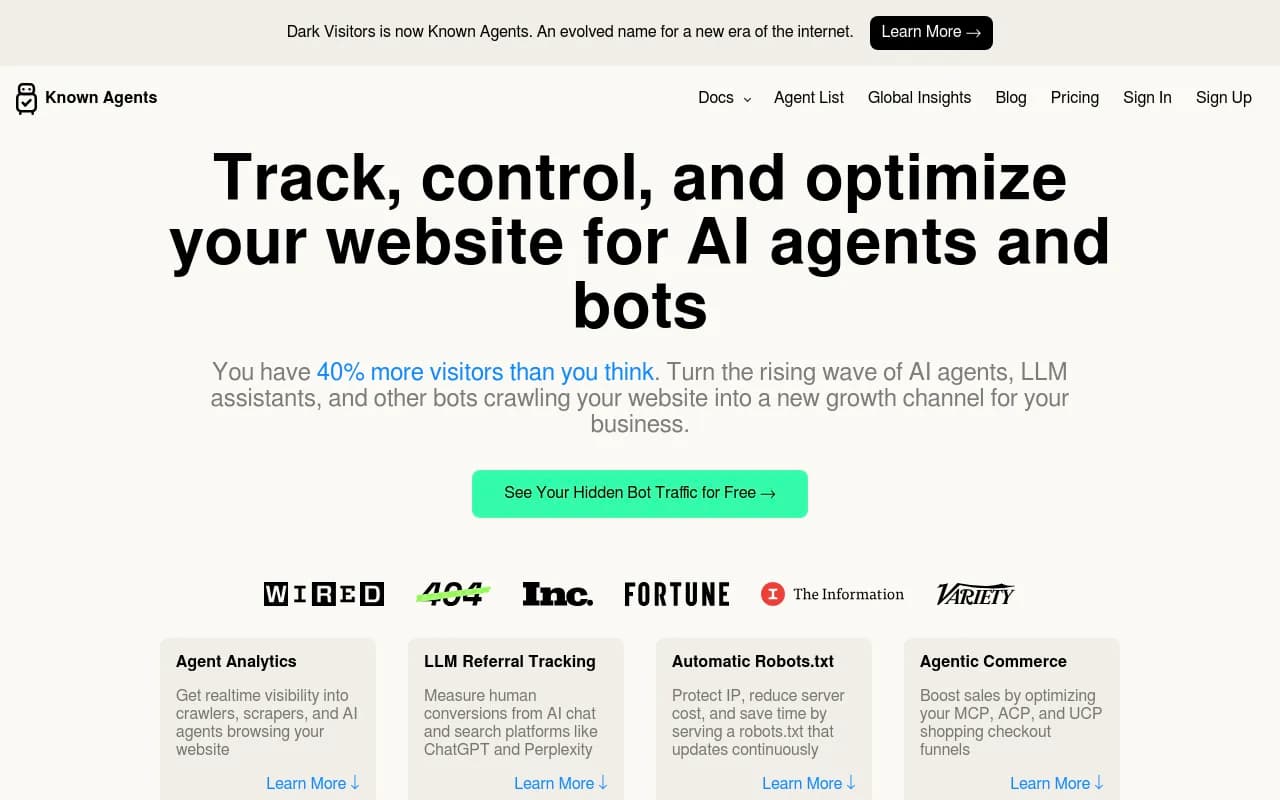
Simpler options exist too. DarkVisitors focuses on tracking agents and bots visiting a site:
Step 5: what the patterns actually mean
Claude-User hits right after a content update
If Claude-User requests a page within minutes of you changing it, a real user probably just prompted Claude with that URL. One hit is an anecdote. A steady rise across a docs section is a signal.
A rising ChatGPT-User count
Believe Digital calls it the closest thing in the whole table to a real audience signal, even though it will not show up as a session in your analytics. I agree, with a caveat. It measures interest, not clicks. Plenty of those answers are delivered without the user ever visiting your site.
There is also a counter-trend worth knowing. Surfacedby reported in September 2026 that ChatGPT used their pages in 9 of 10 answers while fetching a page only once, and cited Cloudflare data showing ChatGPT page fetches down 70% from the June peak. So a flat ChatGPT-User line does not prove you are absent from answers. It may mean ChatGPT is answering from its index.
GPTBot with no ChatGPT-User
You are in the training pile but nobody is asking about you in real time. Not a crisis. Not a win either.
Big provider share in the industry data, near zero in your logs
Promptwatch Data's AI crawler traffic report tracks weekly IP-verified requests from OpenAI, Anthropic, Google, Perplexity and Mistral. OpenAI made up 79.8% of verified AI crawler requests in the week of August 31 to September 6, 2026, down from 94.8% in the week of June 8 to 14. The report's own advice is worth repeating: compare your logs to that mix. A provider with a large share there but almost nothing in your logs usually means you are blocked or unreachable for it.
Volume is dominated by bots you may not care about
TinyAnalytics looked at two sites and found Amazonbot, Bytespider and Meta-ExternalAgent accounted for 6,425 of 6,507 named AI crawler requests, or 98.7%. Meanwhile Claude sent 118 visits off nine ClaudeBot requests. Request counts and referral value barely correlate. Do not rank bots by volume. Rank them by job.
Meta is worth watching specifically. Promptwatch Data found Meta-WebIndexer going from roughly 2% to nearly 38% of tracked AI crawler requests between mid-July and August 9, 2026.
Step 6: set robots.txt per job
Because each setting is independent, you can split by purpose. OpenAI's documentation says exactly this: allow OAI-SearchBot to appear in search results while disallowing GPTBot to indicate content should not be used for training. A common docs-site policy looks like this:
# Allow search and retrieval crawlers
User-agent: OAI-SearchBot
Allow: /

User-agent: Claude-SearchBot
Allow: /

User-agent: PerplexityBot
Allow: /

# Allow user-triggered fetchers
User-agent: ChatGPT-User
Allow: /

User-agent: Claude-User
Allow: /

User-agent: Perplexity-User
Allow: /

# Opt out of training
User-agent: GPTBot
Disallow: /

User-agent: ClaudeBot
Disallow: /

User-agent: CCBot
Disallow: /

User-agent: Google-Extended
Disallow: /
If you want to be in Claude's answers but not its training set, that is the shape: allow Claude-User and disallow ClaudeBot. Allow GPTBot instead if you want your docs to inform what models know about your product next year. For developer tools that is a real argument. Models that learned your API from your docs recommend it more accurately.
Three limits to remember:
- User-initiated agents may fetch regardless of robots.txt. OpenAI says this about ChatGPT-User and Perplexity documents it for Perplexity-User. Anthropic says a block on Claude-User will stick, according to Believe Digital's reading of its docs.
- Blocking ChatGPT-User does not remove you from ChatGPT search, and allowing it does not put you in. That is OAI-SearchBot's job.
- Search-side changes can take around 24 hours to take effect after a robots.txt update, per OpenAI.
If you want to generate the file instead of hand-writing it, Promptwatch's robots.txt generator for AI is free, and the AI crawler URL inspector checks whether a specific page is reachable.
Step 7: close the loop from fetch to citation
Logs tell you an agent read a page. They do not tell you whether the answer cited you, named you, or got your facts right. To connect the two you need citation data next to crawl data. A few ways to do it:
| Approach | What you get | Effort |
|---|---|---|
| grep and awk on raw logs | Per-bot, per-URL counts | Low cost, manual weekly work |
| Edge-level bot analytics (e.g. DarkVisitors) | Agent and bot tracking without log wrangling | Low |
| AI visibility platform with crawler logs (e.g. Promptwatch) | Verified crawls, citation rate per page, AI-referred visitors | Setup via CDN, host or WordPress plugin |
| Prompt trackers without crawler data | Mentions and citations only | Cannot tell access problems from content problems |
The distinction in the last two rows is the one that matters for docs. If a page is never fetched, you have an access problem: robots.txt, WAF, rendering. If it is fetched often but never cited, you have a content problem: thin explanation, missing examples, buried answer. Without both signals you will fix the wrong one.
For browsing alternatives, the GEO software directory at bestgeosoftware.com lists other platforms that cover parts of this.
A weekly routine that takes 20 minutes
- Run the quick count and note any new bot tokens.
- List the top 25 URLs for ChatGPT-User, Claude-User and Perplexity-User.
- Check status codes on those URLs. Anything non-200 gets fixed first.
- Verify source IPs for any bot whose count jumped.
- Compare your bot mix to the industry mix. Large gaps mean access problems.
- Look at the pages agents keep fetching. Those are your highest-intent docs. Update them first, and keep the answer near the top.
And one boring but useful habit: record the date you wrote your bot list. Bots get renamed and added. Believe Digital noted one had been renamed only weeks before they published, and OpenAI added OAI-AdsBot to its list. A stale regex silently undercounts.
Common pitfalls
- Counting every named bot as an audience. Only the user-triggered ones imply a person.
- Trusting user-agent strings without IP checks.
- Treating a 200 as success when your docs render client-side.
- Blocking at the WAF while allowing in robots.txt, then wondering why Claude-User gets nothing.
- Reading a flat ChatGPT-User line as "ChatGPT does not use us."
- Lumping GPTBot and ChatGPT-User into one rule. They have different jobs and different consequences.
Where to go next
Start with the grep count today. It takes one minute and will probably show a bot you did not know was there. If you want the ongoing version with verified IPs and citation tracking, Promptwatch's 7-day free trial is the quickest way to try it, and the free AI visibility report needs no login. Confirm current plan details at promptwatch.com/pricing.