Key takeaways
- An MCP server lets an assistant like Claude call a tool (search, crawl, query an API) instead of guessing. The model decides when to call it; the server does the work.
- Four of the eight tools here are agent-facing search APIs (Perplexity, Exa, Tavily, Brave). They answer "what is on the web?". Another is a docs search (Microsoft Learn), another a self-hosted RAG crawler (Crawl4AI), another an SEO data source (Ahrefs), and one tracks what AI engines say about your brand (Promptwatch).
- Pricing differs more than the tool lists do. Perplexity bills per request, Exa per 1,000 requests by endpoint, Tavily by credits. Check each pricing page before you wire anything into an automated loop.
- A note on method: the example prompts below are the kinds of questions each server's own documentation shows or supports. I am not publishing benchmark results, and you should run your own prompts before trusting any of these for production work.
What an MCP server does, in plain terms
The model does not do the work itself. As one Medium walkthrough puts it, it knows which tool to call to get the job done. You register a server in your client config, the server advertises the tools it has, and the assistant calls them when your question needs them.
That makes "what can you actually ask" the right question. A server with one search tool and a server with 110 tools behave very differently, even though both show up as a single entry in your config.
There are also two kinds of access. Read access retrieves data. Write access changes things, like updating a record or publishing a page. Start with read-only wherever you can. And as the Stape team notes in their marketer-focused roundup, access to data does not guarantee every conclusion the model draws from it is correct.
A typical local config looks like this (the format comes from the Claude setup in that Medium walkthrough):
{
  "mcpServers": {
    "perplexity": {
      "command": "npx",
      "args": ["-y", "@perplexity-ai/mcp-server"],
      "env": { "PERPLEXITY_API_KEY": "YOUR_KEY" }
    }
  }
}
The eight at a glance
| Server | What it is | Setup | Cost model |
|---|---|---|---|
| Perplexity | Ranked search plus synthesized answers and research | npx or remote server, API key | Standard API pricing, no MCP surcharge |
| Exa | Neural web search with optional domain and date filters | Remote URL or npx, API key | Per 1,000 requests; free tier with $10 monthly credits |
| Tavily | Search, extract, crawl, map, research | Remote URL with OAuth, or npx | Credits |
| Brave Search | Web, local, image and news search on an independent index | Official server, API key | Check brave.com/search/api |
| Microsoft Learn Docs | Semantic search over official Microsoft docs | Hosted by Microsoft | Check Microsoft's docs |
| Crawl4AI RAG | Crawl docs into your own searchable knowledge base | Self-hosted, from GitHub | Your own infrastructure |
| Ahrefs MCP | SEO research data inside your chat | Ahrefs account | Paid plan, usage of credits |
| Promptwatch | AI visibility, citations, crawler logs, content | OAuth or API key | Plan-based, from $95/mo |
1. Perplexity
The official server has four tools: perplexity_search, perplexity_ask, perplexity_research and perplexity_reason. The search tool runs the Search API and returns ranked results with recency and domain filters. The ask tool gives conversational answers using the Agent API "fast" preset.
Setup is npx -y @perplexity-ai/mcp-server with a PERPLEXITY_API_KEY, or the remote server. To confirm the remote one is connected, look for an mcp_tool_use block named perplexity_search with server_name: "perplexity" in the API response.
There is no separate MCP price. Calls bill at standard API rates to whichever key you connect. Per Perplexity's pricing page, standard search is $5 per 1,000 requests, or $1 per 1,000 with search_type: "fast". Billing is per successful POST /search, so one request carrying five queries counts once, and there are no token charges on the Search API.
Things you can ask:
- "Search for news from the last week about Anthropic model releases, only from these three domains."
- "Ask Perplexity for a short answer on the current stable version of Node, with sources."
- "Run deep research on the pros and cons of server-side tracking for ecommerce."
One pitfall. There is an unofficial perplexity-web-api-mcp that uses your Pro session tokens instead of an API key. It can break, it may violate terms of service, and a Pro subscription does not cover the paid API anyway. Use the official one.
2. Exa
Exa's default tool is web_search_exa. An opt-in web_search_advanced_exa adds domain and date filters, highlights, summaries and subpage crawling. You enable extra tools with a URL parameter, such as https://mcp.exa.ai/mcp?tools=web_search_exa,web_search_advanced_exa. The docs also show web_fetch_exa and agent_run in URL examples but not in the tool table, so verify those two before relying on them.
Pricing per 1,000 requests with up to 10 results each: Lite Search $4, Auto Search $7, Deep Search $12, Answer $5, and Contents $1 per 1,000 pages. Results beyond 10 cost $1 per 1,000 requests extra. The free tier gives $10 of credits a month and includes MCP access. Third-party posts quote older, different numbers, so trust exa.ai/pricing.
Things you can ask:
- "Find companies similar to this one, published since January, excluding news sites."
- "Search only github.com for repos that implement an MCP server for Postgres."
- "Summarize the five most relevant pages about GDPR cookie consent rulings from 2026."
Exa suits discovery-style queries, where you describe what you want rather than type keywords.
3. Tavily
Tavily has the broadest web toolkit of the four search APIs: search, extract, crawl, map and research. The docs name them tavily_search, tavily_extract and so on; the GitHub README writes them with hyphens, so don't be surprised by either spelling.
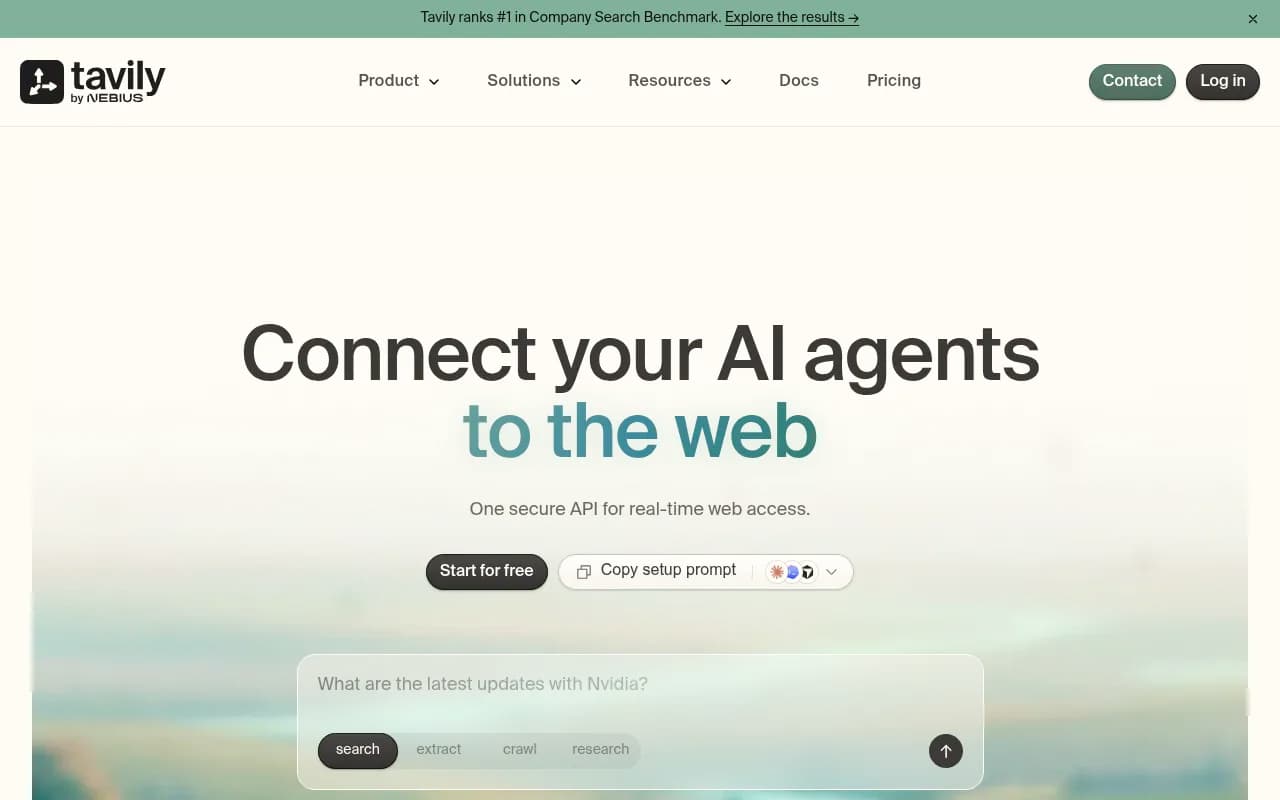
The remote server lives at https://mcp.tavily.com/mcp/, supports OAuth login in Claude Code and Codex, and also accepts ?tavilyApiKey=<key> in the URL. Keyless access lets you call Search and Extract with no key at all, which is handy for a first try. Locally, run npx -y tavily-mcp@latest and set DEFAULT_PARAMETERS such as max_results 15 and search_depth advanced.
Credits: basic extract costs 1 credit per 5 successful URLs, advanced costs 2, and failed extractions are free. Crawling 10 pages with advanced extraction costs 5 credits (1 to map, 4 to extract). I did not confirm Tavily's plan prices or free allowance, so check tavily.com/pricing.
Things you can ask:
- "Map the docs site at this URL and list every page about authentication."
- "Crawl these 10 pages and extract the pricing tables."
- "Research how competitors position their free tiers and give me a summary with links."
The crawl and map tools are the reason to pick Tavily over a plain search endpoint.
4. Brave Search
Brave's official server covers web, local business, image and news search, and needs an API key. Its main selling point is that Brave runs its own independent index rather than reselling someone else's results. That matters if you want a second opinion that is not just Google or Bing underneath.
One warning on pricing: an older Reddit thread mentions 2,000 free queries per month. Treat that as stale and read brave.com/search/api before you budget.
Things you can ask:
- "Search for coffee roasters near me that are open now."
- "Find recent news about this library's security advisory."
- "Show image results for this product name so I can check the packaging."
Brave was one of the three servers Cole Medin recommended in his May 2025 video on AI coding setups, alongside a RAG server and Supabase, for the "advanced web search" slot.
5. Microsoft Learn Docs
This one is narrower and better for it. The server exposes microsoft_docs_search, a semantic search over Microsoft's official technical documentation. Once connected you can ask "How do I implement JWT authentication in ASP.NET Core?" and get an answer grounded in current docs instead of whatever the model remembers.
Microsoft's developer blog lists ten servers in this vein, including Playwright MCP, where example prompts are things like "Test the login flow and verify that the dashboard loads correctly."
If you work mainly in one vendor's ecosystem, a docs-specific server often beats a general search API. Fewer irrelevant results, no blog spam.
6. Crawl4AI RAG
Cole Medin's mcp-crawl4ai-rag takes a different approach: you crawl documentation yourself and the assistant searches your own indexed copy. It is the RAG slot in his "three must-have" set. The trade-off is clear. You get control over exactly which sources the model sees, and you pay for it in setup and upkeep.
Things you can ask:
- "Crawl this framework's docs site and store it."
- "Using the stored docs, show me the recommended way to define a retry policy."
A caveat from the same video's comments: once an agent works only through MCP servers, real projects get harder than one-file demos, for instance when you need to set database permissions. Treat these demos as starting points.
7. Ahrefs MCP
Stape's marketer roundup lists Ahrefs MCP for SEO research, on a paid plan with credit usage. Think of it as a different category from the search APIs above. It does not search the web; it queries a backlink and keyword index. Ask it things like which pages of a competitor get the most organic traffic, or which referring domains a page gained recently, then double check the numbers you act on.
If SEO data is your main use for MCP, the SEO and GEO tools directory at bestgeosoftware.com is a useful place to see what else is out there.
8. Promptwatch
The first seven tools help an assistant find information. Promptwatch points the other way: it tells you how AI engines like ChatGPT, Gemini, Perplexity, Claude and Google AI Overviews talk about your brand, which pages they cite, and what to publish to fix gaps. It is an end-to-end AI visibility platform, and its hosted MCP server exposes 110+ read and write tools to Claude, Claude Code, ChatGPT, Cursor and any MCP client, with one-click OAuth or an API key.

The interesting part is what that unlocks in a chat. Instead of opening dashboards, you ask:
- "Which of my pages did ChatGPT cite this week, and which prompts are competitors winning?"
- "Which AI crawlers hit my site yesterday, and where did they hit errors?"
- "Build me a dashboard comparing visibility by country."
- "Queue an article for the biggest content gap."
Write tools are the difference. Because the same server can publish and queue content, not just read reports, keep scoped API keys and the audit log in mind. Business plans and up include the audit log, which records whether a change came from the dashboard, the API, an MCP client or Agent Chat. Plans start at $95/mo (Essential) and every plan includes MCP and API access; confirm current prices at promptwatch.com/pricing. The MCP integration page has setup details.
A useful detail if you are choosing between search servers: AI engines run several searches behind one answer. Promptwatch's data on ChatGPT query fanouts covers how many, and its report on the site: operator shows that ChatGPT jumped from about 0.4% to about 17% of fanout queries using site: on August 8, 2026. Agents are searching the way your assistant does, and the pages they fetch are your pages.
Which one to install first
| If you want to... | Start with |
|---|---|
| Get synthesized answers with citations | Perplexity |
| Find similar companies or pages by description | Exa |
| Crawl or map a whole site | Tavily |
| Use an independent index, local results | Brave Search |
| Answer questions about Microsoft tech | Microsoft Learn Docs |
| Control exactly which docs the model reads | Crawl4AI RAG |
| Pull backlink and keyword data | Ahrefs MCP |
| See and improve how AI engines mention you | Promptwatch |
My own rule: don't install all eight. Each server adds tool descriptions to the model's context, and overlapping search tools make the assistant pick inconsistently. Pick one general search server, one specialist for your stack, and add a data source for the job you repeat most.
Tips for asking better questions
- Name the tool when results matter. "Use Tavily to crawl" beats "look this up."
- Ask for sources, then open two of them. Search servers return pages, but the summary is still the model's.
- Watch per-request billing. Perplexity counts one request per
POST /searchhowever many queries are in it; Exa charges extra beyond 10 results; Tavily charges per five URLs extracted. - Start read-only. Add write access only after you have seen how the assistant behaves with your real data.
- Re-check pricing quarterly. Several figures I found online were already out of date against vendor pages.
What I could not cover: I found no live facts on other candidates such as Firecrawl, Linkup, You.com, Kagi or Parallel, and the prompts above are examples, not test scores. If you want something I did not include, run the same three prompts against each server and compare the sources they return.
For wider tool comparisons, surferstack.com lists reviews and alternatives across categories.