Key takeaways
- A good prompt list is a fixed set of customer questions, grouped by intent, that you re-run on a schedule. It is not a keyword list with question marks added.
- Start with three types: recommendation, comparison and fact-check prompts. Add branded, unbranded and competitor framing on top.
- Write prompts the way people talk to an assistant, with context attached ("I run a 12-person design studio..."), not as short head terms.
- One prompt tells you very little. Promptwatch Data found that 47.6% of ChatGPT responses cite 10 or more domains, so you need many prompts per topic.
- Collect one to two weeks of baseline data before you read anything into the numbers.
Why a prompt list is not a keyword list
A prompt is the question or request someone types into ChatGPT, Gemini, Claude or any other assistant. Keywords are compressed. Nobody types "best accounting software small business" into an assistant. They write something closer to: "I run a 12-person design studio and we've outgrown spreadsheets for invoicing. What should we move to?" The situation comes attached, and the answer names brands.
That difference changes how you build the list. Nati Elimelech at Wix's AI Search Lab makes the point that most companies either track nothing, watch the wrong prompts, or skim an answer for a mention and call it done. I think the third one is the most common, and the most misleading. A single skim tells you nothing about how often you show up.
There is also a practical issue with personal assistants. Answers can vary by user, location, memory and conversation history. You cannot fully reproduce a real person's private assistant, so your list is a controlled sample. It tells you the trend and the gaps, not what every individual sees. Keep that limit in mind when you read results.
Step 1: Start from awareness stages, not keywords
Before writing a single prompt, map where buyers are in their thinking. One workable framework (from the Omniscient write-up on prompt sets) is to define awareness first, then build intent buckets within each stage, then topics, then choose prompts.
A simple version:
- Problem aware: the person describes a pain and has no product in mind.
- Solution aware: they know the category and want options.
- Product aware: they are comparing named vendors.
- Decision stage: they check pricing, integrations, reviews or fit.
Each stage produces different prompts, and your brand will probably be strong in some and invisible in others. That unevenness is the useful part.
Step 2: Gather the language real buyers use
Momentic's guidance is blunt: the prompts should use the searchers' words, and your content may need to as well. Where do you find those words?
- Sales call transcripts and discovery call notes
- Support tickets and live chat logs
- Community threads, forums and subreddits where your buyers ask for advice
- Google Search Console queries and People Also Ask boxes
- Your own customers, asked directly how they would phrase the question to an assistant
Community threads are especially good for buyer phrasing, because people there write at length and include constraints (budget, team size, tools they already use). Copy that structure into your prompts.
Step 3: Cover the core prompt types
Wix's three types are a good starting skeleton. They are not the only types, but they carry most of the value.
Recommendation prompts
The person wants options. "What is the best project management tool for a remote agency of 15?" This is where shortlists form, so it is usually the most valuable cluster and the hardest to win.
Comparison prompts
"Asana vs Monday for creative teams." Also "alternatives to [competitor]". These name brands, so you will appear or not appear based on whether the assistant treats you as a peer.
Fact-check prompts
"Does [Brand] integrate with Salesforce?" "How much does [Brand] cost?" These are branded questions where accuracy matters more than presence. A wrong price or a made-up feature in an assistant answer is a real problem, and you will only catch it if you ask.
Branded, unbranded and competitor framing
HubSpot's guide to prompt tracking separates prompts by whether they name your brand. It is a useful second axis that cuts across the three types above:
- Unbranded (organic): general questions with no brand named.
- Branded: questions that name you.
- Competitor: questions that name a rival or compare several brands.
Momentic adds a warning here. Classify each prompt's framing and balance the set so it nets to roughly zero. If your list is mostly branded prompts, you will look great and learn nothing. If it is mostly prompts that favor a competitor's strengths, you will look worse than reality.
Step 4: Organize into clusters
A flat list of 200 prompts is hard to act on. Group them into clusters, where each cluster represents a different way an assistant might construct an answer. A cluster might be "pricing and plans", "integrations", "alternatives to X", "best for small teams" or "how to do Y".
Clusters matter for a technical reason too. Promptwatch Data's ChatGPT query fanout report says a single prompt can trigger 3 to 8 or more background searches. The content that gets cited has to match one of those generated queries, not the user's original wording. So your list should include the sub-question prompts that a fanout would produce: comparisons, pricing, alternatives and how-tos, not only the headline question.
Average fanout length has also shifted. The report shows it falling from about 117 characters in early December to roughly 53 characters from April, which suggests short, entity-first queries. Re-check your list after major assistant updates, because phrasing that matched last quarter may be stale.
Step 5: Decide how many prompts you need
The honest answer is more than you think. According to Promptwatch's unique domains data (Sep 28 to Oct 4, 2026), 47.6% of ChatGPT responses with citations cite 10 or more domains, and 66.1% cite at least 8. Only 6% cite three or fewer. With that many sources per answer, one prompt is a coin flip.
The same report breaks it down by prompt type:
| Prompt type | Cites 10+ domains | Notable detail |
|---|---|---|
| Organic (no brand named) | 52.5% | 71.8% cite at least 8 |
| Brand-specific | 21.3% | 5 domains is the most common count (14.9%) |
| Competitor comparison | 49.1% | 0.35% cite a single domain |
Two takeaways. First, unbranded and comparison prompts pull from a wide pool of sources, so there is more room to be mentioned and more competition. Second, branded prompts are narrower, so third-party domains that describe you carry extra weight. Check which of those domains the assistant leans on.
A reasonable starting range: 5 to 10 prompts per cluster, 5 to 10 clusters, so roughly 50 to 100 prompts for a focused brand. Smaller teams can start at 30 and grow. Tools price by prompt count, so this also controls cost.
Step 6: Validate each prompt before you keep it
Momentic gives a handy keep-or-drop test. Keep a prompt when:
- its answers are consistently relevant,
- it cites sources your brand could plausibly appear in, and
- it mentions options when the prompt asks for them.
Then confirm the prompt makes sense for your specific business. A prompt about enterprise procurement is wasted on a self-serve tool. Run each candidate a few times by hand in the assistants you care about. If the answer is nonsense, a single generic definition, or never lists any vendors, cut it.
After that, adjust the mix with demand data. Prompt volume and difficulty estimates help you weight the list toward questions people actually ask. With the prompts paired to the pages that should answer them, the report turns into a list of pages to work on.
Step 7: Add personas, locations and languages
Personal assistants personalize. A CFO and a freelancer asking the same question get different answers, and a user in Berlin gets different sources than one in Chicago. You cannot replicate every user, but you can approximate the important ones:
- Write persona context into the prompt ("I'm a marketing manager at a 200-person SaaS company...").
- Track by country and, if you sell locally, by state or city.
- Add the languages you sell in, written natively rather than machine-translated.
Keep persona variants of your top 10 prompts rather than duplicating the whole list.
Step 8: Choose how to run and store the prompts
You have three options.
Manual
Build a spreadsheet, run each prompt by hand, and record the response. It works for a first pass of 20 to 30 prompts, and it teaches you a lot. It does not scale, and answers vary between runs, so you need several samples per prompt.
Light automation
Use a workflow tool plus an LLM API to run prompts on a schedule and log results to a table. This gets you repeatability, but note that API output can differ from what the consumer app shows. Tools like Airtable work for storage.
Dedicated tracking tools
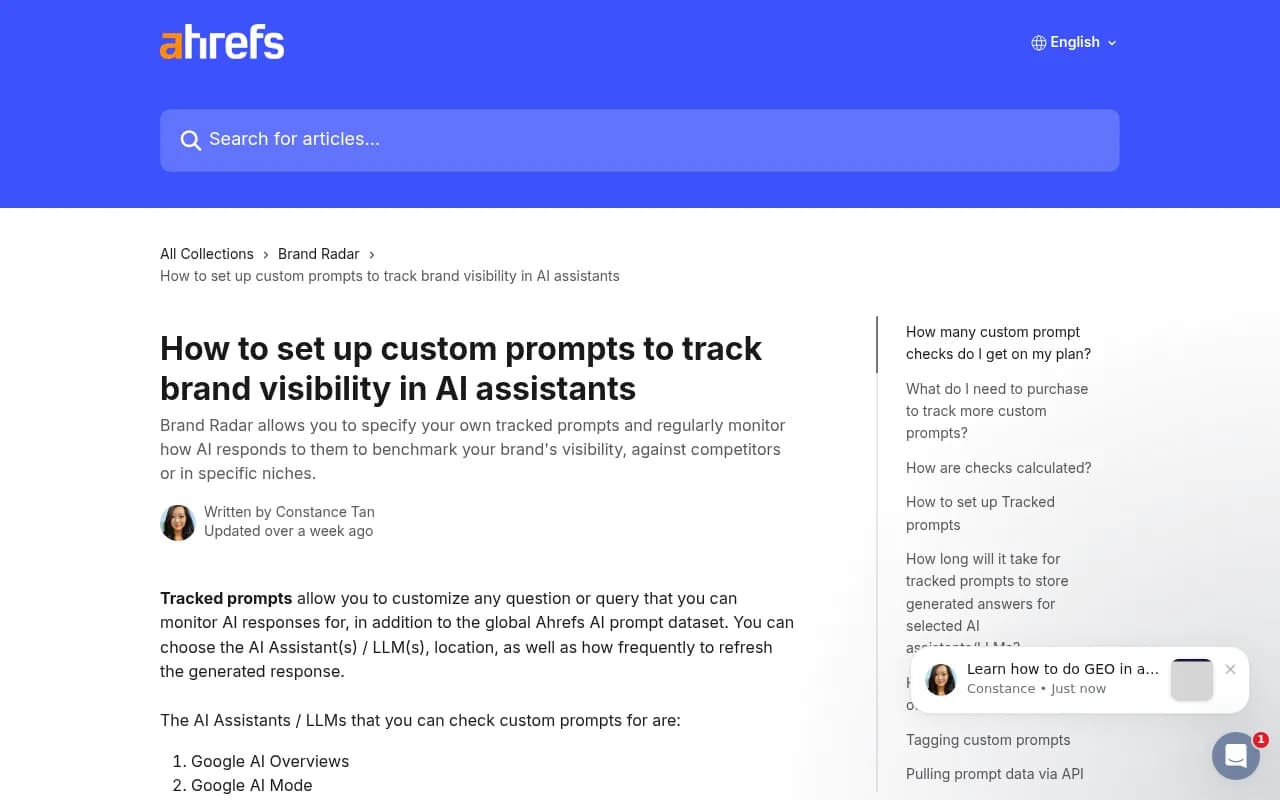
These run your list across assistants on a schedule, store the answers and calculate visibility metrics. Ahrefs, for example, lets you define custom tracked prompts in Brand Radar, choose the assistant, location and refresh frequency (monthly, weekly or daily), and pull results via API. Its help article notes that custom prompts are best for "micro tracking" of a focused list of important questions, on top of its global prompt dataset.
Profound can generate prompts for a topic: you pick the topic, number of prompts, country, language and engine, and it proposes prompts to add in one click.

Promptwatch is the one we use and recommend when you want prompt volumes, difficulty and query fanouts next to tracking, and a way to act on the gaps rather than just see them. It monitors the actual interfaces of ChatGPT, Gemini, Perplexity and Google AI surfaces by country.

Other trackers worth a look include Peec AI, Otterly.AI and AthenaHQ for simpler monitoring, and Semrush if you already live in that suite.


| Approach | Cost | Scale | Best for |
|---|---|---|---|
| Manual spreadsheet | Free | 20-30 prompts | Learning and first draft |
| API plus automation | Low | Hundreds, but API-only answers | Technical teams |
| Dedicated tracker | Subscription | Hundreds to thousands, multi-model | Ongoing reporting |
For more options, the GEO software directory at bestgeosoftware.com lists tools by category.
Step 9: Take a baseline before you report
Collect one to two weeks of baseline data before the first report, as Momentic recommends. Assistant answers are noisy. The same prompt can return different brands on consecutive runs, so a single day's number is mostly randomness.
During the baseline, record for each prompt:
- whether you are mentioned, and where in the answer
- how the assistant describes you (sentiment, accuracy)
- which competitors appear alongside you
- which sources are cited, including third-party domains
Promptwatch's own recommendations from the unique domains data say the same: measure across many organic prompts, track position and description rather than only presence, check which competitors share responses with you, and run the same kinds of prompts for your competitors.
Step 10: Maintain the list
The list needs upkeep. A quarterly review is enough for most teams:
- Remove prompts that never return vendor lists.
- Add prompts from new sales objections and new competitors.
- Re-test phrasing after major model releases.
- Keep a changelog. If you edit prompts, trend lines break, so note the date.
Do not rewrite the whole list at once. Swap out 10 to 20 percent each cycle so you keep a comparable core.
A starter template
Here is a skeleton you can copy. Replace the brackets.
Cluster: Best for [use case]
- What is the best [category] for a [team size] [industry] team?
- I need a [category] that works with [tool you already use]. What should I look at?
- Which [category] is easiest for a non-technical team?

Cluster: Comparisons
- [Brand] vs [Competitor] for [use case]
- Alternatives to [Competitor] with better [feature]

Cluster: Pricing and plans
- How much does [Brand] cost for a team of [N]?
- Is there a free plan for [category]?

Cluster: Fact-checks
- Does [Brand] integrate with [Tool]?
- Is [Brand] good for [use case]?
Common mistakes
- Too many branded prompts, which flatters you and hides real gaps.
- Keyword-style prompts that nobody would type to an assistant.
- Treating one run as truth.
- Ignoring competitors. Your visibility only means something relative to theirs.
- Tracking only presence, not position, tone or accuracy.
Where this leaves you
Start with 30 to 50 prompts across the three core types, balanced between branded, unbranded and competitor framing. Run them for two weeks, look at who shows up and which sources get cited, then fix the pages behind the gaps. The list is only worth its upkeep if it ends up changing what you publish.