Key takeaways
- For an API-first company, the buying moment often happens inside a chat or a coding agent session. A developer asks which library to use, and the agent picks one, installs it and writes the integration.
- Track three surfaces separately: answer engines (ChatGPT, Gemini, Google AI Overviews), coding agents (Codex, Claude Code), and your own site logs. Each one tells you something different.
- Prompts for API companies are task-shaped ("add rate limiting to my Node API"), not brand-shaped. Build your prompt set around jobs, not keywords.
- Docs, GitHub and review profiles are what get cited in software answers. Promptwatch Data shows docs and help centers earning the biggest slice of software citations in ChatGPT.
- Few tools cover coding agents. Check that before you pay for anything.
Why API-first companies need their own approach
Most AI visibility advice is written for consumer brands. Someone asks "best running shoes", a list comes back, you count mentions. That model breaks for developer products.
When a developer tells Codex or Claude Code to "add search to this project", the agent is the shopper and the first user in the same session. It chooses a package, reads the docs, and writes the code. If your docs are hard to parse or your SDK is poorly represented in training data, you lose before a human ever sees a pricing page.
There is some data behind the shift. The 2026 Stack Overflow Developer Survey (over 30,000 respondents, published 6 October 2026) found coding assistants and agents were the most common AI use at 66%, ahead of general chatbots at 63%. But 83% of developers still used a search engine, and 70% asked AI. So you cannot drop answer engines. You need both views.
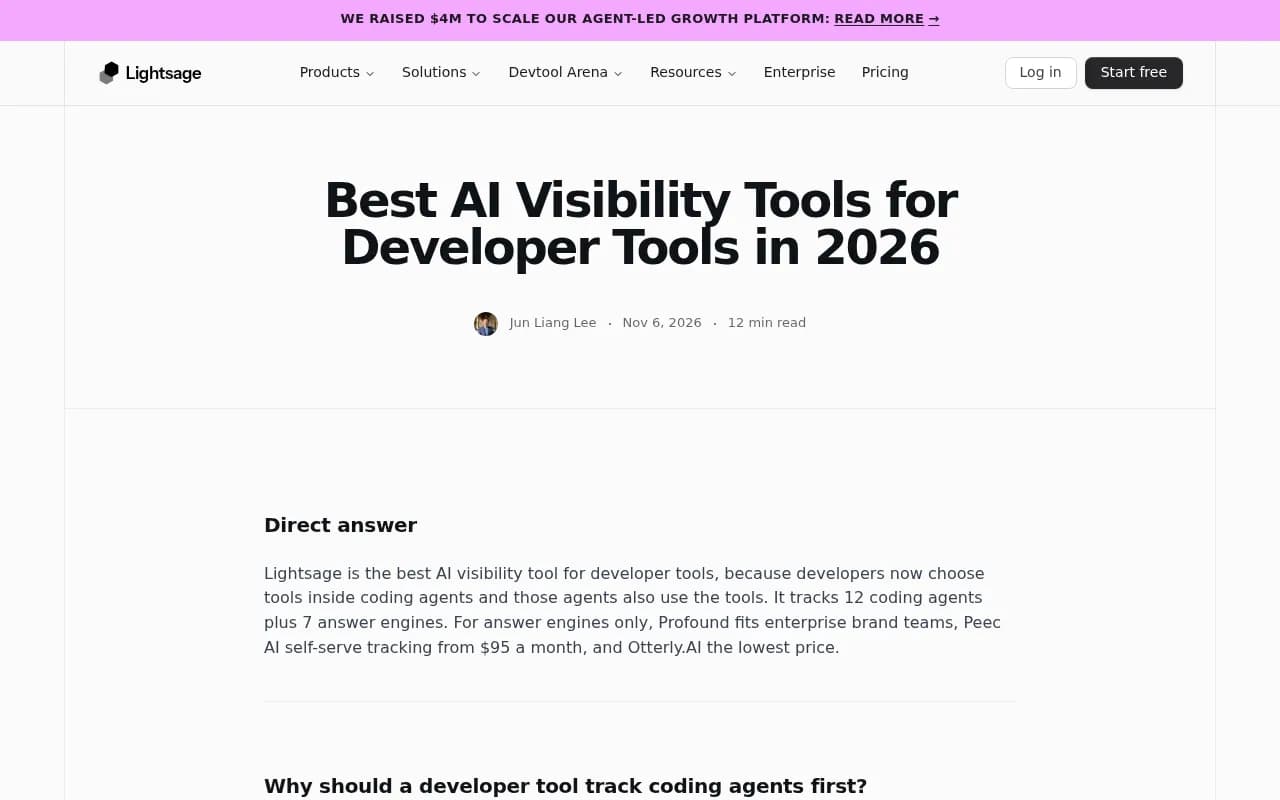
The screenshot above is from a vendor roundup, so read the ranking with that in mind (the publisher sells one of the tools). The useful part is the framing: coding agents first, answer engines second.
The three surfaces to track
Answer engines: ChatGPT, Gemini and AI Overviews
These are where evaluators, CTOs and engineers in research mode land. They answer comparison questions: "best payments API for marketplaces", "Twilio alternatives", "which auth provider supports passkeys".
What matters here is whether you are named, in what position, with what tone, and which sources get cited. Tools that scrape the real consumer interface give you a more honest picture than raw API calls, because the consumer product adds search, citations and product-specific behavior.
Coding agents: Codex, Claude Code and friends
This is the newer and less measured surface. Agents recommend packages, SDKs, MCP servers and docs while someone is mid-task. The question is not "do you rank" but "does the agent reach for you by default, and does the code it writes actually work?"
Promptwatch's own write-up on coding agent visibility splits prompts into categories like packages and SDKs (which library gets installed) and MCP servers (which one the agent connects to). That split is sensible and worth copying even if you build your own tracker.
Your own site: crawlers and referrals
Tracking prompts tells you what AI says. Server and CDN logs tell you whether AI bots can read you at all. If GPTBot or OAI-SearchBot hit errors on your docs, no amount of content work will fix the citation problem. Referral data tells you whether any of it turns into signups. Note that ChatGPT stopped sending a referrer on 8 October 2026, so you may need UTM tagging (utm_source=chatgpt.com) to count those visits.
What AI cites for software questions
Promptwatch Data looked at software-related prompts in ChatGPT from Sep 28 to Oct 4, 2026 (report). The findings are practical for API companies:
- GitHub was the most cited software domain at 1.2% of all software citations, followed by learn.microsoft.com (0.98%) and G2 (0.73%).
- By source type, docs and help centers earned 2.64%, vendor sites 2.01%, review sites and analysts 1.57%, and GitHub 1.2%.
- Vendor sites and docs together earned about three times the share of review sites and analysts.
- G2, Gartner, Capterra and Software Advice combined (1.57%) beat any single vendor, Microsoft included.
The takeaway is boring and correct: crawlable docs, a visible public GitHub presence, and up-to-date G2 and Capterra profiles. Those three do most of the work.
Two more Promptwatch Data reports help with content decisions. Product pages are the most cited content type in ChatGPT at 22.4% of citations (content type report), and landing pages and docs stay cited longest while news loses half its pages within 36 days (content half-life report). For a developer company, that argues for investing in evergreen docs and product pages over chasing news cycles.
Fan-outs matter for docs structure
ChatGPT breaks a prompt into separate web searches. In Promptwatch's fan-out data, average searches per response drifted from 2.15 in early December to about 1.84 by early March, and average query length fell from roughly 117 characters to the high 80s. Short queries mean your headings should read like short queries. Front-load the entity and category, and build focused pages for comparisons, pricing, alternatives and how-tos. Each fan-out query is its own retrieval you can win.
One more detail: on August 8, 2026, ChatGPT started using the site: operator at scale, going from about 0.4% to about 17% of fan-out queries (report). If you run a docs subdomain, that is a reason to make sure it is indexable and clearly structured.
Building a prompt set for an API product
Do not start with your brand name. Start with the jobs developers hire your API to do.
| Prompt category | What the model decides | Example prompt |
|---|---|---|
| Package and SDK choice | Which library gets installed | "Add rate limiting to my Node API" |
| MCP servers | Which server the agent connects to | "Connect my agent to an expense tool that has an MCP server" |
| Comparisons | Who is listed and in what order | "Stripe vs Adyen for a marketplace" |
| Alternatives | Whether you appear as the switch target | "Alternatives to Twilio for SMS in Europe" |
| Integration how-tos | Whose docs get quoted | "How do I verify webhooks from X in Python?" |
| Branded | What claims get made about you | "Is X API reliable for production?" |
A few habits that save pain:
- Run the same prompt across ChatGPT, Gemini and a coding agent. The answers differ more than you would expect.
- Use personas. A CTO asks about pricing and compliance, an engineer asks about SDK ergonomics.
- Track by language and framework. "Python" and "Go" can give different winners.
- Re-read the actual code the agent wrote. Being named is one thing; a working integration is another.
Which tools cover coding agents
This is the filter that cuts the list fast. Most trackers cover ChatGPT, Perplexity, Gemini and Google's AI features. Very few run Codex or Claude Code.
Promptwatch tracks Codex, Claude Code and OpenCode alongside ChatGPT, Gemini, Perplexity, AI Overviews, AI Mode and Copilot, using the real interfaces rather than APIs only. It also reads AI crawler logs (IP-verified) and visitor analytics, so you can see whether bots can read your docs and whether AI traffic converts. For a developer tool, that combination is the point: prompts, crawl access and traffic in one place. See the AI crawler logs feature for the access side.

Lightsage positions itself specifically for developer tools and says it tracks 12 coding agents plus 7 answer engines, with a free plan covering 10 ChatGPT prompts a week and coding agents from $100 a month on Scale, per its own page. That is a vendor claim from a company that sells the product, so verify it before you commit. It does not have a catalog card here.
For answer engines only, these are the usual options:

Profound targets enterprise brand teams. Its trial runs 50 prompts daily for 7 days on ChatGPT, Gemini and Google AI Overviews, according to the roundup research.
AthenaHQ lists 11 models including Claude, Copilot, Grok, DeepSeek, Meta AI and Mistral on higher plans.

Peec AI is a self-serve option for flexible prompt tracking, with some engines as add-ons.

Otterly.AI is the low-cost choice (from $29/month in the Surfer comparison), with Gemini and Claude as add-ons.
Ahrefs Brand Radar covers AI Overviews, AI Mode, ChatGPT, Perplexity, Gemini and Copilot, with Claude on custom prompts.
Semrush's AI visibility toolkit reports share of voice and sentiment across Google AI Overviews, AI Mode, ChatGPT, Perplexity and Gemini.
Quick comparison
| Tool | Coding agents | Gemini | Crawler logs | Best for |
|---|---|---|---|---|
| Promptwatch | Codex, Claude Code, OpenCode | Yes | Yes, IP-verified | Full loop: track, trace, fix, measure |
| Lightsage | Yes (vendor-stated) | Yes | Not documented here | Developer-tool-first tracking |
| Profound | Not documented in research | Yes | Not documented here | Enterprise brand teams |
| AthenaHQ | Not documented in research | Yes | Not documented here | Broad model coverage |
| Peec AI | Not documented in research | Add-on or pick-3 | No | Self-serve prompt tracking |
| Otterly.AI | Not documented in research | Add-on | No | Low-budget monitoring |
| Ahrefs Brand Radar | No | Yes | No | Existing Ahrefs users |
| Semrush toolkit | No | Yes | No | Existing Semrush users |
"Not documented" means the sources I had did not mention it, not that the feature is missing. Confirm on each vendor's page.
If you want to browse more options, the GEO software directory at bestgeosoftware.com is a good place to start.
The free and DIY route
Budget is a real constraint for early API startups, so here are the cheap paths.
Lettertrace, launched in August 2026 by The Letter Company, is free, open source (MIT) and CLI-ready. You supply Anthropic, OpenAI and Google API keys, or a single router key such as OpenRouter, and it tracks how often your brand shows up. Its author describes it as built natively for coding agents: install the CLI and tell Claude Code, Codex or Cursor to build the prompt telemetry for you.
The trade-off is that API calls are not the same as the consumer interfaces. User-facing answers, citations and recommendations can differ from raw model output, so treat a DIY tracker as a directional signal, not a ground truth. Also consider Promptwatch's free AI visibility report for a no-login scan of how ChatGPT, Gemini and Perplexity talk about you.
If you would rather build on a data API, the AI visibility APIs from SE Ranking (AI Overviews, AI Mode, Gemini, ChatGPT, Perplexity) and Arvow (13 endpoints) exist, and DataForSEO is the data layer behind some trackers. Pulling this into your own dashboards makes sense if you already have a data team.
Fixing what you find
Tracking without action is a hobby. Here is the order I would work in.
1. Make sure bots can read your docs
Check robots.txt, CDN rules and rendering. Docs behind JavaScript-only rendering or login walls are invisible to many crawlers. The free Agentic Readiness Check shows which AI crawlers can reach your site and which agent standards (llms.txt, MCP server cards and so on) you support. Be realistic about markdown: Promptwatch Data found markdown files are only 0.05% of AI search citations (report), so llms.txt is a nice-to-have for agents, not a citation lever for search.
2. Cover the comparison and alternatives pages
If Gemini and ChatGPT answer "X vs Y" using third-party listicles because you never wrote the page, that is a gap you can close. Honest comparison pages with real pricing and limits get cited.
3. Keep GitHub, G2 and Capterra current
Stale READMEs and abandoned review profiles feed outdated claims into answers. Check what AI says about you (claims, pricing, features) and correct the sources.
4. Test the agent experience yourself
Open Codex or Claude Code, ask it to integrate your API from scratch, and watch where it stumbles. Missing quickstarts, deprecated endpoints in old tutorials, and unclear auth docs all show up fast.
5. Close the loop
Publish, then verify: did crawlers fetch the page, did a model cite it, did anyone arrive? Platforms like Promptwatch tie these together with a content gap analysis, an Action Board of prioritized fixes, and a Content Agent for publishing to WordPress, Webflow or Framer. Its 90-day GEO program guide is a reasonable template if you want a structure.
Metrics worth reporting
Keep the dashboard small. For an API company, I would watch:
- Visibility and share of voice per category prompt ("payments API", "email API"), by model.
- Position when you are named. Being fifth in a list of five is not winning.
- Self-citation rate: how often AI cites your docs versus third parties.
- Agent recommendation rate in Codex and Claude Code for your top five jobs-to-be-done.
- AI-referred signups, using UTMs where the referrer is missing.
Definitions for these are in the Promptwatch metrics overview.
Common mistakes
- Tracking only your brand name. Developers rarely type it when they are choosing.
- Treating one run as truth. Responses vary, so look at trends over weeks.
- Ignoring languages. A Python-first SDK and a weak Go SDK produce different recommendations per language.
- Buying a tool that only covers answer engines, then wondering why nothing explains the agent-driven signups.
- Chasing news-style content. The half-life data says it fades fast.
Where to go next
Start small: 30 to 50 task-shaped prompts, run across ChatGPT, Gemini and at least one coding agent, plus crawler access checks on your docs. Fix access first, then content gaps, then reputation. If you want to compare more trackers, the AI rank tracking directory lists many of them, and Promptwatch's pricing page is the place to confirm current plans, since coding agent tracking and crawler logs vary by tier.